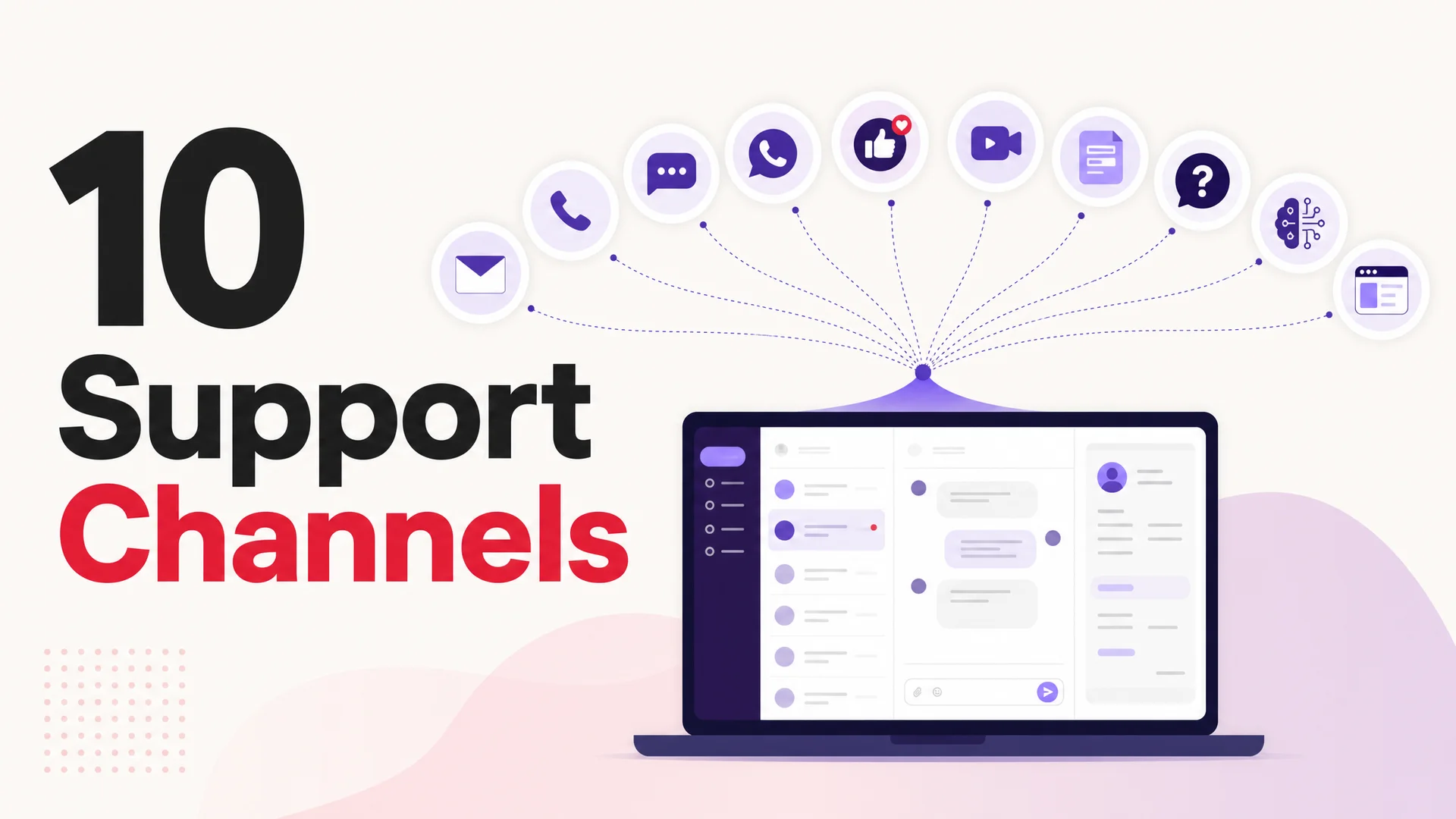
Most support teams quietly wrestle with the same question: do we really need to be on every channel?
It is easy to assume the answer is yes. Email, live chat, WhatsApp, SMS, Instagram DMs, X, Messenger, Discord, Slack, phone, video, web forms, FAQ pages, full-blown self-service portals - each one promises another door for customers to walk through. Add it all up and the to-do list looks endless.
But "omnichannel" is not the same thing as "everything, everywhere, all at once." A real omnichannel strategy means your customer can move between channels without losing context. A multi-channel mess just means you have ten inboxes nobody is watching closely. The difference between the two is whether you chose each channel for a reason or just kept bolting more on because a competitor had it.
The right mix is narrower than most teams think. It depends on who your customers are, what they buy from you, how urgent their problems get, and how much support volume you can realistically staff today. A premium B2B SaaS with 400 enterprise accounts is not running the same playbook as a DTC brand fielding 5,000 weekly tickets about shipping. A regulated fintech is not living on the same channels as a Discord-first gaming community.
This post walks through the ten channels worth taking seriously in 2026, what each one is genuinely good at, where it falls apart, and how the new wave of AI agents - running on models like GPT-5.5, Claude Opus 4.7, Gemini 3.1 Ultra, and open-weight frontier models like DeepSeek V4 and Kimi K2.6 - has shifted what each channel can actually deliver. By the end you should have a sharper view of which two or three to invest in deeply, which to automate, and which to leave for later.
1. Email Support
Email is the workhorse. It is not flashy, it does not feel modern, and it will not appear in a glossy product launch video. But it is the channel customers fall back on when something feels too detailed or too sensitive for a chat window.
Email rewards depth. A customer can write three paragraphs explaining their account history, paste in a stack trace, attach four screenshots, and trust that someone will eventually read all of it. That is hard to do in a 200-character SMS. It is also the only channel where international customers in radically different time zones can have a real conversation with you without anyone feeling rushed.
Strengths:
- Asynchronous by default - works for any time zone, any working pattern.
- Generous on context: long-form text, attachments, threading, signatures, links.
- Auditable. Every word lives in a searchable log, which matters in regulated industries.
- Plays well with ticketing systems, CRMs, and SLA tooling.
Weaknesses:
- Slow. If your customer expected an answer in five minutes, email will frustrate them.
- Threads tangle quickly when multiple agents touch a ticket without internal notes.
- High volume means triage costs go up linearly without good automation.
How to run it well in 2026: treat the inbox as something an AI agent reads first. A modern model with a 1M-token context window - the default on Claude Sonnet 4.6 and DeepSeek V4 Flash - can summarize the entire thread, pull the relevant order or account record, draft a response grounded in your help docs, and hand a finished package to a human reviewer. That collapses the average reply time from hours to minutes without making the email feel robotic.
2. Phone Support
Phone is the channel customers reach for when they are scared, angry, or stuck. A real human voice cuts through panic in a way no text channel can. For account recovery, billing disputes, fraud, outages, and anything where someone is on the verge of churning, phone is still the highest-trust option you can offer.
Strengths:
- Real-time, no lag, no ambiguity in tone.
- Highest customer-satisfaction ceiling for emotionally charged issues.
- Easier to de-escalate angry customers when they hear empathy in a voice.
- Older demographics and certain regulated workflows still expect it.
Weaknesses:
- Expensive to staff at any scale. Wages, training, scheduling, attrition.
- Wait times destroy the experience faster than any other channel.
- Hard to scale internationally without a follow-the-sun team or a BPO partner.
- One agent, one customer at a time - no parallelism.
Common pitfall: routing every type of question to phone. If "how do I reset my password" is a phone call, you have built a money pit. Reserve phone for situations where the conversation is high-stakes or genuinely impossible to resolve in writing, and let everything else flow through cheaper channels first.
3. Mobile Messaging (WhatsApp, SMS, Messenger, Telegram)
Messaging apps are where a huge slice of your customers already spend their day. WhatsApp alone clears two billion daily users in many regions. The interaction style is short, casual, and asynchronous-but-fast - somewhere between a text from a friend and a customer service inquiry.
This is the channel where a customer asks "is my order out for delivery yet?" while standing in line for coffee. It is not the channel where they want to read a 600-word policy explanation.
Strengths:
- Open rates north of 90% on WhatsApp; SMS is comparable.
- Native to mobile-first audiences who barely check email.
- Great for transactional touches: order updates, appointment reminders, two-factor codes, shipping tracking.
- Low friction - no app to install, no account to create.
Weaknesses:
- Short format limits the depth of what you can resolve in a single thread.
- Customers expect quick replies and forgive long delays poorly.
- Each platform has its own quirks around business APIs, templates, and sender verification.
How AI changes this: an agent that speaks natively across WhatsApp, SMS, Messenger, Slack, and Discord can hold the same conversation context regardless of where the user pings from. Berrydesk treats messaging platforms as deploy targets - the same agent, trained once on your docs, answers consistently in every inbox.
4. Social Media Support
Social became a support channel by accident. Customers got tired of shouting into help desks, realized public posts got faster answers, and now X, Instagram, TikTok, Reddit, and LinkedIn are all places where complaints land. Whether or not you opt in, your customers do.
The upside: handled well, public support is a marketing asset. A graceful, fast reply to a frustrated tweet does more for brand trust than a paid campaign. The downside: handled badly, a single ignored complaint can rack up screenshots and turn into a news cycle.
Strengths:
- High visibility - good responses become social proof.
- Casual register matches the platforms users already live on.
- Low barrier to reach - no ticket form to fill out.
- Lets you handle several customers in parallel through DMs.
Weaknesses:
- Public by default. Mistakes amplify.
- Volume can spike unpredictably during outages or PR moments.
- Sensitive topics - billing, account access, personal data - must move to DMs or another private channel.
- Tone has to match each platform. What works on X dies on LinkedIn.
Pitfall to avoid: treating social as a junior-marketer task. The fastest way to break trust on this channel is to have an intern reply with corporate-speak to a customer who is furious about a real bug. Either staff it like a support channel or do not commit to it at all.
5. Live Chat
Live chat sits in the sweet spot between email's depth and phone's immediacy. It is real-time, but text-based, so an agent can run two or three conversations in parallel, a customer can share screenshots and links, and you have a written record of every word.
It is most powerful when it lives at the point of friction - on the pricing page, in the checkout flow, on the account settings screen. A customer hits a wall, the chat pops up, and the question gets answered before the cart is abandoned.
Strengths:
- Instant resolution at the moment of intent.
- Multitasking for both sides - customers can chat while doing something else, agents can run multiple sessions.
- Written transcripts feed into analytics and training data.
- Pairs naturally with AI agents for a tiered model: bot first, human if needed.
Weaknesses:
- Requires staffing during business hours, or it just becomes a slow inbox in disguise.
- Customers learn quickly when "live" means "we will reply in two days."
- Without queueing and routing, agents get whiplashed across conversation types.
Setup tip: make business hours visible, set explicit expected response times, and surface a clean handoff to the bot or to email for after-hours requests. Vague "we will get back to you" copy is worse than no chat at all.
6. AI Agents
AI agents are the channel that has changed the most. Two years ago a "chatbot" was a decision tree with three buttons that escalated to a human at the slightest deviation. In 2026 it is a frontier-model agent that can read your full knowledge base, hold the entire customer history in context, and execute real actions - booking appointments, processing refunds, looking up orders, pushing tickets into Jira, charging cards through Stripe.
The model layer is what unlocked this. Claude Opus 4.7 leads SWE-bench Pro at 64.3% and turns multi-step tool use into something genuinely reliable. Kimi K2.6 runs autonomous agentic sessions for up to 12 hours and coordinates as many as 300 sub-agents across 4,000 steps. GLM-5.1 scores 58.4 on SWE-Bench Pro under an MIT license, runs an 8-hour plan-execute-test-fix loop, and does it on Huawei Ascend hardware - meaning Chinese-frontier compute is no longer a bottleneck. DeepSeek V4 Flash answers tickets at $0.14 per million input tokens, which puts the cost per resolved support conversation in fractions of a cent. MiniMax M2 prices roughly 8% of Claude Sonnet at twice the speed.
What this means in practice: the bot you deploy in 2026 can resolve issues that would have escalated to a human a year ago, at a price point that lets you put it in front of every conversation rather than rationing it.
Strengths:
- 24/7 with no shift coverage. Volume scales without headcount.
- Instant answers to the long tail of repetitive questions.
- Frees humans for genuinely complex cases - the work agents like.
- Deploys natively across web, Slack, Discord, WhatsApp, and more from the same trained agent.
- Can take actions, not just answer.
Weaknesses:
- Bad bots create more frustration than no bot. Confidence calibration matters.
- Without clean training data, hallucinations damage trust on questions you cannot afford to get wrong.
- Emotional or ambiguous situations still need a human off-ramp.
- Tools and integrations require thoughtful permission scoping - you do not want a model issuing refunds it should not.
How Berrydesk approaches this: four steps to a deployable agent. Pick the model - GPT-5.5, Claude Opus 4.7, Gemini 3.1 Ultra, DeepSeek V4, Kimi K2.6, GLM-5.1, Qwen 3.6, MiniMax M2, and others. Train it on your docs, websites, Notion, Google Drive, or YouTube. Brand the chat widget. Wire up AI Actions for bookings and payments. Deploy across every channel that matters.
7. Video Chat
Video is rare but powerful in narrow situations. Onboarding a six-figure enterprise account, walking a customer through a complicated installation, conducting a virtual product demo, supporting a hardware setup where the rep needs to see the device - these are moments where the bandwidth of a face-to-face conversation pays off.
It is also the channel that signals "we care enough about this account to put a human in front of you." Used sparingly, that signal is valuable.
Strengths:
- Highest-bandwidth channel - body language, tone, screen sharing all in one place.
- Reduces the misunderstandings that creep into written explanations of visual problems.
- Builds disproportionate trust for technical or high-touch products.
- Useful for onboarding, white-glove tiers, and sales-adjacent support.
Weaknesses:
- Doesn't scale. One human, one customer, one screen.
- Some customers do not want to be on camera at all.
- Needs reliable bandwidth on both ends, which is not universal.
- Easy to over-use as a "let's hop on a call" cop-out for problems that should be solved in writing.
Practical rule: make it opt-in, not default. Offer it for setup help, account reviews, and named-account moments. Do not use it as a generic ticket-resolution channel.
8. Web Forms
Web forms feel decidedly unsexy, but they are the unsung hero of structured intake. A good form turns a vague "I have a problem" into a clean ticket with category, severity, account ID, and a screenshot - before a human ever opens it.
The trick is not the form itself but where it sits. A form embedded inside the help center, scoped to the article a customer was reading, captures intent with context. A generic "contact us" page on the footer does not.
Strengths:
- Forces structure into intake. Routing becomes trivial.
- Filters urgency: a "billing issue" form gets to billing, a "bug report" form gets to engineering.
- Easy to A/B and iterate on.
- Pairs well with AI triage - a long-context model can read the form, classify the issue, and pre-draft a reply.
Weaknesses:
- Feels cold without a confirmation flow that signals a human will follow up.
- Long forms kill conversion. Every extra field costs you submissions.
- Wrong for urgent or emotional issues.
9. FAQ Pages
FAQ pages are the simplest form of self-service and still wildly underused. A well-written FAQ deflects entire categories of tickets - refund policies, shipping windows, password reset flows, account upgrade questions - at zero marginal cost.
The mistake most teams make is writing FAQs based on what they think customers ask, not on what customers actually search for. Treat the FAQ like a product. Look at your support tickets, your search analytics, your live-chat transcripts. The top twenty questions write themselves.
Strengths:
- Always available. Always free.
- Reduces repetitive ticket volume immediately.
- Easy to link from chat, email, and bot replies.
- Doubles as training data for an AI agent.
Weaknesses:
- Goes stale fast if no one owns it.
- Can't cover unique edge cases.
- Customers ignore it if it is buried, slow, or full of corporate-speak.
Modern bonus: in 2026 your FAQ pages are also part of your AI agent's training corpus. The same long-context models that read incoming tickets also ingest your FAQ - meaning every improvement you make to the FAQ improves the bot at the same time.
10. Self-Service Portals
A self-service portal is what you build when FAQ is not enough. It bundles articles, video walkthroughs, community forums, status pages, and account tools into one place customers can navigate on their own. Roughly two-thirds of customers say they prefer to solve issues themselves before asking a human, and most companies under-invest in making that path actually work.
For SaaS, product-led-growth companies, and any business with a deep product surface, the self-service portal is often the single highest-ROI investment you can make in support. It scales linearly with content, not headcount.
Strengths:
- Empowers users to fix things faster than any agent could reply.
- Scales with content investment, not staffing.
- Frees the human team for the hard cases - which is what they want to be doing anyway.
- Becomes a moat: a deep, well-organized portal is hard for competitors to replicate.
Weaknesses:
- Requires real ownership and ongoing maintenance.
- Easy to cluster too much content with too little structure, which makes search useless.
- Promotion matters - if customers do not know it exists, it does not work.
Build it like a product: clear search, predictable structure, short articles linked together, video walkthroughs for visual flows, a way to give feedback on each article. Wire the same content into your AI agent so users who don't navigate it on their own still get the answers when they ask in chat.
A Quick Note on Tools
You'll see plenty of tool roundups elsewhere - shared inboxes, cloud phone systems, social-media managers, knowledge-base platforms - and most of them are fine choices for the channel they're built for. The thing worth flagging in 2026 is that you no longer need a separate tool for each surface to get an AI layer.
A modern AI agent platform consolidates the bot layer across web, mobile messaging, social DMs, Slack, Discord, and your help center - one trained agent, many channels, consistent answers. That collapses the integration sprawl that used to come with a true omnichannel setup.
What to Watch Out For
A few common traps to avoid as you build out your channel mix:
1. Adding channels faster than you can staff them. Every new channel is a promise. An abandoned WhatsApp number or a stale X account costs trust faster than not having one in the first place.
2. Treating AI as a replacement instead of an amplifier. The teams getting the most out of frontier models in 2026 use them to extend humans - drafting replies, summarizing threads, surfacing similar tickets, executing routine actions - not to fully eliminate the human layer. Customers can usually tell which is which.
3. Building for channels, not customers. A unified customer view across channels matters more than the specific channel mix. If a customer pings you on WhatsApp, then emails, then jumps to chat, all three should look like one conversation to the agent picking it up.
4. Picking one model and locking yourself in. The economics of frontier inference shift every quarter. Routing easy traffic to DeepSeek V4 Flash or MiniMax M2 at fractions of a cent per resolution and reserving Claude Opus 4.7 or GPT-5.5 Pro for hard escalations is dramatically cheaper than running everything on a single premium model.
5. Skipping the metrics layer. First response time, full resolution time, deflection rate, customer satisfaction by channel. Without these, you cannot tell which channels are pulling weight and which are eating budget.
Open-Weight vs Closed Frontier: A Quick Trade-off
One reason channel strategy looks different in 2026 than it did even a year ago is that the model choice itself has become a real lever. You no longer have to pick the most expensive option to get production-grade quality.
Closed frontier models - GPT-5.5, Claude Opus 4.7, Gemini 3.1 Ultra - still lead on the hardest reasoning tasks. They are the right call for ambiguous escalations, sensitive interactions, or anywhere a wrong answer is genuinely costly.
Open-weight frontier - DeepSeek V4, Kimi K2.6, GLM-5.1, Qwen3.6, MiniMax M2, Xiaomi MiMo-V2-Pro - has closed the gap dramatically. GLM-5.1 (MIT license) actually beats GPT-5.4 and Claude Opus 4.6 on SWE-Bench Pro. MiniMax M2.7 hits 56.22% on SWE-Pro. For routine support volume, these models deliver near-frontier quality at a tenth or less of the price, with the option to run on-prem or air-gapped if you need it for regulated workflows.
The smart deployment is a routed agent: send the easy 80% of conversations to a low-cost open-weight model, and let the hard 20% escalate to the premium closed models. Berrydesk lets you wire that routing in directly.
Bringing It All Together with Berrydesk
The right number of customer support channels is not "all of them." It is the smallest set you can run well - the ones your specific customers actually live on, where you can deliver fast, accurate, branded answers without exhausting your team.
Most companies land on three or four primary channels: an AI agent on the website, one or two messaging apps where their customers already are, email for depth, and a self-service portal that quietly deflects half the volume. Phone, social, and video sit on the side as targeted plays for high-stakes moments.
Berrydesk is built for that shape of strategy. You launch one branded AI agent in four steps - pick a model from GPT-5.5, Claude Opus 4.7, Gemini 3.1 Ultra, DeepSeek V4, Kimi K2.6, GLM-5.1, Qwen 3.6, MiniMax, and more; train it on your docs, websites, Notion, Google Drive, or YouTube; style the chat widget to match your brand; wire up AI Actions for booking, payments, and order lookups - and deploy across your website, Slack, Discord, WhatsApp, and other channels from the same agent.
Same training. Same memory. Same brand. Different surfaces.
Whether you are scaling from your first hundred tickets a month to your first hundred thousand, the goal is the same: be reliably present where your customers actually are, automate the boring half, and free your humans for the conversations that move the needle.
→ Build your AI support agent for free at berrydesk.com and start with the channels that matter to your team.
 Berrydesk
Run every support channel from one AI agent
- Deploy on web, Slack, Discord, WhatsApp, and more in minutes
- Pick from GPT-5.5, Claude Opus 4.7, Gemini 3.1, DeepSeek V4, Kimi K2.6, GLM-5.1, and more
Set up in minutes

Chirag Asarpota is the founder of Strawberry Labs, the team behind Berrydesk - the AI agent platform that helps businesses deploy intelligent customer support, sales and operations agents across web, WhatsApp, Slack, Instagram, Discord and more. Chirag writes about agentic AI, frontier model selection, retrieval and 1M-token context strategy, AI Actions, and the engineering it takes to ship production-grade conversational AI that customers actually trust.