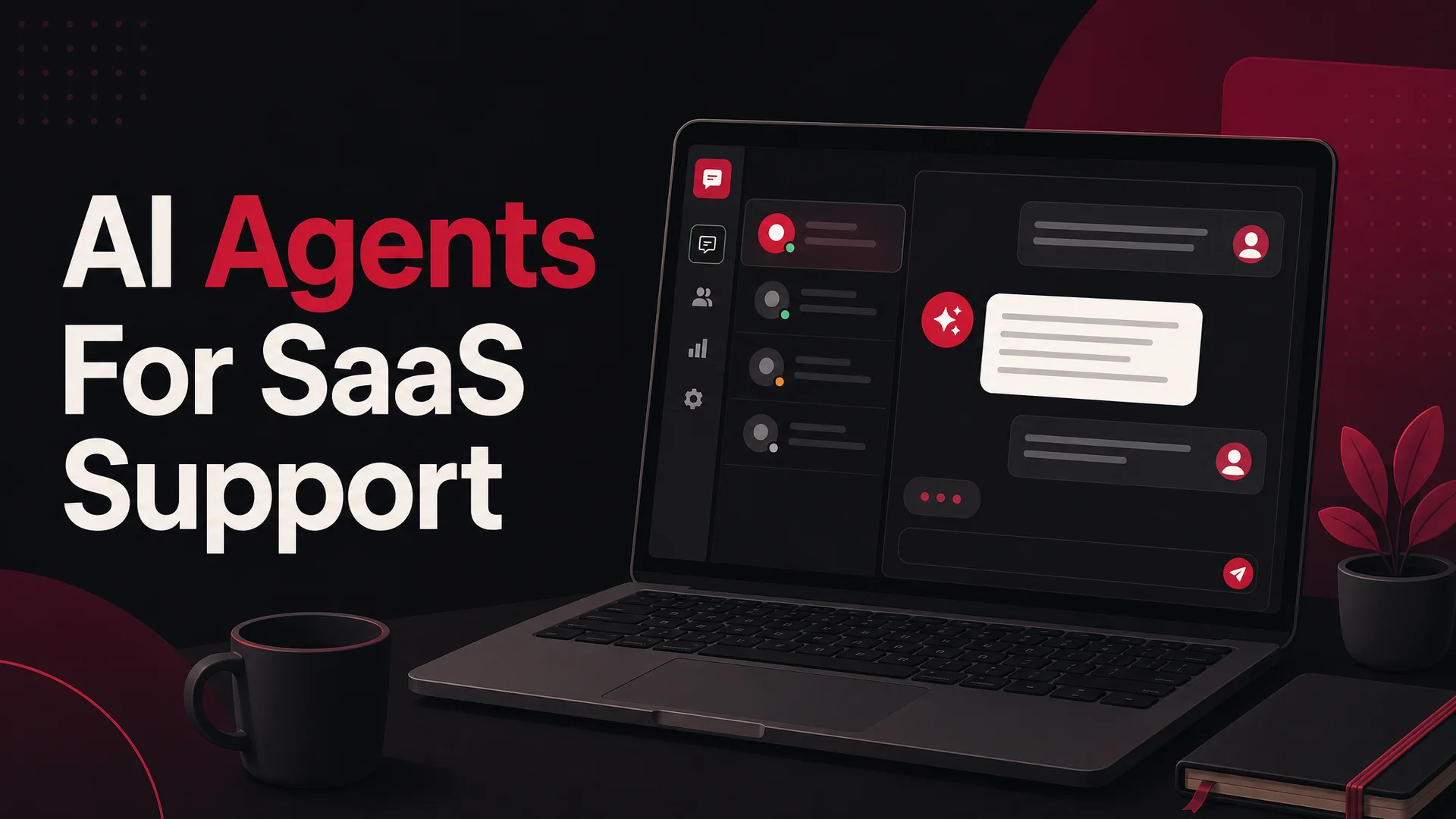
SaaS companies don't ship a product and walk away. They ship a relationship that renews - or quietly doesn't - every month.
Support is the connective tissue of that relationship. It is what catches a confused new admin on day three, what stops a frustrated power user from filing a chargeback on day ninety, and what nudges a champion to tell two more teams about you on day three hundred. In SaaS, "support" isn't a cost center bolted onto the product; it is part of how the product feels.
This guide is for founders, support leads, and operators figuring out how to build that layer in 2026 - whether you have ten paying customers or ten thousand. We'll cover what SaaS customer support actually is, why it disproportionately moves your retention numbers, the practices that hold up at scale, and the tooling stack - including the new generation of AI agents - that makes the whole thing economical.
What SaaS Customer Support Actually Means
SaaS customer support is the continuous service layer wrapped around a software-as-a-service product. It includes the obvious things - answering questions, fixing bugs, resolving billing disputes - and the less obvious ones: onboarding new admins, walking a power user through an integration, defusing a frustrated reply on a public Slack community, or noticing that fifteen people this week asked the same question about a setting that probably shouldn't exist.
The contrast with classic on-prem software support is instructive. With a perpetual-license CRM you bought in 2014, support kicked in when something broke. The user already owned the software. With SaaS, the customer is renting access on a rolling basis, and your product is shipping changes every week. Support has to be ambient - present in-app, on the website, in email, in Slack, on WhatsApp - because users encounter friction continuously, not just when something snaps.
That changes who support is for. In SaaS, your support team is talking to people who are still actively deciding whether to keep paying you. Every interaction is an implicit re-sell. Someone who hits a confusing onboarding step and gets a clear answer in two minutes will renew without a second thought. Someone who hits the same step and waits six hours for a templated reply may never log in again - and you'll never know why, because cancellation surveys mostly capture the polite version of the truth.
So when we say SaaS support is part of the product, we mean it literally. The chat widget, the response time, the tone of voice, the way an AI agent escalates to a human - those are product surfaces. They live in the same emotional category as your loading speed and your onboarding tour, and they get judged on the same scale.
Why Support Is a Retention Lever, Not a Cost Line
Treat support as a cost to minimize and you'll get the support experience you optimized for. Treat it as a retention lever and the math changes.
Here's why support disproportionately influences SaaS economics:
- Churn shows up at friction points, and support is the friction triage. Most SaaS churn isn't a dramatic decision. It's a user who couldn't figure out how to invite a teammate, gave up, and let the seat lapse on renewal. If support catches that user mid-friction with a fast, useful answer, the churn event never happens.
- Trust compounds early and decays late. A user's first two weeks set the prior they'll carry for the next two years. Fast, human, accurate support during onboarding pays back across the whole lifetime of the account. The same effort applied to a six-month-old user moves the needle far less.
- Support is part of how users judge your product. If billing is confusing, users don't think "billing is confusing" - they think "this product is confusing." How you respond becomes part of the product memory.
- Tickets are the highest-signal product feedback you have. Surveys are biased toward people who like surveys. Tickets are filed by people in active pain about a specific thing. Categorize and trend them, and you have a roadmap input no analytics tool can replicate.
- Happy customers do your marketing. Word-of-mouth driven by "their support actually fixed it" outperforms any paid channel on conversion, and it costs you only the marginal time of doing support well.
The takeaway: investing in support is one of the highest-leverage things a SaaS company can do, and the leverage has gone up - not down - as AI has changed what's possible per dollar spent.
What's Different About Support in 2026
The reason a SaaS support guide written today reads differently than one written eighteen months ago is that the underlying model economics have shifted dramatically.
In April 2026, OpenAI shipped GPT-5.5 and GPT-5.5 Pro with parallel reasoning. Anthropic's Claude Opus 4.7 leads SWE-bench Pro at 64.3% and sits alongside Claude Opus 4.6 and Sonnet 4.6, both with a 1M-token context window at no surcharge. Google's Gemini 3.1 Ultra ships with a 2M-token context and native multimodality across text, image, audio, and video; Gemini 3.1 Pro leads GPQA Diamond at 94.3%.
The bigger shift, for a SaaS support team's budget, is the open-weight side. DeepSeek V4 Flash is priced at $0.14 / $0.28 per million input/output tokens - fractions of a cent for a typical resolution. Moonshot's Kimi K2.6 runs 12-hour autonomous coding sessions and orchestrates swarms of up to 300 sub-agents. Z.ai's GLM-5.1 (MIT license) scores 58.4 on SWE-Bench Pro, beating GPT-5.4 and Claude Opus 4.6 on that benchmark, and was trained entirely on Huawei Ascend chips. Alibaba's Qwen 3.6 family includes a 27B dense Apache-2.0 model that out-performs much larger MoE rivals on agentic coding. MiniMax M2.7 hits 56.22% on SWE-Pro at roughly 8% of Claude Sonnet's price.
Why does this matter for support? Three reasons. First, you can route routine traffic - password resets, plan questions, "how do I export X" - to a cheap open-weight model and reserve frontier models like Claude Opus 4.7 or GPT-5.5 for hard escalations, complex reasoning, or sensitive accounts. Second, 1M–2M-token context windows let an agent hold an entire help center, the user's full conversation history, and your refund policy in one prompt - which collapses a lot of RAG complexity into a tuning lever. Third, agentic tool-use has matured to the point where AI Actions - issuing a refund, rescheduling a meeting, updating a subscription - are reliably production-grade, not demos.
The practical implication: a support stack that would have required a six-figure annual model spend in 2024 can now be built for a tiny fraction of that, with better answers and faster resolution.
Best Practices for SaaS Customer Support
Good support in 2026 is proactive, fast, and woven into the product. Below are the practices that scale.
1. Treat Response Time as a Product Metric
Users don't grade you on the quality of your final answer; they grade you on how long they wondered whether you cared. Even a thirty-second acknowledgment - "We see your message, looking into this now" - measurably reduces frustration and ticket re-opens. The bar in 2026 is sub-minute first response in chat, sub-hour in email, and sub-day for anything that can wait. AI agents make the first two trivially achievable; the question is whether you've configured one to handle the easy 60% so your humans aren't drowning.
2. Meet Users on the Channel They're Already On
A B2B SaaS selling to engineering teams should be reachable in Slack and Discord. A consumer SaaS selling in LATAM should be reachable on WhatsApp. A complex enterprise tool needs in-app chat, because that is where the friction physically happens. Support strategy is downstream of where your users live. Berrydesk deploys a single trained agent across a website widget, Slack, Discord, WhatsApp, and more, so the underlying knowledge is consistent even when the channel is not.
3. Automate the Boring 60%
Look at last quarter's tickets and you will find that a meaningful share are variations of the same dozen questions - password resets, billing receipts, plan comparisons, "how do I invite a teammate," "where do I download the invoice," "is this feature on my plan." None of those need a human. Automating them isn't a downgrade for the customer; it's an upgrade, because they get a correct answer in seconds instead of waiting for a human to copy-paste from a template. The trick is automating with confidence - make sure the agent only auto-resolves when it actually knows the answer, and hands off cleanly when it doesn't.
4. Use AI for Personalization, Not Just Deflection
Cheap AI is tempting because it deflects volume. But the more interesting use is the inverse: using AI to make every interaction feel like the rep already knows you. A modern agent built on Claude Opus 4.7 or Gemini 3.1 Pro can read a user's plan, last login, recent tickets, and the doc they were just on - then answer with that context already loaded. That isn't deflection. It's a level of attentiveness no human team could afford to apply to every ticket, and it materially changes how users feel about your support.
5. Build a Knowledge Base That Doubles as Training Data
A solid help center is the single highest-ROI artifact a SaaS support team can produce. Users self-serve, your AI agent learns from it, and your team stops answering the same question for the hundredth time. The 2026 wrinkle is that your help center isn't just for humans anymore - it's the primary training source for your agent. Write it like you'd write good docs: scannable structure, clean headings, current screenshots, no marketing fluff. Berrydesk can train an agent directly on your docs site, Notion workspace, Google Drive, websites, and YouTube tutorials, so updating the source updates the agent.
6. Communicate Clearly, Even When the AI Is Doing It
Whether the reply is from a human or an agent, the qualities are the same: short sentences, concrete steps, no jargon, no apology theater. If a fix needs five steps, write five numbered steps. If it needs a screenshot, attach one. The agent should be tuned to write in your voice, not in the breathless customer-service-bot voice that announces "I'd be more than happy to help you with that today!"
7. Mine Tickets for Product Signal
Every ticket is a small note from a real user about something that didn't work. Tag them, count them, and route the recurring ones to your product team. If twenty people this month asked how to cancel a subscription, the answer is not a better help article - it is a cancel button that is easier to find. Support that doesn't feed product is half a system.
8. Follow Up After the Ticket Is Closed
A simple "Did this fix it?" message a day or two later does two things: it catches the cases where your fix didn't actually work, and it signals to the user that you treat them like a person, not a ticket number. It also gives you cleaner CSAT data than asking immediately at close, when the user is still annoyed.
9. Give Humans (and Agents) Full Context
A support rep who can see the user's plan, last seven logins, last three tickets, current feature flags, and recent error events will resolve a ticket in a quarter of the time of one who can't. The same is true for an AI agent. The bottleneck in modern support is rarely the model - it is whether the model has access to the right context. Wire up your CRM, billing system, product analytics, and ticket history to the agent. Berrydesk's AI Actions exist for exactly this - letting the agent read account data, look up orders, and make controlled changes inside the conversation.
The 2026 SaaS Support Tooling Stack
Strategy is fine, but the work is done by tools. Below are the categories that matter and what to look for in each.
Live Chat and Chatbots
Live chat is table stakes. The interesting layer is the chatbot sitting on top of it, because that is what determines whether you need to staff every weeknight evening or not. A good in-app or on-site bot handles the easy questions instantly and quietly hands off to a human when it is unsure.
What to look for: easy training on your own content, a clean handoff to humans, and the ability to hold context across the conversation. Watch out for old-school keyword-matching bots dressed up in new clothing - anything that doesn't run on a modern LLM is going to feel canned to users in 2026.
Tools to consider:
- Berrydesk - Build a branded support agent in four steps: pick a model (GPT-5.5, Claude Opus 4.7, Gemini 3.1, DeepSeek V4, Kimi K2.6, GLM-5.1, Qwen 3.6, MiniMax M2.7, or others), train it on your docs and websites, brand the widget, and deploy. No code needed.
- Intercom - Combines chat with broader marketing automation; best when you already use the wider Intercom suite.
- Tidio - Lightweight option for early-stage teams that want simple chat plus basic automation.
Ticketing Systems and Help Desks
Not every issue is resolved in one chat exchange. For longer-running issues - bug investigations, refund disputes, multi-step migrations - a ticketing system gives you a stable thread of record, an assignee, and an SLA clock.
What to look for: clean SLA reporting, easy assignment and escalation rules, and integrations with whatever channels your users actually contact you on. Some SaaS teams over-rotate on heavy ticketing systems before they have the volume to need them; under fifty tickets a week, a shared inbox plus your AI agent is often enough.
Tools to consider:
- Zendesk - The mature option; powerful, configurable, more weight than small teams need.
- Freshdesk - Cleaner UX, easier for a team of five to spin up.
- Help Scout - Feels like a shared inbox but works like a ticketing system; popular with SMB SaaS.
AI Agents
This is the category that has changed the most. An AI agent is more than a chatbot - it doesn't just answer questions, it takes actions on the user's behalf. Update a user's email address, regenerate an API key, check the status of an order, schedule a call with a CSM, refund a charge, change a subscription tier - all from inside the conversation, all with the right authentication and policy guardrails.
The reason this is suddenly viable in 2026 and wasn't two years ago is the maturity of agentic tool-use models. Claude Opus 4.7's tool calling is reliable enough to put in the path of a refund. Kimi K2.6 was designed agentic-first and can coordinate long sequences of steps without losing the plot. GLM-5.1 runs an 8-hour autonomous plan-execute-test-fix loop. Qwen 3.6's open dense and 35B-A3B variants make on-prem agentic deploys realistic. And MiMo-V2-Pro's 1M context lets a single agent hold the full account history of even your largest customers.
What to look for: action permissions and audit logging, support for multiple model backends (so you can route by query difficulty and cost), and easy connections to the systems where your data lives.
Tools to consider:
- Berrydesk - AI agents that can take real actions: bookings, payments, account lookups, CRM writes, and connections to Slack, Notion, Shopify, and more. Pick the model that fits the use case - frontier closed-model for hard reasoning, open-weight for cost-sensitive routine traffic.
- Forethought - Triage-focused; uses AI to route and assist human reps.
- Ada - Scripted-flow agent platform; more guardrails, less open-ended reasoning.
Self-Service Tools
Most users would rather find the answer themselves than wait for one. A clean help center, a searchable FAQ, and a library of short how-to videos is the lowest-friction support experience you can offer - and the cheapest. As an added benefit, every article you publish becomes training material for your AI agent.
What to look for: clean URL structure for SEO, fast search, easy embeds, and good analytics so you can see which articles are doing the work and which aren't.
Tools to consider:
- Document360 - Strong structure for larger help centers.
- Notion - Surprisingly capable as a public help base for early-stage SaaS, and easy to keep updated.
- HelpDocs - Lightweight and SEO-friendly.
Support Analytics
You cannot improve what you do not measure. The basics - first response time, resolution time, CSAT, ticket volume by category - are necessary, not sufficient. The next layer is quality: are your reps and your AI agent actually giving correct answers, or just fast ones? Tools in this category help you sample, score, and trend that.
Tools to consider:
- Klaus - Conversation review and QA scoring.
- Dixa - Integrated support and conversation analytics.
- Survicate - Lightweight in-conversation surveys for fast CSAT signal.
Customer Feedback
Support tickets capture pain. Feedback tools capture wishes. Both are useful and they don't fully overlap.
Tools to consider:
- Canny - Public roadmap and feature-request voting; great for B2B SaaS.
- Typeform - Cleaner surveys for occasional deep-dives.
- Seline - Product analytics that shows where users get stuck before they file a ticket.
Open-Weight vs Closed-Frontier: How to Choose Your Support Model
A new question for SaaS support teams in 2026: which model should the agent run on? The answer is rarely "just one."
Closed-frontier models (GPT-5.5, Claude Opus 4.7, Gemini 3.1 Ultra) win on raw reasoning quality, nuanced tone, and tool-use reliability. They are the right pick for hard escalations, complex billing disputes, anything sensitive, and any account where the cost of a wrong answer is high.
Open-weight models (DeepSeek V4 Flash, MiniMax M2, GLM-5.1, Qwen 3.6, Kimi K2.6, MiMo) win on cost-per-resolution, speed, and - for the MIT/Apache-licensed ones - on data-residency and on-prem deploy. They are the right pick for high-volume routine traffic, regulated industries that need air-gapped deploys, and any cost-sensitive use case where the queries are well-defined.
The pragmatic answer for most SaaS teams: route by query type and confidence. Easy questions go to a cheap, fast open-weight model. Anything complex, ambiguous, or high-stakes gets escalated to a frontier model. Berrydesk supports this directly - pick the model per agent or per use case, and switch as the price-performance frontier moves.
Common Pitfalls to Avoid
A few mistakes show up repeatedly in SaaS support builds, and most of them are avoidable.
- Deploying an AI agent without a human handoff. Users will eventually hit a question your agent can't answer. If the only option is to keep arguing with the bot, you've made the experience worse, not better. Always have a clean escalation path.
- Training the agent only on marketing content. Marketing copy is optimized for persuasion, not accuracy. An agent trained mostly on landing pages will be confidently wrong about how the product actually works. Train on the docs, the help center, and product specs first; marketing content second.
- Skipping the audit trail. When an AI agent takes actions - refunds, account changes, plan upgrades - every one of those actions needs to be logged with the conversation that triggered it. This matters for trust internally and for compliance externally.
- Measuring deflection without measuring resolution. A ticket the bot "resolved" by frustrating the user into giving up is still a churn event. Look at follow-up rates and CSAT, not just deflection percentage.
- Forgetting that the model layer is going to keep moving. The leader on SWE-Bench Pro changed three times in six months. Build your stack so swapping or routing between models is a configuration change, not a rewrite.
Make Your SaaS Support a Growth Engine
Support is part of the SaaS product, not adjacent to it. Done well, it is one of the highest-leverage retention investments you can make. Done poorly, it is a quiet, expensive churn pump that you can only see in the trailing numbers.
The good news for 2026 is that the cost of doing this well has fallen sharply. The combination of frontier-quality closed models, agentic open-weight models priced at fractions of a cent per resolution, and AI Actions that can actually take work off your humans' plates means a small team can run a support experience that would have required a much larger operation just two years ago.
If you're building or rebuilding your SaaS support stack, Berrydesk is designed for exactly this moment - pick the model that fits, train on the content you already have, brand the widget, wire up actions for booking and payments, and deploy across your website, Slack, Discord, WhatsApp, and more. The setup takes minutes; the impact compounds for the lifetime of every customer it touches.
Build your Berrydesk agent for free and turn support into the part of your product users brag about.
 Berrydesk
Launch your SaaS support agent in minutes
- Train Berrydesk on your docs, Notion, and product so day-one answers are accurate.
- Add AI Actions for refunds, account changes, and bookings - no engineering required.
Set up in minutes

Chirag Asarpota is the founder of Strawberry Labs, the team behind Berrydesk - the AI agent platform that helps businesses deploy intelligent customer support, sales and operations agents across web, WhatsApp, Slack, Instagram, Discord and more. Chirag writes about agentic AI, frontier model selection, retrieval and 1M-token context strategy, AI Actions, and the engineering it takes to ship production-grade conversational AI that customers actually trust.