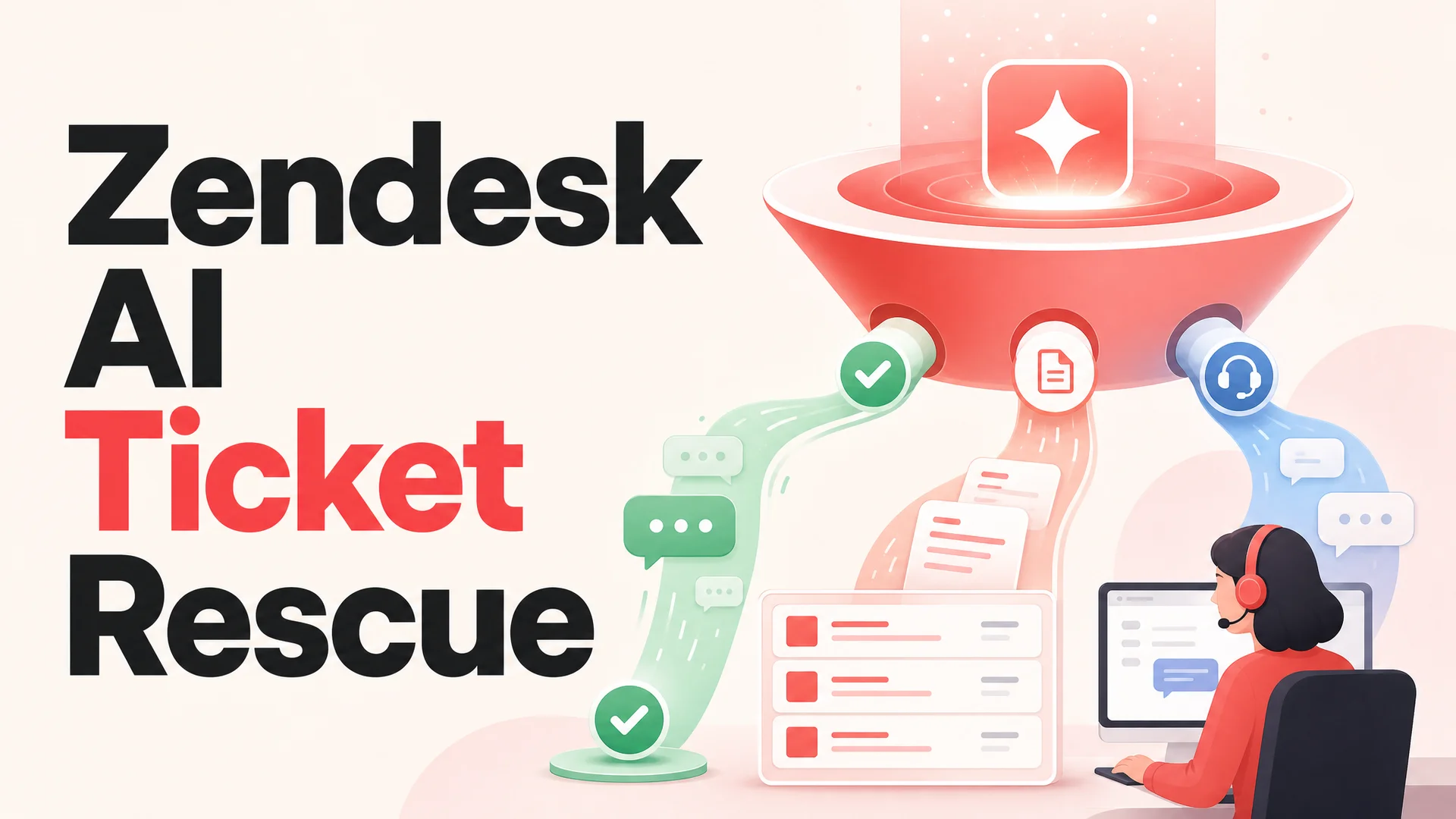
Zendesk is a great helpdesk. It routes tickets, manages queues, enforces SLAs, and gives your agents a shared inbox they already know how to operate. What it has never been particularly good at is finishing conversations on its own. The macros, triggers, and "Answer Bot" suggestions can shave a few seconds off a reply, but they cannot reason across your product docs, your order data, your refund policy, and the customer's last three tickets in the time it takes to answer a chat.
Zendesk's own AI features can deflect a slice of the easy traffic by surfacing help center articles. The moment a customer asks something that requires real context - a partially shipped order, a botched subscription change, a permissions bug across two tenants - the bot punts and a human picks up the thread cold. Most teams running Zendesk's native AI report deflection rates in the 15–20% range. The other 80% becomes manual work, billed at full per-agent prices.
That gap is what makes the per-seat math so painful. Zendesk Suite plans run roughly $55 to $169 per agent per month, and every ticket that lands on a human costs somewhere between $6 and $25 to resolve once you fold in salaries, tooling, and rework. If your bot only finishes one in five conversations, you are paying enterprise pricing for a workflow that still depends on a fully staffed support team to function.
The shift in expectations across customer support in 2026 is that AI should resolve conversations, not just route them faster. That is the gap Berrydesk fills. Berrydesk sits on top of your existing Zendesk setup as an AI resolution layer: a branded agent that talks to customers across your website, WhatsApp, Slack, Discord, email, and any other channel you already run, trained on the same docs and policies your human team uses. When a conversation needs human judgment, Berrydesk either opens a Zendesk ticket with full context attached or hands the live chat to a Zendesk agent through Sunshine without dropping a single message.
This is not a Zendesk replacement. It is the layer that makes the seats you are already paying for actually deliver on the promise of automated support.
Two Ways Berrydesk Talks to Zendesk
Berrydesk connects to Zendesk through two distinct paths, and most production deployments use both. They cover the two failure modes of any AI support stack: the conversation that needs a human eventually, and the one that needs a human right now.
Path 1: Automatic ticket creation for async escalations
When the Berrydesk agent decides a conversation needs human follow-up but does not need it in the next thirty seconds, it opens a Zendesk ticket on the customer's behalf. The ticket arrives with the full transcript, the customer's contact info, a topic classification the agent inferred from the conversation, and any structured data it pulled along the way - order numbers, account IDs, error messages, screenshots the customer dropped in.
Your support team picks the ticket up in their normal Zendesk queue with everything they need to resolve it. No "can you tell me what happened again?" loop. No copy-paste from chat into Zendesk. No manual triage to figure out what category the issue belongs to. The first human touch is already a substantive reply, not a context-gathering exercise.
This path is where billing disputes, feature requests, refund processing, account changes, and bug reports go. Anything where the customer can wait a few hours for a thorough answer and would rather have it correct than instant.
Path 2: Live handoff through Zendesk Sunshine
For conversations that need a human in real time, the Berrydesk agent hands the live session over to a Zendesk agent through Sunshine Conversations. The customer stays in the same conversation thread on the same channel. The Zendesk agent inherits the full transcript of what the AI already discussed and can see exactly where the conversation stalled. There is no window switch, no "let me transfer you," no second round of identity verification.
This is where the harder cases land: account security incidents, complex multi-step troubleshooting, emotionally charged complaints, anything where the agent's confidence in its own reply drops below the threshold you configured. You decide what counts as a handoff trigger; Berrydesk applies it consistently across every channel.
Used together, the two paths form a complete resolution workflow. The agent finishes the routine traffic on its own. The ticketing path catches everything that needs async human attention. The Sunshine path catches the cases that need a live human immediately. Your Zendesk seats spend their day on conversations that genuinely require human judgment, not on order status lookups.
Setting Up the Berrydesk and Zendesk Integration
Both paths are configured from the Berrydesk dashboard. There is no middleware to host, no Zapier scenarios to babysit, and no developer time required to get either one live.
Configuring Zendesk ticket creation
Open your Berrydesk dashboard and pick the agent you want to wire into Zendesk. If you have not built one yet, do that first - pick a model, point it at your docs, and brand the widget. The Zendesk piece comes after the agent itself is talking.
Go to AI Actions and add a new action. Choose "Zendesk Ticket" from the catalog. AI Actions are how Berrydesk agents do real work during a conversation, from booking appointments to taking payments to opening tickets, and Zendesk shows up as one of the built-in options.
Authenticate your Zendesk account by entering your subdomain and an API token. Berrydesk talks to Zendesk's REST API directly - no third-party connector sits in the middle, which keeps both your data path and your audit trail simple.
Define the trigger conditions. Tell the agent when to file a ticket. Common triggers are billing disputes, refund requests, bug reports, downgrade requests, and explicit asks to talk to a human. Because the agent reads intent rather than matching keywords, a customer typing "you guys charged my card twice last week" trips the billing trigger even though they never said the word "billing."
Map the ticket fields. Decide which conversation data flows into which Zendesk fields: subject, priority, group assignment, requester email, tags, and any custom fields your team uses. The agent fills these in from the conversation context, so the ticket lands in the right queue and inherits the right SLA.
Test it. Send the agent a message that matches one of your triggers and confirm the ticket shows up correctly in your Zendesk queue, with the transcript attached and the right fields populated. Most teams finish this step in under a minute.
Configuring the Sunshine live handoff
Open the Integrations panel and choose Zendesk Sunshine.
Connect your Sunshine account with the API credentials from your Zendesk admin. This is the one-time setup that opens the real-time messaging channel between Berrydesk and the agent workspace inside Zendesk.
Configure handoff triggers. Pick the signals that should send a conversation to a human: low model confidence on a particular reply, an explicit "I want to talk to a person" from the customer, certain topic categories that you always want a human to handle (account security, legal questions, anything with regulatory weight), or sentiment-based triggers when the agent detects mounting frustration.
Set fallback behavior for when no Zendesk agents are online. You can queue the customer with an estimated wait time, fall back to opening a ticket for next-business-day follow-up, or collect contact details and promise a callback. Whatever you choose becomes the after-hours behavior automatically.
Run a handoff test. Trigger the conditions yourself and confirm that the conversation lands in the Zendesk agent workspace with the AI transcript attached and the customer experience seamless on the other end.
The Sunshine path takes about five minutes end-to-end, mostly to copy credentials. Once it is live, the handoff is instantaneous from the customer's point of view.
What Berrydesk Adds That Zendesk's Native Bot Cannot
Zendesk has its own AI surface - article suggestions, prebuilt answer bots, and the newer Zendesk AI agents product. These work inside the Zendesk ecosystem but bump into a few architectural ceilings that limit how much real resolution they can do for most teams. The deltas worth understanding before you decide which layer to lean on:
Train on every source you actually have. Zendesk's bot mostly draws from help center articles. A Berrydesk agent ingests help docs, public website pages, PDFs, past resolved tickets, Notion workspaces, Google Drive folders, YouTube transcripts, and structured Q&A pairs you write yourself. The agent then answers with the depth of your most experienced rep, not just the depth of your published knowledge base. The May 2026 generation of long-context models - Claude Sonnet 4.6 and Opus 4.6 with 1M-token windows at no surcharge, Gemini 3.1 Ultra with 2M, and DeepSeek V4 and Kimi K2.6 with 1M - means an agent can hold an entire knowledge base, the customer's full history, and the relevant policy docs in-context at once. RAG turns into a tuning lever, not a hard requirement, and answers stay grounded in your verified data.
Pick the model that fits the job. Berrydesk lets you choose from GPT-5.5 and GPT-5.5 Pro, Claude Opus 4.7 and Sonnet 4.6, Gemini 3.1 Ultra and Pro, DeepSeek V4 Flash and Pro, Moonshot Kimi K2.6, Z.ai GLM-5.1, the Qwen 3.6 family, MiniMax M2.7, and several others. That matters more than it used to. Open-weight frontier models from DeepSeek, Z.ai, Moonshot, MiniMax, Alibaba, and Xiaomi have collapsed the per-conversation cost of running production agents. DeepSeek V4 Flash, for example, is priced at $0.14 per million input tokens and $0.28 per million output tokens - fractions of a cent per resolution at typical support conversation lengths. A pragmatic configuration routes routine traffic to V4 Flash or MiniMax M2 (roughly 8% the price of Claude Sonnet at twice the speed) and reserves Claude Opus 4.7, GPT-5.5 Pro, or Gemini 3.1 Ultra for the hard escalations.
Run real actions, not just suggestions. Berrydesk agents execute work mid-conversation through AI Actions: looking up order status in Shopify, processing a refund through Stripe, updating a CRM record in Salesforce or HubSpot, checking inventory, booking a Calendly slot, or hitting any internal API you expose. The agentic-tool-use generation of models - Claude Opus 4.7, Kimi K2.6 (which can swarm up to 300 sub-agents across 4,000 coordinated steps), GLM-5.1 (8-hour autonomous plan-execute-test-fix loops), Qwen 3.6, and MiMo-V2-Pro - has made multi-step actions like "verify the customer, check the order, refund the right line item, update the CRM, send the confirmation" reliable in production rather than a demo trick. Zendesk's native bot suggests an article. A Berrydesk agent finishes the job.
Deploy across every channel from one place. Zendesk's bot works inside Zendesk's own messaging surfaces. Berrydesk pushes the same agent out to your website widget, WhatsApp, Slack, Discord, Telegram, Messenger, and email from a single dashboard sharing one knowledge base. Zendesk becomes the escalation and ticketing backend; Berrydesk handles the frontline interaction wherever the customer happens to be.
Optimize for resolution, not deflection. This is the most important difference and the easiest one to miss. Zendesk's AI is graded on deflection - conversations that did not reach a human. Berrydesk is built around resolution - conversations where the customer's actual problem was solved. Those numbers diverge a lot in practice. A deflected conversation is often a customer who gave up after a useless article suggestion. A resolved conversation is one where the order was tracked, the return was filed, the password was reset, the appointment was booked, and the customer never had to wait for anyone.
Conversation-level analytics that close the loop. Berrydesk reports on what customers ask, where the agent succeeds, where it fails, which knowledge gaps drive bad answers, and how resolution quality trends week over week. That feedback flows back into the training set so the agent gets sharper over time. Volume metrics - conversations started, articles surfaced, deflection percentage - describe activity, not quality, and they will not tell you whether the customer left happy.
How Teams Actually Use Berrydesk and Zendesk Together
The integration plays out differently depending on industry and support model. Four patterns show up often enough to be worth describing in detail.
Ecommerce support at scale. A mid-sized DTC brand running 50,000 monthly orders points the Berrydesk agent at its order management system, return policy, shipping carrier APIs, and product catalog. The agent handles order status checks, shipping ETA questions, sizing guidance, return initiations, and stock availability across the website widget and WhatsApp, around the clock. When a customer has a real billing dispute or a damaged-shipment claim, the agent files a Zendesk ticket with the order, the transcript, and the customer's photos already attached. Teams running this configuration typically see 60% to 80% of inbound conversations finished by the agent before they ever reach the queue, and the tickets that do land arrive pre-triaged.
SaaS onboarding and tier-one technical support. A B2B SaaS team with detailed product docs and a long tail of integration questions trains a Berrydesk agent on its docs, API reference, common error codes, and historical support tickets. The agent answers product questions, walks new accounts through setup, and troubleshoots configuration problems in real time. When a real bug surfaces, the agent opens a Zendesk ticket populated with the technical context - the error message, account ID, plan tier, version of the integration, and the steps already attempted. The engineering escalation desk receives a pre-diagnosed report instead of "something broke, please help."
After-hours coverage without hiring a night shift. Berrydesk runs 24/7 regardless of where your team is. During business hours, complex issues hand off live to your Zendesk agents through Sunshine. Outside business hours, the same complex issues become Zendesk tickets that are already waiting in the queue when the team logs on the next morning. The customer always gets an immediate, substantive response from the AI - often the actual resolution - and even when human follow-up is needed, the silence-into-the-void feeling that drives customers to social media simply does not happen.
Multi-channel consolidation into one Zendesk queue. A customer asks about a delivery delay over WhatsApp. Another flags a billing error in the website chat. A third sends an email asking about enterprise pricing. Berrydesk handles the frontline of all three with the same agent, the same knowledge base, and the same brand voice. When any of them needs human attention, the escalation flows into a single Zendesk queue regardless of where the conversation started. The team works from one place, and the AI has already done the easy parts on every channel.
Common Pitfalls to Avoid
A few things to watch for as you wire this up, mostly learned from teams who shipped fast and then had to clean up later.
Triggering on keywords instead of intent. Modern models read intent fluently. If you write your handoff rules as keyword lists ("refund," "cancel," "broken"), you will get false positives every time someone says "I almost cancelled" or "my coffee maker is broken but I have a different question." Describe the situation you want escalated and let the model decide.
Forgetting to map custom fields. If your Zendesk routing depends on custom fields - region, plan tier, customer segment - and the integration does not populate them, the tickets will land in the wrong queue and your SLAs will quietly miss. Walk through your existing routing rules before going live and confirm every field the agent needs to fill is mapped.
Letting the model choice drift. It is tempting to pick the cheapest model, ship it, and forget about it. The frontier moves quickly - DeepSeek V4 dropped in April 2026, Kimi K2.6 a few days earlier, GLM-5.1 in early April, Qwen 3.6 mid-April, MiMo-V2-Pro in March. Revisit your routing config every quarter. The right answer for tier-one chat in February may not be the right answer in May.
Skipping the Sunshine fallback. The "no agents available" path matters more than people expect. If you do not configure it, customers can hit dead air at 2 a.m. or during a Monday morning surge. Decide explicitly what should happen and test it.
Trade-offs Worth Thinking About
A few things to weigh as you decide how aggressively to lean on the AI layer.
Open-weight vs closed frontier. Open-weight models from DeepSeek, Z.ai, Moonshot, MiniMax, Alibaba, and Xiaomi are now genuinely competitive on most support tasks, often at a tenth the price. The MIT-licensed Chinese open weights (GLM-5.1, Qwen3.6-27B, MiMo) also unlock on-prem and air-gapped deployment, which matters for regulated industries that cannot send conversations to a US-hosted API. Closed frontier models (Claude Opus 4.7, GPT-5.5 Pro, Gemini 3.1 Ultra) still have the edge on the hardest reasoning, multi-step actions, and ambiguous escalations. A routed setup gets the best of both.
Long context vs RAG. With 1M–2M-token windows now standard on the leading models, you can fit your entire knowledge base, the customer's full ticket history, and your policy documents directly in-context. That makes the system simpler and the answers more grounded. RAG is still useful for very large corpora and for citation, but it is no longer the only option.
Single model vs routed. Routing routine traffic to a cheap model and escalations to a frontier model is straightforward to set up and saves a lot of money. The trade-off is operational complexity: more dashboards, more failure modes, more provider relationships. For smaller teams, picking one solid model end-to-end is often the right call until volume justifies the routing layer.
Frequently Asked Questions
Does Berrydesk replace Zendesk? No. Berrydesk adds an AI agent layer in front of Zendesk. Your team keeps using Zendesk as their helpdesk, ticketing system, and agent workspace. Berrydesk handles frontline conversations and routes anything that needs a human into Zendesk - either as a ticket or as a Sunshine handoff. Your existing routing rules, SLA policies, macros, and automations stay exactly as they are.
How long does the integration take to set up? The Zendesk ticket action takes under a minute to configure. The Sunshine live handoff takes about five minutes including the credential exchange. Neither path requires code, a developer, or third-party middleware. Most teams have both live and tested within ten minutes total.
What happens to my existing Zendesk workflows when I connect Berrydesk? They keep working unchanged. Tickets created by Berrydesk enter your normal queues and follow your existing routing rules, SLAs, and automations. The only difference is that fewer tickets reach your team, because the agent resolves the routine ones before they enter the queue.
Can the agent pull customer data from Zendesk during a conversation? Berrydesk is designed to push into Zendesk - opening tickets, transferring live conversations. To pull customer context mid-conversation, connect the source of truth (your CRM, order management, billing system) directly through an AI Action. Shopify, Stripe, Salesforce, and HubSpot are common targets. That keeps data flow simple and avoids round-tripping through your helpdesk.
How much does the integration cost? The Zendesk integration is included on every Berrydesk plan, including the free tier. There is no per-connection charge. Berrydesk pricing scales with conversation volume rather than per-agent seats, which is the inverse of how Zendesk prices itself - your costs stay predictable as the team grows, while Zendesk's grow linearly with every seat you add.
Is the integration secure? Yes. Data between Berrydesk and Zendesk is encrypted in transit and at rest. Conversations processed by Berrydesk are not used to train external models. For regulated industries, the open-weight model option (GLM-5.1, Qwen3.6-27B, MiMo under MIT/Apache licenses) makes on-prem and air-gapped deployments viable when your compliance posture requires it.
Which AI models can I use? Berrydesk supports GPT-5.5 and 5.5 Pro, Claude Opus 4.7 and Sonnet 4.6, Gemini 3.1 Ultra and Pro, DeepSeek V4 Pro and Flash, Kimi K2.6, GLM-5.1, the Qwen 3.6 family, MiniMax M2 and M2.7, and others. You can pick a model per agent based on your priorities for accuracy, latency, cost, and deployment posture. Knowledge is grounded in the sources you uploaded, which is what keeps answers from drifting into the model's general training data.
Can I use Berrydesk with Zendesk if I am on a lower-tier Zendesk plan? Yes. The ticketing path works with any Zendesk Suite plan that exposes API access. The Sunshine live handoff requires a Zendesk plan that includes Sunshine Conversations, typically Suite Professional and above. If you are on a plan without Sunshine, the ticket path alone still covers the majority of escalations.
If your support stack already runs on Zendesk and you are tired of paying per-seat for ticket volume an AI can finish on its own, Berrydesk is the layer designed to sit on top. Pick a model, train an agent on your docs and past tickets, brand the widget, wire in the Zendesk actions, and let your team spend their day on the conversations that actually need them.
 Berrydesk
Plug a Berrydesk agent into your Zendesk in minutes
- Resolve 60–80% of conversations before they touch a seat
- Hand off the rest to Zendesk with full context intact
Set up in minutes

Chirag Asarpota is the founder of Strawberry Labs, the team behind Berrydesk - the AI agent platform that helps businesses deploy intelligent customer support, sales and operations agents across web, WhatsApp, Slack, Instagram, Discord and more. Chirag writes about agentic AI, frontier model selection, retrieval and 1M-token context strategy, AI Actions, and the engineering it takes to ship production-grade conversational AI that customers actually trust.