What if your team could ship code, triage alerts, and run infrastructure changes without leaving the same chat thread you already spend half your day in? No tab juggling, no "can someone copy-paste the error here?", no five-minute scavenger hunt for the right runbook.
That is the bet behind ChatOps: pull the operational surface area of your stack - deploys, monitoring, ticketing, cloud consoles - into the chat tools your team already has open. Done well, it cuts incident response from hours to minutes, makes routine work boring instead of brittle, and turns the chat history itself into a searchable, time-stamped audit trail of every action your team has taken.
In 2026, that bet has gotten dramatically more interesting. The same agentic models that now power production AI assistants - Claude Opus 4.7, GPT-5.5, Kimi K2.6, GLM-5.1 - are reliable enough to drive real chat-based workflows, not just answer questions. The chat window is no longer just a place to type !deploy staging. It is a place to ask an agent to deploy staging, watch the logs, roll back if the error rate spikes, and post a summary back to the channel.
What ChatOps actually means
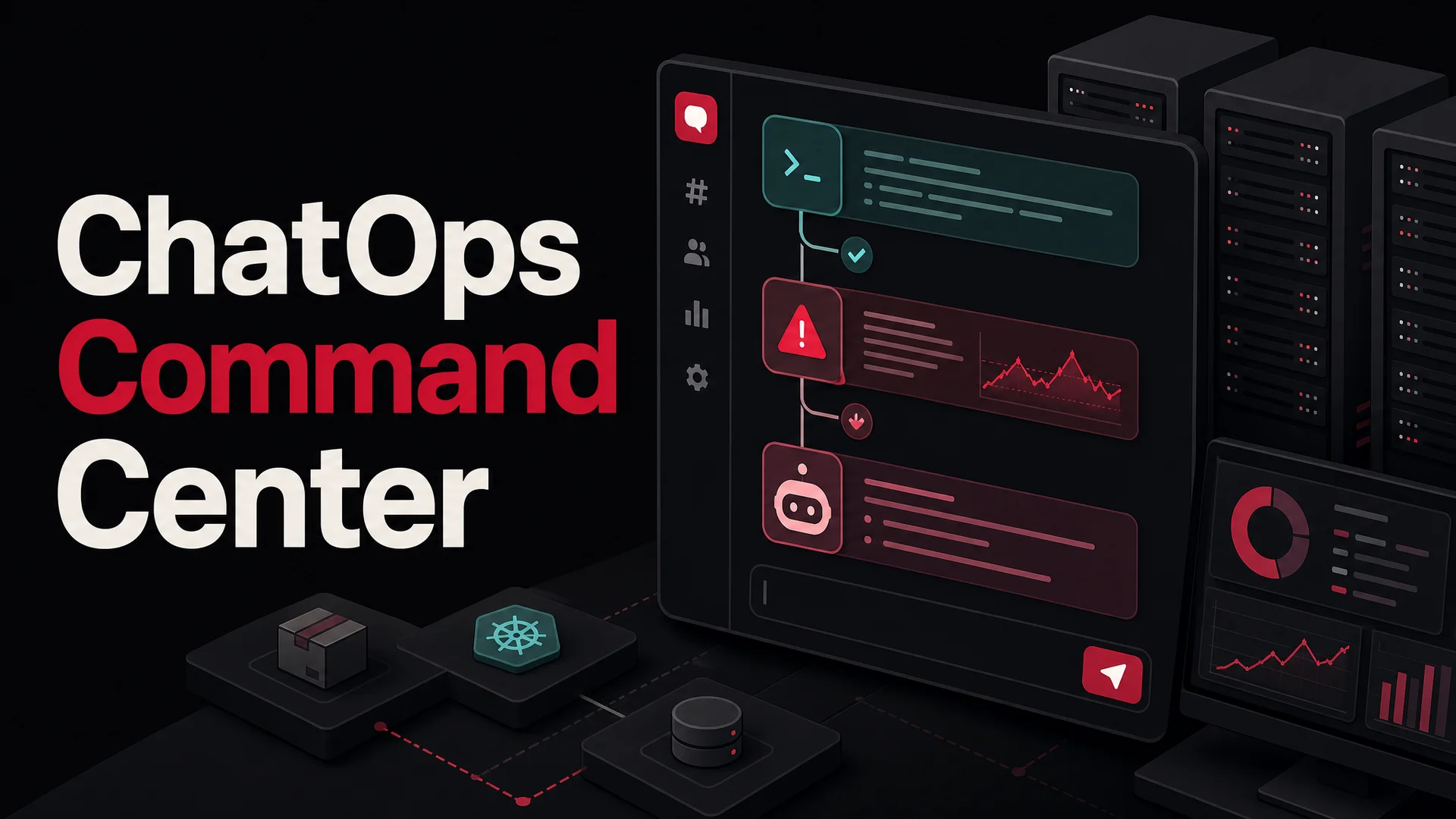
ChatOps is a working model - a way of doing IT, software development, and increasingly customer support - where conversation, tools, and automation all live in the same chat surface. The chat platform stops being a comms layer on top of your tooling and becomes the front door to it.
In practice, that means a Slack channel, a Teams channel, a Discord server, or even a WhatsApp group is wired up so that humans, bots, and AI agents can all act on shared context. A monitoring system posts an alert. An on-call engineer asks a bot for the latest deploy. The bot returns the SHA and a link to the run. Someone types a command - or asks an agent in plain English - to roll back. Everyone watching the channel sees every step.
You will hear ChatOps described as "conversation-driven DevOps" or "conversation-driven collaboration." Both phrases point at the same idea: the conversation is the workflow, not a sidecar to it.
Where the term came from
ChatOps grew directly out of the DevOps movement of the early 2010s. Teams running fast-moving distributed systems needed a way to collaborate without losing the thread of who did what. GitHub is widely credited with popularizing the term, mostly through their open-source bot framework Hubot, which let engineers script chat commands against any system with an API.
Tools like HipChat, then Slack, then Microsoft Teams gave the pattern a home. Early ChatOps was simple: Hubot scripts that ran a deploy, fetched a graph, or printed the current on-call rotation. The value was less about any specific automation and more about visibility - every command and its output were now permanent, searchable, and shared.
Modern ChatOps has moved on from rigid command syntax. Today's chat surfaces blend slash commands, interactive buttons, Adaptive Cards, and natural-language AI agents. With models like Claude Opus 4.7 and Kimi K2.6 sitting behind the bot, "deploy the latest commit on the billing service to staging and tell me when CI is green" is a perfectly reasonable thing to type.
Why teams keep adopting it
ChatOps is not a fad layer - it is one of those patterns that, once you have it, going back feels like working with one hand tied behind your back. Here is what teams actually get out of it.
Faster operations
Deploys, restarts, scale-ups, cache flushes, feature flag flips: when these live in chat, they happen in seconds, not in the time it takes someone to context-switch into a different console, find the right project, remember the right button. During incidents, that gap matters. Pulling alerts and remediation into the same channel collapses the loop between "we noticed something" and "we did something."
Automation that compounds
Each automation you add - a bot that posts deploy notifications, a workflow that opens a ticket from a flagged message, an agent that answers "what's the staging URL?" - saves a few minutes a day. Stack a dozen of them and you have given an engineering team back hours per week, with fewer chances to fat-finger a manual step.
Real collaboration, not status theater
ChatOps breaks the wall between dev, ops, security, and support. Everybody sees the same alert, the same command, the same response. Nobody has to be DM'd a screenshot. Post-incident, the channel is the timeline. There is no "wait, what happened between 14:02 and 14:08?" - it is right there.
Fewer tabs, less context-switching
A typical engineer in 2026 has accounts in maybe 15 SaaS tools. Pulling the most-used surfaces - CI/CD, monitoring, on-call, ticketing, cloud - into chat means most of the day's operational work happens in one window. The cognitive load drop is real.
Faster, cleaner incident response
A good incident channel reads like a flight recorder. Alert fires, an engineer claims it, runs a diagnostic command, posts the result, tries a fix, confirms the metric recovered, writes a one-line summary. All in one place, all in one thread. The channel is the incident report.
Living documentation
Search "how do we restart the embeddings worker?" and you will find the last three times someone did it, with the exact command, who ran it, and whether it worked. Chat history becomes a cheaper, more current substitute for half your runbooks. Newer team members onboard faster because they can read what real responses to real problems look like.
How to roll out ChatOps without making a mess
The biggest mistake teams make is trying to ChatOps-ify everything at once. The pattern that works is: pick one painful thing, automate it well, get people used to the rhythm, then expand.
Start small and pick a high-value first use case
Don't try to wire every system into chat on day one. Hunt for one workflow where the current state is obviously broken - somebody copies a graph from Datadog into Slack twelve times a day, or a deploy involves three people in three tools. Good starter targets:
- Notifications. Alerts from monitoring (Datadog, Grafana, New Relic), CI/CD (GitHub Actions, GitLab CI, Jenkins), version control (PR opened, merged, conflicts), and on-call (PagerDuty, Opsgenie, Splunk On-Call) flowing into a dedicated channel. This is almost always the easiest first win - read-only, low risk, immediate value.
- Information retrieval. A bot that responds to
/status billingwith current version, error rate, and last deploy. No state changes, no danger. - Simple actions. Triggering a staging deploy, clearing a CDN cache, restarting a worker. Lower stakes than production, but real automation.
Pick a dedicated channel
Don't dump ChatOps activity into your team's general channel. Create something like #ops, #deploys, #alerts, #incidents. Keep noise away from human conversation, and keep the audit trail clean.
Choose your bot or integration strategy
There are roughly five layers of investment, and most teams use a mix:
- Native chat features. Slack Workflow Builder, Teams workflow templates, simple incoming webhooks. Cheapest, fastest, fine for notifications and small forms.
- Off-the-shelf marketplace apps. The official GitHub, GitLab, PagerDuty, Datadog, and Jira apps for Slack and Teams handle 80% of common notification needs out of the box. Authenticate, pick channels, done.
- Low-code integration platforms. Zapier, Make, Workato, n8n, or Microsoft Power Automate let non-engineers wire up moderately complex flows. Trigger on a chat event, hit an API, post the result.
- AI agent platforms. This is the fastest-growing layer. A platform like Berrydesk lets you spin up an agent on top of GPT-5.5, Claude Opus 4.7, Gemini 3.1, DeepSeek V4, Kimi K2.6, GLM-5.1, Qwen3.6, or MiniMax M2, train it on your runbooks and docs, define AI Actions for the operational tasks you want it to perform, and deploy it into Slack, Discord, WhatsApp, or your website. No bot framework hosting to babysit.
- Custom development. Slack's Bolt SDK, Microsoft's Bot Framework, or open-source frameworks like Hubot, Errbot, and Lita for teams that need full control. More flexibility, more maintenance.
The right answer is rarely "build it ourselves from scratch." It is usually a marketplace app for the easy stuff, a low-code platform or AI agent for the medium stuff, and a small custom bot only for the few workflows that are genuinely company-specific.
Take security seriously from day one
The moment your bot can do things - deploy, restart, kill, refund, page - security stops being optional.
- Authentication. Use the platform's standard OAuth and short-lived tokens. Rotate credentials. Don't bake API keys into bot source.
- Authorization. Implement role-based access control. The fact that someone can type a command does not mean they should be allowed to run it. A junior engineer probably should not be able to deploy to production from chat. Non-human identities - bots, service accounts, CI runners - need explicit, scoped permissions too.
- Input validation. If your command parses arguments, sanitize them.
deploy ${branch}becomes a security incident the day someone passes a branch name with shell metacharacters. - Audit logging. Log every command, who ran it, what arguments, what the outcome was. Pipe it to your existing SIEM. Chat history is a great timeline, but it is not an immutable audit log.
- Confirmation steps. For anything destructive, require an explicit second step - a button click, an emoji reaction, a
/confirmcommand. The few seconds of friction prevent the "oh no" moments.
Define how people interact with the bot
Pick a convention and stick to it. Slash commands (/deploy), bot mentions (@ops deploy serviceX), interactive buttons inside Adaptive Cards, or natural-language messages to an AI agent - they all work, but inconsistency is what kills adoption. Document the patterns somewhere your team will actually read.
Iterate, then expand
Ship the first use case to a small group. Watch how they actually use it. The interaction patterns you assumed would be obvious are usually not. Refine the commands, the permissions, the messaging, then expand to a wider audience and a second use case. Repeat.
Train your team
Pinned how-to messages, a short Loom, a /chatops-help command - give people something to refer back to. The best automation in the world is useless if half the team didn't know it existed.
ChatOps in Slack
Slack's app ecosystem and developer surface make it the most common ChatOps home. A fairly typical 2026 setup looks like this.
Lean on the Slack App Directory
Most of the foundational work is already built. Add the apps for tools you already pay for:
- GitHub, GitLab, Bitbucket for commit, PR, issue, and review notifications.
- GitHub Actions, GitLab CI, Jenkins, CircleCI, Buildkite for build statuses and deploy notifications.
- PagerDuty, Opsgenie, Splunk On-Call, Incident.io, Rootly for alerts and incident workflows directly in channel.
- Jira, Linear, Asana, Trello, Shortcut for project and ticket updates.
- Datadog, Grafana, New Relic, Sentry, Honeycomb for graphs, alerts, and error tracking.
Walk through each app's setup, authenticate, and pick which events post to which channels. Resist the urge to subscribe to everything - alert fatigue is the silent killer of ChatOps adoption.
Use Workflow Builder for low-code automation
Workflow Builder lets you build small automations entirely inside Slack - no servers, no code. Triggers can be channel join events, emoji reactions, scheduled times, slash commands, or webhook calls. Steps can send messages, show forms, or call external webhooks.
A simple, high-leverage pattern: a /request-help command opens a form, collects severity and a description, posts the result into your support channel, and pings the on-call group. You haven't shipped any code; you have just turned a vague "can someone help" message into a structured intake.
Reach into AWS with AWS Chatbot
If your stack lives in AWS, AWS Chatbot is the path of least resistance. Configure it in the AWS console, link it to a Slack workspace, and route CloudWatch alarms, CloudFormation events, GuardDuty findings, and other service events into chat. You can also run a curated set of AWS CLI commands directly from Slack, with IAM-backed permissions controlling what each user can do.
Build custom or AI-powered bots
For workflows that don't fit any marketplace app, you have two real choices.
The first is a custom bot using the Slack Bolt SDK in JavaScript, Python, or Java. Bolt makes it easy to handle slash commands, message events, button clicks, and modals, and you can host the bot on anything from a small VM to Cloudflare Workers to Kubernetes.
The second - and increasingly the default for non-engineering use cases like support - is an AI agent platform. With Berrydesk, you choose a model (GPT-5.5, Claude Opus 4.7, Gemini 3.1 Ultra, DeepSeek V4, Kimi K2.6, GLM-5.1, Qwen3.6, MiniMax M2, and others), train it on your runbooks, internal wiki, support docs, Notion, Google Drive, and YouTube, define AI Actions for the operational tasks you care about (open a ticket, look up an order, refund a charge, page the on-call), and deploy it as a Slack app. The agent handles natural-language requests in channel - "what's the latest staging deploy?", "open a ticket for this bug", "look up order #38211" - without anyone having to memorize command syntax.
ChatOps in Microsoft Teams
The Teams pattern is similar in spirit, with Microsoft's ecosystem doing the heavy lifting.
Apps and connectors
Browse the Teams app store and add the integrations your stack needs:
- Azure DevOps for build, release, and work item notifications.
- GitHub, Jira Cloud, ServiceNow, Zendesk for the cross-platform stuff.
- Azure Monitor, Datadog, Grafana for alerting.
- PagerDuty, Opsgenie for incident response.
Beyond apps, Teams has incoming and outgoing webhooks. Incoming webhooks are the simplest way to push a message into a channel from any system that can make an HTTPS POST. Outgoing webhooks let you trigger an external endpoint when a message matches a pattern. Both are configured per channel.
Power Automate for serious low-code
Power Automate (formerly Flow) is Microsoft's automation platform, and it integrates deeply with Teams. You can trigger flows on new messages, message reactions, scheduled times, or specific channel events. Actions span hundreds of services - Azure, Jira, GitHub, ServiceNow, custom REST APIs.
The interesting unlock is Adaptive Cards: rich, interactive cards that can include forms, buttons, dropdowns, and formatted text. A card button can trigger another Power Automate flow, which means you can build genuinely complex multi-step workflows that look, from the user's perspective, like clicking a button and getting a result.
A fairly common pattern: a flow watches the channel for messages with a #ticket tag, parses out a description, creates an Azure DevOps work item, and posts an Adaptive Card back with a button to claim it.
AWS Chatbot for AWS shops on Teams
AWS Chatbot supports Teams as well as Slack, so the same channel-routed alerting and CLI patterns apply.
Custom bots with Azure Bot Service
For deeper integrations, the Bot Framework SDK (C#, Node.js, Python) deployed via Azure Bot Service is the platform-native answer. It supports Adaptive Cards, multi-turn dialogs, and tight integration with Azure backends. With Azure OpenAI Service or Azure AI Foundry behind it, you can stand up an LLM-powered agent that talks to your internal systems.
For support and customer-facing use cases inside Teams, an AI agent platform like Berrydesk is usually a faster path - connect your sources, define AI Actions, deploy as a Teams app - without building Bot Framework infrastructure from scratch.
ChatOps for support teams, not just engineering
This is the angle the original DevOps-flavored ChatOps story underplays. The same ideas - pull tools into chat, automate the boring parts, keep a transparent audit trail - apply just as cleanly to customer support.
Modern support teams already live in Slack, Teams, Discord, and increasingly WhatsApp. ChatOps for support means an AI agent in those channels that can:
- Answer policy and product questions trained on your real docs.
- Look up an order, subscription, or account in your CRM.
- Issue a refund, reschedule a booking, or apply a credit through a defined AI Action.
- Open a ticket in Zendesk, Help Scout, or HubSpot when the human path is needed.
- Loop in a human agent the moment intent or sentiment crosses a threshold.
That last point matters. ChatOps for support is not "fire and forget" - it is augment and escalate. The agent handles the volume; the humans handle the judgment.
How modern AI changed the picture
If you tried ChatOps three or four years ago and it felt brittle, it is worth a fresh look. The capability gap between then and now is enormous.
Models are dramatically more capable
The flagship closed models - GPT-5.5 and GPT-5.5 Pro with parallel reasoning, Claude Opus 4.7 leading SWE-bench Pro at 64.3% on complex coding tasks, Gemini 3.1 Ultra with a 2M-token context window - make natural-language ChatOps commands far more reliable. "Roll back the billing service to the previous commit and post the deploy diff" is a sentence the agent can actually execute, not just acknowledge.
Open-weight models collapse the cost story
The bigger shift is at the open-weight frontier. DeepSeek V4 Flash runs at $0.14 per million input tokens and $0.28 per million output tokens with a 1M context. MiniMax M2 is open-weight, roughly 8% the cost of Claude Sonnet at twice the speed. Kimi K2.6 is a 1T-parameter MoE built for agentic work, with 12-hour autonomous coding sessions and swarms of up to 300 sub-agents. Z.ai's GLM-5.1 is MIT-licensed, scores 58.4 on SWE-Bench Pro (ahead of GPT-5.4 and Claude Opus 4.6 on that benchmark), and runs an 8-hour autonomous plan-execute-test-fix loop. Alibaba's Qwen3.6-27B is a dense Apache-2.0 model that beats much larger MoE rivals on agentic coding benchmarks. Xiaomi's MiMo-V2-Pro is a >1T-parameter open-weight reasoning model with 1M context.
What this means for ChatOps in practice: route the routine - status checks, FAQ answers, information lookups - to a cheap fast model like DeepSeek V4 Flash or MiniMax M2, and reserve Claude Opus 4.7, GPT-5.5 Pro, or Gemini 3.1 Ultra for the rare hard escalation. The cost of a "ChatOps everywhere" rollout is now a fraction of what it was a year ago.
Long context kills a lot of RAG complexity
With 1M-token context standard on Claude Opus 4.6, Sonnet 4.6, DeepSeek V4, Kimi K2.6, MiMo-V2-Pro, and others - and 2M on Gemini 3.1 Ultra - you can hold an entire runbook library, the last week of incident history, and a service's full config in-context. RAG is now a tuning lever for cost, not a hard architectural requirement.
Tool use actually works
The agentic models - Claude Opus 4.7, Kimi K2.6, GLM-5.1, Qwen3.6, MiMo-V2-Pro - are reliable enough at calling tools that AI Actions like "deploy", "refund", or "look up subscription" are no longer demoware. They work, with appropriate guardrails. That is what makes ChatOps-as-product feasible at all.
Air-gapped and on-prem are realistic again
For regulated industries, MIT- and Apache-licensed open weights from GLM-5.1, Qwen3.6-27B, and the MiMo family make on-prem and air-gapped ChatOps deployments viable. You can run an agent inside a hospital's network, a bank's VPC, or a government tenant without any data leaving the perimeter.
Common pitfalls to watch for
A few patterns reliably sink ChatOps rollouts. Worth naming them so you can avoid them.
Alert fatigue. Subscribing every channel to every event from every tool. People mute the channel, miss the real signal, and the system silently dies. Curate ruthlessly. Aggregate, don't fan out.
Production access by default. Letting any user run any command in chat. The day a contractor accidentally deploys to prod from their phone is the day you will wish you had RBAC. Build it in from the start, not after the incident.
Bot that does too much. A single mega-bot that handles deploys, alerts, support tickets, HR questions, and lunch orders. It becomes impossible to reason about, impossible to test, and any outage takes everything down with it. Prefer multiple focused bots over one universal one.
No human escalation path. An AI agent is great at the 80% - but the 20% needs a human, and the handoff has to be obvious. Pinging a group, opening a ticket, or paging an engineer should be one button or one sentence away.
Treating chat history as the audit log. Slack and Teams messages can be edited, deleted, or expire by retention policy. If compliance asks "who deployed to prod at 2 AM on the 14th?", point at your real audit log, not the channel.
Ignoring training and norms. Tools die not from bad code but from people not knowing how to use them. Pinned guides, regular reminders, a couple of demos. Pay this tax up front.
Where to start this week
If you are reading this and your team has zero ChatOps in place, here is a five-day plan that almost always works.
- Day 1. Create a dedicated
#opsor#alertschannel. Pick one source of important signal - your CI system or your monitoring tool - and wire its official Slack/Teams app to post into that channel. - Day 2. Add a second source: your incident management tool (PagerDuty, Opsgenie, Incident.io). Tune the noise. Anything that pages a human should appear in chat too.
- Day 3. Pick one read-only command -
/statusor/versionfor a single service - and ship it via Workflow Builder, Power Automate, or an AI agent. No state changes yet. - Day 4. Add one mutating command - staging deploy, cache flush - with explicit RBAC and a confirmation step. Document the convention.
- Day 5. Train the team. Pin a how-to. Set a calendar reminder for two weeks out to review what got used and what got ignored, then plan the next two automations.
By the end of week one, your team will already feel the difference. By the end of month one, going back to the old way will feel ridiculous.
Closing thought
ChatOps started as an engineering pattern, but in 2026 it is really a posture: that operational work, support work, and team coordination all get better when they happen in the open, in one shared surface, with humans and AI agents working from the same context.
The tooling has caught up to the ambition. Frontier models like GPT-5.5 and Claude Opus 4.7 give you reliable reasoning and tool use. Open-weight leaders like DeepSeek V4, Kimi K2.6, GLM-5.1, Qwen3.6, and MiniMax M2 make running this at scale genuinely affordable. Long-context windows take a chunk of RAG complexity off the table. And purpose-built platforms make the deployment a matter of hours, not months.
If you are ready to bring an AI agent into your support workflows - Slack, Teams, Discord, WhatsApp, your website, all of the above - Berrydesk is built for exactly that. Pick your model, train it on your sources, define the AI Actions you want it to take, brand the experience, and ship. Your team's first ChatOps win can land this week.
 Berrydesk
Bring ChatOps to your support team with Berrydesk
- Wire an AI agent into Slack, Teams, Discord, or WhatsApp in minutes
- Trigger bookings, refunds, and order lookups straight from chat with AI Actions
Set up in minutes

Chirag Asarpota is the founder of Strawberry Labs, the team behind Berrydesk - the AI agent platform that helps businesses deploy intelligent customer support, sales and operations agents across web, WhatsApp, Slack, Instagram, Discord and more. Chirag writes about agentic AI, frontier model selection, retrieval and 1M-token context strategy, AI Actions, and the engineering it takes to ship production-grade conversational AI that customers actually trust.