When DeepSeek V4 dropped on April 24, 2026, the production cost curve for support automation shifted again. V4 Pro is a 1.6 trillion parameter mixture-of-experts model with 49 billion active parameters per token. V4 Flash is its leaner sibling - 284 billion total, 13 billion active - and it currently sits at $0.14 per million input tokens and $0.28 per million output tokens. Both ship with a 1M-token context window. Both are open-source under a permissive license. And both are exposed through an HTTP API that drops in behind the OpenAI SDK with a one-line change.
For anyone running an AI customer support agent in 2026, that combination - frontier-class reasoning, million-token context, and pricing that lets you serve a routine ticket for fractions of a cent - is hard to ignore. This guide covers what you actually need to use the DeepSeek V4 API in production: how to choose between the two models, what calls cost in real numbers, how to wire up the SDK, how to harden errors and secrets, and how to keep token bills small without losing answer quality.
If you would rather not touch the SDK at all, Berrydesk lets you point a branded support agent at DeepSeek V4 (or Claude Opus 4.7, GPT-5.5, Gemini 3.1, Kimi K2.6, GLM-5.1, Qwen3.6, and others) without writing a line of integration code. But if you are hand-rolling, read on.
DeepSeek V4 Pro vs. V4 Flash: pick the right tier first
The DeepSeek API exposes V4 through two model endpoints, the same way prior generations exposed deepseek-chat and deepseek-reasoner. Picking the wrong one is the single most expensive mistake you can make on this platform - not because pricing differs dramatically, but because output length and latency do.
V4 Flash - the everyday workhorse
V4 Flash is the default tier for high-volume, low-latency traffic. With 13 billion active parameters and a tight memory footprint, it returns answers fast and cheap, and it handles the long tail of customer support conversations comfortably. It is the right choice when you are answering "where's my order?", reformatting a refund policy into plain language, summarizing a long ticket thread before handoff, classifying intent, or extracting structured fields from messy free text.
Reach for V4 Flash when:
- You are running a chat widget that handles thousands of sessions a day and latency under a second matters.
- The user-facing question can be answered well from retrieval-augmented context plus a short system prompt.
- You need function calling for tool use - booking a meeting, looking up an order, triggering a refund flow.
- The task is creative or conversational and does not need showable, step-by-step reasoning.
V4 Flash is the model you route 80% of routine support traffic to. It is cheap enough that even runaway conversation lengths rarely show up as a line-item concern.
V4 Pro - the reasoning escalation
V4 Pro is built for the cases where you need the model to actually think. Its 1.6 trillion total parameters are split across a wide expert pool, and 49 billion activate per token, which gives it a noticeable edge on multi-step coding tasks, mathematical reasoning, complex policy interpretation, and any prompt that benefits from chain-of-thought before the final answer.
Reach for V4 Pro when:
- A support agent is being asked to reason over multi-document policy ("which of these three SLA clauses governs this customer's situation?").
- A developer-tool agent is debugging or refactoring code provided by the user.
- An analytics task requires breaking down a problem into sub-steps and verifying each.
- Hallucination cost is high - billing disputes, regulated answers, technical correctness.
The trade-off is real: V4 Pro emits more tokens because it surfaces its reasoning, and that means longer responses and longer latency. For customer-facing chat, you will usually only call V4 Pro on the small percentage of conversations that V4 Flash flags as ambiguous or out-of-policy.
Where DeepSeek V4 fits in the wider 2026 model landscape
It helps to keep the rest of the field in view, because routing intelligently is what separates a cheap support stack from an expensive one.
- Closed frontier: GPT-5.5 and GPT-5.5 Pro from OpenAI (parallel reasoning, released April 2026), Claude Opus 4.7 from Anthropic (leads SWE-bench Pro at 64.3% for complex coding), and Gemini 3.1 Ultra from Google (2M-token context, multimodal across text, image, audio, and video). These are your hard-escalation tier.
- Open-weight frontier alongside DeepSeek V4: Moonshot Kimi K2.6 (agentic-first, 1T-param MoE, native video input), Z.ai GLM-5.1 (754B MoE under MIT, 58.4 on SWE-Bench Pro), Alibaba Qwen3.6 (the 27B dense variant under Apache 2.0 punches well above its weight), MiniMax M2/M2.7 (~8% the price of Claude Sonnet at 2x speed), and Xiaomi MiMo-V2-Pro (>1T total / 42B active, 1M context, MIT-licensed weights).
DeepSeek V4 Flash is one of the cheapest credible options in that field. V4 Pro slots between the open-weight reasoning leaders (GLM-5.1, Kimi K2.6) and the closed frontier. The right architecture rarely uses one model for everything - it uses V4 Flash for routine traffic and falls through to a stronger model only when needed.
What both models give you
Both V4 Flash and V4 Pro share the architecture defaults that matter for support workloads:
- 1M-token context window. That is enough to hold an entire help center, the full conversation history, every policy document, and the user's account record in-context. Retrieval becomes a tuning lever, not a hard requirement.
- Function calling on V4 Flash. Required for AI Actions - bookings, payments, refund processing, order lookups. (V4 Pro's reasoning mode does not support function calling, the same constraint earlier reasoning-tier models had.)
- Open weights. You can self-host V4 Flash on your own GPUs, which matters for regulated industries or air-gapped deployments. The hosted API is simply the convenient default.
- Drop-in OpenAI SDK compatibility. No new client library, no new auth model, no rebuild of your integration glue.
Now to the part everyone actually cares about: what it costs.
DeepSeek V4 API pricing in real numbers
DeepSeek V4 uses token-based, pay-as-you-go pricing. There is no minimum commitment, no per-seat fee, and no surcharge for the long context window.
For V4 Flash, the published rates are:
- Input tokens (cache miss): $0.28 per million.
- Input tokens (cache hit): ~$0.028 per million - roughly a tenth of the cache-miss rate.
- Output tokens: $0.28 per million for V4 Flash. (V4 Pro pricing scales up from there; check the platform for current Pro rates.)
Cache hits matter more than they look. Every time the API recognizes that a prefix of your prompt - typically the system message, the policy bundle, the few-shot examples - is the same as a recent prior request, it bills the cached portion at the cheaper rate. For a support agent that reuses a 4,000-token system prompt across thousands of sessions a day, that one optimization can cut input bills by 80–90%.
A worked example
Suppose your support agent processes 1 million input tokens and produces 500,000 output tokens in a day on V4 Flash. With most of the input hitting cache (a realistic assumption for shared system prompts):
- 200,000 cache-miss input tokens × $0.28/M = $0.056
- 800,000 cache-hit input tokens × $0.028/M = $0.022
- 500,000 output tokens × $0.28/M = $0.140
- Total: roughly $0.22 for the day.
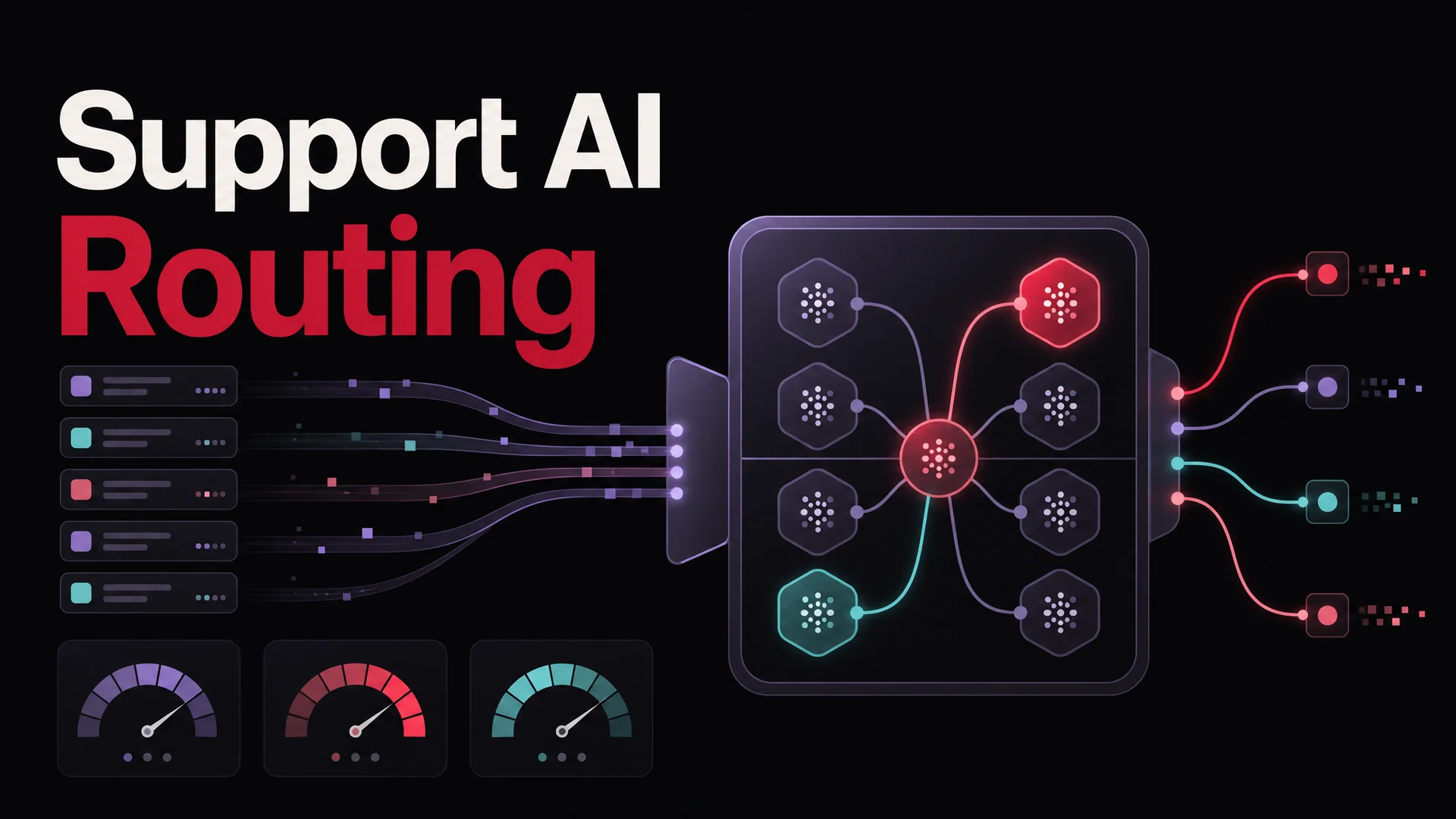
Compare that to running the same volume against a closed frontier model. GPT-5.5 and Claude Opus 4.7 are priced for hard problems, not first-line traffic, and you will pay an order of magnitude more per million tokens. The economically rational pattern is the routed one: V4 Flash (or MiniMax M2, or Qwen3.6-27B) at the front, with falls-through to GPT-5.5 or Claude Opus 4.7 when the task needs it. Berrydesk handles this routing natively, but you can also build it yourself with a thin classifier in front of two SDK clients.
The other reason to care about DeepSeek V4 pricing: it sets the floor for what "fully automated, AI-only support" should cost in 2026. If your current stack is paying meaningfully more than $0.001 per resolved routine ticket, the model layer is probably the place to start.
How to access the DeepSeek V4 API
End to end, this is about a five-minute job.
Step 1 - Get an API key
Sign up at the DeepSeek platform and create an account. Inside the dashboard, find the API Keys section and click "Create new key." The key will be shown exactly once; copy it immediately into a password manager or your secrets store. If you lose it, you will need to revoke and reissue.
A few hygiene rules that matter more than they sound:
- Never paste the key into source code, even temporarily.
- Never commit it to Git, even on a private repo (build pipelines, contractors, and accidental forks all leak).
- Issue separate keys for development, staging, and production so you can revoke one without taking down the others.
- Set spend alerts on the account before you let it serve real traffic.
Step 2 - Install the OpenAI SDK
DeepSeek V4 is wire-compatible with the OpenAI Chat Completions API, so the existing OpenAI SDKs work unchanged. Pick whichever language matches your stack:
pip install openai
Or for Node:
npm install openai
The point of using the OpenAI SDK rather than rolling raw HTTPS is not laziness - it is that the SDK already handles streaming, retries, request signing, and the structured response shape. You inherit a tested client and a familiar API surface.
Step 3 - Make your first call
Here is a minimal Python example pointed at V4 Flash:
from openai import OpenAI

client = OpenAI(
    api_key="<YOUR_DEEPSEEK_API_KEY>",
    base_url="https://api.deepseek.com",
)

response = client.chat.completions.create(
    model="deepseek-chat",
    messages=[
        {"role": "system", "content": "You are a concise support assistant."},
        {"role": "user", "content": "How do I reset my password?"},
    ],
    stream=False,
)

print(response.choices[0].message.content)
What each piece does:
base_urlredirects the client at DeepSeek's endpoint instead of OpenAI's. That single line is the entirety of the migration.model="deepseek-chat"selects V4 Flash. To call V4 Pro for a reasoning-heavy task, swap inmodel="deepseek-reasoner".messagesfollows the standard role-tagged conversation format you already know.stream=Falsewaits for the full response. Set it toTrueto stream tokens as they generate, which is what you want for a chat widget.
If the call returns text, you are connected. Now harden the integration before it sees real traffic.
Security and operational hygiene
A leaked API key is not just an embarrassment - it is a billing event. Treat keys the way you treat database credentials.
Move keys out of source
Use environment variables and a .env file kept out of version control:
DEEPSEEK_API_KEY=sk-...
Then load it at runtime:
import os
from dotenv import load_dotenv
from openai import OpenAI

load_dotenv()

client = OpenAI(
    api_key=os.environ["DEEPSEEK_API_KEY"],
    base_url="https://api.deepseek.com",
)
Add .env to your .gitignore immediately. Better still, use a real secrets manager - AWS Secrets Manager, HashiCorp Vault, Doppler, 1Password Connect - once you are past the prototype phase.
A short operational checklist
- Issue separate keys per environment (dev, staging, prod) and per service.
- Rotate keys on a schedule; rotate immediately if exposure is suspected.
- Set per-key budget caps where the platform supports them.
- Log token usage by key so you can attribute spend during incident review.
- Watch for unexpected spikes - a 10x jump in output tokens overnight is almost always either a bug or a leak.
- If you self-host V4 weights for sensitive workloads, treat the deployment like any other regulated system: VPC isolation, audit logging, controlled model updates.
Error handling that actually holds up
The OpenAI SDK raises exceptions for the common failure modes. The minimum-viable handler looks like this, but in production you want more:
from openai import OpenAI, APIError, RateLimitError, APITimeoutError

try:
    response = client.chat.completions.create(
        model="deepseek-chat",
        messages=[
            {"role": "system", "content": "You are a support assistant."},
            {"role": "user", "content": user_message},
        ],
        timeout=30,
    )
    return response.choices[0].message.content

except RateLimitError:
    # Exponential backoff and retry, or fall through to a backup model.
    ...
except APITimeoutError:
    # Reduce context, split the request, or downgrade to a faster model.
    ...
except APIError as e:
    # Log e.status_code, e.message; surface a generic apology to the user.
    ...
The errors you will actually see in production:
- 401 Authentication. The key is missing, malformed, or revoked. Verify the env var is loaded and the key is current.
- 429 Rate limit. You have crossed a per-minute or per-day quota. The fix is exponential backoff with jitter, plus a fallback path to another provider for traffic spikes - Berrydesk does this automatically, but if you are rolling your own, build it.
- 400 Invalid request. Most often a typo in the model name (it is
deepseek-chat, notdeepseek_chat) or a malformed messages array. - Timeout. A long-context request took longer than your client allowed. Either widen the timeout or split the work; for support traffic, also consider whether you really need to send the full 1M-token context.
A pattern worth adopting from day one: when V4 Flash fails, fall through to a second provider rather than surfacing the error to the customer. The 2026 model landscape is rich enough that you should never let a single API outage end a support session - Kimi K2.6, GLM-5.1, MiniMax M2, and Qwen3.6 are all credible secondary routes, each with its own cost and latency profile.
Cutting token costs without cutting quality
DeepSeek V4 is already cheap. The teams who get the most out of it cut another 50–80% off the bill with a handful of habits.
Tune temperature for the task
Temperature controls how much randomness the sampler permits. Lower values produce more focused, shorter outputs.
- Code, math, classification:
temperature=0.0. You want consistent, deterministic answers and you do not want the model meandering. - Conversational support:
temperature=0.7–1.0. Natural-feeling phrasing without too much drift. - Creative writing or brainstorming:
temperature=1.2–1.5. Accept longer, more variable outputs.
Temperature does not apply to V4 Pro's reasoning mode - that path runs its own sampling internally.
Demand structured output
If you can describe what you want in JSON, ask for JSON. It is shorter, parses cleanly, and removes the model's tendency to pad answers with prose.
response = client.chat.completions.create(
    model="deepseek-chat",
    messages=[
        {"role": "system", "content": "Reply only with valid JSON matching {category, sentiment, summary}."},
        {"role": "user", "content": ticket_text},
    ],
    temperature=0.0,
)
For agentic flows, this is also where function calling earns its keep - you get the structured tool call back as a typed object, not a paragraph of natural language you have to re-parse.
Use V4 Pro reasoning surgically
V4 Pro is powerful, but every reasoning step is billable output. Long, exploratory prompts produce long, exploratory traces.
Instead of "Walk me through every step of how you would approach this problem," prefer "Solve this; show only the steps you actually used." The answer is usually the same. The token count is not.
A common pattern that works well: always run V4 Flash first. If the response includes a low-confidence signal (model says "I'm not sure," output is suspiciously short, classifier flags it as out-of-policy), only then re-run on V4 Pro. You will route maybe 5–10% of traffic to the more expensive tier, and your customers will not notice.
Prompt cache like you mean it
Cache hits are the single biggest optimization on the DeepSeek V4 API. To trigger them:
- Put stable content (system prompt, policy bundle, few-shot examples) at the start of the messages array.
- Keep that prefix byte-for-byte identical across requests. Even a trailing whitespace change can break the cache.
- Put the volatile per-conversation content (user message, retrieved snippets) at the end.
For a support agent serving thousands of sessions a day with a shared system prompt, this drops the input bill by an order of magnitude. It is not a clever trick - it is the optimization.
Trim the prompt itself
Every word in your prompt costs tokens, and verbose prompts produce verbose answers. Compare:
- Verbose: "I would really appreciate it if you could please help me understand and explain how to write a Python function that takes a list as an argument and returns it in sorted ascending order."
- Concise: "Write a Python function that returns a list sorted ascending."
Same answer. Roughly a third the input tokens, and a noticeably shorter output.
This is the single highest-ROI thing most teams skip. Audit your system prompts every quarter; they accumulate cruft fast.
What to watch out for
Three pitfalls show up consistently when teams move DeepSeek V4 into real production:
- Treating a million-token context window as a substitute for retrieval. Just because you can stuff the entire help center into the prompt does not mean you should. Long contexts are slower, increase the surface area for the model to get confused, and run up token bills. Retrieval still wins for most support workloads - long context is the safety net for the 5% of cases where retrieval misses critical information.
- Skipping the routing layer. A single-model architecture is simpler to build but more expensive to run, and it leaves money on the table during outages. Even a basic two-model setup - V4 Flash for routine, V4 Pro or Claude Opus 4.7 for hard escalations - pays for the engineering time inside a month at any real volume.
- Forgetting that open weights mean you can self-host. For regulated industries, the option to run V4 weights inside your own infrastructure is genuinely meaningful. The hosted API is the convenient default, not the only path.
Wrapping up
DeepSeek V4 is the best argument right now that production AI customer support does not have to be expensive. V4 Flash gives you frontier-class quality at $0.14 / $0.28 per million tokens, with a 1M-token context window and OpenAI SDK compatibility that lets you migrate in minutes. V4 Pro picks up the reasoning-heavy tail.
You now have what you need to:
- Pick V4 Flash or V4 Pro per task.
- Wire up the SDK and make your first call.
- Harden secrets and errors before traffic hits production.
- Drop your token bill another half through caching, structured output, and tighter prompts.
If the integration plumbing is what you would rather skip - and most support teams would - Berrydesk handles the model routing, the document training, the chat widget, and the AI Actions for booking and payments out of the box. Pick DeepSeek V4 from the model picker, point the agent at your knowledge base, and ship to your website, Slack, Discord, or WhatsApp the same afternoon.
 Berrydesk
Skip the SDK plumbing - launch a DeepSeek-powered support agent in minutes
- Pick from GPT-5.5, Claude Opus 4.7, Gemini 3.1, DeepSeek V4, Kimi K2.6, and more without rewriting code.
- Train on docs, websites, Notion, Drive, and YouTube, then deploy to web, Slack, WhatsApp, and Discord.
Set up in minutes

Chirag Asarpota is the founder of Strawberry Labs, the team behind Berrydesk - the AI agent platform that helps businesses deploy intelligent customer support, sales and operations agents across web, WhatsApp, Slack, Instagram, Discord and more. Chirag writes about agentic AI, frontier model selection, retrieval and 1M-token context strategy, AI Actions, and the engineering it takes to ship production-grade conversational AI that customers actually trust.