Most of what a support team knows lives in documents nobody wants to read end to end: policy PDFs, refund matrices, exported tickets, vendor contracts, scanned forms, internal wikis. Pulling structured answers out of that pile - reliably, at the speed of a customer conversation - is what document parsing has always been about. What changed in 2026 is that the tools for the job no longer look anything like they did two years ago.
This guide walks through the techniques that still matter, the ones the new generation of long-context and agentic models have absorbed, and how to combine them in production support workflows on Berrydesk.
What Document Parsing Actually Means
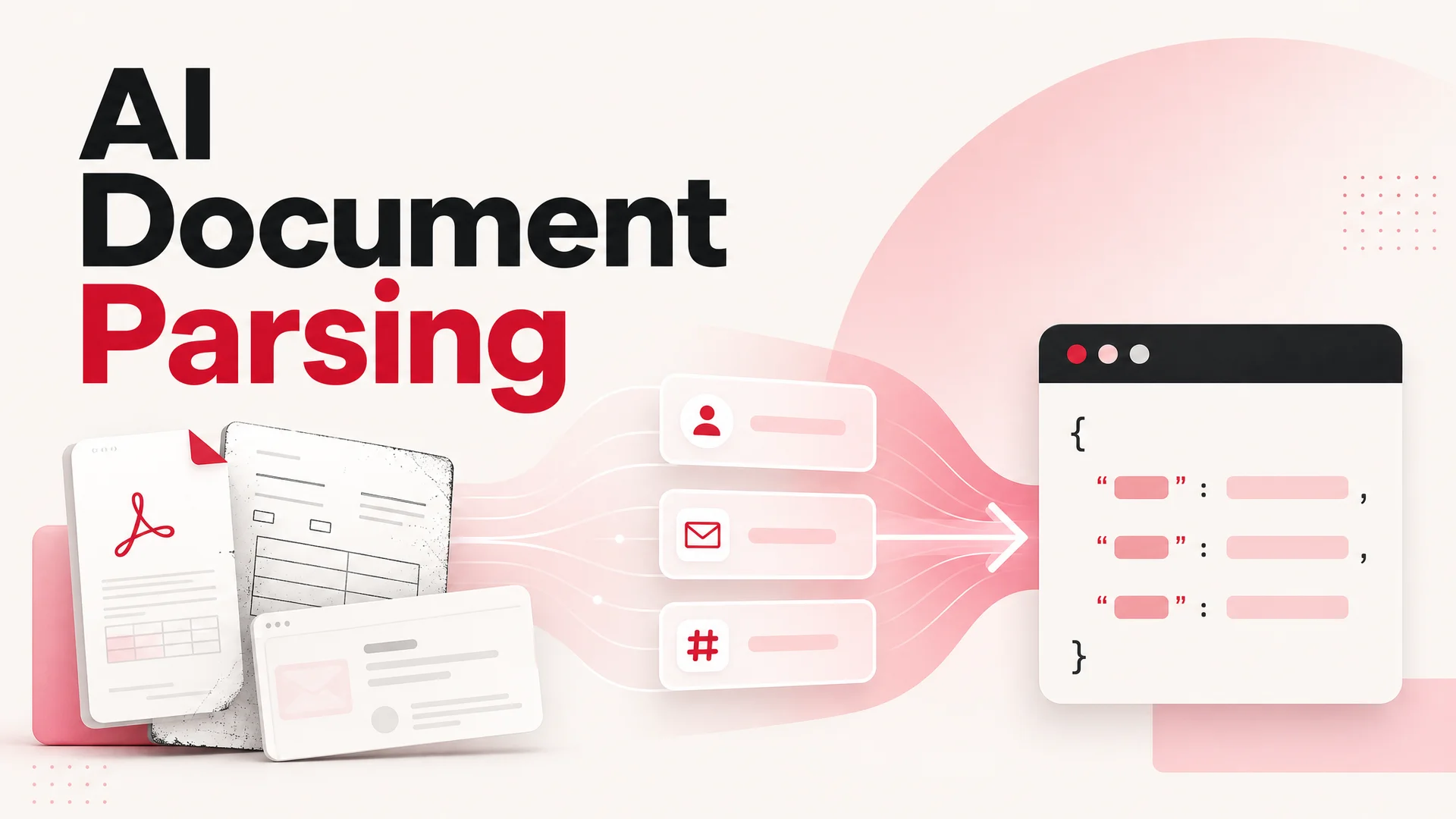
Document parsing is the process of converting unstructured or semi-structured content - text, layout, tables, images of text - into structured data a system can act on. A parser turns a page into fields. It turns "Order #4421 was returned on April 18 by Maya Chen, refund issued via original payment method" into something a workflow can branch on.
For a customer support agent, that conversion is the difference between a chatbot that answers from vibes and an agent that resolves a ticket. Without parsing, your model knows the contents of a manual the way a tourist knows a city after a one-week trip. With parsing - done well - it knows where the receipts, policy clauses, SLA tables, and account histories live, and it can pull the exact line that resolves the customer's question.
The job has four parts: identifying what kind of document you're looking at, recovering its layout (sections, tables, headers, multi-column flow), extracting the fields you actually need, and validating that what you pulled out is internally consistent. Different techniques handle different parts of this stack, which is why mature pipelines almost always combine more than one.
Foundational Techniques That Still Pull Their Weight
1. Regular expressions
Regex is the cheapest, fastest, most predictable tool in the kit, and it's the one most teams underuse. Where the data follows a known shape - order numbers, SKUs, postal codes, account IDs, ISO timestamps - a well-crafted regex extracts at machine speed and can't hallucinate.
import re

def extract_order_ids(text: str) -> list[str]:
    pattern = r"\bORD-\d{4}-[A-Z]{2}\d{3}\b"
    return re.findall(pattern, text)

snippet = "Customer reference ORD-2026-NL842 was credited; ORD-2026-DE117 is still pending."
print(extract_order_ids(snippet))
# ['ORD-2026-NL842', 'ORD-2026-DE117']
The catch is that regex is brittle the moment a document drifts from its template. Treat it as a precision instrument for the parts of the document you control, and lean on language models for the parts you don't.
2. NLP libraries (spaCy and friends)
For light entity extraction - people, organizations, places, dates, currencies - a small NLP pipeline is still excellent value. spaCy will run on a CPU, finish in milliseconds, and produce results that an LLM would charge you tokens to reproduce.
import spacy

nlp = spacy.load("en_core_web_sm")

def named_entities(text: str):
    doc = nlp(text)
    return [(ent.text, ent.label_) for ent in doc.ents]

text = "Berrydesk was founded in Amsterdam in 2024 and signed its first enterprise customer in March 2026."
print(named_entities(text))
A common pattern in 2026 is to use spaCy as a cheap pre-filter - tag entities, route the document to the right downstream prompt, and only pay for an LLM call when you actually need reasoning over the text.
3. Layout-aware machine learning
Documents are not flat strings. Invoices have totals, contracts have clauses, forms have checkboxes, and a CV uses whitespace to mean something. Layout-aware models - built on transformer backbones with vision encoders - read pages the way a human does, which is critical when fields are positioned rather than labeled.
You'll find this technique inside most modern OCR-plus-extraction stacks. It is the layer that turns a scanned PDF into structured JSON without you writing a template.
4. Rule-based systems
Rules feel old-fashioned until you watch them rescue a regulated workflow. For documents that are genuinely standardized - bank statements from one institution, lab reports from one provider, your own export schemas - a hand-written rule set is faster, cheaper, and more auditable than any model. The trick is to scope rule-based parsing to where the variance is low and reach for ML where it isn't.
What the 2026 Model Landscape Changes
Two years ago, parsing complex documents with an LLM meant chunking, embedding, and stitching. The frontier has moved.
Long context is now table stakes. Claude Opus 4.6 and Sonnet 4.6 ship a 1M-token context window with no surcharge. Gemini 3.1 Ultra goes to 2M and is natively multimodal across text, image, audio, and video, which means a single call can see the PDF and the screenshot the customer just sent. DeepSeek V4 Flash and Pro both run at 1M context. For most support knowledge bases, you can hold the whole corpus in the prompt and skip retrieval altogether - RAG becomes a tuning lever for cost, not a hard architectural requirement.
Agentic tool use is reliable enough to ship. Claude Opus 4.7 leads SWE-bench Pro at 64.3%, and open-weight models like Moonshot Kimi K2.6 (12-hour autonomous coding sessions, swarms up to 300 sub-agents), Z.ai's GLM-5.1 (58.4 on SWE-Bench Pro under MIT license), and Alibaba's Qwen3.6 family are now production-grade for multi-step parse-then-act workflows. That matters for support: an agent that parses an order confirmation, looks up the customer's plan, applies the right refund logic, and writes the ticket is no longer a demo.
Open weights collapsed the cost floor. DeepSeek V4 Flash is priced at $0.14 per million input tokens and $0.28 per million output tokens. MiniMax M2 / M2.7 - open-weight, 230B total / 10B active MoE - runs at roughly 8% of the price of Claude Sonnet at twice the speed. For high-volume parsing - every email, every uploaded receipt, every shipping label - you no longer need to choose between quality and budget. You route by difficulty.
On-prem is back on the table. GLM-5.1 (MIT), Qwen3.6-27B (Apache 2.0), and Xiaomi's MiMo-V2-Pro (>1T params, MIT-licensed weights) make air-gapped and regulated deployments feasible without giving up frontier-class quality. For healthcare, finance, and government support teams, that is the difference between "we'd love to use AI" and "we shipped it last quarter."
Using LLMs for Unstructured Extraction
The strongest pattern for parsing free-text documents in 2026 is to ask a capable model for structured output and validate it on the way out. Both major SDKs support structured output natively.
from anthropic import Anthropic

client = Anthropic()

schema = {
    "type": "object",
    "properties": {
        "name": {"type": "string"},
        "email": {"type": "string"},
        "phone": {"type": "string"},
        "company": {"type": "string"},
        "role": {"type": "string"},
    },
    "required": ["name", "email"],
}

resp = client.messages.create(
    model="claude-opus-4-7",
    max_tokens=400,
    system="Extract contact details. Return JSON matching the provided schema.",
    messages=[{
        "role": "user",
        "content": (
            "John Smith\nSenior Software Engineer\nTechCorp Inc.\n"
            "Email: john.smith@techcorp.com\nPhone: (555) 123-4567"
        ),
    }],
    extra_body={"response_format": {"type": "json_schema", "json_schema": schema}},
)
print(resp.content[0].text)
Pair the call with a runtime validator - Pydantic on the Python side, Zod on the TypeScript side - so a bad extraction fails loudly instead of silently writing garbage to your CRM.
import { z } from "zod";

const Contact = z.object({
  name: z.string(),
  email: z.string().email(),
  phone: z.string().optional(),
  company: z.string().optional(),
  role: z.string().optional(),
});

export type Contact = z.infer<typeof Contact>;

export function safeParseContact(raw: unknown) {
  const result = Contact.safeParse(raw);
  if (!result.success) {
    // log, retry with a corrective prompt, or hand off to a human
    throw new Error(result.error.message);
  }
  return result.data;
}
A pragmatic production stack looks like this: a cheap, fast model (DeepSeek V4 Flash, MiniMax M2, Qwen3.6-27B) handles the first pass on every document; anything that fails validation or has low confidence is re-tried on a frontier model (Claude Opus 4.7, GPT-5.5, Gemini 3.1 Ultra). You pay frontier prices only for the documents that earn it.
RAG vs Long Context vs Routed Models
A question that comes up on every Berrydesk implementation call: do we need a vector database?
Long context is the simplest answer. If your knowledge base fits in 1M tokens - which covers most product docs, policy libraries, and ticket histories for a single product - you can put the whole thing in the prompt and let the model attend to it. You trade tokens for engineering time, and with V4 Flash pricing the token bill is often the smaller line item.
RAG still wins when the corpus is genuinely large (millions of pages), when you need source citations on every answer, when documents update many times per day, or when you want to enforce strict access controls per chunk. The cost is the embedding pipeline and the failure modes that come with it: stale indexes, retrieval misses, chunk boundaries cutting through the answer.
Routed parsing - picking a model per document type - is the highest-leverage choice for support. A simple invoice goes to a small open-weight model. A 60-page master service agreement with table-heavy clauses goes to a long-context frontier model. A multi-turn ticket history that needs reasoning goes to an agentic model. On Berrydesk, this is configured at the agent level: pick the model, attach the sources, and let the platform handle the routing.
Best Practices
- Preprocess before you parse. Convert HEIC images to JPG, normalize encodings, fix line breaks in PDF extracts, and strip headers and footers that repeat on every page. Garbage in, hallucinated structure out.
- Validate everything. Schema-validate every extraction. A missing field is a signal, not a problem to paper over with a default.
- Build the pipeline modular. Keep OCR, layout analysis, extraction, and validation as separate stages with clear contracts. When a model gets cheaper or smarter - and one will, in three months - you swap a stage, not the system.
- Log the inputs. Store the document and the model output together, versioned. When a customer disputes a refund decision, you want to be able to replay exactly what the agent saw.
- Plan for drift. Templates change, vendors update forms, suppliers switch invoicing software. Track parse failure rates per document type and alert when one starts climbing.
- Keep humans in the loop where it matters. For medical records, legal contracts, or any document driving a payment, route low-confidence parses to a human reviewer. The model is the first pass, not the last word.
- Respect privacy. PII shouldn't sit in plaintext logs. Use redaction at the boundary, encrypt at rest, and pick deployments - open-weight on-prem, EU-region SaaS - that match your regulatory posture.
Common Pitfalls
The two failure modes that bite hardest in production are silent extraction errors and overconfident long-context summaries. The first happens when a model returns a syntactically valid JSON object full of plausible-but-wrong values; the fix is strict schemas plus cross-field consistency checks (does the line-item total equal the sum?). The second happens when teams shovel a million tokens into a prompt and accept whatever comes out; the fix is to pin the model to specific spans with citations and to ask it to quote, not paraphrase, when the stakes are high.
A third, quieter pitfall: betting the parsing pipeline on a single model. Frontier models change quarterly. Open weights ship every few weeks. A pipeline that hardcodes a model name will be technical debt by next quarter. Build a thin abstraction over the provider, route at the agent level, and treat the model as a configurable choice.
Where Berrydesk Fits
Berrydesk is built around exactly the pattern this guide describes. You pick the model - GPT-5.5, Claude Opus 4.7, Gemini 3.1, DeepSeek V4, Kimi K2.6, GLM-5.1, Qwen3.6, MiniMax M2, or others - and train the agent on PDFs, websites, Notion, Google Drive, or YouTube transcripts. The platform handles the parsing, indexing, and routing under the hood. You brand the chat widget, wire up AI Actions for bookings, refunds, and lookups, and deploy to your site, Slack, Discord, or WhatsApp.
The teams getting the most out of document parsing in 2026 aren't the ones using the smartest single model. They're the ones who designed their workflow so the right model touches the right document, the structure is validated on the way out, and the agent does something useful with what it parsed.
If your support content is currently locked inside PDFs and wikis nobody reads, that's the problem worth solving first. Start at berrydesk.com - upload a few sources, point an agent at them, and see how much of your queue an AI can actually own.
 Berrydesk
Turn messy support documents into a working AI agent
- Train on PDFs, Notion, Google Drive, websites, and YouTube in minutes
- Route routine traffic to cheap open-weight models, escalate hard cases to frontier
Set up in minutes

Chirag Asarpota is the founder of Strawberry Labs, the team behind Berrydesk - the AI agent platform that helps businesses deploy intelligent customer support, sales and operations agents across web, WhatsApp, Slack, Instagram, Discord and more. Chirag writes about agentic AI, frontier model selection, retrieval and 1M-token context strategy, AI Actions, and the engineering it takes to ship production-grade conversational AI that customers actually trust.