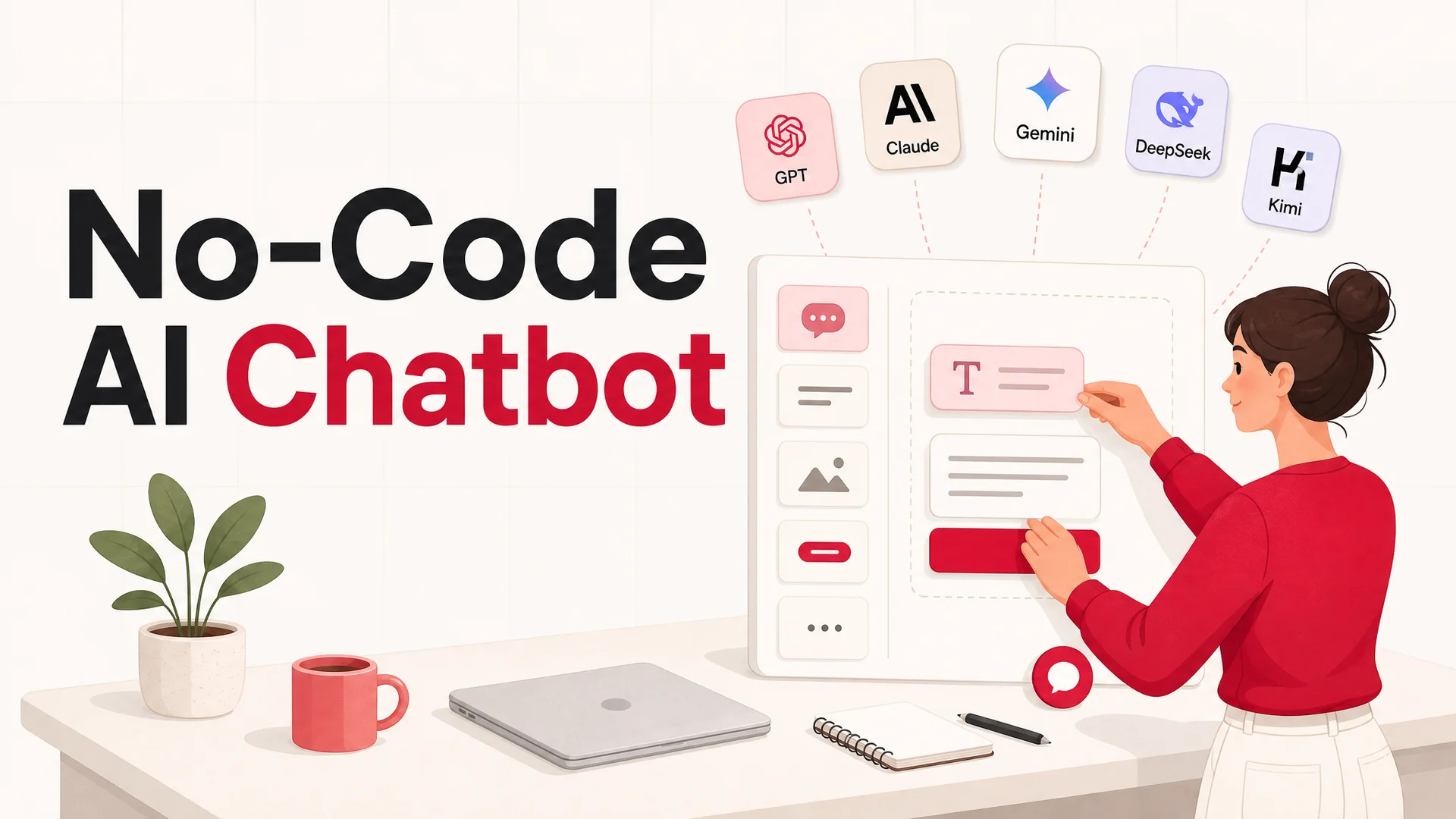
A few years ago, shipping a competent AI support agent meant hiring engineers, wiring up a vector database, prompt-engineering through countless edge cases, and arguing with stakeholders about which model to use. By 2026, that entire workflow has been compressed into a single afternoon.
ChatGPT, Gemini, and Copilot have made conversational AI feel like a household utility. Hundreds of millions of people now lean on them for everything from drafting emails to debugging code, planning trips, and untangling business problems. They are wildly capable generalists, and that is exactly the trouble: a generalist is the wrong shape for a specialist job. When you drop a stock chatbot into a customer support workflow, you immediately run into walls. You do not control how it answers, what it knows, or where it lives. It does not know your refund policy, your shipping zones, or which plan a logged-in user is on. It cannot follow your tone of voice, wear your brand colors, or hand off cleanly to a human agent. It is a brilliant intern with no onboarding and no badge to your systems.
You can now build a production-ready AI agent - one that answers questions, books appointments, looks up orders, and escalates cleanly to humans - in under fifteen minutes. No developers. No infrastructure. No multi-quarter roadmap. What you need instead is a clear idea of what the agent should do, the right content to train it on, and a platform that handles the rest.
This guide walks through that exact process end to end. We'll build a working example along the way: a university admissions agent for a fictional school called New Age World University. Each step shows what to do, what to watch out for, and what's actually changed in the underlying tech since the last time you might have looked at this. By the end, you'll have a deployed agent that handles real conversations across your website, Slack, or WhatsApp - and a clear sense of how to keep improving it.
Why a custom AI agent beats a generic chatbot
Before we dig into how to build one, it helps to be precise about why a tailored agent is worth the small upfront effort versus simply pointing customers at ChatGPT.
1. Privacy, security, and data residency
Pasting customer data into a public chatbot is a quietly terrible idea. Even when a vendor claims it does not train on inputs, you are still routing personally identifiable information, order history, and sometimes payment metadata through someone else's pipeline. For regulated industries - healthcare, finance, government, EU operations under GDPR - that is a non-starter.
A purpose-built agent gives you the dials you actually need: where data is stored, how long conversations are retained, who has access, which model provider sees which fields, and whether prompts and completions are logged at all. The 2026 landscape makes this easier than it has ever been. MIT- and Apache-licensed open-weight frontier models - Z.ai's GLM-5.1, Alibaba's Qwen3.6-27B, Xiaomi's MiMo-V2-Pro - let you run an agent on infrastructure you own, in a region you choose, and in some cases fully air-gapped.
2. It actually fits your business
Generic chatbots were built for a generic public. Your support team was not. You have specific tickets that come up over and over, specific edge cases your competitors do not, and specific systems - CRM, billing, fulfillment, internal Slack - where the answer to the customer's question lives.
A custom agent gets to lean into all of that. It can read directly from your help center, product docs, and Notion workspace, and stay in sync as those change. It can call your APIs to look up an order, check a license seat, or verify a subscription tier. It can escalate to the right human, on the right channel, with the full transcript attached. And it can scale from a few conversations a day to tens of thousands during a launch without you doing anything different.
3. Customization that actually shows up in the product
The chat widget in the bottom-right corner is, for many customers, the single most-used surface of your product. With a generic assistant, you take the personality you are given. With your own agent, every layer is yours to shape:
- Tone and voice - playful, dry, technical, formal, multilingual.
- Response length and structure - short and scannable, or long and instructive.
- Personality and persona - a named character with a backstory, or a deliberately neutral assistant.
- Visual brand - colors, typography, avatar, launcher icon, animations.
- Safety rails - what topics are off-limits, when to defer to a human, how to handle abusive users.
4. Deep, durable knowledge of your business
Imagine an employee who has read every article in your help center, every page of your product docs, every FAQ, every previous support thread, and every internal runbook - and remembers all of it perfectly. That is the floor for what a well-trained AI agent can do today, not the ceiling.
Two things changed in 2026 that make this dramatically more practical than even a year ago. First, context windows blew open: Claude Opus 4.6 and Sonnet 4.6 ship with 1M tokens at no surcharge, DeepSeek V4 Flash matches that, and Gemini 3.1 Ultra reaches 2M tokens. An agent can hold your entire knowledge base, the full conversation history, and your policy documents in-context simultaneously. RAG - retrieval augmented generation - is no longer a hard requirement for smaller knowledge bases; it becomes a tuning lever you reach for when you want precision and citations.
Second, the gap between "the model sounds smart" and "the model is reliably correct" has narrowed substantially. Claude Opus 4.7 leads SWE-bench Pro at 64.3%, and open-weight contenders like Kimi K2.6 (58.6) and GLM-5.1 (58.4) are within striking distance. The same reasoning improvements that show up in coding benchmarks show up in following multi-step support workflows correctly.
5. Flexible deployment, real AI Actions
ChatGPT lives at chat.openai.com. Your customers do not. They live in your product, on your help center, in your iOS app, on WhatsApp, and in a Slack channel they share with your team. A custom agent can be embedded once and deployed everywhere - website widget, in-app panel, mobile app, Slack, Discord, WhatsApp, Messenger - with the same brain, the same training data, and the same conversation history flowing through.
The more interesting unlock in 2026 is AI Actions: the agent does not just talk, it does. Agentic tool-use models like Claude Opus 4.7, Kimi K2.6 (which can run 12-hour autonomous coding sessions and coordinate up to 300 sub-agents across thousands of steps), GLM-5.1, Qwen3.6, and MiMo-V2-Pro have made tool-calling reliable enough to put in front of paying customers. Booking demos, refunding orders, looking up shipment status, taking payments, creating Jira tickets, scheduling installs - all of that is now production-grade, not a demo on a stage.
Step 1: Pin down the job before you open the builder
The single biggest reason AI agents underperform isn't the model. It's that nobody decided what the agent was actually for. Before you log in to any platform, write down answers to the following.
What problem is the agent solving?
"Improve customer support" is not a problem statement. "Resolve the 50 most common refund and order-status questions so our human team can spend their time on complex cases" is. The narrower and more concrete the goal, the easier every downstream decision becomes - what to train on, what tools to give it, how to measure success.
Who is the audience?
A support agent for first-time consumers needs different language, pacing, and patience than one serving enterprise procurement teams. Map out who's on the other side of the conversation, what they already know, and what frustrations they're walking in with.
Where will the agent live?
Your website is the obvious answer, but the right channel often isn't. Many B2B teams get more leverage from Slack or Discord, where their power users already congregate. Consumer brands often see the highest engagement on WhatsApp. Berrydesk lets you deploy to all of these from a single agent, but the channel still shapes the writing style and the response length you should aim for.
What kinds of conversations will it handle?
A non-exhaustive list of categories worth scoping explicitly:
- Customer support - order status, returns, refunds, common product questions, troubleshooting.
- Lead generation and qualification - capturing intent, asking discovery questions, booking demos.
- Internal knowledge base - HR policies, IT troubleshooting, finance and procurement workflows.
- Appointment scheduling - direct calendar booking, rescheduling, cancellations.
- Product recommendations - guiding shoppers based on stated preferences and inventory.
- Account actions - password resets, plan changes, address updates.
What data does it need?
List the sources up front. Is the answer in your help center? Your CRM? A real-time inventory API? A Notion workspace your ops team maintains? You don't need to wire all of this on day one, but knowing what's available - and what's not - keeps you from making promises the agent can't keep.
How much volume do you expect?
Dozens of chats a day looks very different from tens of thousands. Volume affects which model you'll route to, how aggressively you cache, and how you think about cost per resolution.
Worked example: New Age World University admissions agent
Throughout this guide, we'll use a single example to make each step concrete.
- Goal: Cut repetitive questions to admissions staff by 60% during peak season.
- Audience: High school applicants and their parents, mostly first-time visitors to the site.
- Channel: A widget embedded on the university's admissions website, with a secondary deployment on the WhatsApp number students already use to contact admissions.
- Conversations covered: Application requirements and deadlines, transcript and test-score submissions, program selection, status checks, financial aid, scholarships, and campus visit scheduling.
- Data sources: The admissions site, the official handbook PDF, an internal FAQ, and the Notion page the admissions team uses for current-year policies.
- Volume: 200–500 conversations per day during application season, lower the rest of the year.
Skip this step and you'll waste hours tuning an agent that nobody can quite explain the purpose of.
Step 2: Build from scratch, or use a no-code platform?
Once the brief is clear, you face one real architectural choice: stand up the system yourself, or use a no-code agent builder. Both are valid; the right answer depends on your team and your timeline.
Building from scratch
Going custom gives you full control. You pick the model, design every prompt, own the retrieval pipeline, and ship exactly the experience you want. It also costs you, in roughly this order:
- A team that understands LLMs, retrieval, evaluation, and prompt engineering - not just one engineer who has used the OpenAI API.
- Hosting, observability, rate limiting, and a queueing layer for traffic spikes.
- An evaluation harness, because you can't ship a model upgrade without one and the frontier moves every few weeks.
- A roadmap of three to six months before the agent is genuinely production-ready.
- Ongoing API costs across whichever models you choose.
For some teams - especially those building a product where the agent is the product - this is the right call.
Using a no-code platform
For most support, sales, and internal-tooling use cases, the math points the other way. A no-code platform like Berrydesk gets you a live agent in minutes, no infrastructure to maintain, built-in integrations with the channels and tools you already use, predictable pricing, and a team that focuses on content and behavior, not pipelines.
The trade-off is less flexibility deep in the stack. In practice, that ceiling is high enough that very few support teams ever hit it.
What to look for in a no-code builder in 2026
- A serious model menu, not a single hardcoded provider. A platform that quietly forces you onto one frontier model is a platform that is going to overcharge you at scale. You want access to the closed frontier (GPT-5.5 / 5.5 Pro, Claude Opus 4.7, Sonnet 4.6, Gemini 3.1 Ultra) and the open-weight frontier (DeepSeek V4 Flash, MiniMax M2.7, Kimi K2.6, GLM-5.1, Qwen3.6). The cost story is dramatic: DeepSeek V4 Flash is priced at roughly $0.14 / $0.28 per million input/output tokens, and MiniMax M2 runs at about 8% the price of Claude Sonnet at twice the speed.
- A free tier that lets you build a real agent before paying. Not a five-message demo. Enough to ingest a real knowledge base, embed it on a real page, and get a feel for response quality on your actual content.
- Multi-source training. Files, raw text, websites, Notion, Google Drive, YouTube transcripts, Q&A pairs you write by hand. The more sources, the less your team has to reformat content.
- Behavior controls. Tone, persona, refusal rules, escalation triggers, fallback messages.
- Channel coverage. Web widget, Slack, Discord, WhatsApp, Messenger - at minimum. If the only deployment surface is a hosted page, you have bought a toy.
- Analytics. What people ask, where the agent fails, what gets escalated, what gets resolved.
- AI Actions. The ability to do real work - book a meeting, take a payment, look up an order, create a ticket - not just talk.
- Transparent, predictable pricing. Per-message pricing that does not surprise you when traffic spikes during a launch. Watch out for hidden multipliers on premium models.
- Security posture. SOC 2, GDPR, encryption at rest and in transit, granular data retention controls, data residency options, and ideally the option to run on infrastructure you control if you are in a regulated industry.
- Integrations that match how your team actually works. CRM, helpdesk, scheduling, payments, analytics, internal Slack, on-call rotations.
Berrydesk is built around exactly this checklist. The rest of this guide assumes you're using it, but the steps generalize to any modern no-code builder.
Step 3: Set up the agent
Setup is the fastest part of the whole process.
- Head to berrydesk.com and create an account. The free tier is enough to follow along.
- From the dashboard, click New Agent. You'll be taken to a workspace where you can configure sources, models, behavior, and the front-end widget.
- Skip the file upload for a moment. We'll come back to training in the next step. For now, paste a one-paragraph description of what the agent does into the Text source - for our example, something like "An admissions assistant for New Age World University. Helps prospective students and parents with applications, documents, deadlines, and financial aid." This gives the agent a starting identity even before you train it on real content.
- Click Create Agent.
- In the agent's workspace, open Settings and give it a name. We'll call ours NawBot.
- Open the Model tab. Berrydesk supports the full closed frontier (GPT-5.5 and 5.5 Pro, Claude Opus 4.7 and Sonnet 4.6, Gemini 3.1 Ultra and Pro) alongside open-weight leaders (DeepSeek V4, Kimi K2.6, Z.ai GLM-5.1, Qwen 3.6, MiniMax M2.7, Xiaomi MiMo-V2-Pro). For a first pass, default to a strong general model - Claude Sonnet 4.6 with its 1M-token context is a great starting point. We'll route harder cases to a stronger model later.
- Set the system instructions. Write a paragraph that covers identity, scope, tone, and refusal behavior. Example: "You are NawBot, the admissions assistant for New Age World University. Help prospective students and parents with applications, documents, deadlines, and financial aid. Be warm and concise. If you don't know an answer, say so and offer to connect them with the admissions office."
- Save and head back to the chat preview.
At this point you have what amounts to a generalist chatbot - fluent, reasonable, but with no idea about your university, your product, or your policies. Time to fix that.
Step 4: Train the agent on your knowledge
Training is the step that turns a generic LLM into your agent. Everything else is configuration; this is where the real value gets created.
In 2026, training looks very different for one big reason: context windows. With 1M-token windows now standard on Claude Sonnet 4.6 and DeepSeek V4 Flash, and 2M on Gemini 3.1 Ultra, smaller knowledge bases can simply be loaded directly into the prompt without retrieval, which improves answer faithfulness and removes a class of "the chunk got chopped weirdly" bugs. For larger corpora, retrieval still matters, and Berrydesk handles the chunking, embedding, and reranking for you.
Gather your sources
For our admissions agent: the admissions section of the university website, the official handbook PDF, a frequently-updated FAQ document, and the Notion page where the admissions team logs current-year policies. In your case, the list might look more like a help center, a few PDFs, a Google Drive folder of internal SOPs, and the YouTube playlist where your founder explains how the product works.
Upload and crawl
Berrydesk gives you several ingestion paths and you can mix and match them freely:
- File upload. Drag in PDFs, DOCX, Markdown, TXT, or CSV. Right path for product manuals, internal runbooks, policy documents, and exported help center content.
- Text paste. Paste content directly when you do not have a file - quick FAQs, internal notes, a policy snippet you want the agent to honor.
- Website crawl. Drop in a URL - your help center, your docs site, your marketing pages - and Berrydesk fetches every linked page, parses the content, and ingests it. Respects
robots.txtand lets you exclude paths. - Q&A pairs. Add explicit question-answer pairs for queries you absolutely cannot afford to get wrong. These act as high-priority anchors during retrieval.
- Notion workspace. Connect Notion and pick the pages or databases that should feed the agent. As your team updates Notion, the agent stays in sync.
- Google Drive. Same idea for Drive - point it at folders, and Berrydesk handles the ingestion.
- YouTube. Drop in video URLs and Berrydesk transcribes and indexes them.
Click Train. Training typically completes in under a minute for a few hundred pages and scales gracefully from there.
Test, then test the edges
The first round of testing should be optimistic - ask the questions you know the agent should be able to answer. Our admissions agent should nail "What's the application deadline?" or "How do I send my transcript?" without fuss.
The second round should be adversarial. Ask things the agent shouldn't know and watch what it does. Does it say "I don't know" gracefully, or does it hallucinate? Ask it leading or trick questions. Ask it the same question three different ways. Ask it something out of scope ("What's the weather?") and see whether it stays in character. Try the angriest message a real customer ever sent you.
If you see hallucinations, the fix is almost always content, not prompts. Find the gap, add the missing source, retrain. If the agent answers in a tone that's off, tighten the system instructions. If it's confident about something it shouldn't be, add an explicit refusal rule.
Step 5: Brand it and tighten behavior
Your agent works. Now make it feel like yours.
- From the workspace, open Settings and head back to Model. Refine the system instructions based on what you saw during testing. Be specific about what the agent should refuse, when it should escalate, and what it should never promise.
- Pick the right model for the workload. Most support agents do best with a fast, accurate generalist as the default - Claude Sonnet 4.6 or Gemini 3.1 Pro both fit - and a routing rule that sends complex or high-stakes questions to a stronger model like Claude Opus 4.7 or GPT-5.5 Pro. For high-volume, low-complexity traffic (basic FAQs, hours, returns policy), you can route to an open-weight model like DeepSeek V4 Flash, priced at $0.14 / $0.28 per million input/output tokens.
- Adjust the response temperature. Support agents almost always want it low - 0.2 to 0.4 - so the answers stay consistent.
- Open Chat Interface (or Appearance). Theme the widget - colors, fonts, launcher icon, position, intro messages, suggested prompts. The live preview on the right updates as you go. Spend real time here. The widget is part of your product surface.
Wire up AI Actions
This is where the agent goes from helpful to genuinely useful - where Berrydesk crosses from "answers questions" to "gets things done." Each action is a structured tool the agent can invoke when the conversation calls for it, and Berrydesk handles the auth, parameter validation, and confirmation flows.
For our admissions agent, we'll add an action that books campus visit slots directly from the chat. For e-commerce, you'd add order lookup and refund initiation. For SaaS, you'd add account creation, plan changes, and ticket creation. Configure the actions the agent can take on behalf of the customer - book a meeting on your calendar, look up an order in your commerce backend, take a payment, create a ticket, escalate to a human with full context.
This is where the agentic-tool-use models (Claude Opus 4.7, Kimi K2.6, GLM-5.1, Qwen 3.6, MiMo-V2-Pro) really earn their keep. They were trained explicitly for multi-step tool use, which is why function calls in production work reliably now in a way they didn't 18 months ago.
Step 6: Deploy across channels
Berrydesk supports a long list of deployment surfaces out of the box.
Website widget
- From your agent's workspace, click Embed.
- Toggle the agent to public.
- Copy the snippet - a short script tag.
- Paste it into your website's HTML, ideally just before the closing
</body>tag. Most CMSes (WordPress, Webflow, Framer, Shopify, Wix) have a "custom code" or "head/footer scripts" panel that takes the snippet directly. - Reload the site. The widget appears in the corner.
- Run a real conversation through it end to end. Ask three or four questions you've already tested in the preview, then a couple you haven't.
Slack, Discord, WhatsApp, and beyond
The web widget is one of several channels. From the Deploy tab, you can connect:
- Slack for internal-knowledge agents your employees can DM.
- Discord for community support, especially in developer and gaming markets.
- WhatsApp for consumer brands operating in regions where WhatsApp is the default communication channel.
- Messenger for consumer brands with established Facebook presence.
- Email and inbox integrations for the long tail of support questions that still arrive by email.
- API access if you want to embed the agent inside your own product.
Each channel uses the same underlying agent, the same training data, and the same AI Actions. Conversation history follows the user wherever they cross channels.
Common pitfalls to avoid
A working agent isn't the same as a good one. The traps to avoid:
- Confusing deflection with resolution. Closing a ticket isn't the same as helping the user. Track whether people came back asking the same thing within 24 hours.
- Skipping the escalation design. Every agent will hit cases it shouldn't handle. Decide up front what triggers a handoff to a human, and make sure the handoff carries the conversation context with it.
- Leaving training data stale. Pricing changes. Hours change. Policies change. Set a recurring calendar reminder - monthly at minimum - to re-crawl and re-upload the sources that change.
- Ignoring the tail. The most common questions are easy. The interesting ones are in the long tail. Read the failed conversations every week.
- Locking yourself to one model. The frontier moves fast. The model that's best for your workload today may not be in three months. Berrydesk's multi-model support exists precisely so you can swap without rebuilding.
- Dumping every document you own into the agent. More content is not better. Out-of-date PDFs, contradictory policy drafts, and internal-only docs that should never face customers all degrade quality. Curate ruthlessly.
- Picking the most expensive model "to be safe." GPT-5.5 Pro is excellent, but most support traffic does not need parallel reasoning. Default to a mid-tier model and route up when you measure a quality gap, not before.
- Skipping AI Actions. Many teams ship an answer-only agent and stop there. The compounding value comes from letting the agent do things - that is what moves the deflection rate from "decent" to "transformative."
- Treating evaluation as a one-time event. Your knowledge base drifts, your traffic patterns change, the underlying models update. Build a small bank of real test conversations and re-run them after every major change.
- Forgetting the human handoff. Even a great agent will get cases wrong, and the most damaging failure mode is one that pretends it is right. Make escalation easy, fast, and stigma-free.
How much does it cost in 2026?
The economics of building an AI agent have changed substantially over the past year, mostly because of the open-weight wave. Three rough paths:
- Custom build. $20,000 to $200,000+ depending on complexity, plus ongoing infrastructure and developer time. Three to six months to production. Justifiable only if the agent is core to your product.
- No-code platform. $0 to a few hundred dollars per month for most teams, scaling with volume. Berrydesk has a free tier for small workloads and predictable paid tiers as you grow.
- Direct API on top of the frontier. If you're routing all traffic through Claude Opus 4.7 or GPT-5.5 Pro, expect meaningful per-resolution costs at scale. If you can route the bulk to DeepSeek V4 Flash or MiniMax M2 (roughly 8% the price of Claude Sonnet at twice the speed), the cost per resolution drops to fractions of a cent. Berrydesk handles this routing for you so you don't have to manage seven API keys and seven billing dashboards.
The headline: a competent support agent in 2026 costs less to run than a single human seat in most markets, even at high volume. That economic gap is the main reason support orgs are restructuring around AI-first triage.
Open-weight or closed frontier - and why you do not have to choose
The biggest shift between 2024 and 2026 is that the question stopped being "open or closed?" and became "which open and which closed, for which part of the workflow?" The closed frontier - GPT-5.5, Claude Opus 4.7, Gemini 3.1 - still leads on the hardest reasoning tasks. The open frontier - DeepSeek V4, Kimi K2.6, GLM-5.1, Qwen3.6, MiniMax M2.7, MiMo-V2-Pro - is good enough for the long tail of routine support questions, dramatically cheaper, deployable on your own infrastructure when compliance demands it, and increasingly competitive on agentic tool use.
The clean architecture is to use both. Route 80–90% of your traffic - order status checks, password resets, "how do I do X?" - to a cheap open-weight model. Reserve the closed frontier for the 10–20% of conversations that need real reasoning: ambiguous edge cases, multi-step actions with real money attached, sensitive customer situations. Berrydesk lets you configure this routing without code, and you tune the threshold based on what you see in production.
That hybrid is what makes the cost story work at scale.
Use cases beyond support
Most teams build their first agent for support, because that's where the ROI math is most obvious. The same setup works for several adjacent problems:
- Lead qualification. The agent qualifies inbound visitors, captures contact info, and books meetings on a sales rep's calendar via an AI Action.
- Internal knowledge base. Train on your company wiki, HR policies, IT runbooks, and finance SOPs. Employees stop filing tickets for things the wiki already answers.
- E-commerce concierge. Connect to your product catalog and order system. The agent recommends, checks inventory, processes returns, and handles refunds.
- Onboarding and education. Walk new users through setup steps, answer setup questions, and proactively surface features they haven't tried.
- Regulated and on-prem deployments. With MIT- and Apache-licensed open-weight frontier models like GLM-5.1, Qwen3.6-27B, and MiMo-V2-Pro now genuinely competitive on agentic benchmarks, on-prem and air-gapped agent deployments are realistic.
Make the agent better over time
The agent you ship in week one is not the agent you'll be running in month six. The teams who get the most out of this technology treat it like a product, not a project.
- Review failed conversations weekly. Every "I don't know" or escalation is a content gap. Patch the gap, retrain, move on. Doing this for an hour a week beats any prompt-engineering session.
- Track resolution, not deflection. The metric that matters is whether the user got what they needed, not whether the conversation ended in chat. Survey users after a resolution. Watch for repeat questions.
- Refresh sources on a schedule. Set a recurring task - monthly is a sensible default - to re-ingest sources that change.
- A/B test models. Berrydesk's playground lets you compare GPT-5.5, Claude Opus 4.7, Gemini 3.1 Pro, DeepSeek V4, GLM-5.1, and others on your actual conversations. Run a hundred real prompts through two models, score the results, switch if the data says so.
- Tighten the AI Actions. Watch how often actions complete successfully and where they fail. Often the issue isn't the model - it's an ambiguous parameter or a missing fallback.
Wrap-up
Building an AI agent in 2026 is no longer a feat of engineering. It's a content and design exercise: decide what the agent is for, give it the right knowledge, set the right behavior, and put it where your users already are. The platforms have caught up to the ambition.
You do not need a machine learning team, a six-month roadmap, or a custom training run to put a real AI support agent in front of your customers. You need clear content, a thoughtful persona, the right model for each part of your traffic, a few well-chosen AI Actions, and a no-code platform that handles the mechanics so you do not have to.
If you want to skip the months of custom development and ship an agent that handles real conversations this afternoon, head to berrydesk.com, pick your model, train on your sources, and go live. The free tier is enough to prove the concept; everything else scales from there.
 Berrydesk
Launch your AI agent in minutes - no code required
- Pick from GPT-5.5, Claude Opus 4.7, Gemini 3.1, DeepSeek V4, Kimi K2.6, and more
- Train on your docs, websites, Notion, and Drive - then deploy anywhere
Set up in minutes

Chirag Asarpota is the founder of Strawberry Labs, the team behind Berrydesk - the AI agent platform that helps businesses deploy intelligent customer support, sales and operations agents across web, WhatsApp, Slack, Instagram, Discord and more. Chirag writes about agentic AI, frontier model selection, retrieval and 1M-token context strategy, AI Actions, and the engineering it takes to ship production-grade conversational AI that customers actually trust.