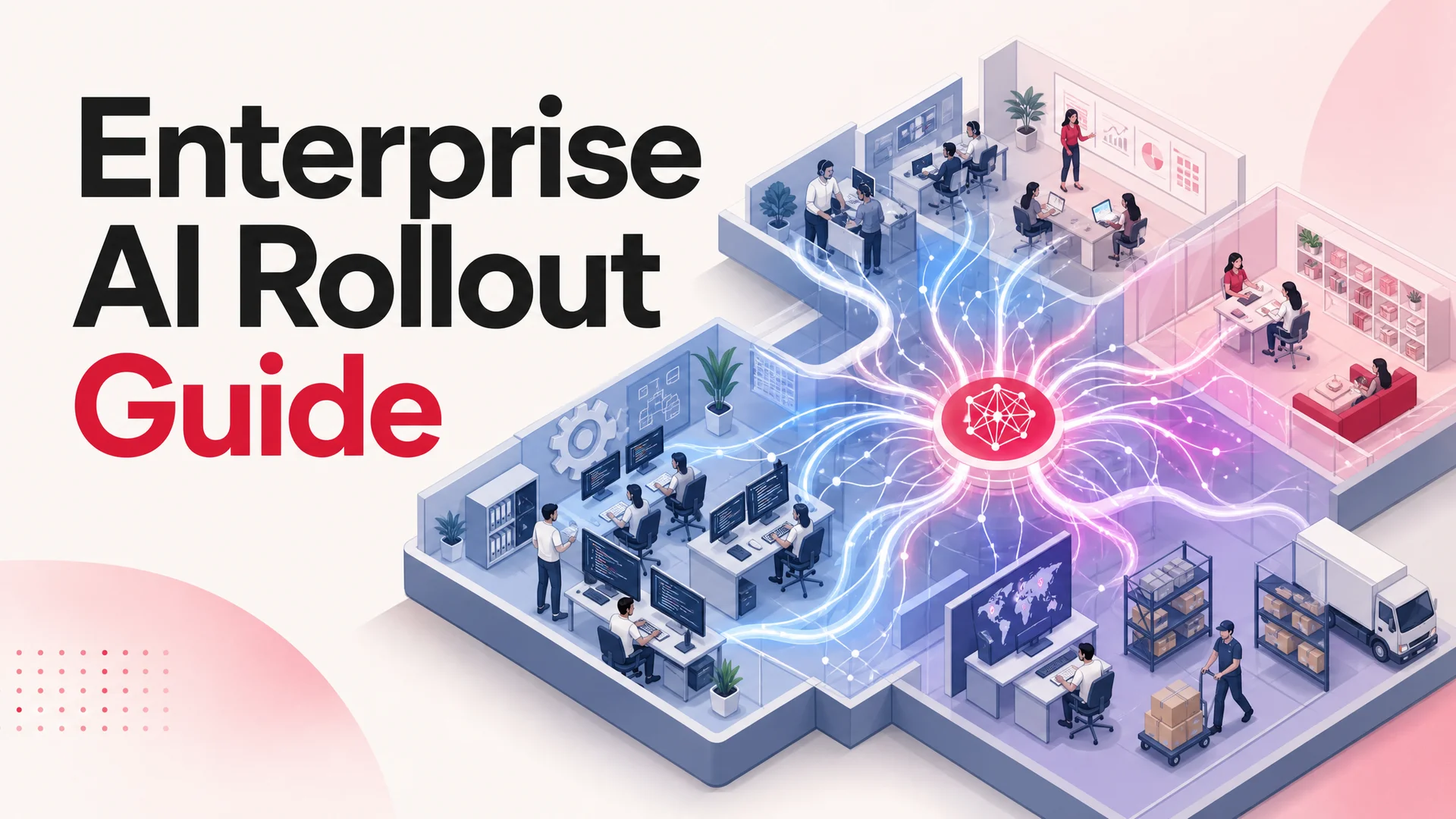
Large companies are messy by design. Dozens of teams, hundreds of systems, thousands of decisions a day. Support is drowning in tickets. Marketing is firing campaigns into the void and hoping the attribution model isn't lying. Engineering is shipping while paying down debt. HR is keeping the humans in the building. Finance is keeping the lights on. Each department has its own stack, its own metrics, and its own version of the truth.
It works - until it doesn't. The bigger you get, the more energy goes into coordination instead of output. Information sits in silos. Decisions wait on someone to pull a report. Customers feel the seams between teams.
Meanwhile, your competitors aren't running the same playbook anymore. The leaner ones are using AI not as a sidecar feature but as a connective tissue: routing tickets, drafting copy, qualifying leads, summarizing calls, predicting churn, writing code, and triaging anomalies before a human notices. They are doing more, with less, faster.
That shift has a name: Enterprise AI. Not "we added a chatbot to the homepage." Not "marketing tried Midjourney for one campaign." Real Enterprise AI is what happens when intelligence becomes a layer that runs across the org - embedded in workflows, fluent in your data, and accountable to the same KPIs your teams already care about.
This guide walks through what that actually means in 2026, what's changed in the model landscape that finally makes it economical, where it tends to pay back first, and a ten-step rollout you can run without flipping the company upside down.
What Enterprise AI actually is
Strip away the slide-deck definitions and Enterprise AI is one idea: every team, system, and workflow gets access to a layer of intelligence that can reason, retrieve, and act on the company's own knowledge and tools.
It's the difference between waiting four days for a report and asking the system a question and getting a grounded answer in seconds. The difference between needing twelve more support agents to keep CSAT flat and resolving 60–70% of tickets autonomously, with humans handling only what genuinely needs them. The difference between guessing which segment to target and getting a ranked list of accounts most likely to convert this week, derived from product usage, support history, and intent signals.
The keyword is connected. A standalone chatbot on your help center is a tool. An agent that reads a ticket, looks up the order in your OMS, checks the refund policy in Notion, processes the refund through Stripe, posts an internal note in Slack, and updates the CRM - that's Enterprise AI. The reasoning is the same; the integration depth is what makes it real.
A useful way to test whether something counts: if you turned it off tomorrow, would more than one team feel it? If yes, it's part of the AI fabric. If only one team would notice, you have a tool - which is fine, but don't confuse the two when you're planning a rollout.
Why 2026 is the year this stops being optional
For five years, Enterprise AI was a strategy deck without a business case. The models were either too expensive to run at scale, too narrow to handle real workflows, or too unreliable to trust with anything customer-facing. That has changed, and not by a little.
Frontier reasoning is finally good enough to delegate to. OpenAI's GPT-5.5 and GPT-5.5 Pro (with parallel reasoning) shipped in April 2026. Anthropic's Claude Opus 4.7 leads SWE-bench Pro at 64.3% for complex coding tasks. Google's Gemini 3.1 Ultra has a 2M-token context window and is natively multimodal across text, image, audio, and video; Gemini 3.1 Pro tops GPQA Diamond at 94.3%. The category of "things a model is reliably better at than a junior on your team" has expanded fast.
Open weights collapsed the cost of routine work. DeepSeek V4 Flash, released April 24, 2026, is a 284B-parameter MoE with 13B active and a 1M-token context, priced at $0.14 per million input tokens and $0.28 per million output tokens - fractions of a cent per typical interaction. MiniMax M2.7 runs at roughly 8% the cost of Claude Sonnet at twice the speed. Z.ai's GLM-5.1 is MIT-licensed and scores 58.4 on SWE-Bench Pro, ahead of GPT-5.4 and Claude Opus 4.6 on the same test. Alibaba's Qwen 3.6 family includes a 27B dense Apache-2.0 model that beats some 397B-param MoE rivals on agentic coding benchmarks. Moonshot's Kimi K2.6 runs 12-hour autonomous coding sessions and orchestrates swarms up to 300 sub-agents and 4,000 coordinated steps. Xiaomi's MiMo-V2-Pro went open under MIT in April 2026.
Long context kills entire categories of plumbing. A 1M–2M-token window means an agent can hold your full product documentation, the customer's full conversation history, and your refund policy in-context simultaneously. Retrieval-augmented generation isn't dead - it's now a tuning lever for cost and freshness, not a hard requirement to make a model usable on your data.
Tool use went from demo to production-grade. The agentic models - Claude Opus 4.7, Kimi K2.6, GLM-5.1, Qwen 3.6, MiMo-V2-Pro - can plan, execute, observe, and recover across multi-step workflows reliably enough to take real actions: book meetings, refund orders, escalate incidents, push code. AI Actions, the kind of thing that used to break in front of customers, are now boring infrastructure.
On-prem and air-gapped is finally credible. MIT/Apache-licensed weights from Z.ai, Alibaba, Xiaomi, and others mean regulated industries - healthcare, banks, government, defense suppliers - can deploy frontier-grade models inside their own environments without sending a single token to a vendor.
The combined effect is that Enterprise AI moved from "interesting if you have a research team" to "if you don't, your unit economics will look worse than your competitors' inside twelve months."
Where Enterprise AI shows up - the use cases that matter
Enterprise AI isn't one product you buy. It shows up everywhere work happens. Here is where it tends to land first, and what it actually does once it's there.
1. Customer support and service
Support is usually the first beachhead, and for good reason: tickets are well-bounded, the data is already in CRM and helpdesk systems, and the ROI is legible from week one.
What "AI support" meant in 2023 was a glorified FAQ matcher. What it means in 2026 is an agent that reads the ticket, classifies intent, looks up the customer's order history, walks them through troubleshooting, processes the return through the OMS API, files the credit memo, and writes a clean handoff if it does need to escalate. With Claude Opus 4.7 or GPT-5.5 driving the reasoning and DeepSeek V4 Flash or MiniMax M2 handling the high-volume routine traffic, a properly designed agent will resolve the majority of inbound contact at a fraction of the per-ticket cost of human handling.
Voice has caught up too. Phone-based agents now hold genuinely natural conversations with sub-second latency, handle interruptions, and pass to humans cleanly when sentiment crosses a threshold. The "are you a robot" tell is mostly gone, which has its own honesty implications worth thinking about (most teams now disclose upfront).
The downstream effects are bigger than the headline cost savings. Mean time to first response drops from hours to seconds. CSAT goes up because customers hate waiting more than they hate machines. Your senior agents stop burning out on password resets and finally have time on the hard cases.
2. Marketing and growth
Marketing has been chasing personalization at scale for a decade. AI is the first time it's actually within reach.
The mechanics: predictive models score every account or contact for likelihood-to-convert and likelihood-to-churn in near real time, drawing on product usage, intent data, support history, and CRM signals. Generative models draft email copy, ad variants, and landing-page hero text against a brief and a brand voice. Optimization layers reallocate budget across channels and creatives based on live performance. Personalization engines vary the page a logged-in user sees based on their stage and last action.
The trap to avoid: more variants is not the goal. More relevant variants is. The teams getting the most out of generative marketing aren't shipping a thousand emails - they're shipping ten that each speak directly to a tightly defined cohort, and letting the model do the per-cohort customization that a human writer would never have time for.
3. Market and competitive intelligence
Quarterly reports and annual surveys used to be how you understood your market. They were always six weeks behind reality. Now AI systems monitor reviews, social mentions, public filings, GitHub activity, app store rankings, hiring patterns, and pricing changes across competitors in real time. They surface insights as they happen.
A 1M–2M-token window is doing real work here: a single prompt can ingest the last quarter of competitor blog posts, every G2 review, and your own win/loss notes, and produce a positioning gap analysis. What used to be a $40K consulting engagement is now a recurring report that runs Tuesday morning.
4. HR and people operations
HR has been chronically under-tooled in most enterprises. AI is changing that on three fronts.
Hiring: agents pre-screen applications, draft personalized outreach, and run async first-round interviews where appropriate. Bias is a real concern, so the better implementations explicitly remove demographic features from the screening signal and audit for disparate impact across cohorts.
Retention: predictive attrition models flag employees showing pre-resignation patterns - calendar shifts, declining commit volume, lower internal Slack activity - early enough that managers can have a real conversation. The point is intervention, not surveillance, and the line between the two matters.
Operations: onboarding gets personalized to role and prior experience. Internal knowledge becomes searchable through a single agent that knows your benefits docs, your security policies, and your engineering runbooks. Managers get drafting help on performance reviews and feedback that's actually specific.
5. Engineering and product development
This is the area where the model leap is most visible to the people doing the work.
Coding assistants are the obvious one: pair-programming agents that draft code, generate tests, and suggest refactors. The 2026 generation goes further. Kimi K2.6 sustains 12-hour autonomous coding sessions, decomposing a feature into sub-tasks across hundreds of sub-agents and thousands of coordinated steps. GLM-5.1 runs 8-hour autonomous plan-execute-test-fix loops. Claude Opus 4.7's 64.3% on SWE-bench Pro means it's resolving real, non-trivial GitHub issues end-to-end - not snippet completion.
Beyond code: AI assists architecture reviews by ingesting the existing codebase and surfacing prior decisions; it generates exhaustive test cases including the weird edges your engineers wouldn't think to write; and it embeds inside products as recommendation systems, fraud scoring, document understanding, and anomaly detection. ML went from "the team that does ML" to a default capability of any product team.
6. Logistics, supply chain, and operations
Logistics is invisible to your customers and very visible to your gross margin. AI in this space looks like demand forecasts that update with weather and macro signals, dynamic route optimization, predictive maintenance on equipment, vendor risk monitoring, and automated reorder triggers.
A useful pattern from 2026: large operators run two AI layers. A frontier model handles strategic forecasting and exception management. A cheaper open-weight model - DeepSeek V4 Flash or MiniMax M2 - handles the high-frequency ingestion and scoring. The cost of running the second layer is low enough that you can afford to score every shipment, every SKU, every supplier, every day.
7. General operations and back office
Then there's the long tail. Approval workflows, expense reports, procurement, internal scheduling, meeting summaries, project planning, contract review, status reporting. Individually, each is a small drag. Collectively, they're a meaningful chunk of why work feels slow.
AI agents - particularly the agentic open-weight models that can be deployed cheaply - sit on top of these processes and do the boring parts. RPA was the previous generation's answer; the difference now is that the agent doesn't break when the form changes or the URL moves, because it understands the goal, not just the keystrokes.
Closed frontier vs. open weights: the model decision in 2026
A practical question every Enterprise AI program runs into within the first month: which model do we use? The honest answer is it depends, and probably more than one.
Closed frontier (GPT-5.5, Claude Opus 4.7, Gemini 3.1 Ultra) is what you reach for when the stakes are high and the reasoning needs to be sharp. Hard escalations, complex coding, dense legal or financial reasoning, multimodal video work. You pay more per token, you depend on a vendor's uptime and policy decisions, and you accept that your data leaves your perimeter (under whatever data-handling terms the vendor offers).
Open-weight frontier (DeepSeek V4, Kimi K2.6, GLM-5.1, Qwen 3.6, MiniMax M2.7, MiMo-V2-Pro) is what you reach for when you want predictable cost, control, or on-prem deployment. The capability gap on common tasks has compressed enormously - GLM-5.1 beats Claude Opus 4.6 on SWE-Bench Pro; Qwen 3.6's 27B dense model outperforms much larger MoE rivals on agentic benchmarks. For routine, high-volume work, the cost differential is staggering: $0.14 per million input tokens on DeepSeek V4 Flash versus several dollars per million on a top-tier closed model.
The pattern that's winning in production is routing. A traffic management layer sends each request to the model best suited to it. Routine support traffic goes to V4 Flash or M2. Hard escalations go to Opus 4.7 or GPT-5.5. Coding agents use Kimi K2.6 for long-horizon work and Claude Opus 4.7 for surgical fixes. The economics flip from "we're spending too much on AI" to "we couldn't afford not to do this."
For regulated industries - healthcare, financial services, defense, parts of government - the open-weight Chinese models with permissive licenses have changed the conversation. GLM-5.1 under MIT and Qwen 3.6-27B under Apache 2.0 can be deployed inside an air-gapped environment with no outbound calls. That used to require either accepting much weaker capability or running a research team for a year. Now it's a deployment decision.
Common pitfalls (skip this section at your peril)
Most failed Enterprise AI rollouts don't fail because the technology didn't work. They fail for reasons you could see coming.
Buying the tool before defining the problem. "We want to use AI" is not a goal. "We want to cut median time-to-resolution on tier-1 support tickets by 60% in two quarters" is a goal. Tools serve goals; goals don't serve tools. If the team can't articulate the metric, it's too early to procure.
Ignoring data quality. AI systems eat data. If your data is fragmented across nine tools, badly tagged, or full of duplicates, your AI rollout becomes a data-cleaning project with an AI veneer. Find this out early. Plan a data hygiene phase before you plan a model phase.
Skipping the workflow design. A working AI integrated into a broken workflow gives you a faster broken workflow. Map who triggers it, what it can do, what it escalates, and what the human review path looks like - before you turn it on.
Treating it as a one-time deployment. AI systems drift. Customer questions change. Product changes. Policies change. The model itself gets a new version. If nobody owns the agent's quality on an ongoing basis, you'll be back to handling tier-1 manually within six months.
Locking in to one vendor's stack. A year ago, "we standardized on GPT-4" sounded prudent. Today the team that did that is migrating, and the team that built model-agnostic plumbing is just swapping in DeepSeek V4 Flash for a 90% cost cut. The pace of model improvement is high enough that portability is now a feature, not a luxury.
Underestimating change management. The hardest part of an AI rollout is not the model. It's getting twenty support agents to trust the agent enough to let it handle the easy 60% so they can focus on the hard 40%. That trust is built with transparency, training, and a real escalation path - not with a launch email.
Chasing too many use cases at once. "Let's roll out AI in support, marketing, HR, and engineering simultaneously" is how you get four half-finished projects, no production results, and an exec team that loses interest. Win one, prove ROI, then expand.
A 10-step rollout that actually works
Here is the sequence that reliably gets a serious Enterprise AI program from idea to organizational capability without breaking things along the way.
Step 1 - Anchor on a business problem, not a technology
Start with a specific, painful, measurable problem. Not "we want to use AI." Something like "reduce median first-response time on customer tickets from 6 hours to under 2 minutes within two quarters, without adding headcount" or "qualify and route inbound leads automatically so AEs spend their time only on the top 20% by likelihood."
Write it down. Get an exec sponsor to sign off on the metric and the timeline. If you can't fit the problem on one line, it isn't ready yet.
Step 2 - Form a small, real cross-functional team
You need five or six people, not a steering committee of thirty. The composition that works:
- An executive sponsor who can clear blockers and own the budget.
- A business owner from the most-affected team - head of support, head of growth, whoever lives the problem daily.
- A technical lead with enough engineering credibility to assess feasibility and own integrations.
- A data person who can answer "is the data we'd need actually clean and accessible?"
- An operations or workflow lead who can map current state and design the new flow.
Optional: an external advisor who has shipped AI in production before. The pattern-matching they bring is usually worth more than the day rate.
This team meets weekly, owns the rollout end-to-end, and reports against the metric. Without it, you have a slide deck. With it, you have a project.
Step 3 - Audit your current state honestly
Before adding new tools, get clear on what you already have.
- Tools: which CRM, helpdesk, OMS, knowledge bases, internal docs, marketing automation, BI?
- Data: where does it live, how clean is it, who owns it, how fast does it update?
- Integrations: what has APIs, what's locked in legacy systems, what would need a custom connector?
- Compliance: what's your data residency story, your SOC 2 / GDPR / HIPAA / industry-specific posture, and what does that mean for which models you can use and where they can run?
Be honest. If your support tickets and your order data live in different systems with no foreign key relationship, that's the problem to fix before you bolt on an AI agent that needs both. A 1M-token context window is generous, but it doesn't paper over data that doesn't exist or can't be retrieved.
Step 4 - Pick a high-leverage pilot use case
Not the most ambitious one. The one with the best ratio of impact to time-to-deploy. Three useful filters:
- Painful enough that success is felt across the team - not a pet project for one manager.
- Bounded enough that you can deploy and measure inside 90 days - long-horizon pilots lose executive attention.
- Measurable enough that you'll know whether it worked - clear before/after numbers, not vibes.
Customer support is the most common starting point because it ticks all three. Other strong candidates: lead qualification, internal knowledge search across a sprawling intranet, automated meeting summaries with action-item extraction, code review and PR triage on a busy repo.
Step 5 - Choose models and tools with portability in mind
Now pick the technology. The criteria that matter:
- Integrates with your existing stack without a six-month engineering lift.
- Supports the configuration depth you need - system prompts, tool schemas, evals, observability.
- Gives you control over which model is doing the work, ideally letting you route across closed frontier and open weights as economics demand.
- Scales - both up (enterprise SLAs, dedicated capacity) and down (you can prototype cheaply).
- Meets your data and compliance requirements - including, where relevant, on-prem or VPC deployment options for the open-weight models.
A specific note for 2026: avoid tools that lock you into one model family. The capability and price landscape is shifting fast enough - DeepSeek V4 in April, Kimi K2.6 a few days earlier, GLM-5.1 weeks before that - that being able to swap the underlying model is a real advantage. The teams that built model-agnostic infrastructure last year are now eating the teams that didn't.
Step 6 - Design the workflow before you flip the switch
This is where most pilots quietly break, and it has nothing to do with the AI.
Sit down with the team that will use the system and answer:
- Who triggers the agent? Customer directly? Tier-1 agent? Automation rule?
- What actions can it take, and what requires human approval?
- What's the failure mode? When the model is unsure, who picks it up?
- What does a clean handoff look like - what context does the human inherit?
- How do you log what the agent did, so you can audit and improve?
Document it. Walk through five real scenarios end-to-end on paper. The work you do here saves a multiple of itself in production debugging.
Step 7 - Train the agent and the humans
The agent first:
- Feed it real historical examples - past tickets, past responses, past resolutions. Anonymize where required.
- Define the persona, tone, and escalation policy explicitly. Don't assume the model will guess your brand voice.
- Build an eval suite - a frozen set of representative cases with known good answers - and run it before every change.
- Ship to a staging environment and stress-test with adversarial cases before any real customer sees the system.
Then the humans:
- Brief everyone whose work the agent touches. Not on the technology - on what the agent does, what it doesn't, and what it changes about their job.
- Be specific that AI handles routine load so the team can focus on judgment work, and back that up by removing the metrics that punish people for spending more time on hard cases.
- Provide a fast feedback channel - one keystroke for "agent got this wrong" - and actually use the feedback to improve the system.
The teams that get traction fastest are the ones where the humans trust the agent. Trust is built with transparency.
Step 8 - Roll out in waves
Three phases, in order:
- Closed pilot. A small group, controlled traffic, heavy monitoring. Two to four weeks. The goal is to find the edge cases your design didn't catch.
- Department rollout. Full team, full traffic. Four to eight weeks. The goal is to confirm that the pilot results hold under real load and to operationalize the support model.
- Cross-functional expansion. Adjacent use cases that share data or workflow. The goal is to compound: a working support agent often makes a sales agent or a knowledge agent dramatically cheaper to build.
Resist the pressure to roll out everywhere on day one. The political momentum from a clean pilot is worth more than the saved weeks.
Step 9 - Measure, tune, expand
Pick the metrics before launch and report against them every week. The big ones, by use case:
- Support: deflection rate, mean time to resolution, CSAT, escalation rate, handoff quality.
- Sales: lead qualification accuracy, time saved per AE, pipeline velocity.
- Engineering: PR review turnaround, test coverage delta, incident MTTR.
- Operations: cycle time on the targeted process, error rate, hours saved.
Pair the quantitative with qualitative. Talk to the people using the system every two weeks. Read the failure logs. Half the improvements come from prompts and tool definitions, not the underlying model. The other half come from realizing the workflow itself was wrong.
Step 10 - Expand with intent, not enthusiasm
After a successful first deployment, the temptation is to AI everything. Don't. Build a roadmap based on:
- Which use cases share data infrastructure with the one that's working?
- Where is the next biggest pain point with measurable ROI?
- Where is your team's capacity actually free to absorb a new project?
- What did the first rollout teach you about your own change management bottlenecks?
Enterprise AI compounds when you treat each rollout as a stepping stone - building a shared eval framework, a shared observability layer, a shared model-routing infrastructure, a shared on-call rotation for AI incidents. The companies pulling away in 2026 aren't the ones with the most AI projects; they're the ones whose third project costs a tenth of their first because they invested in the platform underneath.
Where to start: launch a real AI agent for support
If you're reading this and trying to figure out where to put the first chip down, the answer for most companies is still customer support. The metrics are clear, the data is contained, the ROI is undeniable, and the lessons port directly to the rest of the org.
That's where Berrydesk comes in. Berrydesk lets you launch a branded AI support agent in four steps:
- Pick a model. Route across GPT-5.5, Claude Opus 4.7 and Sonnet 4.6, Gemini 3.1 Ultra, DeepSeek V4, Kimi K2.6, GLM-5.1, Qwen 3.6, MiniMax M2 - and others - instead of locking into one provider. Send routine traffic to a low-cost open-weight model and reserve the frontier for hard escalations.
- Train it on your sources. Documentation, websites, Notion, Google Drive, YouTube - the agent ingests what your team already maintains, so the knowledge base stays the source of truth.
- Brand the chat widget. Voice, tone, colors, behavior. The agent should feel like your team, not like generic SaaS.
- Add AI Actions and deploy. Booking, payments, order lookups, refunds, escalations - wire up the integrations that turn answers into resolutions. Then ship to your website, Slack, Discord, WhatsApp, and the rest.
It's a clean entry point: you get a working production agent fast, with measurable impact on support metrics, and a foundation you can reuse when you're ready to take Enterprise AI to marketing, ops, or product.
Build your first one, free, at berrydesk.com.
 Berrydesk
Start your Enterprise AI rollout where it pays back fastest
- Launch a branded support agent in four steps - model, training, brand, deploy
- Pick from GPT-5.5, Claude Opus 4.7, Gemini 3.1, DeepSeek V4, Kimi K2.6, GLM, Qwen, MiniMax
Set up in minutes

Chirag Asarpota is the founder of Strawberry Labs, the team behind Berrydesk - the AI agent platform that helps businesses deploy intelligent customer support, sales and operations agents across web, WhatsApp, Slack, Instagram, Discord and more. Chirag writes about agentic AI, frontier model selection, retrieval and 1M-token context strategy, AI Actions, and the engineering it takes to ship production-grade conversational AI that customers actually trust.