Most visitors decide whether to stay on your site within seconds. If the answer they want isn't visible, if a question lingers without a reply, if the experience feels like every other software landing page they've ever scrolled - they're gone. Not angrily. Just quietly, to the next tab.
Industry benchmarks still put the average website bounce rate somewhere around fifty percent. That number hasn't really moved in years, even as marketing teams pour more budget into traffic, copy, and conversion-rate optimization. Half of the people you fought to attract are leaving without a meaningful interaction. For most B2B and ecommerce sites, that's the single biggest pool of unrealized revenue on the property.
AI agents have started to change the math. Built on the current generation of language models - Claude Opus 4.7, GPT-5.5, Gemini 3.1 Ultra, and a fast-growing field of open-weight frontier models like DeepSeek V4 and Z.ai's GLM-5.1 - a well-deployed agent can greet visitors the moment they arrive, hold a real conversation, route them to the right page, complete an action like booking or refund processing, and hand off cleanly to a human when the situation demands it. None of that was reliably possible with the chatbot generation that preceded it. Most of it is now table stakes.
This post walks through six concrete ways an AI agent moves website-engagement numbers, the implementation patterns that separate the agents people use from the ones people close, and how to think about the model layer underneath now that you have real choice.
Six Ways AI Agents Lift Website Engagement
1. A support team that never sleeps - or context-switches
Visitor demand is not synchronized to your business hours. A buyer comparing vendors at 11 PM Pacific, a developer evaluating your API at the start of a Berlin workday, a procurement lead fact-checking a claim on a Sunday afternoon - none of these people are going to wait until your team logs in tomorrow. By morning, they've already booked time with a competitor who answered.
A well-trained AI agent flattens that gap entirely. It is on at 3 AM on a Tuesday, on through Thanksgiving weekend, on while your support lead is in a one-on-one. More importantly, it answers with the same quality at hour 22 of the day as it did at hour two - no fatigue, no context loss, no Monday-morning email backlog. That consistency is itself a signal to visitors. People notice, even subconsciously, when a brand replies fast and replies well, and they stay longer because of it.
The model layer matters here. Cheap open-weight models like DeepSeek V4 Flash, priced at $0.14 per million input tokens and $0.28 per million output, make 24/7 coverage genuinely affordable for the long tail of routine questions. Reserve the expensive frontier models - Claude Opus 4.7 for nuanced reasoning, GPT-5.5 Pro for parallel-track planning, Gemini 3.1 Ultra for multimodal cases - for the small percentage of conversations that actually need them. A routed deployment like this can serve a high-volume site for a fraction of what a single-model setup would cost just a year ago.
2. Conversations that feel tailored, not templated
A static website treats every visitor identically. Same hero, same nav, same FAQ. An AI agent does not have to.
A modern agent sees what page the visitor landed on, what they've clicked, what they've already asked, and - if you've connected your CRM or product database - who they are and what they've done before. It can frame its responses accordingly. A first-time visitor parked on the pricing page gets a conversation about plan fit and onboarding. A returning customer in the help center gets a conversation about account history and the specific feature they're stuck on. A prospect who's been to the site three times this month gets acknowledged for it.
McKinsey's long-running analysis of Amazon's recommendation engine puts roughly 35% of total sales down to personalization. That's the upper bound of what tailoring can do when it's done at scale and done well. You will not match Amazon overnight. But the same underlying principle - that relevance increases engagement - translates directly to a chat surface, and the current generation of models is finally good enough to execute it without sounding like a poorly built workflow.
The 1M-token context windows now standard on Claude Opus 4.6 and Sonnet 4.6, DeepSeek V4, Kimi K2.6, and others matter here too. An agent can hold the full visitor session, your entire help center, and a product catalog in context at once. RAG pipelines do not disappear, but they shift from being a hard requirement to a tuning lever - useful for keeping the agent grounded and citation-friendly, no longer the load-bearing wall of the system.
3. Recommendations that guide, not just answer
The strongest agents do more than respond to questions. They actively steer visitors toward the product, plan, or piece of content most likely to help.
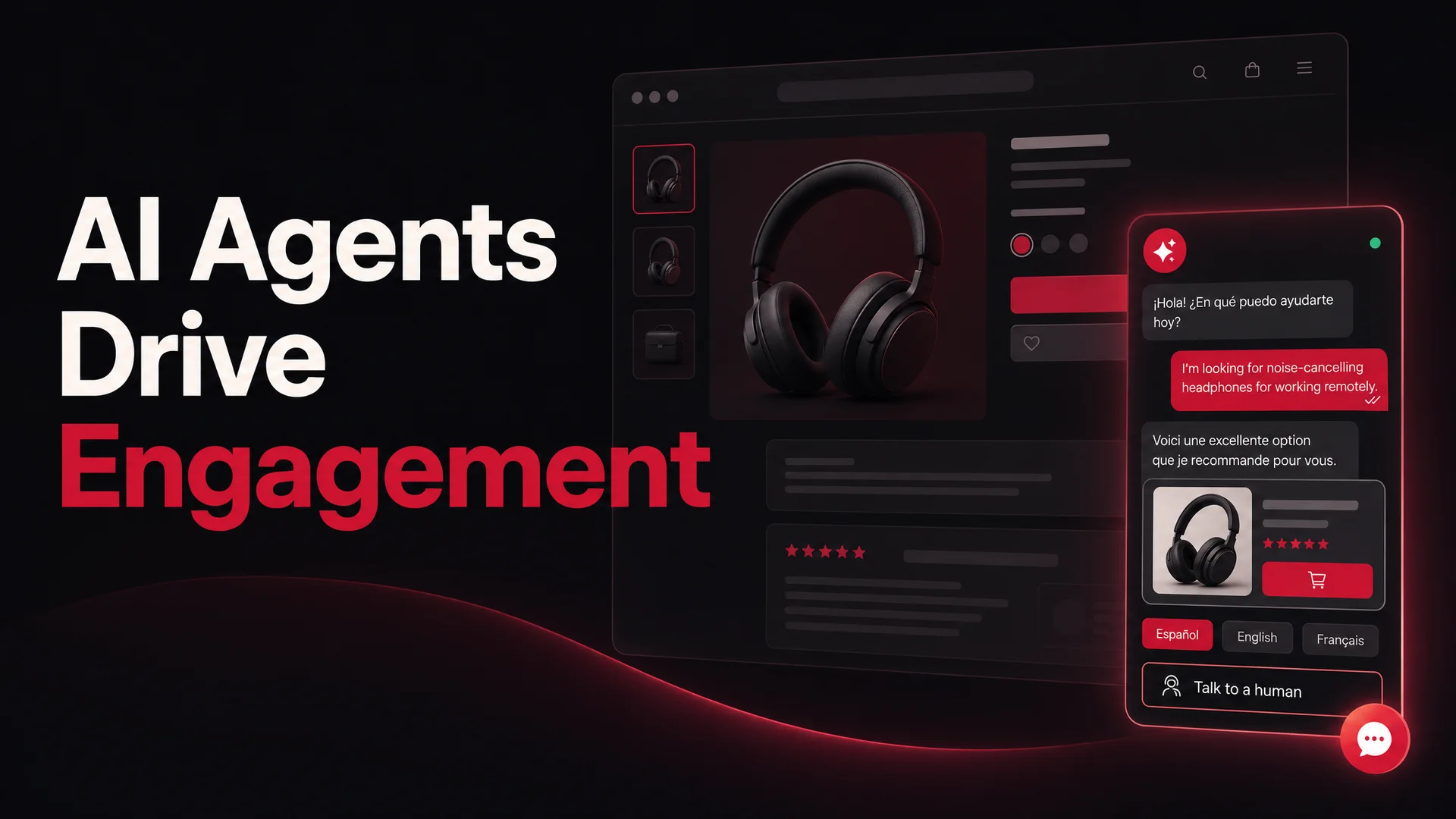
For an ecommerce site, that's reading what someone is browsing, asking a clarifying question or two, and surfacing items that match - much closer to a knowledgeable in-store associate than a search bar. For a SaaS company, it's understanding the prospect's team size, technical depth, and use case well enough to point them at the right tier and the right onboarding path. For a documentation-heavy product, it's pulling the exact paragraph that solves the problem instead of returning a list of vaguely related links.
This is where agentic models earn their keep. Kimi K2.6 was built agentic-first, with autonomous coding sessions running up to twelve hours and swarms of up to 300 sub-agents. GLM-5.1, MIT-licensed, runs an eight-hour plan-execute-test-fix loop. Qwen3.6's smaller open variants beat 397B-parameter MoE rivals on agentic coding benchmarks at a fraction of the inference cost. You don't need to use those exact capabilities for a recommendation surface, but you benefit from the same underlying tool-use reliability - when the agent decides to call your product-catalog API or your scheduling system, it does so correctly the first time, with the right arguments.
4. Resolving friction in real time
Engagement collapses fastest at moments of friction. A confusing checkout, a coupon code that won't apply, a question about shipping that's two clicks deep in the help center - every second a visitor spends stuck is a second closer to closing the tab.
AI agents intercept those moments. They parse imperfectly worded questions ("the discount thing isn't working"), recognize the underlying intent, and respond in seconds. Where the answer is informational, they give it directly. Where the answer requires an action - applying the code, looking up the order, generating a shipping update, processing a refund - they execute it through tool calls rather than telling the visitor to email someone.
That last piece used to be the hardest part. Tool use was the demoware section of every chatbot pitch in 2024 and 2025. As of 2026, with Claude Opus 4.7 leading SWE-bench Pro at 64.3%, GLM-5.1 at 58.4 (ahead of GPT-5.4 and Claude Opus 4.6 on that benchmark), Kimi K2.6 at 58.6, and MiniMax M2.7 at 56.22, agentic execution is genuinely production-ready. Bookings, refunds, order lookups, and payment flows resolve cleanly inside the conversation instead of getting bumped to a human queue.
Speed remains the dominant predictor of customer satisfaction. An agent that answers in three seconds beats an email that arrives in three hours, and beats a "thanks for chatting, an agent will be with you shortly" queue every time.
5. Navigation as conversation
Large sites are mazes. Wide product catalogs, deep documentation, layered service offerings - visitors arrive knowing roughly what they want and bounce off the menu structure before they find it. Mega-menus and faceted search help, but only so far.
An AI agent collapses the maze into a single text input. "Show me your enterprise SSO setup guide." "What's the return policy on opened items?" "I need the API rate limits for the Pro plan." The agent jumps the visitor directly to the right page, or - better - pulls the answer inline with a citation back to the source. No clicking through a menu tree, no wading through an FAQ index, no context loss.
This is the kind of feature that disproportionately helps the largest sites. A small SaaS marketing site can survive on good navigation alone. A documentation portal with thousands of pages, an enterprise software catalog with hundreds of products, or a global ecommerce store with regional variants cannot. For those, conversational navigation is not a polish layer; it's the primary way most visitors will eventually interact.
6. Proactive engagement, used carefully
The default website is passive. It waits. AI agents can flip that - initiating a conversation when the behavioral signals suggest a visitor is about to disengage or about to convert.
A few examples of triggers worth wiring up:
- A visitor has been on the pricing page for 60+ seconds without scrolling. The agent offers to walk through plan differences.
- A visitor has items in their cart but has been idle on the checkout page. The agent asks if a coupon, shipping question, or payment issue is in the way.
- A visitor is on their third session this week. The agent welcomes them back and asks what specifically they're evaluating.
- A visitor lands on a documentation page from a Google search and immediately scrolls to the bottom. The agent asks if the page actually answered their question.
The pitfall here is also worth naming. Proactive prompts are a tax on attention. A poorly tuned trigger ("Hi! Need help?" three seconds after page load, on every page) trains visitors to ignore the widget and damages the brand. The right rule is restraint: trigger only on signals that suggest real disengagement or real intent, never more than once per session, and always with copy that's specific to what the visitor seems to be doing rather than a generic greeting.
How to Implement an AI Agent That People Actually Use
The difference between a useful agent and a closed-immediately popup is rarely the model. It's how the deployment is set up. A few patterns that consistently separate the two:
Define the job before you build
Decide upfront what the agent is for. Reducing inbound support volume looks different from capturing high-intent leads, which looks different from guiding product discovery, which looks different from cutting cart abandonment. Each of those targets implies a different conversation flow, a different set of tools the agent needs access to, a different definition of success, and often a different model choice.
If you skip this step, you end up with an agent that does everything mediocrely and excels at nothing - which is the configuration most likely to get switched off after a quarter.
Treat the interface as part of the brand
Your agent should look like it belongs on your site. That means matching the typography, color, and density of the rest of the page, not dropping a generic blue chat bubble in the corner. It also means making the open and close states unobtrusive - visitors who don't want to engage should be able to dismiss the widget without it fighting them.
Inside the conversation: clean message formatting, tasteful use of quick-reply buttons for high-frequency paths, and clear citations when the agent pulls from a source document. Citations especially do double duty - they ground the agent's answer and they give the visitor a path back to the canonical doc.
Train it on the right data, not all the data
Quality of source material matters more than volume. Feed the agent your current product documentation, your help center, pricing pages, policy pages, and any tightly maintained internal wikis. Be careful with pages that change often or contain stale information - they will surface verbatim in answers. Berrydesk lets you train on documents, websites, Notion workspaces, Google Drive folders, and YouTube transcripts; pick the sources whose accuracy you actually trust.
If you have a long tail of one-off Q&A - common questions that aren't well-captured in any source doc - add them as explicit Q&A pairs. They tend to outperform retrieval-based answers for short, factual questions like "what's your refund window."
Ship narrow, expand from real conversations
Resist the urge to ship an omniscient agent on day one. Start with the top ten to fifteen questions visitors actually ask, and make sure the agent handles those flawlessly. Then read the conversation logs. They will tell you, in plain English, what to add next: which sources to ingest, which tool calls to wire up, which fallback messages to rewrite.
Real visitor questions are a far better roadmap than any internal brainstorm of what the agent should know.
Measure the right things, not the easy things
Total messages handled is a vanity metric. The numbers that matter are completion rate (how often the agent resolves the visitor's question without escalation), handoff rate to humans (and whether those handoffs are warranted), CSAT or thumbs-up rate on individual responses, and downstream conversion lift on the pages where the agent is active.
Review conversation logs weekly for the first quarter. Patterns surface fast - a category of questions the agent consistently misses, a tool call that fails silently, a phrasing that the model misinterprets. Each of these is a one-line fix in training data or system prompt.
Always leave a clean human exit
Even the best agent will hit cases where a person should take over. Make that path obvious - a visible "talk to a human" affordance, a clean handoff that passes conversation history to the agent so the visitor doesn't have to repeat themselves, and a clear signal when no human is currently available. Hiding the human option to inflate self-serve numbers backfires; visitors notice, and trust drops.
The aim is not to remove human support. It's to absorb the volume that doesn't need humans so the humans can do their best work on the conversations that do.
Pick a platform that gives you real model choice
The platform decides what's actually possible. The big difference in 2026 is that you should not be locked into one model vendor. The frontier moves quarterly, the cost curve is collapsing on the open-weight side, and the right model for a given conversation depends on what the conversation needs.
Berrydesk is built around exactly that idea. A few things that matter for engagement use cases:
- Real multi-model choice. Pick from GPT-5.5 and 5.5 Pro, Claude Opus 4.7 and Sonnet 4.6, Gemini 3.1 Ultra and Pro, plus the open-weight frontier - DeepSeek V4 (Pro and Flash), Kimi K2.6, GLM-5.1, the Qwen 3.6 family, MiniMax M2 / M2.7, and Xiaomi MiMo-V2. Use a cheap, fast open model for routine traffic, route to a frontier model for hard cases.
- Four-step setup. Pick a model, train on your docs, websites, Notion, Drive, and YouTube, brand the widget to match your site, and deploy. No engineering team required.
- AI Actions for booking, payments, and lookups. Wire the agent into the systems that actually let it resolve a conversation - calendar, payments, order status - so it can act, not just chat.
- Deploy everywhere visitors are. Embed on your site, but also push the same agent to Slack, Discord, WhatsApp, and other channels from a single config.
- Multilingual out of the box. Modern frontier models handle dozens of languages well by default; the bottleneck is usually content, not capability.
- Analytics that surface conversation quality. Track engagement, completion, handoffs, and the questions trending up - the data you actually need to iterate.
Open-Weight vs Closed Frontier: A Quick Trade-off
A question worth answering explicitly, because it changes the economics of any serious deployment.
Closed frontier models - Claude Opus 4.7, GPT-5.5, Gemini 3.1 Ultra - still lead on the hardest reasoning and the most demanding multimodal tasks. If your conversations regularly involve complex troubleshooting, multi-step planning, or reasoning over long, messy documents, paying their per-token rates on the high-end of your traffic is usually the right call.
Open-weight frontier models - DeepSeek V4, GLM-5.1, Kimi K2.6, Qwen3.6, MiniMax M2.7, MiMo-V2 - have closed most of the gap on standard benchmarks at a fraction of the cost, and several of them (GLM-5.1, Qwen3.6-27B, MiMo) ship under MIT or Apache licenses that make on-prem and air-gapped deployments viable for regulated industries. For routine support, lookups, FAQ-style answers, and the bulk of website engagement traffic, they are the right default.
The practical configuration for most sites is a routed setup: cheap open model on the front line, frontier model on escalations and edge cases. Berrydesk lets you compose exactly that pattern without rebuilding the agent from scratch.
Common Pitfalls Worth Avoiding
A few mistakes that show up repeatedly in failed deployments, worth flagging since the source playbook for "deploy a chatbot" tends to skip them:
- Trying to make the agent do everything. Scope it. An agent that handles 80% of one job well beats one that handles 30% of five jobs.
- Letting stale content into the training set. Every outdated price, deprecated feature, or old policy document will surface in answers. Treat the agent's source list as a living asset, not a one-time upload.
- No fallback behavior for low confidence. When the agent doesn't know, it should say so clearly and offer the human handoff. Hallucinated answers are worse than "I'm not sure - let me get someone."
- Opaque success metrics. If you can't tell whether the agent is working, you can't improve it. Wire up analytics on day one, not as a phase-two cleanup.
- Forgetting the brand voice. Out-of-the-box models default to a generic, slightly sycophantic register. Spend real time on the system prompt - tone is a feature, not a polish step.
The Bottom Line
Website engagement is not a traffic problem. It's a relevance problem. Most visitors arrive with a specific question, a specific intent, a specific path in mind, and the sites that win are the ones that close the gap between arrival and answer the fastest.
AI agents, built on the current generation of frontier and open-weight models, finally have the language understanding, tool-use reliability, and context capacity to do that at scale. They don't replace your team. They handle the volume that should never have hit your team's queue in the first place, leaving humans free to do the work that actually requires a human.
The brands pulling ahead in 2026 aren't just driving more traffic. They're treating every visit as a conversation worth having - and they're using the right model, on the right channel, at the right moment, to make that conversation count.
If you want to see what that looks like for your own site, you can build a branded Berrydesk agent in a few minutes at berrydesk.com - pick a model, point it at your docs, and ship.
 Berrydesk
Launch a branded AI agent that engages every visitor
- Pick from GPT-5.5, Claude Opus 4.7, Gemini 3.1, DeepSeek V4, Kimi, GLM, Qwen, MiniMax and more
- Train on docs, sites, Notion, Drive, and YouTube - deploy to web, Slack, WhatsApp, Discord
Set up in minutes

Chirag Asarpota is the founder of Strawberry Labs, the team behind Berrydesk - the AI agent platform that helps businesses deploy intelligent customer support, sales and operations agents across web, WhatsApp, Slack, Instagram, Discord and more. Chirag writes about agentic AI, frontier model selection, retrieval and 1M-token context strategy, AI Actions, and the engineering it takes to ship production-grade conversational AI that customers actually trust.