If you've shopped, banked, booked travel, or contacted any SaaS product in the last year, you've already used automated customer support - probably without registering it as such. That's the point. The good versions don't announce themselves. They look like a chat box that answers your shipping question on the second line. They look like a refund that was processed before you finished writing the email. They look like a help center that shows you exactly the article you needed, because something on the page told it which step you were stuck on.
Eighty-two percent of service professionals say customer demands keep climbing. Seventy-eight percent of customers feel their support interactions are rushed. Headcount is flat. The mandate is to do more, faster, with the same team - or a smaller one.
At the same time, AI customer support has split into two visibly different realities. In one, three out of four customers report that AI support has left them frustrated, stuck in loops, or talking past a bot that cannot understand them. In the other, the teams that have implemented AI support carefully are seeing 40 to 60 percent faster first responses, deflection rates between 45 and 70 percent on routine traffic, and cost-per-interaction collapsing from the $15 to $25 range of a human-handled ticket to $0.50 to $2 for an AI-handled one. Gartner's working forecast still has AI autonomously resolving 80 percent of common service issues by 2029.
The gap between those two realities has very little to do with the underlying models. The frontier moved so far in the past twelve months - Claude Opus 4.7, GPT-5.5 Pro, Gemini 3.1 Ultra, DeepSeek V4, GLM-5.1, Kimi K2.6, Qwen 3.6, MiniMax M2.7, Xiaomi MiMo-V2-Pro - that the question is no longer "is the AI smart enough." It is whether the implementation is honest. What does the agent know? Where does it hand off? What are you measuring?
This guide is for the support manager evaluating AI agents for the first time, the founder trying to scale a CX function without doubling the team, and the CX leader rebuilding a deployment that under-delivered. No vendor spin, just the operational reality of running automated customer support in 2026.
What automated customer service actually means in 2026
Picture a Tuesday on a mid-sized DTC store. Sixty-thousand visitors. Three thousand sessions with at least one support touch. A few hundred tickets across email, chat, and WhatsApp. Most of them are some flavor of: where is my order, can I change my address, do you ship to Norway, my code didn't apply at checkout.
You can throw bodies at that. Hire more reps, run more shifts, watch your cost-per-ticket drift up every quarter. Or you can let a system handle the predictable part - the eighty percent of inbound that doesn't actually need a human - and let your team do the work that does.
That's automated customer service. It isn't a single tool. It's a layer that sits across your support stack: an AI agent answering directly in the chat widget, workflows that route, tag, and escalate tickets, a knowledge base that customers can search themselves, and integrations that let the agent take action - issue a refund, look up an order, reschedule a delivery - instead of just talking about taking action.
The single most important distinction to understand before you sign anything is the difference between rule-based chatbots and modern AI agents. Almost every horror-story implementation traces back to a team that thought it was buying the second and ended up with the first.
Rule-based chatbots
These are decision-tree systems. A customer types a keyword or clicks a button, the system matches the input against a script, and the conversation walks down a path that a human authored ahead of time. If the customer's question doesn't fit any anticipated path, the bot loops, dead-ends, or returns something irrelevant. This was the standard from roughly 2016 through 2022. It still works for very narrow cases - opening hours, password reset links, "where is my order" with a tracking number lookup - but it crumbles the second a customer phrases something a way the script writer didn't predict.
If you have ever rage-typed "TALK TO HUMAN" at a bot that kept asking you to choose from menu items, this is the architecture you were fighting.
AI agents
AI agents are a different shape entirely. They are built on large language models - the same family of systems behind Claude, GPT, Gemini, and the leading open-weight models from DeepSeek, Z.ai, Moonshot, Alibaba, MiniMax, and Xiaomi. They parse natural language directly, hold context across an entire conversation (and across sessions, when given memory), and generate each response from the underlying knowledge they were trained on plus whatever your business has supplied.
The practical gap is enormous. A rule-based bot can answer "what are your business hours?" only if a customer types something close to that exact phrase. An AI agent can answer "hey I'm in London and it's almost midnight, are you guys open or do I email you tomorrow?" because it understands intent, infers the timezone question, checks the policy, and produces a response that actually addresses what the customer is trying to figure out.
The bigger leap, though, is action. Modern support agents don't just retrieve answers - they execute. They look up an order in Shopify, refund a charge through Stripe, reschedule a booking in Calendly, file a ticket in Zendesk, push a payment link in WhatsApp, and hand off to a human with the full transcript, the customer's sentiment, and a suggested next step already attached. They don't deflect conversations. They close them.
What is under the hood
Several pieces work together. Natural language understanding lets the agent parse intent rather than keywords. Retrieval-augmented generation (RAG) is still the dominant pattern for grounding answers in your specific business data, even though the calculus has shifted now that 1M-token context windows are standard on Claude Opus 4.6, Sonnet 4.6, DeepSeek V4, and Xiaomi MiMo-V2-Pro, and 2M tokens are available on Gemini 3.1 Ultra. With that much context, you can keep a sizeable portion of a knowledge base, the full conversation history, and your policy library in the prompt itself; RAG becomes a precision-and-cost lever rather than a hard requirement.
Tool use is the other foundation. Models like Claude Opus 4.7, Kimi K2.6, GLM-5.1, Qwen 3.6, and MiMo-V2-Pro were trained explicitly for agentic workflows - multi-step plans, retries, self-correction, parallel sub-agents. Kimi K2.6 can coordinate up to 300 sub-agents across 4,000 steps in a single autonomous run. GLM-5.1 runs eight-hour plan-execute-test-fix loops. That is the foundation that makes "AI Actions" - refunds, lookups, bookings, payment flows - production-grade rather than demoware.
Sentiment detection rounds it out. The agent reads frustration, confusion, or satisfaction in real time and triggers an escalation before a customer has to ask for a human a third time.
This is the entire shape of Berrydesk. Not a chatbot builder - an AI agent platform. You train on your real business data (websites, docs, PDFs, Notion, Google Drive, YouTube), choose the model that fits each workload, brand the widget, wire up AI Actions for booking and payments, and deploy across web, Slack, Discord, WhatsApp, and beyond from a single dashboard.
What changed under the hood
If you tried building automated support a couple of years ago and gave up because the bots hallucinated, lost the thread, or couldn't actually do anything, the reasonable instinct is skepticism. A few specific things changed.
Long context made grounding cheap. Gemini 3.1 Ultra has a 2M-token context. Claude Opus 4.6 and Sonnet 4.6 have 1M tokens, no surcharge. DeepSeek V4 Flash and Kimi K2.6 also run 1M context. You can fit a real product's documentation, plus the running conversation, plus the customer's account context, in one prompt. Hallucinations drop sharply when the model isn't guessing.
Tool use got reliable. Agentic models - Claude Opus 4.7, Kimi K2.6, GLM-5.1, MiniMax M2.7, Qwen3.6, Xiaomi MiMo-V2-Pro - are built around calling tools, checking results, and recovering from errors. K2.6 can coordinate up to 4,000 steps and 300 sub-agents on a single task. GLM-5.1 runs an 8-hour autonomous plan-execute-test-fix loop. That capacity is overkill for most support conversations, but the underlying robustness is what makes a refund flow or a booking flow actually complete reliably instead of failing on edge cases.
Open weights closed the cost gap. DeepSeek V4 (open-source MoE, 1.6T params for Pro / 284B for Flash). GLM-5.1 (754B MoE, MIT license, beats GPT-5.4 and Claude Opus 4.6 on SWE-Bench Pro). Qwen3.6-27B (Apache 2.0, beats 397B-param MoE rivals on agentic benchmarks). MiMo-V2-Pro (MIT-licensed, 1T params). For routine support traffic, you no longer pay frontier-closed prices to get frontier-class quality.
Regulated and on-prem deploys became viable. The MIT and Apache licenses on the open Chinese frontier (GLM-5.1, Qwen3.6-27B, MiMo) plus the open weights from DeepSeek and MiniMax mean healthcare, finance, and government teams can now run a competitive automated support layer entirely inside their own perimeter. This was impossible 18 months ago.
That combination - long context, real tool use, and a credible price floor - is what made automation move from "experimental" to "expected."
Why so many AI support implementations fail
Before you implement anything, internalize this: customer-service AI fails at roughly four times the rate of any other AI use case in the enterprise. The cause is almost never the model. It is the strategy wrapped around the model.
Five root causes show up over and over again.
Over-automation with no escape hatch. Teams gate every conversation behind the AI and bury the "talk to a human" option three layers deep. The first time a customer hits something the agent can't resolve, they remember the experience for months.
Hallucinations from poorly constrained data. A model that has been pointed at marketing pages, outdated PDFs, and unverified blog posts will confidently invent a refund policy that doesn't exist. The fix is not a smarter model - it is tighter source control, freshness checks, and explicit "say I don't know" instructions.
Training only on documentation, never on conversations. Help center articles describe how things ought to work. Real support tickets describe the questions customers actually ask, with the misspellings, the half-information, and the emotional content that documentation strips out. Agents trained only on docs answer questions nobody asked.
Ignoring industry context. A fintech agent that doesn't know its own compliance constraints, or a healthcare agent that doesn't know when to stop and refer to a clinician, is not a support tool - it is a liability.
Measuring deflection instead of resolution. Deflection counts conversations the AI ended without a human. Resolution counts conversations the customer agreed were resolved. Optimizing for the first while ignoring the second is the fastest way to make a dashboard look great and a churn rate quietly climb.
There is a trust dimension on top of all of this. Salesforce's most recent reads have customer trust in ethical AI use sitting around 42 percent, down from 58 percent two years earlier. Every implementation today starts from a trust deficit. You either spend each interaction earning it back - by being transparent about who is on the other end of the chat, making escalation effortless, and protecting customer data - or you confirm the customer's prior that AI support is a corner being cut.
Each of these failures is preventable. They just have to be designed against on day one, not patched in after launch.
The benefits that actually show up in the numbers
When automated support is implemented well, the impact is specific, measurable, and shows up in the metrics that matter.
1. Customers get answers in seconds, not hours
Speed is the most visible win, and the one customers feel first. They're calibrated by Amazon, Uber, and DoorDash to expect instant. They don't see "we're under heavy load" as an excuse - they see it as a competitor opportunity.
A modern AI agent answers within a second or two regardless of whether it's handling ten conversations or ten thousand. It doesn't queue. It doesn't get tired at hour seven. With a 1M-token context window - standard now on Claude Sonnet 4.6 and DeepSeek V4 Flash, with no surcharge - it can hold your entire knowledge base, the customer's full conversation history, and the relevant policies in one shot. Mature AI adopters report 38 percent lower average handling time across the entire support function.
For your team, that speed isn't just about customer-facing latency. It's about not context-switching every ninety seconds to triage a where-is-my-order. The cognitive load drops, and that shows up in the quality of the conversations they actually do take.
2. True 24/7 coverage without growing the org
Customers don't check your business hours before they have a question at 2am. They send the message. If nobody answers, they either wait, abandon, or escalate to a public review.
An AI agent stays on through nights, weekends, holidays, and traffic spikes. It can answer the routine questions, route the ones that need a human into a queue with proper context, and let the customer know when they'll hear back. For a small DTC brand selling internationally, a B2B SaaS product with users in twelve timezones, or a healthcare nonprofit whose users often reach out at the worst hours, the off-hours window isn't a marginal use case - it is often where most of the volume sits. Teams routinely find that more than half of their AI conversations happen outside business hours, in languages and on devices that would have gone unanswered in the previous setup.
3. Real deflection - the kind that counts
Deflection has a deserved bad reputation, because most platforms measure it wrong. The version that matters is genuine deflection: the customer's issue was actually resolved by the agent, the customer agreed it was resolved, and they didn't open another ticket within forty-eight hours. A well-trained agent typically handles 50 to 70 percent of routine volume - order status, password resets, pricing questions, "how do I do X" - and that frees the human team to spend their day on the conversations where their judgement actually changes the outcome.
4. Cost reductions that don't quietly cost you customers
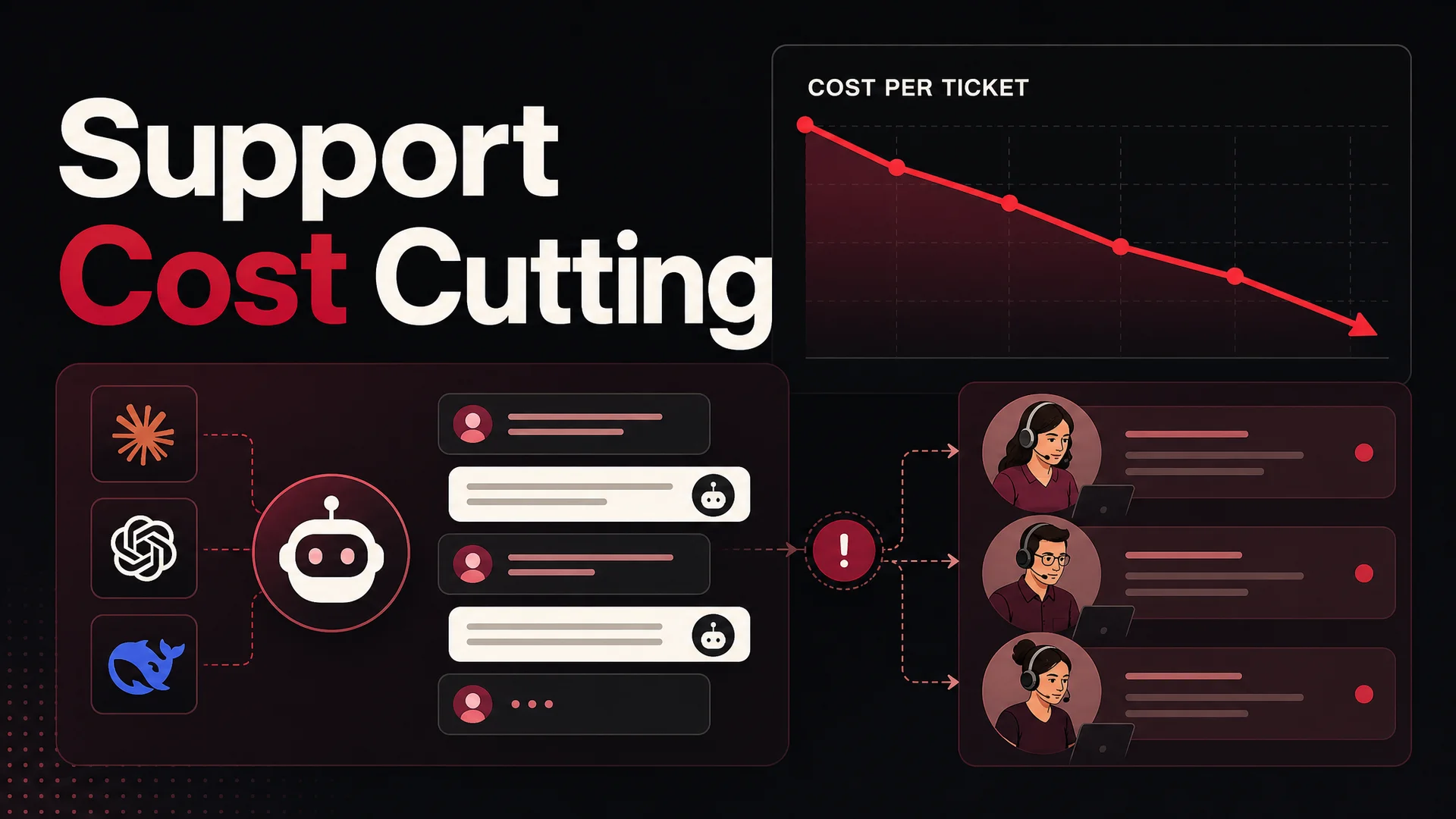
The economics here are real. AI brings cost-per-interaction from the $15-to-$25 range of a human-handled ticket to $0.50 to $2 for an AI-handled one, and on routine traffic routed to a model like DeepSeek V4 Flash (priced at roughly $0.14 per million input tokens and $0.28 per million output tokens) or MiniMax M2 (open-weight, priced at roughly 8 percent of Claude Sonnet at twice the speed) the marginal cost approaches the cost of the database lookup behind the answer. Companies report 30 to 70 percent total support cost reduction depending on automation rate.
The caveat: those numbers only hold if the AI is actually resolving conversations. Cost savings on top of unresolved deflection are an illusion that shows up as churn one quarter later. You don't shrink your team. You stop needing to grow it linearly with your support load, and you redirect the savings into the parts of support that genuinely benefit from a human.
5. Productivity for the humans who remain
The cleanest study of AI's effect on support agent productivity, run by NBER researchers, found a 14 percent average productivity improvement for agents working alongside AI, with newer agents improving up to 35 percent. The mechanism: AI gathers context, drafts responses, surfaces relevant knowledge, and summarizes long histories before a human picks up the conversation. IBM's own data shows mature AI adopters seeing 17 percent higher CSAT as a downstream effect.
Average handle time drops. First-contact resolution climbs. Your CSAT moves in the right direction without anyone training harder. The change in your team's calendar is dramatic and underrated. People who were on the verge of leaving stay because their job is interesting again.
6. Consistency, and the data exhaust
A team of fifteen agents will, with the best will in the world, give fifteen slightly different answers to the same policy question. Some will be more generous, some less. Some will phrase a refund denial in a way that triggers a chargeback. The variance shows up in your reviews, your churn, and your repeat-contact rate.
An AI agent grounded in your actual policy documents is consistent by default. Tone, structure, and substance all stay aligned to whatever you trained on. When the policy changes, you change one document and the entire support surface updates. There's no more "did everyone see the Slack about the new shipping rule?"
Every conversation also produces structured data - what customers ask about, where the agent ran out of confidence, where sentiment dropped, which topics cluster together. A platform with serious analytics surfaces those patterns automatically, and the support function turns into a feedback loop for product, documentation, and growth instead of a black box of tickets.
7. More ways to self-serve
Plenty of people genuinely don't want to talk to anyone. They want to figure it out, fix it, and move on. Automated support gives them that path - a chat agent that answers in-line, a help center that's actually findable, guided flows that walk through common procedures, and self-service for things like cancellations, address changes, and reschedules.
For customers who do want a human, the handoff is one click and carries the full conversation history with it. No "can you describe your problem again from the start." That kind of friction is what builds the bad memory of automation; the absence of it is what builds trust.
What automated support does, in concrete use cases
FAQ resolution at scale. Train the agent on your top twenty to fifty questions - order status, returns, pricing, account setup, the things that make up 60 to 80 percent of inbound volume - and the agent handles them with high accuracy in seconds.
Multi-step issue handling. Modern agents go past simple Q&A. They take returns through to confirmation, update account fields, schedule calls, run multi-step troubleshooting, and keep context across the whole flow. A customer who says "my order arrived damaged, I want a refund and a replacement" gets one conversation that ends with both actions executed, not two separate tickets.
Smart routing. When the agent can't or shouldn't resolve something itself, it routes by topic, urgency, language, customer tier, or sentiment to the right human queue - with the conversation already summarized for whoever picks it up.
Agent assist. Behind the curtain on human conversations, the same model drafts replies, surfaces the knowledge article that contains the answer, summarizes the last fifteen messages, and proposes the next action. The human stays in control; the prep work disappears.
Sentiment-triggered escalation. Frustration is detected mid-conversation, and the handoff fires before the customer asks. This is the single feature that prevents the chatbot-loop reputation problem from forming in the first place.
Proactive support. The agent watches for signals - a stalled checkout, an unusual login, a renewal coming up - and reaches out before the customer has to. The best support interaction is the one that never has to start.
Omnichannel deployment. One agent serves web chat, email, WhatsApp, Instagram, Slack, Discord, and the rest, with shared training and unified context. A customer who starts on web chat and moves to WhatsApp doesn't repeat themselves.
How to pick a model - and why you should pick more than one
The single biggest shift between 2024 and 2026 is that "which model do I use" is no longer a single-answer question. The smart deployments route. They send routine, high-volume traffic to a fast, cheap, open-weight model - DeepSeek V4 Flash, MiniMax M2.7, Qwen 3.6-27B, Kimi K2.6 - and reserve the frontier closed models for the hard escalations or sensitive workflows.
Closed-frontier leaders
Claude Opus 4.7 sits at 64.3 percent on SWE-Bench Pro and is the strongest general-purpose agent for tool-heavy work, complex policy reasoning, and conversations where you need the model to refuse cleanly. Sonnet 4.6 is the workhorse - same 1M context window at no surcharge, materially cheaper, plenty for most production support flows.
GPT-5.5 and GPT-5.5 Pro, released in April 2026, brought parallel reasoning to the GPT line. Strong all-rounders, particularly in voice and multimodal flows.
Gemini 3.1 Ultra has a 2M-token context window and native multimodality across text, image, audio, and video - useful when your knowledge base includes long-form video, screenshots, or audio call recordings that other models would have to transcribe first. Gemini 3.1 Pro leads GPQA Diamond at 94.3 percent, which translates to strong technical Q&A.
Open-weight frontier - the cost-and-control story
DeepSeek V4 dropped on April 24, 2026. V4 Pro is a 1.6T-parameter MoE with 49B active; V4 Flash is 284B / 13B active. Both have 1M-token context. Flash pricing - $0.14 / $0.28 per million input/output tokens - is what makes routine support traffic essentially free at scale.
Moonshot Kimi K2.6 (April 21, 2026) is a 1T-parameter MoE built explicitly for agentic work. Twelve-hour autonomous coding sessions, swarms up to 300 sub-agents and 4,000 coordinated steps, native video input, 58.6 on SWE-Bench Pro. For deeply procedural workflows - multi-step claims, complex returns, cross-system reconciliations - this is the open model that punches hardest.
Z.ai GLM-5.1 (April 7, 2026) is a 754B MoE released under MIT, scoring 58.4 on SWE-Bench Pro - ahead of GPT-5.4 and Claude Opus 4.6 on that benchmark. It runs eight-hour plan-execute-test-fix loops and was trained entirely on Huawei Ascend 910B chips. That last detail matters if your supply-chain or sovereign-cloud requirements rule out Nvidia.
Alibaba Qwen 3.6. The 27B dense model, Apache 2.0 licensed, beats much larger MoE rivals on agentic coding benchmarks and is the strongest local-deployment story for teams that want everything running inside their own VPC. The 35B-A3B MoE adds capacity at the same license. Qwen 3.6-Plus and Max-Preview are the proprietary tier and sit at the top of six coding benchmarks.
MiniMax M2 / M2.7 (April 12, 2026), 230B total / 10B active MoE, open-weight and self-evolving. M2.7 hits 56.22 percent on SWE-Pro and 57.0 on Terminal Bench 2. Roughly 8 percent the price of Claude Sonnet at twice the speed - a serious drop-in for high-volume routing.
Xiaomi MiMo-V2-Pro, weights open-sourced under MIT in April 2026. Over 1T total parameters, 42B active, 1M context, reasoning-first architecture. The Flash variant (309B / 15B active) shipped in December 2025 and is open as well.
The takeaway for support teams: open-weight Chinese frontier models - many of them MIT or Apache licensed - are now legitimately competitive on the benchmarks that matter for support agents (tool use, instruction following, multi-step reasoning), and the licenses make on-prem and air-gapped deploys viable for regulated industries that previously had no AI option at all.
Berrydesk lets you choose the model on a per-agent or per-route basis. Most production deployments end up with three or four models in the mix: a cheap open-weight model handling 60 to 80 percent of traffic, Claude Opus 4.7 or GPT-5.5 Pro on the hard tier, and an embedding model handling retrieval underneath both.
How to roll out automated support without breaking what works
Pasting a chatbot onto your site and walking away is the most common path to a bad result. A real rollout has three layers, and the order matters.
1. Start with an AI agent on your highest-volume channel
Whatever channel your customers use most - for most companies, that's the website chat or email - is where automation pays back fastest. Train an agent on the data your support team would use to answer the same question: your help docs, your website pages, your internal Notion runbooks, your relevant Drive folders, and recorded video walkthroughs.
Things to look for when you pick your tooling:
- Model choice. A platform that locks you to one model is a platform that locks you out of cost and capability optimization. Berrydesk lets you pick from GPT-5.5, Claude Opus 4.7, Gemini 3.1, DeepSeek V4, Kimi K2.6, GLM-5.1, Qwen, MiniMax, and others - and route different conversations to different models.
- Brand control. The widget needs to look like part of your product, not like a third-party intrusion. Colors, logo, voice, fallback messages.
- Real escalation. A clean handoff to a human, with the full conversation history attached, not just a "we'll be in touch."
- Action capability, not just talk. Booking, payments, order lookup, refund processing - the agent should be able to actually do these, with permissioning and an audit trail.
2. Wire automation into the workflows around the agent
The agent itself only handles the conversation. The workflows around it - ticket routing, tagging, escalation, CRM sync, internal notifications - are what keep the rest of support functioning while volume scales.
Useful automations include:
- Auto-tag and route incoming tickets by topic and severity, so the agent or human gets the right context up front.
- Trigger a CRM update when a refund is processed or a return is initiated, so finance and inventory stay in sync.
- Post a Slack notification to the right channel when a VIP customer escalates, so the right person sees it immediately.
- Sync conversation summaries to your data warehouse for analytics, so you can see which topics drive the most volume and where deflection is working.
3. Build the self-service surface customers can use without ever opening chat
A surprising amount of automated support is just a good help center. Customers who can find the answer in three clicks don't need to talk to a bot or a human. They just need the information surfaced clearly. Treat your knowledge base as a first-class product. Write the articles in plain language. Include screenshots, embedded video, and step-by-step flows. Then make the search work - and feed the same content into your AI agent so the conversation experience and the self-serve experience are giving the same answers.
How to implement: the thirty-minute setup and four-week ramp
The thirty-minute setup
Gather training data (5 minutes). At minimum: site URLs or sitemap, help center articles, and any FAQ documents you already maintain. For real performance, add past support tickets, internal SOPs, product docs, and structured Q&A pairs built from real conversations. Berrydesk ingests websites, files, Notion, Google Drive, and YouTube directly, so you can usually point it at sources rather than exporting them.
Train the agent (10 minutes). Upload sources, pick the model that fits the workload, set the persona and tone, define behavior rules, and add custom instructions that encode the parts of your business the documentation doesn't capture (when to escalate, what never to promise, which products are end-of-life).
Connect actions (5 minutes). This is the step that turns a knowledge agent into a support agent. Wire up Shopify for order lookups, Stripe for refunds and payment links, Calendly or your scheduler for bookings, your ticketing system for handoff, your CRM for context. AI Actions in Berrydesk let the agent take real action against these systems with permissions you control.
Design escalation paths (5 minutes). Decide explicitly when the AI hands off: on sentiment drop, on a specific phrase ("speak to a person"), on repeated questions about the same topic, on certain categories you've ruled human-only (legal, billing disputes, account closures). Make the handoff carry the full transcript, the detected sentiment, and a suggested next step. This is the step that separates implementations that get praised from implementations that get torn out six months in.
Deploy across channels (5 minutes). Drop the widget on the website, connect WhatsApp, Slack, Discord, email, Instagram. One agent, every channel, shared context.
The four-week optimization ramp
- Week 1. Internal testing only. Have the support team run real questions through the agent, mark the answers that are wrong or thin, and iterate on the training data and instructions daily.
- Week 2. Soft launch to 10 to 25 percent of live traffic. Watch the abandonment, escalation, and resolution metrics in close to real time. Update training daily.
- Week 3. Expand to half of traffic. Tune the escalation triggers based on the patterns now visible in real conversations rather than the ones you guessed at in week one.
- Week 4. Full rollout. Establish an ongoing optimization cadence - weekly review of failed conversations, monthly review of topic-level coverage, quarterly model and prompt review.
The technology is now simple enough that a non-technical founder or support manager can run the whole setup without writing code. The real work is the ongoing decisions: training data quality, escalation design, model routing, and what you choose to measure.
How to choose the right platform
There are dozens of AI support tools on the market. The five dimensions below are what separate the platforms that ship results from the ones that ship the failures we covered earlier.
Training data flexibility. The platform should accept everything: URLs, PDFs, sitemaps, raw text, structured Q&A pairs, past support tickets, Notion, Google Drive, YouTube transcripts, and internal documents. If it only takes help center content, your agent inherits all the gaps your help center already has.
Integration depth. Can the agent actually do things, or only retrieve? "Your order is being processed" is a deflection. "Your order shipped yesterday via UPS, tracking number is 1Z…, estimated delivery Thursday - do you want me to send you the link?" is a resolution. The difference is whether the platform can execute against your live systems.
Escalation design. Look for granular escalation triggers - sentiment, keywords, topic, conversation depth, customer-tier, explicit request - and full conversation transfer on handoff. The handoff is where customers form their lasting impression of your AI.
Analytics and improvement loops. You want topic-level performance breakdowns, sentiment patterns, content gap detection, conflict detection across sources, and per-conversation drilldown. Vanity dashboards (total conversations, average response time) won't help you improve.
Security and compliance. SOC 2 Type II and GDPR are baseline. For regulated industries, also evaluate data residency, encryption posture, SSO, role-based access controls, and the option to deploy against open-weight models like GLM-5.1, Qwen 3.6, or MiMo-V2-Pro on infrastructure you control.
Berrydesk covers all five. Multi-source training in a single dashboard, native integrations with the systems support teams actually run on, configurable escalation with sentiment triggers and full context transfer, analytics that surface topic gaps and sentiment patterns automatically, and security posture that meets enterprise procurement.
Automated support by industry
The shape of "good" varies a lot by vertical.
SaaS. The depth of technical knowledge is what matters. Customers ask about API behavior, integration edge cases, account-specific configuration. The wins come from automating tier-one volume (how-to questions, feature explanations, billing) while routing genuinely technical issues to engineers with full context already attached. A 1M-token context window on Claude Sonnet 4.6 or DeepSeek V4 changes the calculus here - the agent can carry an entire account's history into the conversation.
Ecommerce. Transactional accuracy is the ballgame. Customers want real-time order status, return eligibility, shipping estimates for their specific address. AI Actions against Shopify, Stripe, and your warehouse management system are not optional. The agent should be able to look up an order, calculate return eligibility, push a label, and confirm - all in one conversation.
Fintech. Trust and compliance are the constraints. Customers handling money are anxious by default. The agent has to be exact on fees, terms, and account state, and it has to escalate cleanly the moment it isn't certain. SOC 2 and GDPR are baseline; for many fintechs, on-prem deployment against an MIT-licensed open model like GLM-5.1 or Qwen 3.6 is the only viable path.
Healthcare. Sensitivity and accuracy are everything. Patients are often scared or in pain. The agent needs to handle clinical-adjacent depth, recognize when it should refer to a clinician, and maintain appropriate tone across languages. Off-hours coverage is enormous here - patients reach out on nights and weekends specifically because business hours don't fit their crisis.
Travel and hospitality. Multi-step flows dominate - bookings, changes, cancellations, refunds, itinerary lookups across multiple suppliers. Agentic models like Kimi K2.6 and Claude Opus 4.7 shine in these workflows because the work is genuinely procedural rather than informational.
RAG vs long context: the trade-off most teams get wrong
A common 2026 mistake: assuming that 1M-token and 2M-token context windows have killed RAG. They haven't. They've changed the trade-off.
With long context, you can drop your entire knowledge base, the customer's full conversation history, and your policy documents into a single prompt. Latency stays manageable on Claude Sonnet 4.6 and Gemini 3.1 Pro; cost per call rises but is still cheap on Sonnet's pricing tier or DeepSeek V4 Flash. For small to mid-sized knowledge bases, this is now a perfectly good architecture.
For large knowledge bases - anything past a few hundred thousand tokens of authoritative source material - RAG still wins on cost and on precision. You don't actually want every irrelevant policy doc in context; you want the three relevant ones, retrieved by a well-tuned embedding pipeline, with a re-ranker on top.
The right pattern for most production deployments is a hybrid: long context for conversation history and the customer's account state, RAG for the structured knowledge base, and explicit grounding citations on every answer the agent produces. Berrydesk supports both modes natively, and the choice becomes a tuning lever rather than an architectural decision.
Will AI replace human support agents?
No. And it shouldn't.
What AI does is change what the humans do, not whether they are needed. The most effective configuration is hybrid: AI resolves 70 to 80 percent of routine traffic instantly, and humans take the 20 to 30 percent where empathy, judgement, ambiguity, or commercial discretion actually matter. Those humans are now substantially more productive, because the agent has gathered context, drafted a response, surfaced the relevant policy, and summarized the conversation by the time the human looks at it.
The NBER study cited earlier - 14 percent average productivity gain, 35 percent for newer agents - is the cleanest data point we have on this. The effect is largest for the agents who would otherwise be slowest, which means AI tends to compress the variance in your support team's output rather than replacing the team itself.
The constraint Salesforce keeps surfacing is skills: 66 percent of service leaders say their teams lack the skills to work with AI effectively. The shift isn't to fewer humans. It is to humans whose job has moved from answering the same fifty questions all day to handling exceptions, designing the agent, training the data, and owning the customer relationships that the AI hands off.
Measuring automated support honestly
Most teams measure AI support with the wrong KPIs and conclude it is working when it isn't. Here is the framework that tells you what is actually happening.
Leading indicators (early warnings). Conversation abandonment rate, rage-click frequency (repeated identical inputs), repeat contact within forty-eight hours, escalation request volume, and average messages before resolution. If any of these are trending up, the agent is struggling - act before it shows up in retention.
Lagging indicators (impact confirmation). Post-interaction CSAT, NPS movement among AI-interacted versus human-interacted customers, churn correlation with AI exposure, and customer effort score. The single most revealing number is the CSAT gap between AI-handled and human-handled conversations. If that gap is more than 15 to 20 points, the AI is actively damaging a meaningful slice of your customer experience.
Operational indicators (quality control). Per-response confidence scores, hallucination detection rate, knowledge base coverage gaps, and human-agent feedback on escalation quality. Platforms that surface these automatically - topic clustering, content-gap detection, source-conflict detection - turn the support function into a continuous improvement loop rather than a quarterly review meeting.
The non-negotiable principle: never optimize for deflection on its own. Deflection without resolution is just hidden demand. It looks great on a dashboard and feels terrible to the customer. If you only track one metric, track confirmed resolution - the customer explicitly said the issue was resolved, and didn't come back about it.
Common pitfalls
A short list of the failure modes that show up most often in 2026 implementations, beyond the five root causes earlier.
Don't deploy without a clear escalation path. The fastest way to alienate customers is to trap them in a bot loop. Every conversation needs a visible, low-friction option to reach a human. The metric to watch isn't escalation rate - it's whether escalations land in the right place with the right context.
Don't pick a model based on benchmark scores alone. A model that tops SWE-Bench Pro might be overkill for "where's my order." Most of your traffic should run on a fast, cheap, capable model - DeepSeek V4 Flash, MiniMax M2, Qwen3.6-27B - and reserve the frontier closed models for the harder conversations.
Don't underinvest in the knowledge base. The agent is only as good as the content it's grounded in. Vague documentation produces vague answers. Outdated documentation produces wrong answers. The single biggest predictor of automated-support quality is the quality of the source material.
Over-tuning the persona before the knowledge is right. Teams spend week one obsessing over voice and tone while the agent is still wrong about basic policy. Fix the substance first.
Letting the agent answer questions it shouldn't. A support agent that volunteers a legal opinion, a medical recommendation, or a discount it isn't authorized to give is a liability. Make refusal explicit in the instructions and reinforce it with topic-based escalation rules.
Routing every conversation to the most expensive model. Frontier models are great. They are also overkill for "where is my order?" A two-stage architecture - cheap fast model handles the conversation, frontier model is invoked only when confidence is low or the query is genuinely complex - usually cuts model spend by 60 to 80 percent without measurable quality impact.
Forgetting that the agent ages. Your product changes. Your policies change. Your inventory changes. The agent's knowledge needs a refresh cadence - weekly at a minimum for ecommerce and fintech, monthly elsewhere. Stale agents quietly hallucinate.
Don't ignore the audit trail. Especially when AI Actions are wired up - refunds, order changes, bookings - you need a complete log of what the agent did and why. This is non-negotiable for regulated industries and useful for everyone else.
Open-weight vs closed-frontier: a quick framing
The honest answer for most support workloads in 2026 is: a mix. The bulk of routine traffic - the long tail of order, account, and policy questions - runs perfectly well on DeepSeek V4 Flash, MiniMax M2, or Qwen3.6-27B. These models hit the right speed, cost, and capability point for high-volume, predictable work. For the hard conversations - multi-step technical troubleshooting, complex billing disputes, situations that genuinely require chain-of-thought reasoning - Claude Opus 4.7, GPT-5.5 Pro, or Gemini 3.1 Ultra earn the price difference.
If you're regulated, on-prem, or air-gapped, the MIT/Apache-licensed open weights - GLM-5.1, Qwen3.6-27B, MiMo - let you run a real automated support layer without sending customer data to a third-party API. That option simply didn't exist at this quality level a year ago. Berrydesk supports all of these, and the model choice is per-deployment and per-conversation, not a one-time decision you're stuck with.
Frequently asked questions
What is automated customer support? The use of AI - chatbots, agents, NLP, retrieval, machine learning - to handle and improve customer service across channels. Modern agents go past scripted responses: they understand natural language, hold context, take actions like order lookups and refunds, and escalate to humans with the full conversation already summarized.
How much does it cost? Cost-per-interaction drops from $15 to $25 (human-handled) to $0.50 to $2 (AI-handled), and routing routine traffic to open-weight models like DeepSeek V4 Flash ($0.14 / $0.28 per million input/output tokens) or MiniMax M2 (roughly 8 percent of Claude Sonnet's price at twice the speed) compresses that further. Berrydesk has a free tier and transparent message-credit pricing on paid plans.
Can AI fully replace human agents? No, and you shouldn't try. The hybrid model - AI resolves 70 to 80 percent of routine volume, humans handle the rest with full AI-prepared context - beats both pure-AI and pure-human configurations on every metric that matters.
How long does implementation take? Initial setup is thirty minutes or less on a modern platform. Full optimization to mature performance is about four weeks: a week of internal testing, a soft launch to 10 to 25 percent of traffic, expansion to half, then full rollout with an ongoing cadence.
Is automated customer support secure? It depends on the platform. Look for SOC 2 Type II, GDPR, encryption in transit and at rest, clear data-handling policies, SSO, role-based access, and data residency options. For regulated industries, the open-weight Chinese frontier models - GLM-5.1 (MIT), Qwen 3.6-27B (Apache 2.0), MiMo-V2-Pro (MIT) - make on-prem and air-gapped deployments viable for the first time.
Which industries get the most out of it? Ecommerce (order tracking, returns, recommendations), SaaS (onboarding, technical support, billing), fintech (account inquiries, transaction lookups, compliance-bounded answers), healthcare (scheduling, patient FAQs, off-hours triage), and travel (bookings, changes, cancellations across suppliers). The common thread is high-volume routine traffic plus a clear set of integrations the agent can act against.
The line between automated customer support that works and automation that quietly costs you customers is drawn in three places: what you train it on, how you handle escalation, and what you measure. Berrydesk was built around all three, with model choice across the full 2026 frontier so the cost and capability of each conversation can match the work it is actually doing. Most teams are live before end of day. Build your agent for free at berrydesk.com.
 Berrydesk
Launch your AI agent in minutes
- Train on your docs, site, Notion, Drive, and YouTube - no code
- Pick from GPT-5.5, Claude Opus 4.7, Gemini 3.1, DeepSeek V4, Kimi K2.6 and more
Set up in minutes

Chirag Asarpota is the founder of Strawberry Labs, the team behind Berrydesk - the AI agent platform that helps businesses deploy intelligent customer support, sales and operations agents across web, WhatsApp, Slack, Instagram, Discord and more. Chirag writes about agentic AI, frontier model selection, retrieval and 1M-token context strategy, AI Actions, and the engineering it takes to ship production-grade conversational AI that customers actually trust.