A shopper lands on your pricing page late on a Sunday with a question that would take your sales team thirty seconds to answer. Your live chat is offline. The form-based contact page is three clicks away. They close the tab. That moment - the one nobody on your team ever sees - is where most of the modern customer-support conversation actually happens, and it is the moment AI chatbot builders were designed for.
If you're shopping for an AI chatbot to deflect tickets, this guide is built to save you a week of demos. We'll cover what a customer support chatbot actually is in 2026, what's changed in the underlying models, what to weigh before you commit, and which platforms are worth a serious shortlist.
The short version: support chatbots stopped being optional somewhere between Claude Opus 4.7 shipping at 64.3% on SWE-bench Pro and DeepSeek V4 Flash dropping inference to $0.14 per million input tokens. The economics flipped. A small team can now run an agent that handles the same volume the largest support orgs handled in 2023, and the latency feels like a person typing on the other end. The hard part is no longer can we, it's which one and how do we deploy it without burning a quarter on integration work.
This guide breaks it down without hype. We'll define the category, lay out the real benefits (and the failure modes nobody mentions in the demo), and then walk through the platforms - starting with Berrydesk, the platform we build, and then a fair read on the alternatives.
What an AI chatbot builder actually does
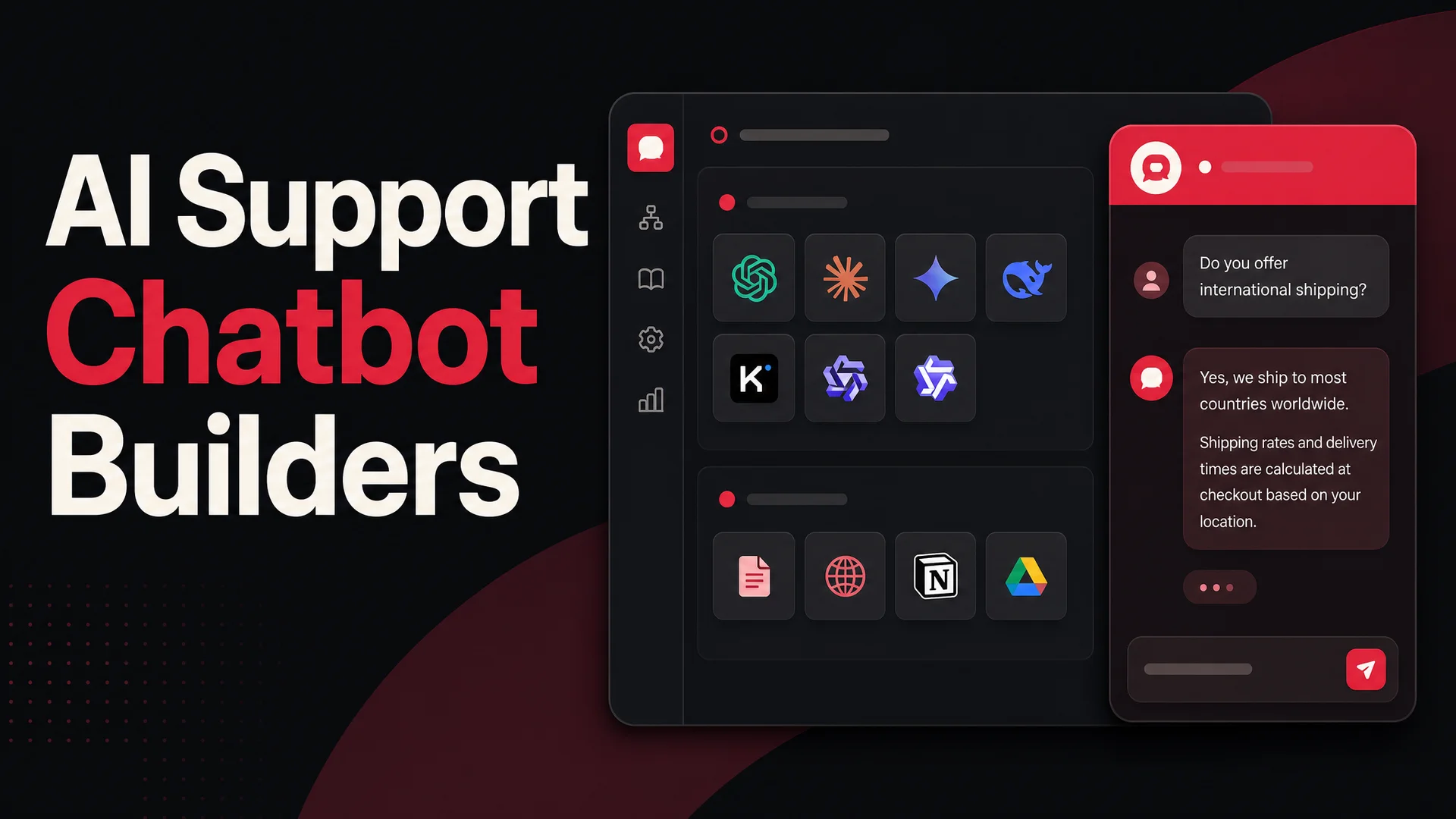
Strip away the marketing and an AI chatbot builder is a workshop for assembling a conversational agent without writing the plumbing yourself. It handles the parts most teams don't want to own: ingesting your knowledge sources, calling a language model, holding a conversation state, rendering a chat widget, logging transcripts, and shipping the result to wherever your customers are.
There are two flavors. No-code builders present a visual editor, a knowledge-source picker, a few customization panels, and a deploy button. They are aimed at support, success, marketing, and operations teams who want to launch this week. Code-first builders expose APIs and SDKs and assume you have engineers who want fine-grained control over routing, tools, and orchestration. Both can produce excellent agents; the no-code variety simply collapses what used to be a six-week project into an afternoon.
A customer support chatbot is software that handles inbound customer questions and requests on behalf of a human team. It lives wherever your customers already are - a website widget, a mobile app, WhatsApp, Slack, Discord, Messenger, or email - and it replies in real time, in plain language, without a queue.
In practice, a modern support chatbot does four things:
- Answers questions drawn from your documented knowledge - help center, product pages, FAQs, internal wikis, Notion, Drive, transcripts.
- Takes actions on behalf of the customer - looks up an order, books a meeting, processes a refund, creates a ticket, swaps a subscription tier, takes a payment.
- Escalates to a human when it should - when intent is ambiguous, when the customer is frustrated, when the action is risky, or when policy says so.
- Reports back with structured analytics on what's being asked, what's being resolved, and where it's failing - so the human team can fix the gaps.
Older systems were either rigid decision-tree bots that broke at the first off-script question, or thin GPT wrappers that hallucinated confidently. The current generation, built on long-context models with proper tool-use, sits in between: grounded in your actual content, capable of reasoning across a full conversation history, and disciplined enough to call a function instead of inventing one.
What changed under the hood in 2026
The 2026 generation is meaningfully different from what shipped two years ago. Three things changed at once.
Frontier reasoning quality went up. Claude Opus 4.7 leads complex coding benchmarks at 64.3% on SWE-bench Pro, GPT-5.5 Pro added parallel reasoning, and Gemini 3.1 Pro sits at 94.3% on GPQA Diamond.
Context windows blew open. Claude Sonnet 4.6 ships with a 1M-token window at no surcharge, and Gemini 3.1 Ultra extends to 2M, natively multimodal across text, image, audio, and video. DeepSeek V4 Flash and Kimi K2.6 also reach 1M.
Open-weight models from DeepSeek, Moonshot, Z.ai, MiniMax, Alibaba, and Xiaomi caught up to the closed leaders on most support-shaped tasks while costing a fraction per call. A good chatbot builder is now, in part, a router: it should let you point routine traffic at the cheap-and-fast tier and reserve the frontier for hard tickets.
What you actually get out of it
The pitch hasn't changed much - do more support with fewer people - but the math behind it has.
- Instant response, 24/7, at any concurrency. A chatbot doesn't queue. It doesn't sleep. It handles ten thousand simultaneous conversations the same way it handles ten. For B2C teams running global storefronts, that means someone in Singapore at 3am gets the same first-touch experience as someone in San Francisco at noon.
- Deflection on the long tail of repetitive tickets. "Where's my order," "how do I reset my password," "how do I cancel," "do you ship to Canada." These dominate ticket volume in most support orgs. A chatbot wired into your order system and account database can resolve them end-to-end without a human ever seeing the conversation. Good deployments routinely deflect 60–80% of tier-one volume.
- Lower cost per resolution. Routing routine traffic to DeepSeek V4 Flash or MiniMax M2 - both open-weight, both production-grade, both priced in fractions of a cent per call - drops the marginal cost of a resolution to noise. You reserve premium models like Claude Opus 4.7 or GPT-5.5 Pro for the hard cases where reasoning depth matters.
- Consistent answers. Humans drift. They have bad days, partial knowledge, and quarterly turnover. A chatbot grounded in a single source of truth gives the same answer to every customer until you change the source.
- Honest scaling. Support headcount used to be a fixed multiple of customer volume. With an AI agent in front, the headcount-to-customer ratio decouples. You add customers without adding seats - and the team you keep moves up the value chain to handle complex, high-empathy, high-leverage cases.
- Live coverage of more channels. Spinning up the same agent on a website widget, WhatsApp, Slack, Discord, and Messenger used to mean five integrations and five UI surfaces. Modern platforms push deployments out of a single configuration.
The honest tradeoff: a chatbot is only as good as the content you feed it and the actions you wire up. A bot trained on a stale help center and given no tool access will frustrate customers faster than a slow human team. The work is real, just different - less staffing, more curation.
What to look for in an AI chatbot builder in 2026
Whether you're evaluating one platform or all eight, the same checklist tends to surface the differences quickly.
- Time to first useful agent. The best builders get you from signup to a working chatbot in under an hour, including ingesting your knowledge base. If a platform demands a kickoff call before you can even try it, that's a tell about how the rest of the relationship will feel.
- Model choice and routing. A 2026-grade builder should give you a real menu - GPT-5.5, Claude Opus 4.7 or Sonnet 4.6, Gemini 3.1, DeepSeek V4 Flash, Kimi K2.6, GLM-5.1, Qwen 3.6, MiniMax M2.7 - not a single locked-in model. Better still: per-conversation or per-intent routing, so a tier-one FAQ answer doesn't burn frontier-model dollars.
- Knowledge sources that match how your team actually works. Look for native ingestion of your help center, public site, Notion, Google Drive, PDFs, structured FAQs, and video. With Gemini 3.1 Ultra at 2M tokens of context and DeepSeek V4 / Kimi K2.6 at 1M, you can hold an entire knowledge base in memory; the builder should make that easy rather than locking you into thin RAG.
- AI Actions, not just answers. Modern support is action-oriented: book a meeting, look up an order, issue a refund, swap a subscription, schedule a callback. The agentic models - Kimi K2.6, GLM-5.1, Claude Opus 4.7, Qwen 3.6, MiMo-V2-Pro - make tool-use reliable enough for production. A builder without first-class actions is a builder stuck in 2024.
- Channel coverage. Your customers don't all show up on your homepage. Pick a builder that reaches the channels you actually need - website, Slack, Discord, WhatsApp, Messenger, email, and the rest.
- Brand control. Colors, logo, voice, refusal style, escalation policy. The widget is your storefront; treat customizability as a baseline, not a perk.
- Analytics and intervention. You need to see what your agent gets right, what it punts on, what it hallucinates, and where humans should jump in. Conversation review tools, low-confidence flags, and lead capture are non-negotiable.
- Free tier or honest trial. Anything you can't pilot with real traffic before signing a contract is a leap of faith. Prefer a free plan or a trial that doesn't time out the moment you try to test something serious.
What to watch out for
Before the shortlist, the failure modes worth pricing in:
- Hallucinations on the edge of your knowledge base. Long-context windows help, but they don't eliminate the model's instinct to fill gaps. Tools that ground answers in retrieved snippets and cite sources back to the user catch this earlier than tools that don't.
- Action-taking gone wrong. A chatbot that can issue refunds is a chatbot that can issue the wrong refund. Look for permissioning, confirmation steps, and audit logs on every AI Action that touches money or customer data.
- Lock-in to a single model. A platform that hard-codes you to one provider will hurt you the next time pricing or quality shifts - and shifts have come every quarter for two years. Multi-model routing has gone from a nice-to-have to a default.
- Channel sprawl without unified history. If the bot on WhatsApp doesn't know what the bot on the website said yesterday, you have N chatbots, not one agent. Conversation memory across channels matters.
- Compliance and data residency. For regulated industries - healthcare, finance, EU customers - the question of where inference runs and where transcripts are stored is not optional. Open-weight models on MIT or Apache licenses (GLM-5.1, Qwen3.6-27B, MiMo-V2-Pro) make on-prem and air-gapped deployments tractable in a way that closed APIs do not.
The shortlist: AI chatbot builders worth comparing
1. Berrydesk
Berrydesk is the platform we build, so take this with the appropriate grain of salt - but it's also the one we'd point a friend to first. It's designed for teams that want a serious AI support agent live this week, not after a six-month integration project. It leans into the 2026 model landscape rather than pretending the world stopped at GPT-4.
The four-step setup is the differentiator: pick a model, train it on your content, brand the widget, deploy. Each step is genuinely a few clicks.
- Pick from the full 2026 model menu. GPT-5.5 and GPT-5.5 Pro for parallel reasoning, Claude Opus 4.7 and Sonnet 4.6 (with the free 1M-token window) for long-document grounding, Gemini 3.1 Ultra for multimodal tickets, DeepSeek V4 for the cost story, Kimi K2.6 for agentic workflows, GLM-5.1 for open-weight on-prem deployments, Qwen 3.6 for local-deploy needs, MiniMax M2 for high-volume cheap inference. You can mix - route routine FAQ questions to a cheap open-weight model and reserve Opus 4.7 or GPT-5.5 Pro for the escalations.
- Train on what you already have. Point Berrydesk at your website, a help center, Notion, Google Drive, a Confluence dump, a YouTube channel, or raw documents. Indexing happens in minutes. With million-token context windows now standard, the agent can hold an entire knowledge base, the full conversation history, and your policy documents in working memory at once. RAG becomes a tuning lever, not a hard requirement.
- AI Actions, not just answers. The agent can book appointments, look up orders, process payments, issue refunds within policy, qualify leads, create tickets, and trigger downstream workflows. Tool-use models like Claude Opus 4.7, Kimi K2.6, and Qwen 3.6 made this reliably production-ready over the past year - the demoware era is over.
- Deploy everywhere. Website widget, Slack, Discord, WhatsApp, Messenger, email, custom mobile SDK. One agent, one knowledge base, unified conversation history.
- Brand-controlled, not stock. Color, voice, persona, what it can and can't say, what to do when it doesn't know. No-code, no developer.
- Built-in analytics. Top intents, deflection rate, escalation reasons, low-confidence answers, where customers drop off. The team uses these to fix knowledge-base gaps in the same week they appear.
- Privacy and security baked in, including options to deploy with MIT/Apache-licensed open-weight models (GLM-5.1, Qwen 3.6-27B, MiMo) for regulated or air-gapped environments.
Pricing. A free tier covers exploration and small-volume traffic. Paid plans scale with usage and unlock additional models, channels, and AI Actions; you can layer on capacity without forcing a tier upgrade.
Best for: SaaS, ecommerce, marketplaces, and service businesses that want a flexible AI support agent without a procurement cycle. Solo founders use it; teams supporting hundreds of thousands of users run it. Try Berrydesk free.
2. Zendesk AI
Zendesk's chatbot is the natural pick if your team already lives in Zendesk for ticketing, live chat, and CRM. The bot plugs straight into the existing knowledge base, help desk, and routing rules, which means rollout is mostly a configuration exercise rather than a new vendor relationship.
The strengths are around the periphery: AI-driven QA on conversation transcripts, automated trend surfacing, manager-facing analytics, and broad integration coverage across the wider Zendesk Suite. The model side is solid but less exposed - you don't pick between GPT-5.5 and Claude Opus 4.7 the way you do on Berrydesk; you get whatever Zendesk has wired up.
Pricing. Resolution-based, starting around $1 per AI-resolved conversation. That's clean for low-volume teams and expensive at scale; do the math against your monthly ticket volume before committing. Custom enterprise plans negotiate that down.
Best for: Existing Zendesk customers who want a chatbot inside the platform they already pay for, and who value the analytics and QA tooling more than model flexibility.
3. Intercom Fin
Fin is Intercom's AI agent and the strongest pick for teams already on Intercom. It's competent at handling routine and moderately complex questions, asking clarifying follow-ups when intent is ambiguous, and routing to a human when the conversation goes off-script.
Topic-level understanding (rather than keyword matching) is the headline capability, and the analytics layer surfaces patterns the support team can act on. The native Intercom integration is the real value - Fin reads from the same data, writes to the same conversation timeline, and respects the same routing rules as the rest of the Intercom workspace.
Pricing. Around $29 per seat per month annually, plus roughly $0.99 per AI resolution. At volume, this stacks fast - pencil out your expected resolution count before signing.
Best for: Teams already paying for Intercom that want a tightly integrated AI agent and can absorb the per-resolution cost.
4. HubSpot Chatbots
HubSpot wears a lot of hats. It's a CRM, a CMS, a marketing automation suite, a sales pipeline, and - somewhere in the layered toolbelt - a chatbot builder you can use to spin up a basic AI agent. For teams already standardized on HubSpot, the appeal is that the chatbot lives next to the contact records, deal pipelines, and email sequences without an extra integration layer. Conversations log to the CRM. Tickets get created automatically. Contact records update from chat data. Marketing workflows trigger off chatbot interactions.
The chatbot can field FAQs, qualify leads, route conversations to humans, and book meetings against a connected calendar. As a single tool inside a larger platform, it does an acceptable job; as a dedicated AI agent builder, it lags the purpose-built options on model choice and on the depth of agentic actions. The flows are largely rule-based; the AI flexibility lags behind tools built model-first.
Pros: Tight, native integration with the HubSpot CRM, marketing, and sales tools. Decent customization for branding and basic conversation flows. Multilingual support and multi-property handling for larger brand portfolios.
Cons: Channel coverage is narrow - primarily website and Facebook Messenger. Model choice is shallow compared to dedicated builders. The serious AI capabilities sit in plans that are expensive for teams who only want a great chatbot.
Pricing. A limited free chatbot is available, but the meaningful capabilities sit behind paid tiers - Starter around $20/month, Professional around $500/month, and Enterprise around $1,200/month, with the headline AI features concentrated in the upper plans.
Best for: HubSpot-native teams that want a CRM-connected chatbot for structured support and lead capture, without a deep AI requirement.
5. Tidio
Tidio bundles live chat, AI chatbots, ticketing, and email marketing into a single suite, positioning itself as a one-stop shop for small businesses that want everything in one window. The AI agent is one piece of a broader help-desk product, which is both the appeal and the limitation.
For teams that don't already have a help-desk and want a single tool to cover live chat plus simple AI deflection, the bundle is genuinely convenient. For teams that want a sharp, on-brand, AI-first agent at the front of their support stack, the AI side of Tidio feels like the third leg of a stool rather than the main event.
Pros: Live chat, ticketing, and chatbot in one place, which simplifies stack design for small teams. Integration with common channels like Messenger, Instagram, and email. Real-time visitor chat sits naturally next to AI deflection.
Cons: Multi-site, multi-stream management gets tangled fast as you grow. Notification delays surface in user reports. The AI quality and model menu lag behind dedicated builders, and language coverage is narrower.
Pricing. A free plan with limited features, with paid plans starting around $29/month and the Tidio+ enterprise plan reaching around $499/month.
6. Botsonic
Botsonic, from the team behind Writesonic, targets users who want a no-code path to a website chatbot without wrestling with a heavyweight platform. The setup is straightforward: point the builder at your URLs and documents, let it ingest, customize the widget, and embed.
The pitch leans on natural-language understanding and on letting non-technical teams stand up a custom agent quickly. For small businesses with simple support needs, that pitch holds up. For larger or more ambitious teams, the ceiling shows up sooner - both in the depth of integrations and in the breadth of model and action support.
Pros: Branding and personality customization make it easy to match the chatbot to your brand identity. Training on URLs and docs is fast. Sensible defaults for small-team use cases.
Cons: Hallucination is still a recurring complaint, especially as conversations leave the well-trained core topics. Integration options are thinner than the more established builders. Scalability gets uncomfortable for larger volumes or complex routing.
Pricing. A free plan with tight limits, with paid plans starting around $19/month and rising with volume.
7. Chatfuel
Chatfuel is a visual chatbot builder that grew up in the messaging-channel era and now leans into AI-driven flows for sales, support, and lead capture. Its strength is messenger-channel breadth: WhatsApp, Facebook Messenger, and Instagram are all first-class, which makes it a natural fit for ecommerce and direct-to-consumer brands whose customers live in those apps rather than on the website.
The builder gives you a visual canvas and a respectable template library, so you're not starting from a blank page. The trade-off is that the visual paradigm starts to fight you as conversations get more sophisticated, and the AI quality depends heavily on how carefully you've staged the flow.
Pros: Strong messaging-channel coverage - WhatsApp, Messenger, Instagram - built in. Solid template library. Decent integration menu for ecommerce platforms.
Cons: Hallucination and inaccurate responses surface in real-world use, particularly when the flow tries to handle anything outside the rehearsed paths. The feature surface gets dense fast. Initial setup, especially for less technical users, can eat several days.
Pricing. A seven-day trial, with the Business plan around $15/month and Enterprise around $300/month.
8. Chatbot.com
Chatbot.com (the platform, not a category) is the choice when you want predictable, rule-based flows rather than a reasoning model. It's built around a visual decision-tree editor: build a flow, attach it to a trigger, deploy it to a website or Messenger, pipe data into a CRM via webhook.
The advantage is that nothing surprises you. The agent follows the path you drew. The disadvantage is that anything off-path either falls back to a default or breaks. For teams with narrow, well-defined support paths - appointment scheduling, lead capture, basic FAQ - this is enough. For genuinely conversational support, it isn't.
Pricing. Starter $52/month, Team $142/month, Business $424/month. Flat - no per-resolution billing - but the tier you need scales with chatbot count, integrations, and user seats.
Best for: Teams that want a deterministic, scripted chatbot with predictable monthly cost and don't need real natural-language flexibility.
9. Ada
Ada is built for enterprise scale. The pitch is automated resolution at high volume - millions of conversations a year - with deep integration into help desks, CRMs, and back-office systems. It handles multilingual conversations natively and supports brand-voice customization.
The strengths are at the top of the market: complex routing logic, sophisticated analytics, mature integration patterns, and a customer success team that helps get the rollout right. The cost is everything that comes with that - pricing is custom-quoted, deployment involves their team, and the time-to-live is measured in months, not days.
Pricing. Not public. Custom quotes based on resolution volume, channels, and feature set. Expect enterprise-level pricing.
Best for: Large enterprises with the headcount and timeline to run a structured chatbot rollout, and the conversation volume to justify it.
10. Zoho SalesIQ (ZoBot)
ZoBot ships inside Zoho SalesIQ, Zoho's customer engagement and live chat product. It's a hybrid bot builder - drag-and-drop flow editor for the structured parts, live agent handoff when the flow ends or the customer asks. For Zoho Suite customers, the integration story is the draw.
It leans rule-based. Updates to flows are largely manual. Natural-language flexibility is shallower than what model-first tools deliver. As a paired live-chat-and-bot setup inside the Zoho ecosystem, it's reasonable. As a standalone AI agent, less so.
Pricing. Starts around $7 per operator per month, scaling with operator count and tier.
11. Certainly
Certainly is built specifically for ecommerce. The flows are tuned around the buying journey - product Q&A, order tracking, returns, post-purchase upsell - and the integrations target the stack that ecommerce teams actually run: Shopify, Magento, Zendesk. It's multilingual, visually built, and oriented around moving customers through a funnel.
The narrowness is the point. If you're a high-volume online store with a complex catalog, Certainly's defaults will be closer to what you need than a general-purpose tool. If you're outside ecommerce, the fit drops fast.
Pricing. Around €2,000/month and up. Geared toward established operations with the volume to justify it.
Common pitfalls when choosing a chatbot builder
The platforms above all work; the real risk is choosing one for the wrong reasons. A few patterns to watch for:
Locking yourself to a single model. A builder that only ships GPT, or only ships Claude, leaves you exposed when pricing shifts or a better model arrives - and in 2026, both happen frequently. The arrival of DeepSeek V4 Flash at $0.14/$0.28 per million input/output tokens, GLM-5.1 outperforming Claude Opus 4.6 on SWE-Bench Pro, and Kimi K2.6's agentic capabilities reset the cost curve overnight. You want a builder that lets you swap or route between models without rebuilding.
Treating RAG as the only answer. With 1M-token contexts on DeepSeek V4, Kimi K2.6, and Sonnet 4.6 - and 2M on Gemini 3.1 Ultra - you no longer need to retrieve everything in tiny chunks. Long-context plus thoughtful retrieval is the new default. A builder that forces you into a fragile RAG-only setup is one you'll outgrow.
Ignoring AI Actions. A bot that can only answer questions ends up being a fancier search bar. The wins come when the agent can complete tasks: book a slot, take a payment, refund an order, update a subscription, attach a file to a ticket. If a builder relegates actions to the most expensive plan, the math will not work for high-volume support.
Over-indexing on the bundled CRM. It is tempting to pick the chatbot inside the suite you already use. Sometimes that's right. Often, the AI quality inside the bundle trails what a focused builder gives you, and you end up with a mediocre agent because it was the path of least resistance. A separate, best-in-class agent that integrates with your existing stack is usually the better outcome.
Open-weight vs frontier vs routed
A practical note on what to actually run underneath your chatbot.
Frontier closed models - GPT-5.5 / 5.5 Pro, Claude Opus 4.7, Gemini 3.1 Ultra - are the right choice for the hard tail: ambiguous tickets, multi-step reasoning, sensitive escalations, complex agentic work. Claude Opus 4.7 leads SWE-Bench Pro at 64.3% on the coding side, which is a useful signal of how well it handles structured, tool-driven tasks like AI Actions.
Open-weight frontier - DeepSeek V4, GLM-5.1, Kimi K2.6, Qwen 3.6, MiniMax M2.7, MiMo-V2 - handles the routine majority of support traffic at a fraction of the cost. MiniMax M2.7 lands around 8% the price of Claude Sonnet at roughly twice the speed, with strong agentic benchmarks. For an enterprise running tens of thousands of conversations a month, this isn't a small line item; it's the difference between AI support being a margin enhancer and a margin drag. The MIT and Apache licenses on GLM-5.1, Qwen 3.6-27B, and MiMo also unlock on-prem and air-gapped deployments - the kind regulated industries actually require.
Routed setups are where this all lands in production: a fast, cheap open-weight model fields tier-one queries and gates everything else; a frontier model handles escalations, edge cases, or anything that needs a real plan. A good chatbot builder lets you set that routing per intent or per confidence threshold without writing custom orchestration code.
How to choose
The buying decision usually comes down to four questions:
- Where do you need to deploy? If it's everywhere your customers are - website, WhatsApp, Slack, Discord, mobile - you need a multi-channel platform. If it's only inside an existing tool you already use heavily (Zendesk, Intercom, HubSpot, Zoho), the native option is tempting because the integration is free.
- Do you need a model menu, or one is enough? Single-model platforms are simpler. Multi-model platforms let you route by cost and complexity - cheap open-weight model for FAQ, premium frontier model for hard cases. At any meaningful volume, the cost difference compounds. Berrydesk and a few others expose the full 2026 menu (GPT-5.5, Claude Opus 4.7, Gemini 3.1, DeepSeek V4, Kimi K2.6, GLM-5.1, Qwen 3.6, MiniMax M2). Most others don't.
- How much does the agent need to do, beyond answering? If "answer questions" is enough, almost any tool works. If it needs to take actions - bookings, payments, order changes, refunds - that's a smaller list, and you should probe deeply on permissioning, audit, and tool-use reliability. The 2026 generation of agentic models (Claude Opus 4.7, Kimi K2.6, Qwen 3.6, GLM-5.1) made this category real, but the vendors built around it vary widely.
- What's your compliance posture? Regulated industries with data residency or air-gap needs should prioritize platforms that support open-weight models under MIT or Apache licenses - GLM-5.1, Qwen3.6-27B, MiMo-V2-Pro - and on-prem deployment. If you're a standard SaaS or DTC company, hosted is fine and faster to roll out.
If you're already deeply on HubSpot and your support volume is modest, the HubSpot chatbot is convenient enough to be worth trying first. If your business lives on WhatsApp and Instagram, Chatfuel will get you to a flow faster than most. If you want a small-team bundle that mixes live chat with AI deflection, Tidio scratches that itch. Botsonic is reasonable for a quick experiment on a small site. If you're deeply committed to Zendesk, Intercom, or Zoho, the native bots are the path of least resistance and worth a serious look.
But if you want a serious, on-brand AI agent that handles real support traffic, taps the full 2026 model landscape, takes actions instead of just answering, and reaches your customers wherever they actually are - that's the lane Berrydesk was built for.
Run a real test against your actual top 50 inbound tickets before you commit to anything. Most demos are clean. Most production traffic isn't.
The bottom line
Customer expectations in 2026 are simple: instant, accurate, in the channel they're already using, on the question they actually have. The technology is finally there to deliver it. Frontier reasoning models are smart enough to handle real conversations, open-weight models made the unit economics work, and agentic tool-use turned the chatbot from a deflection layer into a thing that actually finishes tasks.
The right tool depends on your stack, your volume, and how much you need it to do. If you want a flexible, model-agnostic agent that ships fast and grows with the team, start a free Berrydesk agent and see how it handles your top tickets in an afternoon. Pick a model, train it on your sources, brand the widget, wire up AI Actions, and deploy it.
Either way, the cost of waiting is higher than the cost of trying. Pick a tool, train it on the content you already have, point it at your top fifty tickets, and ship.
 Berrydesk
Launch your AI agent in minutes
- Pick from GPT-5.5, Claude Opus 4.7, Gemini 3.1, DeepSeek V4, Kimi K2.6, GLM-5.1, Qwen, MiniMax - and more
- Train on docs, websites, Notion, Drive, or YouTube; deploy to web, Slack, Discord, or WhatsApp
Set up in minutes

Chirag Asarpota is the founder of Strawberry Labs, the team behind Berrydesk - the AI agent platform that helps businesses deploy intelligent customer support, sales and operations agents across web, WhatsApp, Slack, Instagram, Discord and more. Chirag writes about agentic AI, frontier model selection, retrieval and 1M-token context strategy, AI Actions, and the engineering it takes to ship production-grade conversational AI that customers actually trust.