Most support teams know they should track metrics. Far fewer know which metrics actually predict revenue, churn, and customer trust - and even fewer build the discipline to act on them every week. The result is the familiar pattern: a dashboard full of numbers nobody opens, a quarterly review where everyone agrees CSAT "feels okay," and a slow drift in the metrics that pay the bills.
Customer support is one of the few functions where small percentage shifts compound into very large business outcomes. A two-point lift in first contact resolution can shave six figures off your annual ticket cost. A five-point bump in NPS often shows up two quarters later as a measurable jump in expansion revenue. A poorly handled escalation, by contrast, can cancel out a marketing team's entire week of paid acquisition.
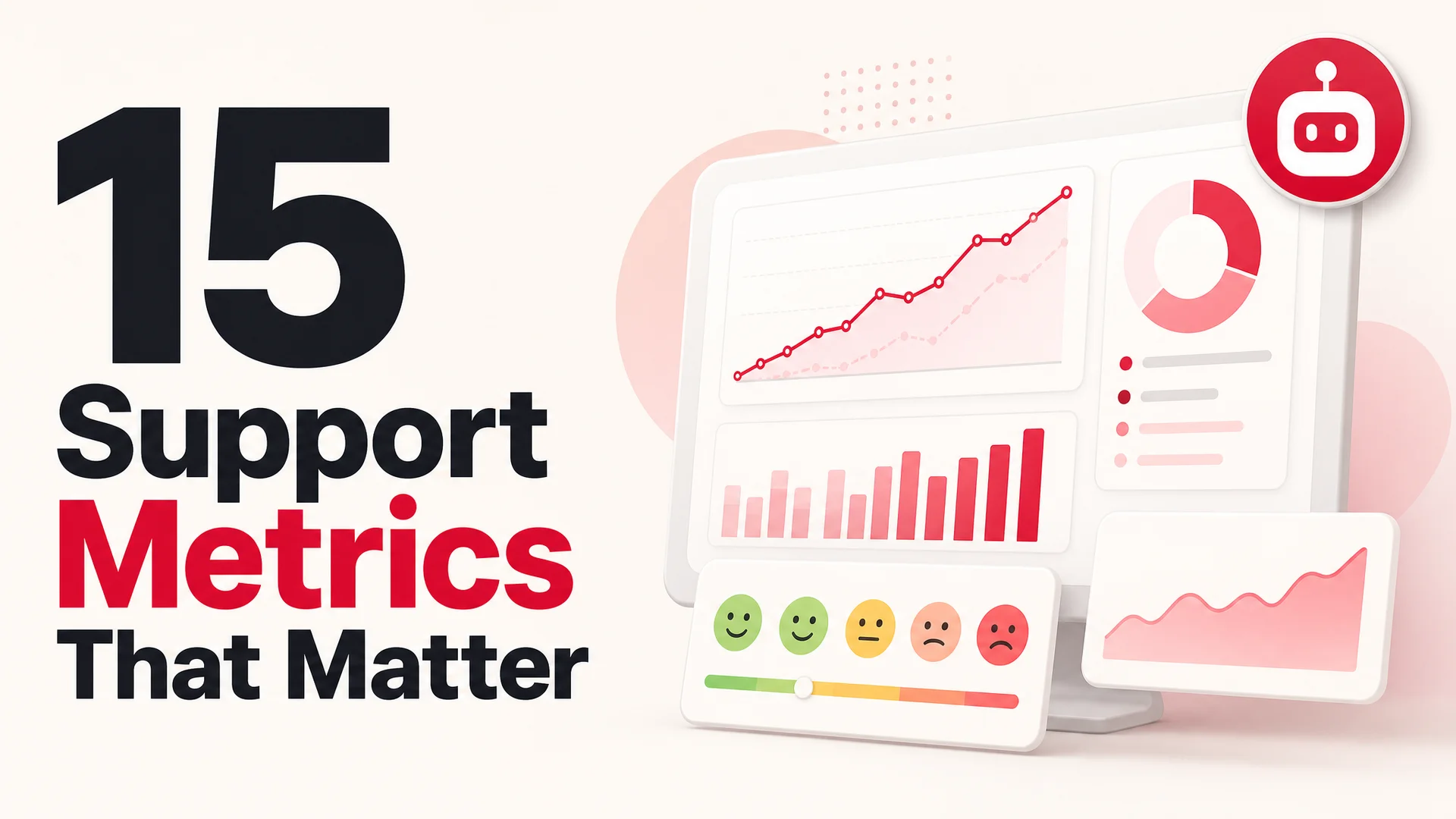
This guide is the working list of 15 metrics we recommend every Berrydesk customer track, broken into four categories: how customers feel, how fast you respond, what's happening to ticket volume and quality, and how all of that translates into business outcomes. Each one comes with the formula, a realistic 2026 benchmark, and the specific lever an AI agent - yours or someone else's - gives you on it.
Why Bother Measuring This At All
Forrester's customer-obsessed research has been remarkably consistent for several years: organizations that orient around customer outcomes grow revenue around 41% faster than peers, see meaningfully better profit gains, and retain customers at noticeably higher rates. Zendesk's annual CX research lands on similar numbers - high-CX companies see disproportionate revenue growth and margin expansion compared to laggards.
The mechanics behind those numbers are not mysterious. More than half of US consumers have switched providers in the last year because of a support experience they didn't like. Fixing that leaks more revenue than most growth experiments unlock.
The trap most teams fall into is measuring everything and acting on nothing. A modern helpdesk will gladly surface seventy or eighty fields. The discipline is picking a small number, knowing what each one is telling you, and assigning each one an owner who is on the hook for moving it.
Two Kinds of Numbers, And You Need Both
Support metrics come in two flavors:
- Operational metrics are the hard counts: how long a reply took, how many tickets came in, how many were reopened. These tell you what happened.
- Experience metrics capture how the customer felt about it: satisfaction scores, sentiment, perceived effort, willingness to recommend. These tell you why it happened and what's likely to happen next.
Operational metrics are easy to game. A team chasing handle time can ship lots of unhappy resolutions. Experience metrics, in isolation, are hard to act on - a falling CSAT is a symptom, not a diagnosis. You need both, side by side, and you need to look at them together when something moves.
The good news in 2026 is that this used to require a separate analytics workstream and now does not. Modern AI support agents - Berrydesk included - capture both during normal operation. Every conversation is logged, every resolution is timestamped, and large-context reasoning models score sentiment and intent on the fly without you wiring up a separate NLP pipeline.
The 15 Metrics, By Category
The list below is organized into four buckets: how the customer feels, how fast you move, what's happening to ticket flow, and what it adds up to in revenue terms. You don't need all fifteen on a dashboard tomorrow - pick three to five to start, and add the rest as the team matures.
Category 1: How Customers Feel
These are the metrics that read the room. They will not tell you exactly what is broken, but they will tell you whether you have a problem.
1. Customer Satisfaction Score (CSAT)
What it measures. Satisfaction with a single, recent interaction. The classic prompt is some variant of "How would you rate your support experience today?" on a 1–5 scale.
Why it matters. CSAT is the most widely used B2B support KPI for a reason: it is a fast, cheap, granular read on whether a specific touchpoint did the job. It correlates strongly with renewal in subscription businesses and with repeat purchase in commerce.
Formula. CSAT % = (responses rated 4 or 5 ÷ total responses) × 100. Only the top two scores count - research consistently shows that "satisfied" and "very satisfied" are the responses that actually predict retention. A 3 is a warning, not a win.
Example. 70 of 100 surveyed customers rated 4 or 5 → CSAT = 70%.
Benchmark. 80% or above is healthy across most B2B and consumer categories. Below 70% is a problem worth a war room.
How to collect it. A single-question survey at the end of a closed ticket, an in-widget thumbs up/down right after a chat, or a one-tap reaction in your messaging channel. Keep it to one click - every additional field cuts response rates roughly in half.
The Berrydesk angle. A Berrydesk agent sends the CSAT prompt the moment the conversation closes, while the experience is fresh. Because the agent is the one closing the conversation, you get response rates an order of magnitude higher than the email-survey-the-next-day approach, and the rating is attached to the full transcript so you can audit every low score.
2. Net Promoter Score (NPS)
What it measures. Loyalty, on the scale of "would you recommend us to a friend or colleague" from 0 to 10. Promoters score 9–10, Passives 7–8, Detractors 0–6.
Why it matters. Where CSAT is about a single moment, NPS is about the whole relationship. It correlates with organic referral and long-run retention better than almost any other single number. It is also the metric your CFO most often asks about, because it tracks reasonably well with growth efficiency.
Formula. NPS = % Promoters − % Detractors. The result is a number between −100 and +100.
Example. 500 responses: 300 Promoters (60%), 100 Passives (20%), 100 Detractors (20%). NPS = 60 − 20 = 40.
Benchmark. 50+ is good; 70+ is exceptional and usually only seen in categories with deep loyalty (Apple, Costco, certain B2B SaaS).
How to collect it. Send quarterly or after meaningful milestones - first 30 days of use, after a renewal, after a significant feature adoption. Avoid surveying right after a ticket; you'll bias the result toward whatever happened in support.
The Berrydesk angle. Berrydesk can fire NPS prompts triggered by lifecycle events - first successful AI Action, first month-end retention, post-onboarding - instead of on a fixed calendar. Triggered NPS reliably outperforms time-based NPS in both response rate and signal quality.
3. Customer Effort Score (CES)
What it measures. How much work the customer had to do to get their issue resolved. Typical phrasing: "How easy was it to get your problem solved today?" on a 1–7 scale where 1 is "very easy."
Why it matters. Decade-old research from CEB (now Gartner) and replicated since: effort predicts disloyalty more reliably than satisfaction predicts loyalty. People expect their problems to get fixed. They don't expect to be delighted, but they viscerally remember being made to jump through hoops.
Formula. CES = sum of all scores ÷ number of responses.
Example. 200 customers, total score sum 1,000 → CES = 5.0.
Benchmark. Lower is better. Aim for under 2 on a 1–7 scale (where 1 = very easy).
How to collect it. Right after the moment of resolution - checkout, ticket close, onboarding completion. One question. No matrix.
The Berrydesk angle. Effort scores tend to drop the moment you remove queueing, transfers, and "we'll get back to you tomorrow." A Berrydesk agent answers immediately, has the entire knowledge base in context, and can actually do the thing - book the appointment, process the refund, look up the order - instead of just describing how the customer can do it themselves.
4. Customer Sentiment Score
What it measures. The aggregate emotional tone of inbound customer communication: tickets, chat transcripts, social mentions, reviews. Modern sentiment models score messages on positive/neutral/negative and on more granular emotions like frustration, confusion, or relief.
Why it matters. CSAT and NPS only capture the customers who fill out a survey, which is usually less than 20% of the base. Sentiment runs across every interaction, including the silent ones. It is the earliest warning system you have for product or process problems.
Formula. Modern NLP models output a continuous score; aggregate to % positive, % neutral, % negative across a window. Track the trend.
Benchmark. 70%+ positive sentiment is a healthy baseline for most consumer and SaaS categories. The absolute level matters less than the slope. A two-week decline is something to investigate.
How to collect it. This used to require a dedicated NLP pipeline. In 2026, it does not - frontier models like Claude Opus 4.7 and Gemini 3.1 Pro score sentiment correctly on first try across long conversations, and open-weight models like DeepSeek V4 Flash and MiniMax M2 do it cheaply enough to run on every message you handle.
The Berrydesk angle. Berrydesk runs sentiment on every conversation in real time. Negative-trend conversations get flagged for human review or auto-escalated mid-chat, before the customer fills out a 1-star survey. You also get a topic-by-topic sentiment breakdown - useful when you're trying to figure out which feature is generating the frustration spike.
Category 2: How Fast You Move
Speed is not the only thing that matters, but it is the thing customers notice first. Forrester's recurring finding: roughly three-quarters of consumers say "valuing my time" is the single most important thing a company can do for their experience.
5. First Response Time (FRT)
What it measures. Time between a customer reaching out and receiving the first human or agent reply. Acknowledgment counts; auto-replies typically don't.
Why it matters. First response sets the tone for the entire interaction. A customer who waits an hour for the first reply rates the eventual resolution lower than a customer who got an instant acknowledgment, even if both got the same outcome.
Formula. FRT = sum of first-reply times ÷ number of tickets, measured per channel.
Example. 50 tickets, total first-reply time 500 minutes → FRT = 10 minutes average.
Benchmark, by channel.
- Email or web form: under 24 hours, under 4 hours is excellent
- Social media: under 60 minutes
- Phone: under 3 minutes
- Live chat or messaging: instant - anything over 30 seconds is felt
How to collect it. Helpdesk and chat platforms timestamp this automatically. Always break it down by channel. A blended FRT number across email and chat hides where the actual problem is.
The Berrydesk angle. An AI agent answers in under a second. That moves your blended FRT to effectively zero on the channels you let it cover. The only FRT that still matters is the human-to-human FRT for escalated tickets, and because the agent has already triaged and summarized the issue, your humans pick up faster too.
6. Average Resolution Time (ART)
What it measures. End-to-end time from ticket open to ticket closed.
Why it matters. Resolution time is what customers actually care about. They will tolerate a long wait if it ends in a fix. They will not tolerate a fast acknowledgment that goes nowhere.
Formula. ART = total resolution time across all closed tickets ÷ number of tickets.
Example. 300 tickets resolved in a combined 1,500 hours → ART = 5 hours.
Benchmark. Under 24 hours is the rough goal for most categories. Highly technical issues will run longer; routine questions should be under an hour.
How to collect it. Use ticket open/close timestamps. Always slice by priority - averaging an urgent outage ticket with a low-priority feature request gives you a number that tells you nothing.
The Berrydesk angle. Routine questions resolve in seconds because the agent answers them directly, and AI Actions like "issue refund," "reschedule appointment," or "look up order status" close the loop without a handoff. The remaining human-handled tickets benefit from the agent's pre-work: full context, suggested resolution, draft reply. In our customer base, the typical lift is a 50%+ reduction in blended ART within the first 60 days.
7. First Contact Resolution (FCR)
What it measures. Percentage of tickets resolved in a single interaction, with no follow-up needed from either side.
Why it matters. FCR is one of the strongest predictors of CSAT. It is also one of the cleanest measures of how well-trained your agents and how well-organized your knowledge base actually are. High FCR almost always coincides with low CES, because resolving in one shot is, by definition, low effort.
Formula. FCR % = (tickets resolved on first contact ÷ total tickets) × 100.
Example. 300 of 400 tickets resolved without follow-up → FCR = 75%.
Benchmark. 70% is solid; 85%+ is best in class.
How to collect it. Automated detection (no follow-up message within X days) plus a single-question post-resolution survey. The combination catches both reopens and silent failures.
The Berrydesk angle. This is where modern agentic models earn their keep. Claude Opus 4.7, Kimi K2.6, GLM-5.1, and Qwen3.6 are reliably good enough at multi-step tool use that an agent can read the policy, look up the order, check eligibility, and process the action in a single conversation. That is what FCR looks like in practice - not just answering, but actually finishing.
8. Average Handle Time (AHT)
What it measures. Total time an agent spends on a single ticket: live conversation, hold time, wrap-up work like notes and CRM updates.
Why it matters. AHT is the cleanest cost metric in the support stack. Lower AHT means more tickets per agent-hour. The catch: optimize AHT in isolation and you'll wreck CSAT and FCR. Pair it with quality metrics, always.
Formula. AHT = (total talk + hold + wrap-up time) ÷ tickets handled.
Example. 200 tickets, 1,000 minutes total → AHT = 5 minutes per ticket.
Benchmark. Industry-specific. Compare to your own historical baseline, and compare AHT across teams that share work. Outliers (much higher or much lower) usually indicate either a knowledge gap or someone cutting corners.
How to collect it. Modern helpdesks track this end-to-end. Make sure your "wrap-up" time captures the after-the-call work, not just the live conversation.
The Berrydesk angle. AI agents handle conversations in parallel - there is no serial AHT bottleneck. For human-handled tickets, the agent's pre-work (summary, suggested response, populated CRM fields) typically takes 30–50% of wrap-up time off the table.
Category 3: Volume And Quality
The third category is about what's flowing through your support pipe and how clean it is. These are the numbers that tell you whether your operation is scaling well or quietly breaking.
9. Ticket Volume
What it measures. Total number of inbound support requests in a given window, ideally broken down by channel, topic, and priority.
Why it matters. Volume by itself is neither good nor bad - context is everything. Rising volume during a launch is expected. Rising volume on the same product, same headcount, same week is a signal. Falling volume during a major release usually means your self-service got better, not that customers are happier.
Formula. Just a count, but always with a denominator (per active user, per order, per session). Raw volume tells you nothing about whether your customer base is growing or shrinking.
Benchmark. Track it as tickets per 100 active users or per 1,000 transactions, depending on your business model. Trends matter more than absolute numbers.
How to collect it. Pull from your helpdesk or CRM. Always break it down by channel and by topic - that's where the actionable signal lives.
The Berrydesk angle. A well-trained support agent deflects 40–60% of would-be tickets at the door. Customers self-serve through the agent on the website or in WhatsApp, and the human queue only sees what really needs a human. Volume per active user drops sharply within the first month of deployment for most teams.
10. Ticket Reopen Rate
What it measures. Percentage of tickets that get reopened after being marked resolved.
Why it matters. A reopen is a falsified resolution. It usually means the agent (human or AI) closed the ticket prematurely, the fix didn't stick, or the customer's actual problem was different from what got addressed. High reopen rates erode trust faster than slow first responses, because the customer feels like they were dismissed.
Formula. Reopen rate % = (reopened tickets ÷ resolved tickets) × 100.
Example. 40 of 400 tickets reopened → reopen rate = 10%.
Benchmark. Under 10% is healthy. Under 5% is exceptional.
How to collect it. Most helpdesks flag reopens automatically. Tag the reason where you can - "issue not resolved," "new but related issue," "customer follow-up question."
The Berrydesk angle. Berrydesk's agent can be configured to confirm resolution explicitly before closing - a quick "did that fix it for you?" before the conversation ends. That single behavior change typically halves reopen rates because tickets only close when both sides agree the issue is done.
11. Escalation Rate
What it measures. Percentage of tickets that get pushed up to a senior agent, specialist, or manager.
Why it matters. Escalation rate is a proxy for how much of your queue can be handled at tier one. Some escalation is healthy - there are issues that genuinely need a senior eye. But high escalation rates almost always point to either a training gap, a tooling gap, or a process that is overly complex.
Formula. Escalation rate % = (escalated tickets ÷ total tickets) × 100.
Example. 60 of 500 tickets escalated → escalation rate = 12%.
Benchmark. Under 15% is a reasonable target. Track the reason for escalation, not just the count - that's where the improvement lever is.
How to collect it. Helpdesk workflow rules; require an escalation reason code at the moment of escalation.
The Berrydesk angle. A good AI agent escalates only when it should: when the customer's request is outside policy, requires human judgment, or the customer explicitly asks for a person. The escalation packet includes the full transcript, sentiment summary, and a suggested next step, so the human picks up where the agent left off rather than starting cold.
12. Auto-Resolution Rate
What it measures. Percentage of inbound tickets resolved entirely without human involvement. This is the metric that didn't really exist in any meaningful way five years ago and is now arguably the most important number on the dashboard for any team running an AI agent in production.
Why it matters. Auto-resolution is where the cost curve actually bends. Every auto-resolved ticket is a ticket that didn't pull a human off something else. It's also a clean read on how well your agent is trained - if auto-resolution is rising, your knowledge base, AI Actions, and routing logic are all working. If it's flat, something upstream needs fixing.
Formula. Auto-resolution rate % = (tickets resolved by AI without human intervention ÷ total tickets) × 100.
Example. 240 of 400 tickets resolved by the agent → auto-resolution rate = 60%.
Benchmark. 60–80% is the typical range for a well-trained Berrydesk deployment. The remaining 20–40% are the genuinely complex cases worth your humans' time.
How to collect it. Your AI agent's analytics dashboard. Berrydesk reports this natively, broken down by topic and by source channel.
The Berrydesk angle. This is the metric we orient around most heavily. A typical Berrydesk customer goes from 0% to 60–70% auto-resolution within the first 30 days, then climbs into the 75–85% range as the agent learns from edge cases and you wire in more AI Actions.
Category 4: What It All Adds Up To
The final three metrics are the ones your CFO actually cares about. They link support performance to revenue.
13. Customer Churn Rate
What it measures. Percentage of customers who leave in a given period.
Why it matters. Churn is the single most important number in any subscription business. Service quality is one of the top three drivers of churn in almost every category that's been studied - somewhere behind product fit and pricing, but ahead of pretty much everything else.
Formula. Churn % = (customers lost during period ÷ customers at start of period) × 100.
Example. 500 customers at start of month, 50 lost → churn = 10%.
Benchmark. Wildly category-dependent. Track segment-by-segment - losing 10% of your free tier and 10% of your enterprise tier are very different events.
How to collect it. From your billing system or CRM. Define "lost" precisely - for SaaS, usually subscription cancellation. For commerce, usually no purchase in N months.
The Berrydesk angle. Berrydesk surfaces the conversations that immediately preceded a churn event. Patterns show up quickly: a specific feature people are giving up on, a billing question that wasn't answered well, a competitor name that keeps coming up. Sentiment-based at-risk detection lets you intervene before the cancellation, not after.
14. Customer Retention Rate
What it measures. Inverse of churn - the percentage of customers who stick with you across a period, excluding new acquisitions.
Why it matters. Acquiring a new customer typically costs 5–25× more than keeping an existing one. Retention is the cheapest growth lever you have, and support is one of its most direct inputs.
Formula. CRR % = ((customers at end of period − new customers acquired during period) ÷ customers at start of period) × 100.
Example. Start with 500, end with 550, of which 100 are new → CRR = (450 ÷ 500) × 100 = 90%.
Benchmark. 90%+ is healthy for most B2B SaaS; consumer subscriptions tend to live in the 70–85% range.
How to collect it. Same source as churn - billing or CRM. Track it by cohort and by plan tier.
The Berrydesk angle. 24/7 availability is the most underrated retention lever. A meaningful share of churn comes from customers who tried to get help at the wrong hour, gave up, and never came back. An always-on agent across web, Slack, Discord, and WhatsApp closes that gap entirely.
15. Customer Lifetime Value (CLV) Impact
What it measures. How much total revenue you can expect from a customer over the life of the relationship - and, more usefully, how that number shifts based on the support experience they get.
Why it matters. CLV is the metric that closes the loop between everything in this list and the P&L. Customers who have positive support experiences renew more, expand more, and refer more. Those second-order effects are usually larger than the cost of providing the support in the first place.
Formula. Standard CLV: average purchase value × purchase frequency × customer lifespan. The interesting move is to segment by experience quality - CLV for customers with high CSAT versus low CSAT, or customers who self-served via the agent versus those who went through a long human queue.
Example. Customers with consistently high CSAT (4–5) deliver materially higher CLV - typically 20–35% more - than those scoring 1–3.
Benchmark. Less about hitting a number and more about confirming the relationship: as CSAT, NPS, and FCR move up, does CLV move with them? If yes, your support investment is paying for itself. If no, something is broken in the linkage and worth investigating.
How to collect it. Join your support data to your billing or revenue data, segment by experience quality, compare CLV across segments. Most modern data warehouses make this a one-query exercise.
The Berrydesk angle. Consistent, fast, high-quality service at scale is what moves CLV up. A Berrydesk agent gives every customer the same quality of help that, in a human-only operation, only your VIP accounts would get.
How To Actually Roll This Out
Tracking 15 metrics sounds like a lot. The trick is to not try to do all 15 on day one.
Pick Your Starting Five
A reasonable starting set for most businesses:
- CSAT - your basic happiness read
- First Response Time - your basic speed read
- First Contact Resolution - your basic quality read
- Auto-Resolution Rate - if you're running an AI agent
- Churn Rate - your basic business outcome read
If you're optimizing for retention specifically, swap in NPS and CLV. If you're optimizing for cost, weight more heavily toward AHT, ticket volume, and auto-resolution.
Get Tracking Set Up
Most modern helpdesk and support platforms cover the operational metrics out of the box - Zendesk, Intercom, Freshdesk, Help Scout, all of them. The piece that historically required custom work is the experience side: sentiment, qualitative tagging, conversation-level context.
Berrydesk handles this end-to-end for the conversations the agent touches. CSAT, FRT, FCR, auto-resolution, sentiment, deflection - all in one dashboard, no separate analytics stack.
Establish Baselines, Set Realistic Targets
You can't improve what you haven't measured. Spend the first two weeks just collecting data. Then set targets based on where you actually are, not where you wish you were. A 10% CSAT lift in a quarter is a real win. A jump from 65% to 95% in a month is fantasy and demoralizing to chase.
Set A Cadence
Different metrics have different reasonable review cadences:
- Daily: FRT, ticket volume, anything tied to staffing or alerting
- Weekly: FCR, ART, escalation rate, auto-resolution rate
- Monthly: CSAT, NPS, CES, sentiment trends
- Quarterly: churn, retention, CLV impact
The cadence matters because looking at lifetime metrics weekly is noise, and looking at daily metrics quarterly misses every fire.
Actually Act On The Data
This is the step most teams skip. A metric you track but don't act on is just an expensive piece of decoration. Build a weekly review where the owner of each metric brings the top movers and the planned response.
Berrydesk's analytics surface root-cause signals automatically: which topics drive the most escalations, which AI Actions fail most often, which customers had high-effort sessions. The work shifts from "what's happening" to "what should we do about it."
How AI Agents Move Each Metric
Worth being concrete about which lever an AI agent actually pulls on each metric, because it varies more than the marketing copy in this space suggests.
- First Response Time → effectively zero. The agent acknowledges and starts resolving in under a second.
- CSAT → up. Driven mostly by speed and consistency. Customers rate consistent, instant, accurate answers higher than slower human answers in almost every category we've measured.
- First Contact Resolution → meaningfully up. This is where modern agentic models - Claude Opus 4.7, Kimi K2.6, GLM-5.1, Qwen3.6, MiMo-V2-Pro - earn their keep. Multi-step tool use is reliable enough now that the agent can finish the job, not just describe how to finish it.
- Auto-Resolution Rate → from 0 to 60–80%. This is the biggest single shift, and the one that actually changes the cost structure of support.
- Ticket Volume → down 40–60% net. Self-service through the agent deflects tickets at the door, and the conversations the agent does take don't show up in your human queue.
- Sentiment monitoring → real-time. The agent scores every message as it arrives and can escalate negative-trend conversations before they end in a one-star rating.
- Reopen Rate → down. The agent confirms resolution before closing, which catches the "I think we're done? - actually no" moments that drive most reopens.
- Retention and CLV → up. Mostly through 24/7 availability and consistency at scale.
Why The 2026 Model Landscape Matters For All Of This
Five years ago, most of the metrics in this guide could only be moved by adding humans. The technology to do this kind of work in software either didn't exist or didn't work well enough to deploy in front of paying customers.
That has changed in a way that is worth understanding even if you don't care about the model details. Frontier closed models like Claude Opus 4.7 and GPT-5.5 Pro are now capable enough to handle multi-step support workflows reliably - bookings, refunds, order modifications, account changes - with judgment that holds up under audit. Open-weight frontier models from DeepSeek, Z.ai, Moonshot, Alibaba, MiniMax, and Xiaomi have collapsed the per-conversation cost. DeepSeek V4 Flash runs at $0.14 per million input tokens; MiniMax M2 lands at roughly 8% of Claude Sonnet's price at twice the speed.
The practical implication for support teams: a Berrydesk deployment can route routine traffic to a cheap open-weight model - DeepSeek V4 Flash, MiniMax M2, Qwen3.6-27B - at fractions of a cent per resolution, and reserve Claude Opus 4.7, GPT-5.5, or Gemini 3.1 Ultra for the genuinely hard escalations where reasoning quality matters more than cost. You don't pick one model. You pick a routing policy.
The other thing that has changed is context. The 1M-token context windows on Claude Opus 4.6, Sonnet 4.6, DeepSeek V4, Kimi K2.6, and MiMo-V2-Pro, plus Gemini 3.1 Ultra's 2M, mean an agent can hold your entire knowledge base, the customer's full conversation history, and your policy documents in working memory at once. RAG becomes a tuning lever for cost and freshness, not a hard architectural requirement. That is a real shift - your agent stops giving the right answer to the wrong question and starts giving the right answer to the actual question being asked.
For regulated industries, the MIT and Apache-licensed weights from GLM-5.1, Qwen3.6-27B, and MiMo make on-prem and air-gapped deployment a real option for the first time. If you couldn't run a hosted AI support agent before for compliance reasons, you can probably run one now.
The Pitfalls Worth Avoiding
A few common ways teams make this harder than it needs to be:
Tracking too many metrics. Pick five. Make them visible. Add more once those five are moving in the right direction. A dashboard with 30 numbers is a dashboard nobody opens.
Optimizing one metric in isolation. AHT down 30% but CSAT down 15 points is not a win. Pair every speed metric with a quality metric and review them together.
Ignoring the open-ended feedback. The free-text box on a CSAT survey is usually more valuable than the score itself. Read it. Tag it. Find patterns. Sentiment models will help, but a human eye on the worst 5% of comments per week is irreplaceable.
Comparing against the wrong benchmarks. A SaaS support team's FRT benchmark is not your e-commerce store's FRT benchmark. Industry comparisons are useful as a sanity check; your own historical trend is what matters most.
Forgetting why any of this exists. Metrics serve customers, not the other way around. A perfect FRT on a wrong answer is worse than a slow FRT on the right one. When in doubt, ask the human-facing question: did the customer get what they came for, with as little friction as possible?
Tools Worth Knowing About
You don't need a complicated stack to start. The minimum viable setup is a helpdesk with built-in metrics, a survey tool, and an AI agent. Most teams have all three within a week.
- Helpdesk platforms with built-in metrics. Zendesk, Intercom, Freshdesk, Help Scout, HubSpot Service Hub. All cover the operational basics.
- Berrydesk. AI support agent platform with native analytics for CSAT, FRT, FCR, auto-resolution, sentiment, and deflection. Trains on docs, websites, Notion, Google Drive, or YouTube. Deploys to a website widget, Slack, Discord, WhatsApp, and more. Pick the underlying model - GPT-5.5, Claude Opus 4.7, Gemini 3.1, DeepSeek V4, Kimi K2.6, GLM-5.1, Qwen3.6, MiniMax M2 - based on your cost and quality needs.
- Survey tools. Tally, Typeform, SurveyMonkey, Delighted for NPS specifically. Many helpdesks have built-in survey tooling that's good enough.
- Analytics layers. Posthog, Amplitude, Mixpanel, or your data warehouse + a BI tool for the deeper joins between support data and revenue data.
The One Thing To Take Away
Customer support metrics are not really about measurement. They are about the discipline of looking at the same numbers, in the same order, every week, with someone on the hook for moving each one.
The 15 in this guide are a starting set. Pick five. Make them visible. Set realistic targets. Review them on a cadence that matches how fast they actually change. And - increasingly the differentiator in 2026 - give yourself the leverage of an AI agent that handles the routine work so the humans on your team can focus on the complex cases that genuinely need them.
If you want to see what auto-resolution actually looks like for your business, you can spin up a Berrydesk agent in a few minutes at berrydesk.com, point it at your docs, and watch the metrics in this guide move in the dashboard from day one. The best metric, as ever, is the one you act on.
 Berrydesk
Launch a support agent that improves your metrics from day one
- Auto-resolve 60–80% of routine tickets across web, Slack, WhatsApp, Discord, and more
- Built-in analytics for CSAT, FRT, FCR, deflection, sentiment, and escalations
Set up in minutes

Chirag Asarpota is the founder of Strawberry Labs, the team behind Berrydesk - the AI agent platform that helps businesses deploy intelligent customer support, sales and operations agents across web, WhatsApp, Slack, Instagram, Discord and more. Chirag writes about agentic AI, frontier model selection, retrieval and 1M-token context strategy, AI Actions, and the engineering it takes to ship production-grade conversational AI that customers actually trust.