Customer support automation software used to be the easiest line item in the SaaS budget to defend. Buy a helpdesk, pay per seat, ship some macros, and call the savings whatever percentage the rep wrote on the back of a napkin. The hard math came later — usually when somebody noticed that average handle time had gone up after the macros and that the deflection rate the chatbot vendor reported was just "tickets where the human gave up before the chatbot did."
The category has split apart in the last eighteen months. What used to be one purchase decision is now three: a helpdesk, an AI agent, and a knowledge layer underneath both. The buyers who still treat it as one decision are the ones who end up paying twice. This piece is for the buyers trying to do it once. We'll cover what the software actually does in 2026, the three pricing models you're forced to pick between, the eleven tools real teams are running this year, a buyer's checklist that goes beyond demos, and a migration plan if you're already locked into a per-seat helpdesk and the math has stopped working.
Full disclosure before we start: we build Berrydesk, which sits in this category and is priced per message. We've written this with our positioning in plain view, called out where competitors are stronger, and tried to give you the vocabulary to make a decision rather than the conclusion to memorize.
What "customer support automation software" actually means in 2026
Three years ago this term covered four overlapping things — ticketing systems with macros, FAQ chatbots, IVR menus on the phone line, and email autoresponders. The 2026 version of the category looks almost nothing like that. Three forces compressed it.
Frontier models can hold the entire support context. Claude Opus 4.7 and Sonnet 4.6 ship with 1M-token context at no surcharge. Gemini 3.1 Ultra carries 2M. DeepSeek V4 Pro and Flash run 1M. For a typical mid-market support team, that means an agent can hold the help center, the customer's full chat and order history, the refund policy, and a sizing chart in working memory at once. Retrieval becomes a cost lever rather than a correctness requirement, and "the bot lost the thread" largely stops being a bug report.
Open-weight models collapsed inference cost. DeepSeek V4 Flash launched at roughly $0.14 / $0.28 per million input/output tokens. MiniMax M2.7 runs at about 8% the cost of Claude Sonnet at twice the speed. GLM-5.1 ships under MIT and trained end-to-end on Huawei Ascend silicon. Translated into the support economics: a routine "where is my order" exchange now costs a fraction of a cent. Pricing the software per ticket made sense when each ticket cost real money to handle. Now the underlying inference cost is almost noise, and the pricing models are racing to catch up.
Tool use crossed the reliability threshold. Through 2024 and most of 2025, AI agents could describe a refund. By late 2025 they could reliably issue one. Claude Opus 4.7 leads SWE-bench Pro at 64.3%. GLM-5.1 closes an 8-hour plan-execute-test-fix loop without supervision. Kimi K2.6 sustains 12-hour autonomous sessions and orchestrates up to 300 sub-agents. Translated for support: the agent can actually look up the order, apply the policy, take the action, and close the loop without a human in the middle.
The category split in two as a consequence. On one side: classical helpdesk software — ticketing, routing, macros, reporting — that has had AI features sprinkled on top. On the other: AI-native agents that resolve, with the helpdesk function bundled in or absent entirely. Both have a place. The mistake most buyers make is comparing them as if they were the same product.
A working definition that holds in 2026: customer support automation software is the tooling that lets a non-human resolve a ticket end-to-end — from intake, through reasoning over the customer and order context, to action against the systems of record, to closure and post-resolution follow-up. Anything short of that is a partial automation, which is fine, but you should price it like one.
The three pricing models — and which one you're really buying
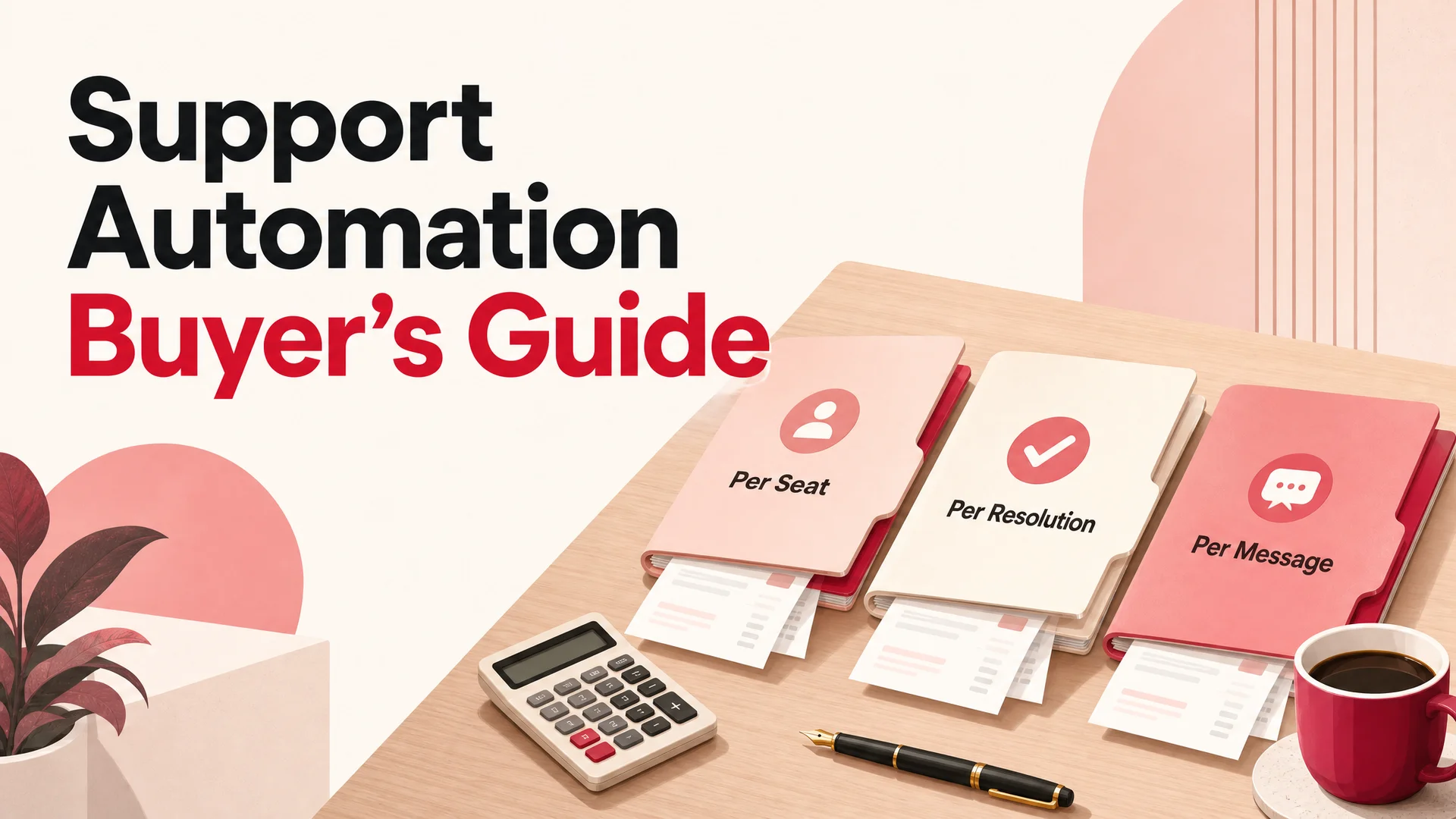
The single biggest decision in this category is the pricing model, and almost no one talks about it on a demo call. The vendor leads with features. The buyer leads with seat count. By the time the contract is signed, both sides have agreed to a unit economics model that nobody actually stress-tested. Here are the three you'll see, what each one rewards, and where each one breaks.
Per-seat pricing
The classic helpdesk contract. You pay $50–$200 per agent per month for a software license, and the AI features are either bundled or add-ons. Vendors: Zendesk, Freshdesk, HubSpot Service Hub, Salesforce Service Cloud.
What it rewards: predictable budgeting when your headcount is stable. The contract is easy to forecast — multiply seats by price.
Where it breaks: the moment AI starts removing seats. If the agent resolves 60% of inbound, you don't need 60% of your seats anymore, but the per-seat pricing doesn't fall in step. You either keep paying for empty seats (the polite version) or fight the vendor on a renegotiation (the ugly version). Per-seat software is priced for the world where humans handle the work. AI inverts that world, and per-seat is the slowest pricing model to follow.
Per-resolution pricing
The AI-first response from helpdesk vendors and standalone AI support platforms. You pay $0.50–$1.50 per "resolved" conversation. Vendors: Intercom Fin, Zendesk AI, Forethought, Ada, Decagon.
What it rewards: alignment between the vendor's revenue and your outcome. If the AI doesn't resolve, you don't pay (in theory).
Where it breaks: the definition of "resolution" is the vendor's, not yours. Every per-resolution platform has a different rule for what counts. Some count any conversation the AI participated in. Some require a customer satisfaction signal. Some count escalations as resolutions if the human follows up successfully. The pricing looks transparent and is in fact a long argument about a definition you didn't write. The deeper problem is that per-resolution costs scale linearly with success — at 80% resolution rate, you're paying the vendor for almost every ticket. The unit economics are roughly fixed at the vendor's chosen rate, and you can't route cheaper questions to cheaper models without rebuilding the platform.
Per-message pricing
The newest model and the one we use at Berrydesk. You pay a small fraction of a cent per message the agent sends — typically $0.003–$0.05 depending on which underlying frontier model you route to.
What it rewards: routing intelligence. If you can solve a ticket in three messages on a fast cheap model, you pay for three messages on a fast cheap model. If a hard escalation needs eight turns on Claude Opus 4.7, you pay for that. The cost of the software follows the cost of the work.
Where it breaks: forecasting is harder. If your message volume spikes, your bill spikes. The mitigation is rate limiting, model routing rules, and the same observability you'd want regardless. We've found that month-over-month variance is small for any team that has run the agent past the first sixty days — the spike concern is mostly theoretical for stores past the early-traffic phase.
The honest comparison, on a 20,000-conversation-per-month team:
| Pricing model | Typical cost | Cost per resolution | What you control |
|---|---|---|---|
| Per-seat helpdesk | $200/seat × 30 seats | ~$0.30 (loaded) | Seats, macros, tier mix |
| Per-resolution | $0.99 × 14,000 resolved | $0.99 | Almost nothing |
| Per-message | $0.012 × 6 msgs × 14k | $0.10 | Model, routing, depth |
We built a calculator that does this math interactively so you can plug in your own numbers. Most teams looking at it for the first time find the spread between models is wider than they expected — by month six, the per-message version is typically 7–10× cheaper than per-resolution at the same quality, and the per-seat version stops keeping up entirely once AI starts retiring seats.
A simple rule of thumb: pick the pricing model that gets cheaper as you get better at automation. Per-seat doesn't. Per-resolution barely does. Per-message scales with the actual cost of the work.
The 2026 vendor landscape, grouped by what they really are
Comparing customer support automation software alphabetically is how you end up in a six-month evaluation cycle that converges on the wrong tool. Here is the same landscape grouped by pricing model and primary buyer profile, with the trade-offs each tier really makes.
AI-native agents (per-message and resolution-priced)
These are the platforms built around the idea that the AI agent is the unit of product. The helpdesk function is either secondary or bundled.
1. Berrydesk — Per-message. The argument is that the model layer should be a UI choice rather than a vendor decision. Berrydesk gives you a live menu of GPT-5.5 and 5.5 Pro, Claude Opus 4.7 and Sonnet 4.6 with 1M context at no surcharge, Gemini 3.1 Ultra and Pro, DeepSeek V4 Pro and Flash, Moonshot Kimi K2.6, Z.ai's GLM-5.1, the Qwen 3.6 family, MiniMax M2.7, and Xiaomi MiMo-V2-Pro. Routine traffic routes to DeepSeek V4 Flash or MiniMax M2.7 for fractions of a cent per message; hard escalations go to Opus 4.7 or GPT-5.5 Pro. Training is point-and-import — help docs, public site, Notion, Drive, YouTube. AI Actions are first-class and testable in a sandbox before ship. Channels deploy with one config to web widget, Slack, Discord, WhatsApp, Instagram. Best fit: DTC and mid-market teams who want unit economics they control. Weakness: the helpdesk-style ticketing surface is intentionally lighter than Zendesk's — if you have a 200-seat human-led contact center and need granular SLA reporting on each agent, Berrydesk is the wrong shape.
2. Intercom Fin 3 — Per-resolution. Intercom rebuilt the company around Fin and reports a 66% average resolution rate across their customer base, which is genuinely impressive at scale. The Actions layer can read and write customer data and trigger workflows. The trade-off is the price model — at $0.99 per resolution and Intercom's definition of "resolution," the unit economics flatten as you get better at automation. Strongest fit: SaaS teams already on Intercom Messenger who want to extend rather than replace.
3. Decagon — Per-resolution, enterprise-leaning. Heavy focus on building an "AI workforce" rather than a chatbot — multi-agent orchestration, voice support, deep CRM integrations. Pricing is bespoke and tends toward enterprise floors. Strongest fit: large teams doing both chat and voice with the budget to negotiate.
4. Ada — Per-resolution, with a long history in deflection-first chatbots and a recent rebuild around generative AI. Solid integration library and a mature governance surface. Strongest fit: enterprise buyers who already have an Ada relationship from the previous generation.
Helpdesks with AI added
These are classical ticketing systems retrofitted with AI features. The AI is a lane, not the engine.
5. Zendesk — Per-seat plus AI add-ons. The category incumbent. Their Resolution Learning Loop detects workflow gaps and tests optimizations pre-deployment, which is a genuine technical contribution — most platforms ship the agent and call it done. The trade-off is the seat tax: Zendesk is priced for human-led support augmented by AI, not the inverse. If your headcount is shrinking faster than your volume, the math eventually pushes off the platform. Strongest fit: enterprises with existing Zendesk investment that's too sunk to walk away from.
6. Salesforce Agentforce 360 — Per-seat plus consumption add-ons. The Salesforce play is consolidation: every customer interaction lands in the same CRM record, and the AI agents read from and write to the same data layer. For teams already running Sales Cloud, the integration argument is strong. For teams not on Salesforce, this isn't really a contender — the gravity is the CRM, not the support tool.
7. Freshdesk Freddy — Per-seat. Freshworks' AI layer has improved meaningfully — the FAQ-matching engine and reply suggestions are credible — but the architecture is still oriented around human agents using AI rather than AI doing the work. Strongest fit: SMB and mid-market teams already on Freshdesk who want a price-friendly AI add-on.
8. HubSpot Service Hub — Per-seat with bundled AI. The HubSpot answer for teams that want a CRM-plus-helpdesk-plus-marketing-automation suite from one vendor. The AI features are competent rather than category-leading. Strongest fit: SMB teams already on HubSpot who value consolidation over depth.
Ecommerce-native helpdesks
9. Gorgias — Per-ticket-volume bands plus AI Auto-Respond. Deep Shopify integration and the ecommerce-native default for years. AI Auto-Respond has matured into a credible deflection layer for top-of-funnel questions. The pricing model is hybrid — you pay for ticket volume rather than seats, which scales better than per-seat helpdesks but worse than per-message. Strongest fit: ecommerce brands with deep Gorgias workflows who want to extend rather than replace.
10. Tidio (with Lyro) — Per-conversation pricing with a free tier. The small-and-mid Shopify default. Setup is fast, pricing is friendly, and Lyro handles a respectable share of common inbound. The ceiling is action wiring depth and model choice. Strongest fit: solo founders and stores under $1M GMV who need something that works this afternoon.
Specialist agentic platforms
11. Computer by DevRev — Knowledge-graph-first agentic resolution. DevRev's pitch is that they built the support-to-engineering signal loop into the data model rather than bolting it on. For SaaS companies where the support inbox is also the bug intake, that architecture pays off. Strongest fit: B2B SaaS with engineering-heavy escalation paths.
That's the working set. Most teams will run one of these as the primary, and possibly a second as a specialist surface (a voice agent, a B2B partner portal). Trying to run more than two creates more integration overhead than it saves.
Comparison: where each tool actually wins
| Tool | Pricing | Model choice | Action depth | Helpdesk depth | Best for |
|---|---|---|---|---|---|
| Berrydesk | Per-message | Multi-model | High | Medium | DTC, mid-market, cost-sensitive |
| Intercom Fin | Per-resolution | Vendor-set | Medium | High | SaaS on Intercom Messenger |
| Decagon | Per-resolution | Vendor-set | High | Medium | Enterprise, voice + chat |
| Ada | Per-resolution | Vendor-set | Medium | Medium | Enterprise with existing Ada |
| Zendesk | Per-seat + AI | Vendor-set | Medium | Highest | Large existing Zendesk shops |
| Agentforce | Per-seat + AI | Salesforce | Medium | High | Salesforce-native enterprises |
| Freshdesk | Per-seat | Vendor-set | Low-Medium | High | SMB on Freshworks |
| HubSpot | Per-seat | Vendor-set | Low | Medium | SMB on HubSpot |
| Gorgias | Per-ticket | Vendor-set | Medium | High (ecom) | Shopify brands with workflows |
| Tidio (Lyro) | Per-convo | Vendor-set | Low | Low | Solo founders, very early teams |
| Computer (DevRev) | Custom | Vendor-set | High | High | B2B SaaS, eng-heavy escalations |
The pattern: depth-of-action and pricing-flexibility are weakly correlated with helpdesk depth. The tools that resolve hardest tend to have lighter ticketing surfaces; the tools with the deepest ticketing surfaces tend to have the most expensive AI add-ons. A growing camp of teams now runs an AI-native primary (Berrydesk, Intercom, Decagon) for inbound resolution and reserves a classical helpdesk only for the long-tail human work.
A buyer's checklist that goes beyond the demo
Most buyers walk into the demo with a feature wishlist. The vendor's demo team has been trained on that exact wishlist for two years. The demo will go well. Six months in, the deployment will be in trouble for a reason that wasn't on the wishlist. Here are twelve questions that catch what feature lists miss.
1. What is the exact unit you're buying? Seat, ticket, conversation, resolution, message — each has a different incentive shape. Get the answer in writing on the contract.
2. Who decides what counts as a "resolution"? If the answer is the vendor, ask for the rule and the appeals process. If there's no appeals process, ask why.
3. Can you swap models in production without an SOW? Frontier model leadership has changed twice in the last year. The platforms that tied themselves to one model in 2024 are now the most expensive ones to leave.
4. What does the action layer actually call? Reading data is easy. Writing data is the hard part. Ask for a list of actions the platform supports against your stack — refund issuance, label generation, calendar booking, payment collection — and request a sandbox to test them before you sign.
5. How does the agent surface its reasoning? Production support requires reviewable transcripts with the model's chain of thought, the tools it called, the data it returned, and what it decided. Black-box outputs are the highest-cost-of-failure mode in this category.
6. What is the dry-run / staging story? Can you simulate a refund without issuing one? Can you replay yesterday's tickets against a new prompt before you ship it? If the answer is "no" or "we're working on it," that's the next six months of incidents you're going to have.
7. How does the platform handle the long tail? The 1–5% of conversations where the agent confidently does the wrong thing is where the cost of a bad deployment lives. Run the trial on hard tickets, not easy ones — angry refund disputes, ambiguous ownership questions, edge-case policy interpretation.
8. Which channels deploy from one config? A single agent that runs on web, WhatsApp, Slack, Instagram, and Discord with one set of training data is structurally different from five separate channel-specific bots. The unified version compounds learning. The separate version multiplies the maintenance.
9. What is the data exit? The conversations, training data, and action history are your asset. If you can export them in a usable format, you have leverage. If you can't, you don't.
10. How does the vendor learn from the resolved tickets? Some platforms use the resolved corpus to improve the next model. Some don't touch it. Some sell anonymized patterns back to other customers. The right answer depends on your data sensitivity, but the question is required reading.
11. What's the failure mode when the vendor has an incident? Support automation is now system-of-record-adjacent. If the vendor is down, who answers? Some platforms degrade gracefully to a human queue. Some just go dark. Ask for the runbook.
12. What do the unit economics look like at 5× current volume? This is the question per-seat and per-resolution buyers regret not asking. Plug your projected volume into the pricing and check the math.
If you walk a vendor through these twelve questions and they answer the first nine cleanly, you have a serious candidate. If they pivot to "let's circle back to features" on more than three of them, you don't.
How to actually run the math (and why the calculator helps)
Total cost of ownership for support automation software has three buckets — license, inference, and integration. Most TCO models miss the third one entirely.
License. What the vendor invoices you. For per-seat, this is straightforward. For per-resolution and per-message, you need volume and routing assumptions to forecast.
Inference. Even on per-message platforms, model choice is yours. A team that lazily routes everything to GPT-5.5 Pro will pay 4–10× what a team that routes routine traffic to DeepSeek V4 Flash will pay, for indistinguishable resolution rates on the routine traffic. This is where most of the spread between platforms shows up at month six.
Integration. The hidden bucket. How long does it take an engineer to wire the action layer to your order system? Your CRM? Your fulfillment provider? Your payment processor? Per-resolution platforms tend to have shallow but pre-built integrations. Per-message platforms vary — some are deep and configurable, some require custom work. The honest answer is to ask the vendor for time-to-first-action and time-to-tenth-action benchmarks against your stack.
We built a free ROI calculator that captures the first two buckets — drop in conversations per month, messages per conversation, headcount, salary, and target AI share, and it will spit back three-year savings and ROI against a per-message model. It defaults to a blended $0.012/message rate, which lands somewhere between routine routing on DeepSeek Flash and frontier handling on Claude Opus 4.7. For most teams, the calculator surfaces the same insight: the gap between per-message and per-resolution is bigger than the gap between any two per-resolution vendors.
A migration plan if you're already on a per-seat helpdesk
Most teams don't get to start from scratch. The realistic path is from an incumbent helpdesk where the AI math has stopped working into a per-message or AI-native primary. Here's the sequence that minimizes pain.
Phase 1 — Read-only deployment (weeks 1–2). Stand up the new agent in observation mode against your existing helpdesk. The agent reads tickets, drafts replies in a private surface, and is graded against the human's actual reply. You learn the resolution shape against your real data without any customer-visible change.
Phase 2 — Suggest mode (weeks 2–4). The agent's draft becomes a one-click suggestion in the human queue. You measure how often the human accepts vs. edits vs. discards. This tells you the fraction of inbound the agent could handle if turned loose, by ticket type.
Phase 3 — Auto-resolve on top tickets (weeks 4–8). Pick the three highest-volume, lowest-risk ticket types — order status, password reset, sizing questions are the canonical examples — and let the agent resolve them autonomously with a tight escalation rule. Watch CSAT and resolution rate against your old baseline.
Phase 4 — Expand the autonomous surface (weeks 8–16). Add ticket types one at a time. Each addition should pass three gates: a measured resolution rate against the human baseline, a sandbox test of any new actions, and a rollback plan if CSAT moves the wrong way.
Phase 5 — Pricing renegotiation or cutover (months 4–6). By month four, you'll know your steady-state autonomous resolution share. That number is the leverage to either (a) renegotiate the per-seat contract down to match the seats you actually still need, or (b) cut over fully and run the legacy helpdesk only as a long-tail human surface, or (c) drop it entirely.
The mistake most teams make is to skip Phases 1 and 2 and jump straight to Phase 3 because the demo looked great. The cost of that shortcut is usually one or two CSAT incidents that take a quarter to repair. The agent that's been observing your inbox for a month will resolve more cleanly than the one you turned on yesterday, every time.
Common procurement anti-patterns
Three failure modes show up reliably in this category. They're worth naming because they're avoidable.
The seat-loyalty trap. "We've been on Zendesk for eight years, we can't move now." The math is almost always that you're paying twice — once for the per-seat contract, once for the AI add-on — and the AI add-on is doing the actual work. The exit is non-trivial but rarely the disaster the incumbent vendor implies. A weekend of data export plus a four-week parallel run usually does it.
The pilot-that-becomes-a-religion. A team buys a per-resolution platform, pilots on the easiest ticket type, sees a 90% resolution rate, and signs a three-year contract. Six months later the average resolution rate is 55% across the full inbox and the per-resolution math has flipped from cheap to expensive. Pilot on the hard tickets. The unit economics on the easy ones are nearly identical across vendors.
The integration debt loop. A team picks a platform with shallow action support, builds three custom Zapier workflows to make refunds work, and treats the workflows as permanent infrastructure. Eighteen months later the workflows are the bottleneck for every new feature, and the platform's lack of native action support is invisible because it's been "solved." Integration debt is real debt. Pay attention to native action depth on day one.
Where to start if you're starting fresh
The compressed answer for a team picking customer support automation software in 2026, in the order we'd recommend:
- Decide the pricing model first. Per-message if your volume is climbing and your team is small or shrinking. Per-resolution if your volume is stable and you want a single number per ticket. Per-seat only if your team is genuinely growing in headcount terms.
- Score on action depth, not feature count. A platform that can read your help center but not your order system will deflect, not resolve.
- Insist on a model menu. The frontier has shifted twice in the last twelve months. Lock-in to one vendor model is the most expensive form of lock-in.
- Pilot on the long tail. The easy 60% of tickets resolve well on every platform. The hard 5% is where the platform earns its place.
- Set the migration plan before signing. Phase 1 read-only, Phase 2 suggest, Phase 3 auto-resolve. If the vendor can't support it, you've found your answer.
If you want to see what a per-message, multi-model, action-first AI agent looks like in your own inbox — Berrydesk is free to start, the model menu is yours to control, and the ROI calculator will give you the three-year savings number against your actual volume in about ninety seconds.
FAQs
What is customer support automation software? It's the tooling that lets a non-human resolve a customer support ticket end-to-end — from intake, through reasoning over the customer and order context, to action against your systems of record, to closure. In 2026 that increasingly means an AI agent built on a frontier model with first-class actions, rather than a rule-based chatbot or a deflection FAQ widget.
What's the difference between deflection and resolution? Deflection is when the bot ends a conversation without escalating. Resolution is when the customer's actual problem gets solved. A high deflection rate with no policy or system action behind it is a metric the customer would dispute if asked. Resolution requires the agent to do something that changes the world — issue a refund, update the order, hold a slot, push a label.
Is per-message pricing always cheaper than per-resolution? Almost always at the same quality, yes — typically 7–10× cheaper at month six on routine traffic. The exception is teams running entirely on the most expensive frontier models without any routing logic, where the per-message bill can converge with per-resolution. The fix is routing, not switching back to per-resolution.
How long does it take to deploy support automation software? A first agent in production on a per-message platform like Berrydesk is usually a one-afternoon job for a small team. Getting to the point where it autonomously resolves the top three ticket types takes 2–6 weeks. Reaching steady-state autonomous share across the full inbox takes 3–6 months. Most of the elapsed time is the safe rollout of new ticket types, not the engineering work.
Can support automation software replace a human team? No, and the teams that try usually regret it. The right framing is that AI handles the routine 70–80% so the human team can do the 20–30% that earns the company money — escalations, retention saves, VIP service, complex returns. Resolution rate goes up, human-team satisfaction goes up, and headcount usually flattens rather than crashes.
Which support automation software has the best Shopify integration? For ecommerce-native depth, Gorgias has the longest integration history. Berrydesk and Tidio both have native Shopify connectors that wire up in an afternoon. Zendesk's Shopify integration is solid but reflects Zendesk's general-purpose architecture rather than ecommerce-first design.
Should I buy a helpdesk and add AI, or buy AI-native and add a helpdesk? For new deployments in 2026, AI-native first is the more durable answer. The AI-native platforms have lighter ticketing surfaces, but they treat the agent as the primary surface — which matches the world where the agent does most of the work. Layering AI on top of a per-seat helpdesk means paying twice for the same throughput.
How do I evaluate a vendor's "resolution rate" claim? Ask three questions: (1) How is "resolution" defined exactly, (2) Across what mix of ticket types, (3) On what training data. A 90% resolution rate on FAQ-style tickets in a vendor's controlled benchmark is not the same as a 65% resolution rate against your live inbox. Run the trial against your data, not theirs.
What's the right budget for customer support automation software? A reasonable rule of thumb for a $1M–$25M GMV ecommerce store is 1–2% of revenue on the support stack — heavily weighted toward the AI agent layer rather than the helpdesk seat layer. For B2B SaaS, the number is typically 0.5–1% of ARR. Below those revenue floors, focus on a single tool (a per-message AI agent) and skip the rest until volume justifies it.
What's the biggest mistake teams make when buying this software? Picking the prettiest demo. The second biggest is signing a multi-year contract before measuring resolution rate on real tickets. The third is treating model choice as a vendor decision rather than a buyer decision. All three are avoidable with a 4–6 week disciplined pilot and a contract that doesn't commit past month three.
 Berrydesk
Run the math against a per-message AI agent
- Pick from GPT-5.5, Claude Opus 4.7, Gemini 3.1, DeepSeek V4 Flash, Kimi K2.6 and more — route per ticket
- Wire AI Actions for refunds, order lookup, bookings; deploy to web, WhatsApp, Slack, Instagram, Discord
Set up in minutes

Chirag Asarpota is the founder of Strawberry Labs, the team behind Berrydesk - the AI agent platform that helps businesses deploy intelligent customer support, sales and operations agents across web, WhatsApp, Slack, Instagram, Discord and more. Chirag writes about agentic AI, frontier model selection, retrieval and 1M-token context strategy, AI Actions, and the engineering it takes to ship production-grade conversational AI that customers actually trust.