You answer the same five questions every day. "What's your return window?" "Do you ship to Canada?" "How do I reset my password?" "Where's my order?" "Do you have a student discount?" Multiply that by every channel - email, chat widget, Instagram DMs, WhatsApp - and your support team spends most of its day typing variations of the same paragraph.
Meanwhile, customers wait. Tickets pile up. Response times slip. The questions that actually need a human - the angry refund, the broken integration, the nuanced edge case - sit at the bottom of the queue while someone copy-pastes shipping policies for the hundredth time that week.
An FAQ chatbot exists to break that loop. Done well, it answers the boring 70% of inbound automatically, in any language, at 2 AM, on every channel you publish to - and quietly hands the hard 30% to a human with the conversation history attached. This guide covers what an FAQ chatbot actually is in 2026, how the underlying tech has changed in the last twelve months, the realistic use cases, and how to ship one without a six-month project plan.
What an FAQ chatbot really is
You've used one. You land on a site, a small bubble pops up in the corner, you type "Do you offer free returns?", and an answer comes back in under a second with a link to the policy page. That's the surface.
Underneath, an FAQ chatbot is a small piece of software that does three things in a loop: read the customer's message, find the relevant answer in a knowledge source, and reply in natural language. The knowledge source can be a help center, a set of uploaded PDFs, a Notion workspace, a Google Drive folder, a sitemap crawl, or a structured Q&A list. The "reply" part is where the last two years have changed everything.
How a modern one works
A 2026-era FAQ chatbot processes a question in roughly four steps:
- Understand intent. The user asks "do u ship internationally" or "can I get this delivered to Berlin?" - the model needs to recognize both as the same shipping question, despite typos, slang, and phrasing differences.
- Retrieve context. The bot pulls relevant chunks from your knowledge base. With 1M-token context windows now standard on Claude Sonnet 4.6, DeepSeek V4, and Gemini 3.1 Pro, smaller knowledge bases can be loaded entirely in-context - RAG becomes a tuning lever rather than a hard requirement.
- Generate a grounded answer. The model writes a reply that's specifically anchored to your retrieved content, not to its training data. Good systems cite the source and refuse to answer when the knowledge base doesn't cover the question.
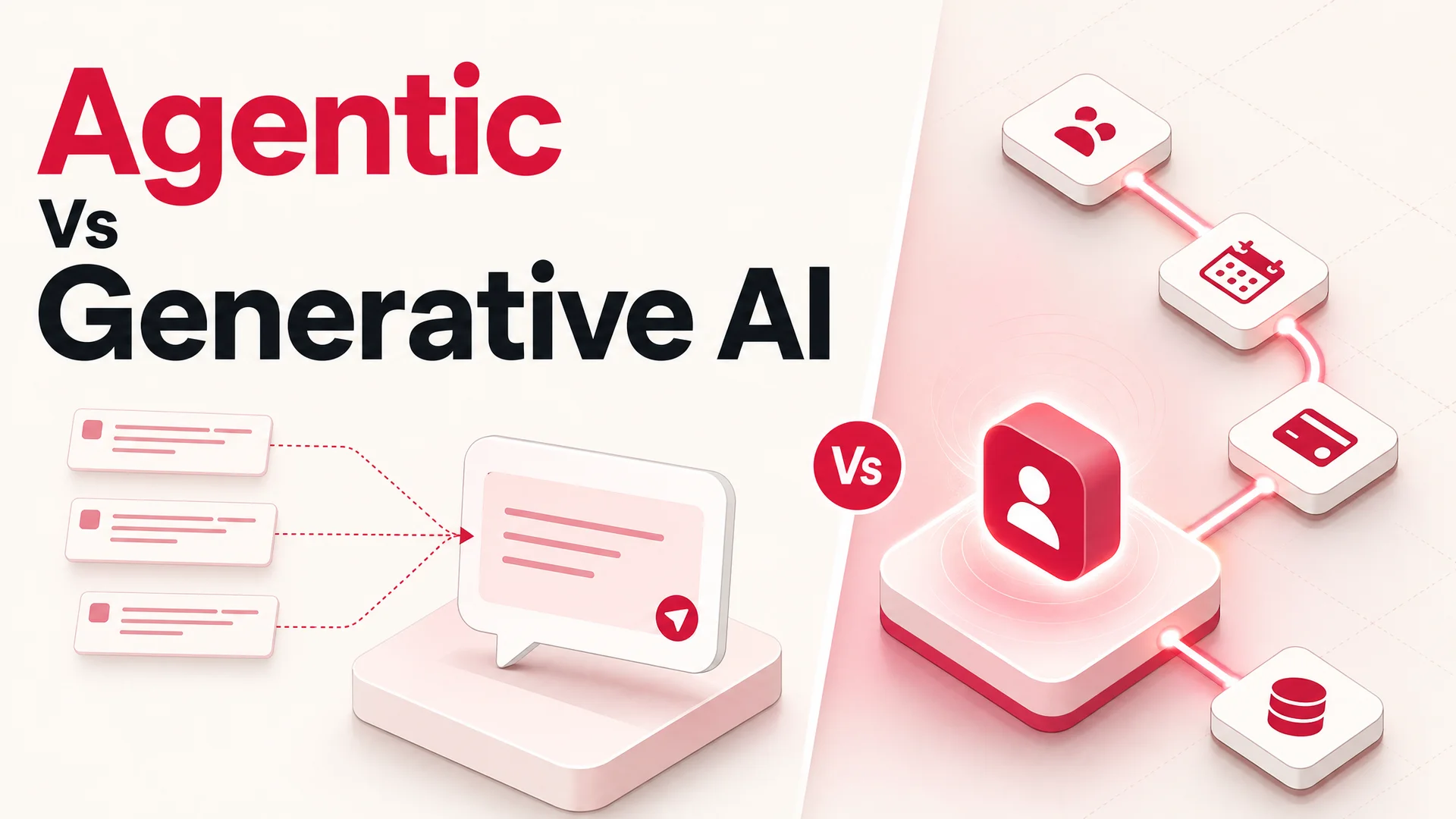
- Take action if needed. The newer agentic models - Claude Opus 4.7, Kimi K2.6, GLM-5.1, Qwen3.6, MiMo-V2-Pro - can actually do things mid-conversation: look up the order, start the return, book the appointment, refund the card. That's the line between a chatbot and an agent.
A clean version of the loop looks like this. Customer asks "Does the Pro plan include team seats?" The bot scans your pricing page and FAQ, finds the relevant snippet, and replies "Yes - the Pro plan includes 5 seats, with extra seats at $12/month each. You can see the breakdown here." Five seconds, no ticket created, no human touched.
Why the same idea works better in 2026 than it did two years ago
The phrase "FAQ chatbot" used to evoke a frustrating experience: rigid menu trees, "I didn't understand that, please rephrase," handoffs that lost context. That impression is out of date.
Three things changed. First, the language layer got dramatically better. GPT-5.5, Claude Opus 4.7, and Gemini 3.1 understand colloquial, multilingual, typo-ridden questions far more reliably than the GPT-4-class models that powered most early FAQ bots. Second, cost collapsed at the lower end. Open-weight frontier models like DeepSeek V4 Flash ($0.14 per million input tokens, $0.28 output) and MiniMax M2 (~8% of Claude Sonnet's price at twice the speed) make it economically reasonable to power thousands of concurrent FAQ conversations without watching your token bill. Third, agentic capabilities matured. Models like Kimi K2.6 (12-hour autonomous coding sessions, swarms of 300 sub-agents) and Claude Opus 4.7 (64.3% on SWE-Bench Pro) are reliable enough that an FAQ bot can confidently look up an order or process a refund without falling over halfway through.
The net effect: an FAQ chatbot in 2026 is closer in capability to a junior support agent than to the brittle scripts of the early 2020s.
The three flavors of FAQ chatbot - and which one to pick
Not every FAQ bot is built the same. Three architectures dominate, and the right choice depends mostly on how much variance there is in how customers ask questions.
1. Rule-based bots (the museum piece)
These match keywords or follow decision trees. "Store hours" triggers the store-hours response. "When are you open?" might not, unless someone explicitly programmed that variation.
They work for very narrow domains where the question space is finite - a single button-press menu, a status check, a specific government form. They fail the moment a customer phrases something in a way the team didn't anticipate, which is most of the time.
Rule-based bots are cheap to build but expensive to maintain. Every new variation, every new product, every new policy means a manual update. They also produce the brittle, robotic experience that gave chatbots a bad name in the first place. There is no real reason to build a new one in 2026 unless you have a regulatory constraint that forbids generative output entirely.
2. AI-powered bots (the default)
These use a large language model to interpret the question, retrieve the right answer from your knowledge base, and respond in natural language. They handle paraphrasing, typos, multilingual queries, and follow-ups out of the box.
A well-built AI FAQ bot recognizes that "how long does shipping take?", "when will my order arrive?", and "eta on my package?" are the same question, and answers all three with the same source-grounded response. It can carry a conversation across multiple turns: a customer asks about shipping, then "what about to Germany?", and the bot understands the context.
Because the model does the heavy lifting on language understanding, the maintenance burden drops dramatically. You update your knowledge base - your help docs, your product pages, your policies - and the bot's answers update with them. No retraining flows. No keyword lists. No decision trees.
This is the default architecture for a new FAQ deployment in 2026, and it's what Berrydesk ships out of the box.
3. Hybrid bots (AI with rule-based guardrails)
Hybrids let you AI-power the open-ended questions while hardcoding the responses to a few critical ones. The classic case: "What's your privacy policy?" gets a fixed, legally-reviewed answer pulled from a static template, while "can I cancel my subscription if I'm in the middle of a billing cycle?" gets a dynamic AI-generated response.
In practice, most teams use the hybrid pattern lightly: fixed responses for a handful of high-stakes or compliance-sensitive queries, AI for everything else. The trap to avoid is over-rule-ing the bot - once you start hardcoding fifty responses, you've recreated a rule-based system with extra steps.
So which one?
For 99% of teams launching an FAQ chatbot today, the answer is AI-powered, with a small number of pinned responses for legal, compliance, or pricing-sensitive questions. Pure rule-based is a relic. Pure hybrid is fine, but rarely necessary as a starting point - you can always pin a response later if a specific answer needs to be locked down.
Picking the model behind the bot
This is the conversation that didn't really exist in 2023 and dominates FAQ chatbot decisions in 2026: which underlying model should answer your customers? The answer is rarely "just one."
For high-volume, routine questions, lean on cheap-and-fast open-weight models. DeepSeek V4 Flash at $0.14/$0.28 per million tokens is hard to beat for shipping questions, hours-of-operation lookups, and password resets. MiniMax M2 runs at roughly 8% the price of Claude Sonnet at twice the speed, which is meaningful when you're handling tens of thousands of conversations a month. Qwen3.6-27B is a strong open dense model under Apache 2.0 if you want to host it yourself.
For complex or escalated questions, route to a frontier closed model. Claude Opus 4.7 leads SWE-Bench Pro at 64.3% and excels at multi-step reasoning when the customer's problem isn't a clean FAQ match. GPT-5.5 Pro's parallel reasoning is well-suited for ambiguous queries that touch multiple parts of your knowledge base. Gemini 3.1 Ultra, with its 2M-token context and native multimodality, is the right choice when customers send screenshots or short videos of the issue.
For agentic actions - actually placing a return, booking an appointment, or refunding a charge - pick a model that's been trained for tool use. Claude Opus 4.7, Kimi K2.6, GLM-5.1, and Qwen3.6 are all production-credible. Kimi K2.6 is interesting in particular: 1T-param MoE with native video input and the ability to coordinate up to 4,000 steps, which is overkill for FAQ but useful when an "FAQ" question spirals into a multi-system workflow.
For air-gapped or regulated deployments - healthcare, finance, government - the MIT and Apache 2.0 open-weight models matter. GLM-5.1 (MIT, beats GPT-5.4 and Claude Opus 4.6 on SWE-Bench Pro), Qwen3.6-27B (Apache 2.0), and Xiaomi MiMo-V2-Pro (MIT, >1T params, 1M context) all let you run frontier-grade FAQ on your own infrastructure with no data egress.
A typical Berrydesk deployment routes routine traffic to a low-cost open-weight model and reserves the frontier closed models for the hard 5% of conversations. The cost difference at scale is a 10–50x reduction without a meaningful drop in quality.
Ten things an FAQ chatbot is actually used for
The phrase "answers FAQs" undersells what these systems do. Here's the realistic surface area in 2026.
1. Instant answers to the boring 70%
The classic case. Shipping windows, return policies, store hours, sizing charts, payment methods, account creation, password resets. These should never reach a human. A well-trained FAQ bot resolves them in under five seconds, in the customer's language, with a link to the canonical source.
For an apparel brand pushing 8,000 inbound messages a week across email and chat, automating this layer alone typically takes ticket volume down by 50–65%, freeing the human team to handle exchanges, fit issues, and VIP customers.
2. Order tracking and status updates
"Where's my order?" is the most-asked question in ecommerce. A bot connected to your order system via an AI Action can pull live status, share the carrier link, and proactively offer to escalate if the package is overdue. No more checking the system, copying the tracking number, and pasting it into a reply.
A mid-sized DTC brand running this through Berrydesk typically sees WISMO ("where is my order?") tickets drop to near zero within two weeks of launch.
3. Reducing repetition for human agents
Your senior support hires shouldn't be answering "how do I reset my password?" fifty times a day. An FAQ bot handles the volume and routes the actual interesting work - angry refunds, complex bugs, retention conversations - to the people who can actually help.
This isn't just about cost; it's about agent retention. Support reps churn when the work is mind-numbing repetition. Hand the repetitive work to the bot and the human work gets more interesting.
4. Guided navigation
A customer types "where can I see your enterprise pricing?" - the bot replies with a direct link, plus a summary of what's on the page. This is faster than a search bar, faster than a sitemap, and it works on questions phrased in dozens of different ways.
For documentation-heavy products, this alone justifies the deployment: customers find what they need without bouncing.
5. Returns and refunds
"How do I return this?" gets the policy and a direct link to the returns flow. "I want to return order #4421" - for an agentic bot with the right AI Actions wired up - actually starts the return, generates the label, and emails it to the customer. End-to-end, in the chat window, no ticket required.
6. Lead qualification and contact capture
FAQ bots cross over into pre-sales. "Do you have a free trial?" leads to "yes - want me to set one up for you?" and a captured email. "Do you integrate with HubSpot?" leads to "yes - would you like me to book 15 minutes with someone on our team?" and a calendar slot.
The best part: the bot doesn't pretend not to be a bot. It just helps.
7. Booking and appointments
A consulting firm gets "can I schedule a discovery call?" - the bot offers available slots, books one, and confirms. A medical practice gets "can I move my appointment to Friday?" - the bot reschedules. With Berrydesk's AI Actions, these flows take an afternoon to wire up against your existing calendar or scheduling system.
8. 24/7 coverage
Your customers don't ask questions on a 9-to-5 schedule. A traveler whose flight changes at 11 PM, a developer hitting an integration bug at 3 AM, a parent shopping after the kids are asleep - they all expect an answer. A bot covers every hour without overtime.
For global businesses, this is the difference between "we'll get back to you Monday" and "resolved before you woke up."
9. Personalized recommendations
"What laptop should I buy for video editing under $2,000?" - the bot pulls from your inventory, applies the constraints, and recommends three options with comparison points. This blurs the line between FAQ and conversational commerce, and it's where the larger context windows of Gemini 3.1 and DeepSeek V4 start to matter - the bot can hold your entire product catalog in context.
10. Internal employee support
FAQ bots aren't customer-only. "What's our parental leave policy?" "How do I expense a flight?" "Who owns the Stripe integration?" - all good candidates for an internal bot trained on your HR docs, engineering wiki, and Notion workspace. Berrydesk customers commonly run two agents: one external on the marketing site, one internal on Slack.
What to watch out for
A few common pitfalls show up in almost every FAQ chatbot launch. Worth flagging up front.
Hallucinations on out-of-scope questions. If a customer asks something your knowledge base doesn't cover, a bot with weak grounding will make something up. Mitigation: use a model and prompt configuration that explicitly refuses when no relevant source is found, and always show citations.
Stale knowledge. Your bot is only as good as the docs it's trained on. If your shipping policy changes and your help center doesn't, the bot keeps quoting the old one. Wire up automatic resyncs from your sources - daily for high-change content like inventory or pricing, weekly for stable docs.
No escalation path. A bot that can't gracefully hand off to a human is worse than no bot. Build a clear "talk to a person" exit at every step, especially on emotionally-loaded queries (refunds, complaints, account access issues).
Treating the launch as the end. The first month of conversations is the most valuable training data you'll ever get. Review weekly: what questions is the bot fumbling? Where are customers escalating? What's missing from the knowledge base? Each round of fixes compounds.
Picking one model and never reconsidering. The cost-per-quality curve has shifted three times in the last twelve months. The right model for your bot in May 2026 may not be the right model in November. Build on a platform that lets you swap.
Building one without a six-month project plan
The hardest part of an FAQ chatbot used to be the build. In 2026, it's the smallest part.
With Berrydesk, the loop is four steps:
- Pick a model. Start with whichever fits your cost, latency, and quality target - GPT-5.5, Claude Opus 4.7, Gemini 3.1, DeepSeek V4, Kimi K2.6, GLM-5.1, Qwen3.6, MiniMax M2, or others. Switch later if needed; you're not locked in.
- Train it on your knowledge. Point it at your help center URL, upload PDFs, connect Notion, sync a Google Drive folder, or pull in a YouTube channel for video transcripts. The bot indexes everything and is ready to answer questions in minutes.
- Brand the widget. Match your colors, logo, tone, and welcome message. Customers should feel like they're talking to your team, not a generic third party.
- Deploy. Drop the widget on your site, install it in Slack, hook it up to Discord, route WhatsApp messages through it. Same brain, every channel.
Add AI Actions when you're ready - booking, payments, order lookups, refunds, anything your bot needs to actually do rather than just say. These move the bot from a smart FAQ page to an actual support agent.
The companies winning at customer support in 2026 aren't the ones with the biggest support teams. They're the ones whose teams spend their time on the work that needs human judgment, while the bot handles the question that gets asked five thousand times a month.
Ready to stop answering the same question twice? Build your FAQ agent on Berrydesk - pick your model, train it on your docs, and ship to your site this afternoon.
 Berrydesk
Spin up an FAQ agent that actually understands customers
- Train on your docs, site, Notion, Drive, or YouTube in minutes
- Pick from GPT-5.5, Claude Opus 4.7, Gemini 3.1, DeepSeek V4, Kimi K2.6, and more
Set up in minutes

Chirag Asarpota is the founder of Strawberry Labs, the team behind Berrydesk - the AI agent platform that helps businesses deploy intelligent customer support, sales and operations agents across web, WhatsApp, Slack, Instagram, Discord and more. Chirag writes about agentic AI, frontier model selection, retrieval and 1M-token context strategy, AI Actions, and the engineering it takes to ship production-grade conversational AI that customers actually trust.