AI support agents have stopped being a science project. They are sitting on the front line of e-commerce checkouts, SaaS dashboards, fintech apps, and B2B portals - quietly closing thousands of tickets a day that used to land in a human queue. The technology has moved fast enough that any reasonably-sized support team that has not deployed one in 2026 is either deliberately holding back or quietly losing margin to a competitor that has.
But the gap between "we deployed an AI agent" and "our AI agent actually resolves tickets" is enormous. A support agent that ships poorly is worse than no agent at all. Customers learn it can't help, route around it, and the deflection numbers in your dashboard quietly stop meaning anything. Most teams plug a model into their help desk, drop a knowledge base into the trainer, ship the widget, and wait for the deflection numbers to climb. A month later the bot is bouncing customers around in confused loops, agents are still drowning, and leadership is asking why CSAT dipped.
The tool is rarely the problem. The way it has been scoped, trained, hardened, measured, and iterated on almost always is. Below are the principles and plays that separate the deployments that work from the ones that quietly get unplugged six months in - and where the May 2026 model landscape changes how you should think about each step.
1. Define exactly what your agent is hired to do
The first decision people skip is the one that determines whether everything else works. Before you write a system prompt, before you pick a model, before you upload a single doc, you need a one-sentence answer to the question: what is this agent's job?
The default move is to point at the entire support inbox and say "all of it." That is how you end up with an agent that is mediocre at twenty things instead of excellent at three. The teams that get fast wins are the ones that pick a sharp wedge - order tracking for a Shopify brand pushing 4,000 tickets a week, billing and seat management for a B2B SaaS whose finance ops team has become the de facto tier-1 queue, password and SSO resets for a security-heavy product where the volume is constant and the answers are deterministic.
A useful exercise is to literally write a job description for the agent before you build anything. Spell out which queries it owns end-to-end, which it triages and hands off with full context, and what success looks like in numbers - say, 65% deflection on order-status questions, 40% on returns, and a hard escalate on anything mentioning fraud, chargebacks, or account compromise. Once that document exists, every later decision about training data, tools, and tone has a north star to point at. Without it, scope creep is guaranteed.
Ground the answer in how your customers actually use your product. A SaaS company's agent and a DTC retailer's agent share almost no surface area - one needs deep policy reasoning, the other needs fast catalog and order lookups. Look at your top 50 inbound tickets from last month; that list is usually the spec.
2. Optimize for the customer, not the cost line
It's easy to design an agent that's optimized for your ops team and miserable for customers - one that exists mainly to keep tickets out of the queue. Customers smell that immediately, abandon the chat, and email anyway.
Pick use cases where the agent is genuinely faster or better than the alternative: instant answers at 2am, pulling order status without making someone log in twice, booking the appointment in the same conversation. Internal cost savings follow when customers actually use the thing. They don't follow when you trap people behind a wall of canned replies.
3. Build around the queries customers actually send, not the ones you wish they sent
Internal product teams have a strong instinct to design around the use cases that demo well: "let's have it suggest the perfect plan upgrade," "let's have it surface relevant blog posts," "let's have it nudge churning users." Customers, meanwhile, are typing "where is my order" for the third time this week.
The fastest path to a useful agent is the boring one: instrument what your humans are already doing, and automate the patterns. Three places to look:
- Your support inbox. Pull the last 90 days of tickets and cluster them by intent. The top five intents almost always account for 50–70% of volume. Those are your tier-one automation candidates.
- Help-center search logs. What are people typing into your docs site and not clicking on? Those are intents your humans aren't even seeing yet, because customers gave up before opening a ticket.
- Your agents' own pattern recognition. Ask the people on the front line which questions they answer ten times a day. They will name them in under a minute and they will be right.
Then prioritize by two axes: raw volume and emotional weight. Volume is the obvious lever - automating something that hits 800 times a week beats automating something that hits 12 times a week, even if the rare one looks more impressive. Emotional weight is the subtler one. A botched billing question or a missing-package query carries far more brand risk than a feature lookup, even at lower volume, because the customer is already frustrated when they arrive. Those are exactly the intents you want a confident, accurate agent on - not the throwaway "what time do you open" query.
A common trap: building toward "cool" use cases like proactive product recommendations or onboarding nudges before the bread-and-butter support intents are nailed. Those have their place, but if the deflection numbers on basic intents are weak, nothing else matters.
4. Pick an AI-powered platform - and one that lets you swap models
Rules-based chatbots can't keep up with a single sentence like "I want to swap the blue sweater I ordered yesterday for the red one - when will it arrive?" That's three intents, a lookup, a policy check, and a shipping estimate. A modern LLM handles it in one turn. A decision-tree bot routes you to a dead end.
The bigger lever in 2026 is model choice. The frontier is no longer one or two providers:
- Closed frontier: GPT-5.5 and GPT-5.5 Pro, Claude Opus 4.7 (currently leading SWE-bench Pro at 64.3%), Gemini 3.1 Ultra (2M-token context, native multimodal across text/image/audio/video).
- Open-weight frontier: DeepSeek V4 Flash at $0.14 / $0.28 per million input/output tokens, Moonshot Kimi K2.6 (agentic, 1T-param MoE), Z.ai GLM-5.1 (MIT-licensed, beats Claude Opus 4.6 on SWE-Bench Pro), Alibaba Qwen 3.6, MiniMax M2.7 (~8% the price of Claude Sonnet at 2× speed), Xiaomi MiMo-V2-Pro.
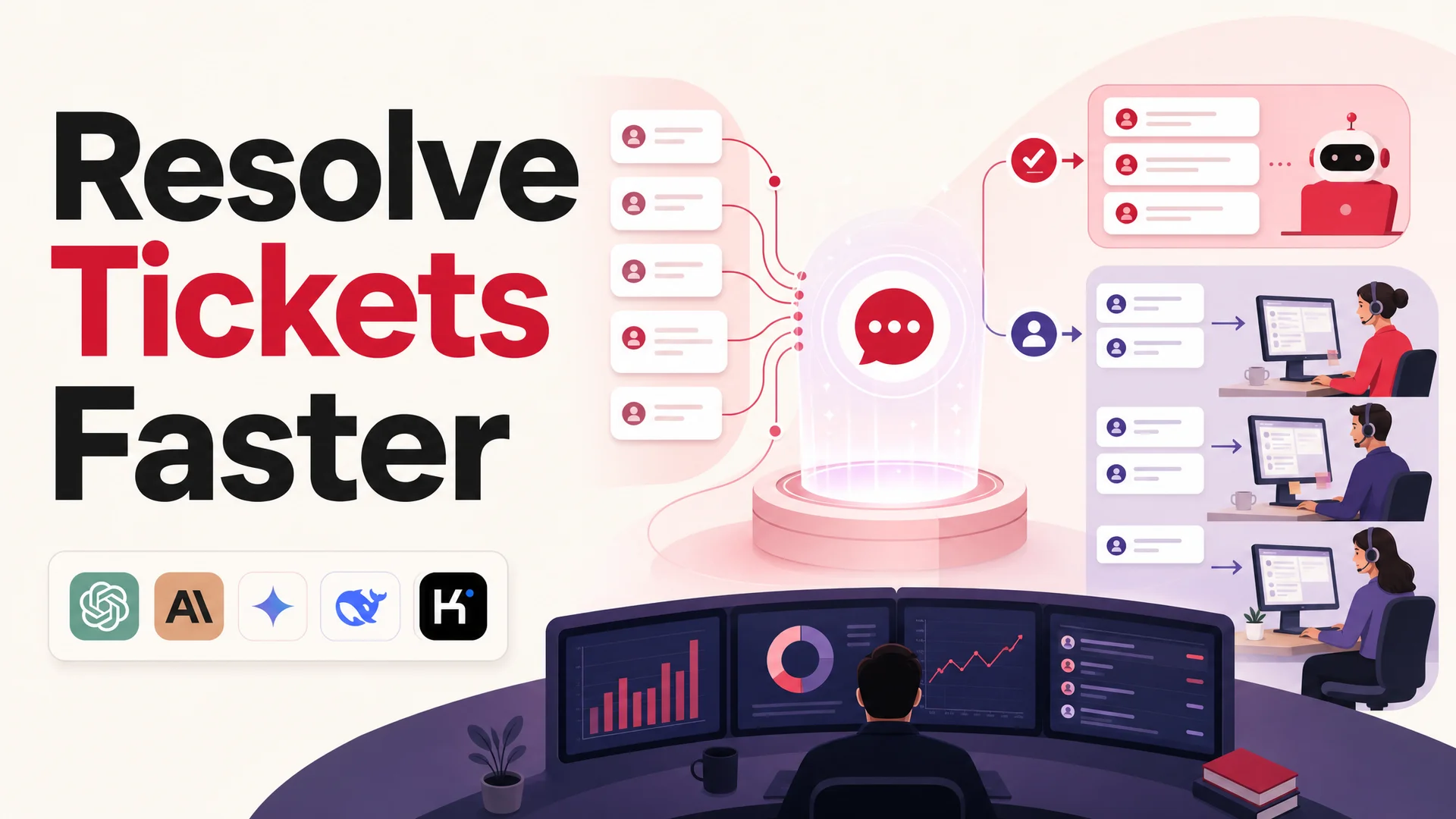
The right architecture for support routes routine traffic to a fast, cheap open-weight model and reserves a frontier model for the hard escalations. Berrydesk lets you pick from any of the above and switch per-route, so you're not locked into a single provider's pricing or roadmap.
5. Train on real conversations, not just your knowledge base
Knowledge bases are necessary and insufficient. They tell the model what is true; they do not tell it how your team actually answers. A doc says "to issue a refund, navigate to Settings → Billing." A great support rep says "totally - I've got that refund processing now, you'll see it back on your card in 3–5 business days, and I've left a note on your account so you don't have to explain this again next time."
Both are correct. Only one closes the ticket without a follow-up.
The teams getting strong results are training their agents on a layered corpus:
- Resolved ticket transcripts, especially the ones tied to high CSAT scores. These show how problems actually get solved end-to-end - not the idealized flow, the real one with clarifying questions, partial info, and the moment the customer says "oh, that worked."
- Internal macros and saved replies, which are essentially your team's hard-won templates for common situations.
- Public docs and policy pages, which give the agent ground truth on what is and isn't allowed.
- A small set of negative examples - conversations that went badly, with notes on what should have happened instead. These are gold for teaching the model where the cliff edges are.
- The sources your team actually uses - Notion runbooks, the Drive folder of macros, the YouTube product walkthroughs.
Two things that have changed the training story in 2026:
- 1M–2M token context windows (Claude Sonnet 4.6, Gemini 3.1 Ultra, DeepSeek V4, MiMo-V2-Pro) mean an agent can hold an entire knowledge base in-context. RAG has gone from a hard architectural requirement to a tuning lever. For many support agents, the cleanest answer in 2026 is "stuff the whole knowledge base in context, retrieve only when the corpus is genuinely larger than the window."
- Agentic tool use (Kimi K2.6, GLM-5.1, Claude Opus 4.7, Qwen 3.6) means actions like refunds, lookups, and bookings are production-reliable, not demoware.
Treat training as a standing process. New SKUs, policy changes, and the questions your agent failed on last week all need to flow back in. What not to do: do not lean on prompt engineering to compensate for thin training data. A 4,000-token system prompt full of edge-case instructions is almost always a sign that the corpus is under-built. Fix the data first.
6. Engineer fail-safes and clean exit paths
The honest truth about any AI agent is that it will encounter inputs it cannot handle. Vague queries, emotionally loaded messages, multi-part requests with conflicting details, fraud signals, legal questions, the occasional jailbreak attempt. The mark of a well-built agent is not that it never hits these - it is that it handles them without confidently making something up or trapping the user in a loop. Without a clear handoff, the agent fails loudly and the customer gives up.
Four design moves to bake in from day one:
- Confidence thresholds with graceful exits. If the model isn't above a calibrated confidence floor, the answer is not a guess - it is a clarifying question or a handoff. "I want to make sure I get this right - could you share the order number?" is always better than a hallucinated tracking link.
- Defined escalation triggers. Some intents should never be handled by the agent regardless of confidence. Fraud, chargebacks, account compromise, legal threats, anything regulated. Hard-code those routes.
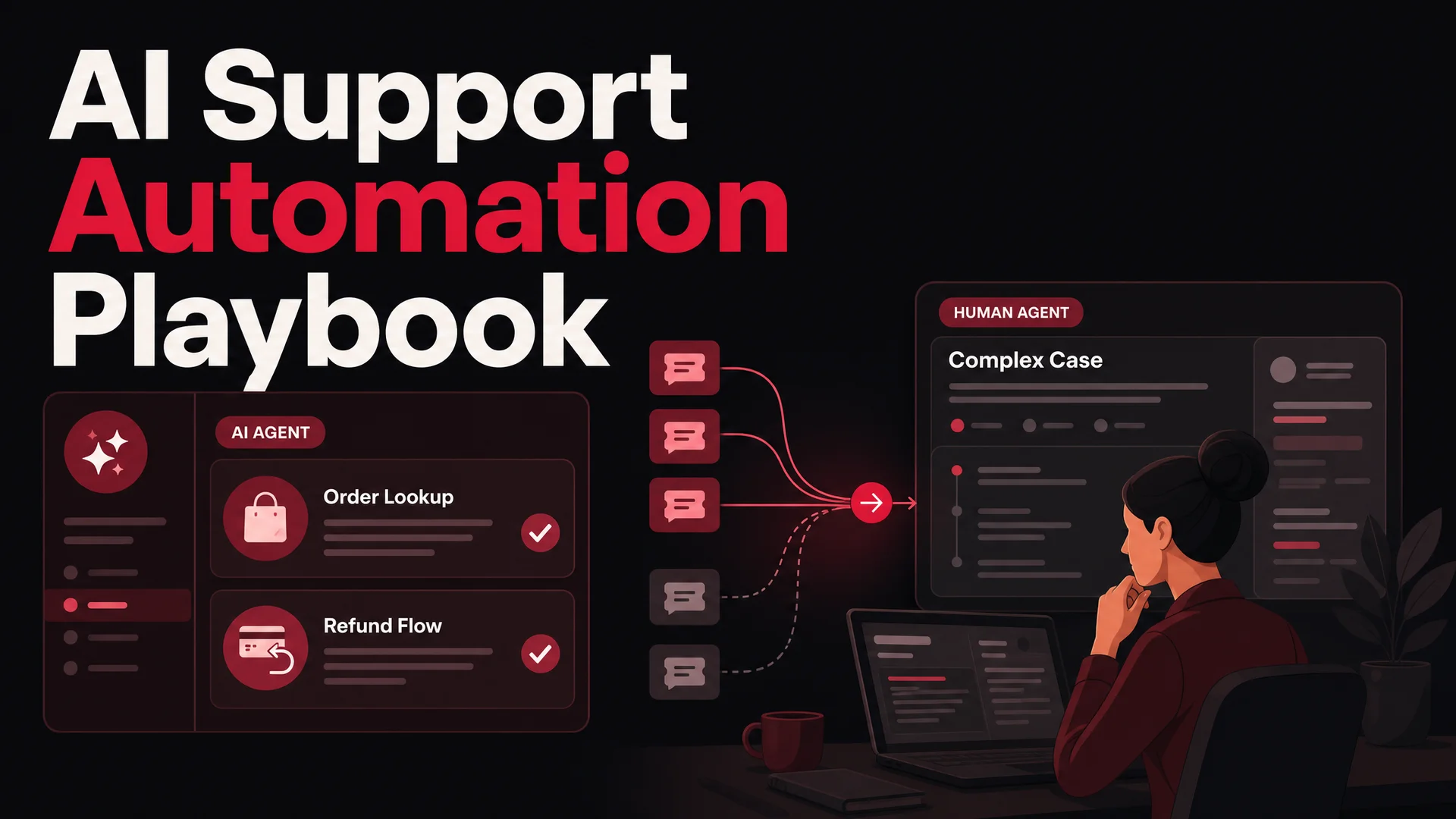
- Warm handoffs with context. When the agent escalates, the human who picks up the ticket should see a one-paragraph summary of what was tried, what the customer said, and what is still unresolved. Anything less and you have just made the customer repeat themselves, which is a worse outcome than no bot at all.
- Loop detection. If the agent has tried the same intent twice and the customer is still confused, the third turn should be a handoff, not a third attempt. Most "the bot was useless" stories are really loop stories.
Good off-ramps are specific, not generic: a visible "talk to a human" option that doesn't require explaining the situation again; an escalation that opens a ticket with the full conversation transcript attached and a wait-time estimate; a callback option for issues that need async work; self-serve links when the agent knows the answer is in a help doc but can't summarize confidently. The principle: an agent's failure mode should still leave the customer better off than if they'd hit a contact form.
Agentic-tool models - Claude Opus 4.7, Kimi K2.6, GLM-5.1, Qwen3.6, MiMo-V2-Pro - make these patterns much more reliable than they used to be. K2.6 can run 12-hour autonomous coding sessions and coordinate up to 300 sub-agents across 4,000 steps; GLM-5.1 runs an 8-hour autonomous plan-execute-test-fix loop. None of that matters directly to a support agent, but the underlying capability - these models can reason about tool calls, recover from failed actions, and decide when to stop - is exactly what makes AI Actions for bookings, refunds, order lookups, and payment flows production-ready in 2026 rather than the demoware they were eighteen months ago.
7. Test in production conditions before you actually go live
Nothing exposes a fragile agent like real users. The phrasings they use, the typos, the half-completed sentences, the multi-language messages, the screenshots without context - none of it shows up in your test dashboard. Shipping straight to your live widget and watching what breaks is the most expensive way to find out what the agent can't handle.
Three rollout patterns that work well:
- Internal soft launch. Give the agent to your support team and ask them to use it as if they were customers, and to break it on purpose. Agents know exactly which phrasings their human colleagues struggle with, and they will surface gaps in minutes that a synthetic test set would miss.
- Shadow mode. Run the agent silently behind your existing support flow. It doesn't reply to customers; it generates the reply it would have sent, and you grade it against what the human actually did. This gives you a clean accuracy baseline before any customer ever sees a bot response.
- Segmented rollout. Start with one route - say, order-status queries from logged-in customers on the help-center page, only between 9am and 5pm. Watch the metrics for two weeks before expanding scope, channel, or audience.
What to watch during all three: where the agent stalls or asks the same clarifying question repeatedly; which intents trigger escalation more than expected (a sign of weak training, not a sign the agent is "being safe"); cases where the agent is confidently wrong (these are far more dangerous than cases where it is uncertain); customer drop-off shape - are users abandoning, escalating, or rephrasing?
8. Sweat the user experience
A great agent that nobody notices is a wasted agent. Some basics that consistently move adoption:
- Make it visible. Put the widget on the pages where questions actually happen - homepage, pricing, product, help center - in a position the eye reaches (lower right is a convention for a reason).
- Open the conversation. A short proactive greeting ("Hey - anything I can help you find?") triples engagement vs. waiting for the user to click first.
- Be everywhere your customers are. If your audience lives in WhatsApp or Slack or Discord, deploy there, not just on your site. Berrydesk's one-build, multi-channel deploy was designed for exactly this.
- Respect mobile. A widget that covers half the screen on a phone is a widget that gets dismissed.
- Match your brand. Custom colors, avatar, copy tone - small things that signal "this is part of the company," not "this is a third-party bolt-on."
9. Give the agent a tone that sounds like you
Tone is the difference between an agent that customers tolerate and one they actually like. A skincare brand whose marketing voice is warm, conversational, and slightly playful should not have a support agent that opens every reply with "I understand your concern. Per our terms of service…" A B2B security platform whose buyers expect precision should not have an agent dropping emoji into compliance questions.
The mechanics that make tone consistent:
- A written tone guide for the agent specifically. Casual or formal? Contractions yes or no? Emoji never, sometimes, or matched to the customer? Apologetic when something has gone wrong, or neutral and solution-focused? Get this on paper before you write the system prompt.
- Real examples in the training corpus. The fastest way to get an on-brand voice is to feed in actual messages from your best support agents. The model picks up phrasing, rhythm, and the small moves - "happy to help," "let me dig into that for you," "totally fair question" - that signal a human-feeling response.
- A system prompt that frames identity, not just instructions. "You are Maya, the support agent for a modern men's grooming brand. Warm, concise, never condescending. If you don't know, you say so and offer to bring in a teammate" sets behavior in a way that no list of rules can.
- Edge-case tone testing. How does the agent apologize for a real mistake? How does it deliver bad news ("we can't refund this")? How does it close a frustrating conversation? These moments are where tone is actually felt.
The non-negotiable, regardless of style: friendly and easy to talk to. Customers who feel rushed or talked down to bail. Worth saying clearly: tone is not personality piled on top. A bot that cracks a joke in the middle of a refund request has misread the room badly. The voice should feel like a thoughtful human teammate - present in good moments, careful in tough ones - not like a stand-up routine.
10. Track the metrics that move support outcomes, not the ones that look good in a board deck
"Number of conversations handled" is the easiest metric to lift and the least useful one to optimize for. A bot that handles 10,000 conversations and resolves 1,200 of them is worse than a bot that handles 3,000 and resolves 2,400.
The metrics that actually correlate with support team relief and customer satisfaction:
- Deflection rate - share of conversations the agent handled end-to-end without escalation. Track this per-intent, not just in aggregate; the average will hide huge variance.
- Resolution rate - share of conversations where the customer's issue was actually solved, confirmed by CSAT, a follow-up action, or no return ticket within 7 days. This is the real signal.
- Escalation quality - when the agent does hand off, are tickets arriving with full context, classified intent, and the steps already attempted? Good handoffs cut human handle time substantially.
- Time to resolution - measured against your pre-bot baseline. If TTR isn't dropping, the agent is generating activity, not value.
- Per-intent CSAT - overall CSAT averages everything together. Per-intent CSAT tells you the agent is great at order tracking and bad at billing, which is actionable.
- Topic coverage gaps - which questions does the agent consistently fail on?
Two metrics to be careful with: engagement rate (high numbers can mean people are forced to use the bot because nothing else works) and message count per conversation (more turns is usually worse, not better). Both go up when the agent is failing. Pair the analytics with periodic surveys and spot-checks of real transcripts.
11. Treat the agent like a product, not a launch
The teams that get long-term value out of AI support don't ship and walk away. They run the agent the way they would run any other production system: weekly review, monthly retraining, quarterly re-scoping.
A reasonable rhythm:
- Weekly chat-log review. Pull 50–100 random conversations, focus on the ones with low CSAT or escalations, and identify patterns. Was it a missing intent? A confusing fallback? A model that is over-confident on a topic it shouldn't touch?
- Monthly retraining drop. Add the last month's resolved tickets, updated docs, and any policy changes to the training corpus. Roll new versions through shadow mode before promoting them to production.
- Quarterly scope review. Are there new intents you should be automating now that the agent is handling the originals well? Are there intents you scoped in too early that you should hand back to humans? Has your product changed enough that some training data is now actively wrong?
- Per-incident postmortems. When the agent gets something badly wrong - a hallucinated policy, a misrouted escalation, a tone miss on a sensitive ticket - treat it like an outage. Find the root cause, fix the data or the prompt, document it.
Picking the right model - and the right model mix - is part of this iteration loop too. The cost-versus-quality math has shifted hard in 2026. Open-weight frontier models from DeepSeek, Z.ai, Moonshot, MiniMax, Alibaba, and Xiaomi have collapsed the unit cost of running production agents. A pragmatic Berrydesk deployment routes the bulk of routine traffic - order lookups, status checks, simple FAQ - to DeepSeek V4 Flash or MiniMax M2 (M2 runs at roughly 8% the price of Claude Sonnet at twice the speed) for fractions of a cent per resolution, and reserves Claude Opus 4.7, GPT-5.5 Pro, or Gemini 3.1 Ultra for the harder escalations where reasoning quality and policy precision matter most. The right answer is almost never "one model for everything."
For regulated industries - healthcare, finance, government - the MIT- and Apache-licensed Chinese open-weight models (GLM-5.1 under MIT, Qwen3.6-27B under Apache 2.0, MiMo-V2 under MIT) make on-prem and air-gapped support agents genuinely viable in 2026, where eighteen months ago you had to either compromise on quality or send sensitive data to a US frontier API.
12. Bring the team along
A support agent only sticks if the human team treats it as part of the workflow. That means:
- Walk customer-facing teams through what the agent can and can't do during onboarding.
- Show agents how to spot conversations the bot should handle and route them in.
- Surface bot misses to the team that can fix them - usually the same people who write the help docs.
- Frame the agent as removing the boring tickets, not as a replacement. The work that's left is the more interesting work.
When the team trusts the agent, they recommend it; when they recommend it, customers use it; when customers use it, the loop holds.
A few common pitfalls to plan around
A handful of failure modes show up over and over, regardless of platform:
- Over-scoping in week one. The agent is asked to handle every intent, fails at most of them, gets blamed, and quietly stalls. Start narrow.
- Confusing deflection with resolution. A conversation that ended without escalation isn't necessarily a win - the customer might have just given up. Always tie deflection to a downstream signal (CSAT, return-ticket rate, conversion).
- Letting the bot guess. Hallucinations on policy, prices, eligibility, or order status are far more damaging than a clean "I'm not sure - let me grab a teammate." Set the confidence floor high.
- Treating the model choice as permanent. The frontier moved twice in April 2026 alone (DeepSeek V4, Kimi K2.6, GLM-5.1, Qwen3.6, MiniMax M2.7, MiMo-V2-Pro all landed inside a few weeks). Build for model swaps. Anything that hard-codes a specific provider's quirks will be technical debt within a quarter.
- Skipping the human handoff design. If escalation feels like a dead end ("transferring you now…" with no follow-up), the bot is a downgrade from a contact form. Design the handoff with the same care you design the bot.
Build with intent, not with vibes
A well-built AI customer support agent is genuinely a member of the team. It works every shift, holds full product context, never gets short with a frustrated customer, and frees your humans to do the work that actually requires judgment. A poorly-built one is a friction generator that makes customers angrier on the way to the support agents who could have just helped them in the first place.
The difference is rarely the underlying model. It is whether the team treated the agent as a product worth scoping, training, hardening, measuring, and iterating on - or as a checkbox to ship.
Berrydesk is built for the first kind. Pick from GPT-5.5, Claude Opus 4.7, Gemini 3.1, DeepSeek V4, Kimi K2.6, GLM-5.1, Qwen, MiniMax and more; train on docs, websites, Notion, Drive, YouTube, and your own transcripts; brand the widget; wire up AI Actions for bookings, refunds, and payments; and deploy across your site, Slack, Discord, and WhatsApp in the same afternoon. Then start the iteration loop that turns it into a real teammate.
 Berrydesk
Launch a support agent that actually deflects tickets
- Pick from GPT-5.5, Claude Opus 4.7, Gemini 3.1, DeepSeek V4, Kimi K2.6 and more
- Train on docs, sites, Notion, Drive, and live transcripts in minutes - deploy to web, Slack, WhatsApp, Discord
Set up in minutes

Chirag Asarpota is the founder of Strawberry Labs, the team behind Berrydesk - the AI agent platform that helps businesses deploy intelligent customer support, sales and operations agents across web, WhatsApp, Slack, Instagram, Discord and more. Chirag writes about agentic AI, frontier model selection, retrieval and 1M-token context strategy, AI Actions, and the engineering it takes to ship production-grade conversational AI that customers actually trust.