LiveChat has been a familiar name in support software for more than a decade, and for plenty of teams it still does the job. But "still does the job" is a low bar in 2026, and the bill at the end of every month tends to be a high one.
If you have landed here, something is probably nagging you. Maybe the per-seat pricing climbs every time you grow the team. Maybe the feature surface keeps expanding without solving the things you actually care about. Maybe your customers expect instant answers about orders, refunds, bookings, and policy questions, and a chat box that just routes everything to a human queue is not cutting it anymore.
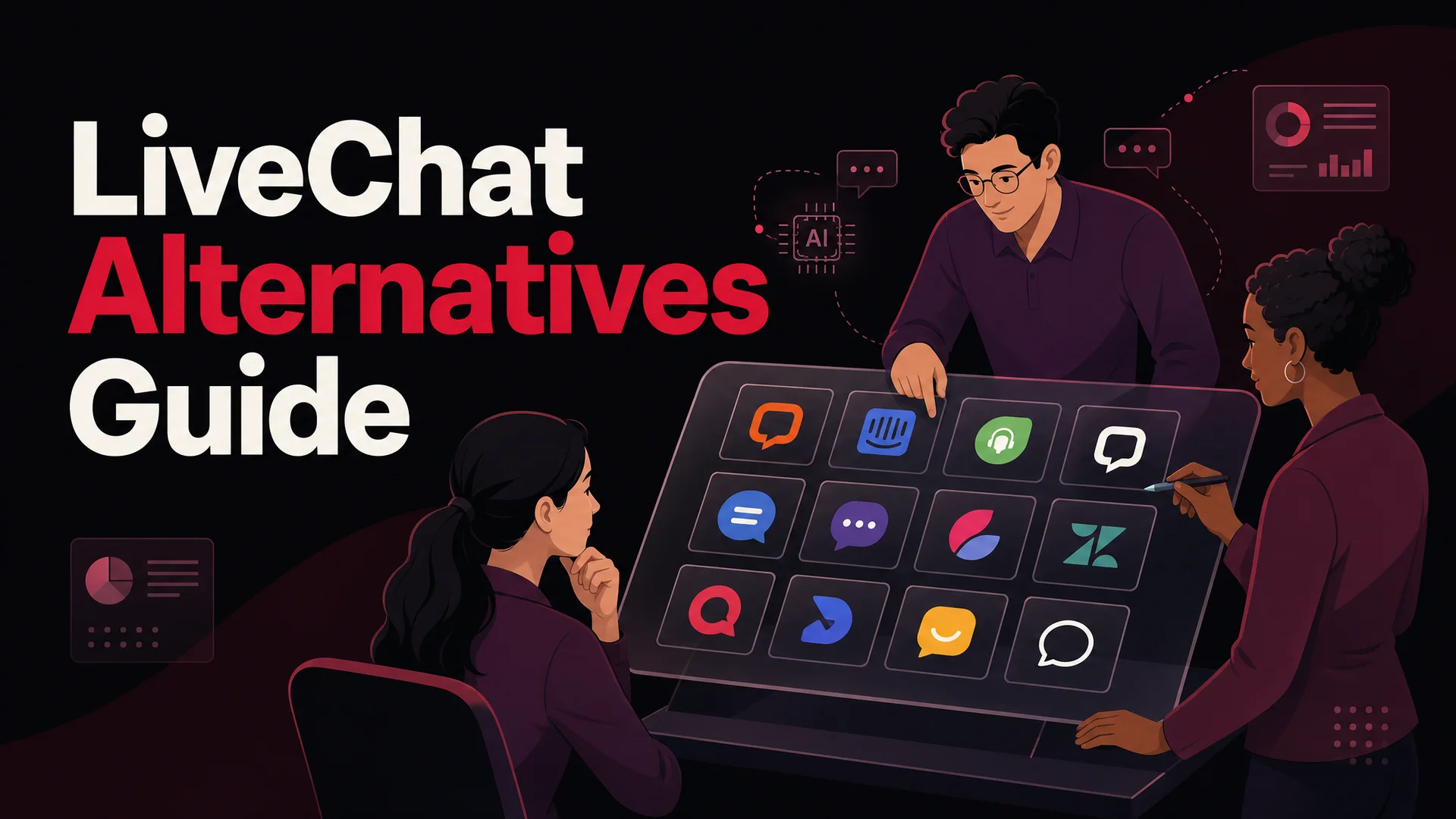
Good news: there is now a real market of LiveChat alternatives, and the gap between "live chat tool" and "AI support agent that resolves tickets on its own" has gotten huge. Below are twelve options worth a serious look in 2026, with honest pros, cons, and pricing for each.
Before the list, a quick reality check on LiveChat itself.
Where LiveChat Is Strong, and Where It Hurts
LiveChat is one of the original web chat platforms, and that legacy is both its biggest strength and its biggest constraint. It is mature, stable, and surrounded by a healthy ecosystem of integrations. It is also priced like an established tool and architected around the idea that a human agent is the default responder, with AI bolted on as a separate product (the Text platform's ChatBot) that you pay for on top.
Looking at recent G2 reviews and our own conversations with teams switching off it, the picture looks roughly like this.
What LiveChat does well
- Setup is genuinely easy and the agent UI is approachable for non-technical staff.
- The integration catalog is large - north of 200 connectors covering CRMs, helpdesks, and ecommerce platforms.
- The mobile apps are solid, which matters for small teams that take chats on the go.
- Real-time visitor monitoring and triggers still work as advertised.
Where teams hit walls
- Pricing escalates quickly once you add seats, and AI is sold as a separate product with its own per-resolution charges.
- Customization beyond the standard widget options gets painful fast.
- The feature surface has grown so much that smaller teams end up paying for things they never use.
- Native AI is conservative compared with what newer platforms offer out of the box, and there is no way to bring your own choice of frontier model.
LiveChat still earns a 4.5/5 average on G2, and that rating is fair - it is a competent product. The reason teams keep evaluating alternatives is that the rest of the market has moved, and a lot of that movement is being driven by what AI can now do for support.
Why 2026 Changes the Math
Two years ago, "AI in customer support" mostly meant a deflection bot that handled FAQs and punted everything else to a human. In 2026 that is not the ceiling anymore. Frontier models have crossed thresholds that matter for real ticket work:
- Claude Opus 4.7 leads SWE-bench Pro at 64.3% and handles long, agentic tool-use sessions reliably enough to run multi-step support workflows like refunds and rebookings end to end.
- Gemini 3.1 Ultra ships with a 2M-token context window, and Claude Opus 4.6 and Sonnet 4.6 both ship a 1M-token window with no surcharge. In support terms, that means your agent can hold the entire knowledge base, the full conversation history, and the relevant policy docs in-context simultaneously.
- Open-weight frontier models - DeepSeek V4 Flash at $0.14 / $0.28 per million tokens, MiniMax M2 at roughly 8% the price of Claude Sonnet, GLM-5.1, Qwen 3.6, Kimi K2.6 - have collapsed the cost of routine ticket resolution to fractions of a cent.
What this means for the list below is that "live chat alternative" no longer maps neatly to "another live chat tool." The tools that are pulling teams off LiveChat fastest are the ones that pair a great chat widget with an AI agent that actually resolves tickets. Berrydesk is built around that idea, and several others on the list are heading the same direction at different speeds.
The 12 Alternatives at a Glance
Each of the twelve below is summarized with the audience it fits best, the standout features, the honest trade-offs, and current pricing. Skim the list, then dig into the two or three that match your situation.
1. Berrydesk
Best for teams that want a branded AI support agent live in an afternoon, with the freedom to choose any frontier model.
Berrydesk is an AI agent platform built specifically for customer support. The setup loop is intentionally short: pick a model, train it on your sources, brand the widget, wire up actions, deploy. Unlike most tools on this list, the model layer is not locked. You can route conversations to GPT-5.5 or GPT-5.5 Pro, Claude Opus 4.7 or Sonnet 4.6, Gemini 3.1 Ultra or Pro, DeepSeek V4, Kimi K2.6, GLM-5.1, Qwen 3.6, MiniMax M2, and others - and the routing decision can change per use case.
That matters because no single model is best at everything. A fast, cheap open-weight like DeepSeek V4 Flash handles routine FAQs at a few cents per thousand resolutions. Claude Opus 4.7 takes the harder escalations and the multi-step actions where reliability counts. The same widget, different brains for different jobs.
Key features:
- Model selection across nine major providers and growing, with the ability to mix models per agent or per intent.
- Training on PDFs, Word files, raw text, full websites, Notion workspaces, Google Drive folders, and YouTube transcripts.
- A no-code builder with a drag-and-drop flow editor for teams that want guardrails on top of the LLM.
- A widget you can rebrand top to bottom - colors, copy, avatar, launcher behavior, the works.
- AI Actions for the things support actually has to do: book meetings, take payments, look up orders, trigger refunds, update CRM records.
- Deployment to website, Slack, Discord, WhatsApp, Microsoft Teams, and email.
- Multilingual handling out of the box, driven by the underlying model rather than a translation layer.
- Live conversation analytics, transcript search, and CSAT capture.
- Clean handoff to human agents with full context preserved.
Pros:
- The fastest path from "we have docs" to "we have a working agent" of anything in this list.
- True model choice, including open-weight options that drive marginal cost per resolution to near zero.
- AI Actions are first-class, not bolted on - refunds, bookings, and order lookups feel like product features, not workarounds.
- The widget is genuinely customizable, including for teams that want it to disappear into an existing brand system.
- Pricing scales with conversations, not seats, which matches how AI agents actually work.
Cons:
- If your goal is purely human live chat with no AI involved, you are paying for capabilities you would not use.
- Voice support is on the roadmap rather than shipping today.
Pricing: Free tier to try the platform; paid plans scale with message volume, agent count, and seat count. Enterprise plans add SSO, audit logs, dedicated success, and custom SLAs. See berrydesk.com for current numbers.
2. Intercom
Best for companies that want a single platform across support, marketing, and sales motions and have the budget to match.
Intercom has been on the LiveChat-alternative shortlist for years, and the Fin AI Agent has kept it relevant as the AI conversation has heated up. The product is broad: live chat, an inbox, in-app messaging, email campaigns, customer segmentation, and the AI agent layer all sit in one suite.
Key features:
- Fin AI Agent for automated resolutions, with multi-step reasoning and tool use.
- A unified inbox covering chat, email, and social.
- Customer segmentation tied to behavior and traits.
- In-app messaging and product tours alongside support.
Pros:
- One of the few tools that legitimately covers support, marketing, and sales without obvious seams.
- AI features are genuinely capable and improving on a fast cadence.
- Large integration ecosystem and well-documented APIs.
Cons:
- Pricing is the most common complaint. Resolution-based AI charges stack on top of seat fees and feature add-ons.
- The product surface is broad enough that smaller teams pay for capability they will not use.
- Setup is non-trivial; expect a few weeks of configuration before the AI agent is doing useful work.
Pricing: Essential at $29/seat/month, Advanced at $85/seat/month, Expert at $132/seat/month, plus AI resolution fees on top.
3. Zendesk
Best for organizations already standardized on Zendesk Support and Guide that want chat in the same console.
Zendesk's chat product is fine in isolation, but the reason to choose it is the rest of the suite. If your team is already running tickets, knowledge base, and voice through Zendesk, adding chat is the path of least resistance.
Key features:
- Chat-to-ticket conversion baked into the same workspace as email and voice.
- Native integration with Zendesk Guide for knowledge-base content.
- Omnichannel routing rules across chat, email, voice, and social.
- Reporting that lines up with the broader Zendesk analytics suite.
Pros:
- The cleanest experience if Zendesk is already in your stack.
- Mature ticketing, escalation, and SLA management.
- Strong mobile apps for agents.
Cons:
- Pricing escalates fast for smaller teams, and standalone chat is not really sold as a separate product.
- Customization within the widget is limited compared with newer entrants.
- The AI layer (Zendesk AI Agents) is decent but trails the best-in-class agentic platforms.
Pricing: Foundational Support around $55/agent/month, Suite Growth at $89/agent/month, Suite Professional at $115/agent/month, Enterprise on a custom quote.
4. Tidio
Best for small businesses and growing ecommerce stores that need affordable chat plus light automation in one place.
Tidio is the friendly middle-ground between a purely free tool and an enterprise suite. The drag-and-drop bot builder is approachable, the ecommerce integrations are thoughtful, and the free tier is genuinely useful as a starting point.
Key features:
- Visual chatbot builder with templated flows for ecommerce.
- Email marketing and basic automation in the same console.
- Real-time visitor tracking with simple triggering rules.
- Multichannel inbox covering email, Messenger, and Instagram.
Pros:
- Strong value for money on the lower tiers.
- Approachable for non-technical owners and small teams.
- Genuinely good integrations with Shopify, BigCommerce, and WooCommerce.
Cons:
- Conversation caps on lower-tier plans bite once traffic grows.
- The AI is powered by a generic model layer, with limited choice or tuning compared with platforms built around model selection.
- Reporting is shallower than what dedicated support tools provide.
Pricing: Starter around $24.17/month, Growth around $49.17/month, Plus around $749/month, Premium on a custom quote. Tidio AI is sold as an add-on resolution pack.
5. Drift
Best for B2B revenue teams that want every chat to be a qualified pipeline event.
Drift is a conversational marketing tool first and a support tool second. If your top metric is meetings booked rather than tickets resolved, that bias is a feature.
Key features:
- Conversational AI tuned for lead qualification rather than ticket resolution.
- Targeted playbooks based on visitor firmographics and behavior.
- Native meeting scheduling inside the chat experience.
- Tight CRM integration and revenue attribution reporting.
Pros:
- Best-in-class for high-intent B2B sales sites.
- Personalization based on company-level data is genuinely useful.
- Strong handoff into Salesforce, HubSpot, and the major MAP platforms.
Cons:
- Expensive, with pricing only available on request.
- Overkill if your primary use case is post-purchase support.
- The product opinions push you toward sales workflows even when you do not want them.
Pricing: Quote-based, generally enterprise-tier.
6. Olark
Best for small businesses that want simple, reliable live chat without an AI flagship.
Olark has always leaned into "chat as a feature, not a platform." The widget is clean, the configuration is fast, and the reporting is straightforward.
Key features:
- A simple, customizable chat widget.
- Pre-chat surveys and routing forms.
- Searchable transcripts and basic analytics.
- Integrations with the common CRMs and helpdesks.
Pros:
- Quickest setup of anything on this list if all you need is human-staffed chat.
- Predictable, single-tier pricing.
- The widget is genuinely easy to brand.
Cons:
- Almost no automation depth - this is a chat tool, not an agent platform.
- No free tier; the trial is fourteen days.
- The product roadmap moves at a measured pace compared with AI-first competitors.
Pricing: $29/agent/month on the standard plan, with a 14-day free trial.
7. Crisp
Best for startups and small teams that want a unified inbox with chat, social, and a knowledge base in one console.
Crisp tries to be the single place where every customer conversation lives. The free plan is generous, the paid tiers add depth, and features like co-browsing and in-widget video calls are surprisingly polished for the price.
Key features:
- Shared inbox across email, chat, and social channels.
- Co-browsing and in-widget video calls.
- A built-in help center and basic chatbot builder.
- Real-time visitor monitoring.
Pros:
- Free plan covers two seats with real functionality, not a watered-down demo.
- Multichannel coverage is well executed at the price point.
- The MagicReply and Crisp AI features are improving steadily.
Cons:
- Integration catalog is thinner than Intercom or Zendesk.
- Occasional performance issues during traffic spikes show up in user reviews.
- AI features are useful but not as configurable as dedicated agent platforms.
Pricing: Free for 2 seats, Mini at $45/month per workspace (4 seats), Essentials at $95/month per workspace (10 seats), Plus at $295/month per workspace.
8. Tawk.to
Best for budget-constrained teams that need live chat now and can live with the tradeoffs.
Tawk.to is free, and not in the "free tier as marketing" sense - the core chat product is free forever, including unlimited agents, a knowledge base, and basic ticketing. You pay only for add-ons like white-labeling or hired live agents.
Key features:
- Unlimited agents and chats at no cost.
- Visitor monitoring and analytics.
- A basic chatbot builder.
- An optional paid service for hired chat agents.
Pros:
- Genuinely free. Great for small teams testing whether chat moves the needle at all.
- Easy to install on any site.
- Decent feature set for a no-cost product.
Cons:
- Tawk.to branding sits in the widget unless you pay to remove it.
- Advanced automation, deep AI agent capability, and integrations are noticeably weaker than paid options.
- Support quality is mixed depending on your timezone.
Pricing: Free forever, with paid add-ons for branding removal, hired agents, and AI assist.
9. Help Scout
Best for support-led teams that primarily live in email and want chat to feel like an extension of the inbox.
Help Scout is an email-first helpdesk that treats chat as a thoughtful add-on rather than the main event. If your support culture is "thoughtful, written, signed by a human," it fits.
Key features:
- Shared inbox across email, chat, and phone.
- Workflow automations, tags, and saved replies.
- Customer profiles with conversation history.
- Built-in knowledge base with Docs.
Pros:
- Easy onboarding and a friendly UI.
- Email-first design produces noticeably better written replies.
- Tight integration between chat, email, and the help center.
Cons:
- More expensive than basic chat tools.
- The AI layer (AI Assist, AI Drafts) is solid but not yet at the level of agent-first platforms.
- Best value comes from adopting the broader Help Scout ecosystem.
Pricing: Standard at $50/user/month, Plus at $75/user/month, Pro on a custom quote.
10. LiveAgent
Best for teams that want every channel - chat, email, voice, social - in one omnichannel ticket queue.
LiveAgent leans into breadth. There are over 200 integrations, a built-in call center, and even gamification features for agents. The chat widget itself is fast and well-rated.
Key features:
- Omnichannel ticketing across chat, email, voice, and social.
- Built-in call center with video calls.
- Gamification for agent motivation and performance.
- Advanced reporting across all channels.
Pros:
- Comprehensive feature set at a reasonable per-seat price.
- Strong automation rules for routing and escalation.
- Genuinely solid value if you need omnichannel and dislike stitching tools together.
Cons:
- Setup takes real time because there is so much to configure.
- The interface has aged compared with newer entrants.
- AI features lag the best-in-class agent platforms.
Pricing: Small at $15/agent/month, Medium at $29/agent/month, Large at $49/agent/month, Enterprise at $69/agent/month.
11. Podium
Best for local, service-based businesses that want messaging, reviews, and payments in one app.
Podium is not a generic live chat product - it is a messaging and reputation platform aimed at local businesses (clinics, dealerships, contractors, retailers). The chat widget is just the front door to a much bigger workflow that includes review generation, SMS marketing, and payments.
Key features:
- Web chat that converts to SMS so conversations continue after the visitor leaves the site.
- Review generation and management.
- Payment processing via text-based payment links.
- Centralized inbox for all customer messages.
Pros:
- Best-in-class for local service businesses.
- Combining payments with messaging shortens the time from inquiry to revenue.
- Reviews tie-in is genuinely effective for local SEO.
Cons:
- Not a fit for SaaS, ecommerce, or B2B support - it is built for storefronts.
- Pricing is opaque and quote-based; expect it to be high relative to peers.
- AI features are present but narrower than horizontal support platforms.
Pricing: Quote-based; expect tiers in the hundreds per location per month.
12. ProProfs Chat
Best for businesses that want affordable live chat with reasonable customization and a slightly older interface.
ProProfs Chat is pragmatic. It does not try to be everything - it offers a working chat widget, basic chatbot, and a fair amount of customization at a price point that small businesses can stomach.
Key features:
- Customizable widgets and themes.
- Basic visitor tracking and analytics.
- Canned responses and chat routing.
- Mobile apps for agents.
Pros:
- Affordable across plan tiers.
- Both live chat and a basic chatbot in one product.
- Good fit for teams that need reliability over flash.
Cons:
- Automation depth is limited.
- The interface looks dated next to the newer agent-first platforms.
- AI capability is meaningfully behind Berrydesk, Intercom, and similar options.
Pricing: Free for 1 operator, Business at $19.99/month for 2+ operators.
What to Watch Out for While You Compare
Spec sheets read the same after a while. The decisions that matter for the next two years are usually a step deeper.
Single-Model Lock-In
Most platforms on this list are tied to a model layer they curated for you. That was fine when there were two or three good models. In 2026 there are at least nine frontier-class options across closed and open-weight stacks, and they are not interchangeable - a tool-use heavy refund flow runs better on Claude Opus 4.7, while a high-volume FAQ deflection at scale is dramatically cheaper on DeepSeek V4 Flash or MiniMax M2. If a platform locks you into one provider, it is also locking you into that provider's price curve.
Long Context vs RAG
Several of the frontier models now ship with 1M-token context (Claude Opus 4.6, Sonnet 4.6, DeepSeek V4) or 2M (Gemini 3.1 Ultra). For a support agent that means the difference between "we built a retrieval pipeline" and "we put the entire knowledge base in the prompt." RAG is still useful for cost control, but it is no longer mandatory. Tools that assume RAG is the only way to ground answers are working off a 2024 mental model.
Real Tool Use vs Demo Tool Use
Booking, refunds, order lookup, escalation creation - these are the tasks that justify the AI agent investment. They also tend to break in production when the underlying model is not strong enough at structured tool calls. Look for platforms that let you wire actions to real APIs, not just simulate them inside a sandbox. Berrydesk's AI Actions, Intercom's Fin custom tools, and a handful of others have crossed this line. Most of the chat-first tools on this list have not.
Widget vs Agent
Some products on this list are great chat widgets. Some are great AI agents. A few are both. Be honest about which one your team needs - if your real goal is to deflect tickets and run actions automatically, a beautifully customizable widget without serious agent capability is going to feel like a downgrade in six months.
Total Cost, Not Sticker Price
LiveChat-alternative pricing is rarely just "X per seat per month." Add resolution fees on top of seat fees, charges for the AI layer, integration tier upgrades, and you end up at a number that is 2–3x the headline. When you compare, build a real twelve-month projection at your expected volume rather than reading the pricing page.
How to Pick - A Short FAQ
What is the actual problem you are solving?
Be specific. "We pay too much for what we get." "Our agents are buried in repeat questions about refunds." "We need to support WhatsApp and our current tool does not." The right alternative for each of those is different. Pick the alternative that solves the real pain, not the one with the longest feature list.
Which features do you genuinely use?
List the features your team touches in a normal week, not the features you imagined using when you bought the current tool. Most teams need five things: chat widget, inbox, basic automation, knowledge-base hookup, and a CRM connection. Anything beyond that is upside, not requirement.
What is your AI posture?
There is a real fork here. If you want AI to be a quiet assistant for human agents, most tools on this list will do. If you want AI to be the first line of defense - resolving tickets, running actions, escalating cleanly - you need a platform built around that, with real model choice and real tool use. Berrydesk and Intercom are the two clearest examples on the list; the others are catching up at varying speeds.
What is the total cost over twelve months?
Build a spreadsheet. Plug in seats, conversation volume, AI resolutions, integration tier, and add-ons. Compare three or four shortlisted tools at the same volumes. The winner on the pricing page is rarely the winner on the spreadsheet.
What happens after you sign?
Trial the support before you commit. Open a ticket as a prospect. See how long they take, how thoughtful the answer is, whether they push you toward implementation help or leave you to fend for yourself. Post-purchase support is the variable that turns a good tool into a lived-in good tool.
Closing Thought
LiveChat is a competent product. It is not the only competent product, and in 2026 it is not the most cost-effective one for most teams that have moved past pure human-staffed chat. The tools above each take the same problem from a different angle - some lean into omnichannel, some lean into local services, some lean into all-in-one suites, some lean into AI-first agent design.
If you have read this far and you know your next step involves a real AI agent that resolves tickets, runs actions, and gives you the freedom to choose any frontier model, you can spin up a Berrydesk agent on your own data in an afternoon at berrydesk.com. No credit card needed to try it, and you will know inside a few hours whether it is the right shape for your team.
 Berrydesk
Launch your AI agent in minutes
- Pick from GPT-5.5, Claude Opus 4.7, Gemini 3.1, DeepSeek V4, Kimi K2.6 and more
- Train on docs, sites, Notion, and Drive - deploy to web, Slack, and WhatsApp
Set up in minutes

Chirag Asarpota is the founder of Strawberry Labs, the team behind Berrydesk - the AI agent platform that helps businesses deploy intelligent customer support, sales and operations agents across web, WhatsApp, Slack, Instagram, Discord and more. Chirag writes about agentic AI, frontier model selection, retrieval and 1M-token context strategy, AI Actions, and the engineering it takes to ship production-grade conversational AI that customers actually trust.