If your product is great but your support is slow, customers will not be patient with you - they will be loud. They will leave for a competitor, post about it, and tell their friends. In 2026 the bar for "fast enough" is not 24 hours, or 4 hours, or even one. For the routine 60–80% of inbound questions, the bar is now seconds, because AI agents have made instant resolution table stakes.
Customer support tooling is not a luxury layer you bolt on after product-market fit. It is part of the operating system of the company, no different from your billing stack or your auth provider. The teams that take this seriously do not just ship faster replies - they compound a quiet advantage in retention, NPS, and CAC payback that the teams who treat support as overhead never catch.
In SaaS specifically, support is not a back-office function - it is part of the product. A confusing onboarding step, a billing edge case, a half-explained feature flag: every one of these moments either earns trust or quietly nudges someone toward churn. Because the product runs all day, every day, the support layer has to run alongside it. It needs to be quick, scriptable, integrated with your data, and able to scale without a linear headcount line on your finance plan.
The tricky part is the market is loud. Hundreds of tools are competing for the same line item in your stack, half of them recycled CRMs with a chat bubble glued on. So this guide is not a 50-product carpet bomb. It is a structured walk through the eight categories every support stack actually needs in 2026, the SaaS-grade tools worth shortlisting in each, and - where it matters - how the new generation of frontier and open-weight AI models is changing what each layer can do.
What "customer support tools" actually means in 2026
A customer support tool is anything that helps your team - or your customers themselves - resolve an issue with less friction, in less time, with better context than the conversation before it. A modern SaaS support tool is anything that helps a team handle customer conversations at scale.
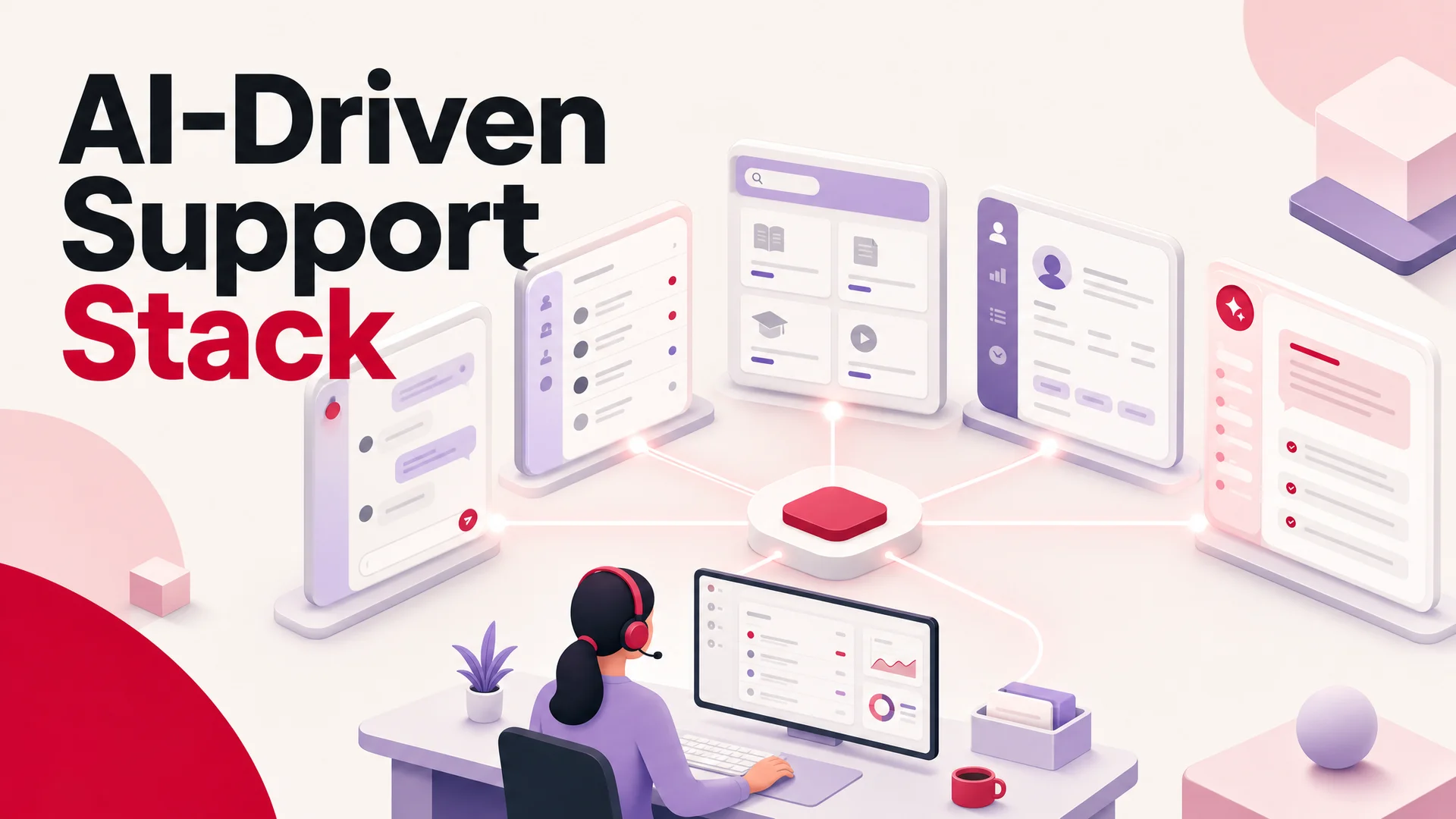
A healthy support stack covers eight surfaces:
- Live chat and AI agents - for the moment of intent, when a customer wants an answer right now.
- Help desks and ticketing - for issues that require follow-up, ownership, and an audit trail.
- Knowledge bases and self-service - for the customers who would rather solve it themselves than talk to a human.
- Feedback and surveys - for closing the loop between what shipped and how customers actually feel about it.
- Social listening and management - for the conversations happening about you, not with you.
- CRM - so every interaction lands in a single, queryable picture of the customer.
- Project management - so escalations, bugs, and follow-ups do not die in someone's inbox.
- Internal communication - so your humans can move as fast as your AI does.
The throughline in 2026 is that the line between "support tool" and "AI agent" has effectively dissolved. The tools worth picking now do more than triage messages - they reason about the user, pull live data from your product, and execute actions inside connected systems. That is a meaningful shift from the era when "AI in support" meant a deflection bot bolted on top of a help center.
You do not need the most expensive option in every row. You need the right combination, wired so they share context. The single biggest mistake teams make in 2026 is buying eight excellent point tools that have no idea the others exist. The customer ends up repeating themselves on every channel, and your team ends up triaging context instead of resolving issues.
How the AI layer has changed in 2026
Before working through the tools, it helps to be precise about what changed under the hood. Three things matter to support specifically.
Reasoning quality. Claude Opus 4.7 leads SWE-bench Pro at 64.3% on hard coding tasks, and that same step-up shows in conversational reliability - fewer fabricated answers, better adherence to policy, cleaner multi-turn tool use. GPT-5.5 Pro brings parallel reasoning, which translates to faster, more confident decisions when an agent is juggling a refund check, a subscription lookup, and a knowledge query in the same turn. Gemini 3.1 Ultra brings a 2M-token context window and native multimodality across text, image, audio, and video - useful when a customer pastes a screenshot and a log file into the same message.
Open-weight cost economics. DeepSeek V4 Flash sits at $0.14 per million input tokens and $0.28 per million output, with a 1M-token context. MiniMax M2.7 runs at roughly 8% the cost of Claude Sonnet at twice the speed. Z.ai's GLM-5.1 is MIT-licensed and competitive on agentic engineering benchmarks. For a SaaS team handling tens of thousands of conversations a month, these numbers change the unit economics: routine intent classification and FAQ resolution can be routed to an open-weight model at fractions of a cent, while the genuinely hard escalations stay on a frontier closed model.
Real agentic tool use. Kimi K2.6 can run autonomous agent sessions for up to twelve hours and coordinate up to 300 sub-agents across 4,000 steps. GLM-5.1 ships a built-in eight-hour plan-execute-test-fix loop. That sounds like coding territory, and it is - but the same primitives are what make AI Actions like "issue a refund," "reschedule the booking," or "pull the last three orders and reconcile them" reliable in production rather than demoware.
Hold those three shifts in mind as we walk the categories.
1. Live chat and AI agents
If a customer lands on your pricing page at 11:47pm with a question about annual billing and your only support channel is "email us, we reply in 1–2 business days," they will not wait. They will close the tab. Live chat solves this for the times your team is online; an AI agent solves it for everything else.
The AI agent layer specifically is where the model landscape has changed the equation in the last twelve months. The 2024-era chatbot was a thin wrapper around GPT-4 with a hand-stitched RAG pipeline that hallucinated half the time and cost a fortune at volume. In May 2026 you can route routine traffic to DeepSeek V4 Flash at $0.14 / $0.28 per million input/output tokens, or MiniMax M2 at roughly 8% of Claude Sonnet's price at twice the speed, and reserve Claude Opus 4.7 (64.3% on SWE-Bench Pro), GPT-5.5 Pro, or Gemini 3.1 Ultra (2M-token context) for the small slice of conversations that genuinely need a frontier brain.
Why this layer is non-negotiable
- Time-to-first-answer. Live chat and AI agents reduce response time from hours to seconds. That single number correlates more strongly with CSAT than almost any other support metric.
- Round-the-clock coverage. A modern AI agent does not sleep, does not need shift differentials, and does not get worse at 2am.
- Linear cost, sublinear effort. Adding a thousand new conversations a month to a human team means hiring. Adding it to an AI agent means a slightly bigger inference bill.
- Triage, not replacement. The best deployments use AI to absorb the routine 60–80% so humans can spend their time on the complex 20%.
Tools worth shortlisting
Berrydesk. A branded AI agent you can launch in four steps. Pick your model (GPT-5.5, Claude Opus 4.7, Gemini 3.1, DeepSeek V4, Kimi K2.6, GLM-5.1, Qwen 3.6, MiniMax M2, and others), train it on docs, websites, Notion, Google Drive, or YouTube, brand the chat widget, and deploy to your site, Slack, Discord, or WhatsApp. AI Actions handle bookings, payments, refunds, account resets, and subscription updates inline. With 1M–2M-token context windows on the underlying models, an agent can hold the full knowledge base, the customer's conversation history, and the relevant policy documents in-context - RAG becomes a tuning lever rather than a hard requirement. For SaaS teams that want to scale support without scaling headcount, this is the layer that does the heaviest lifting before any ticketing system gets touched. Try Berrydesk free →
Intercom. Sits at the intersection of support and product engagement. Messaging is built into the customer journey, not bolted on. You can trigger an in-app message when a user has been stuck on a settings screen for sixty seconds, run a guided tour for a new feature release, or surface a help center article based on the page someone is viewing. Their AI side, branded as Fin, can deflect routine questions and hand off to a human with full context. Mature live chat with strong automation, but priced for teams that have already raised a Series B.
Crisp. The all-in-one for early-stage and lean SaaS teams. In a single tool you get live chat, chatbot automation, a shared inbox across email and social, co-browsing (your agent can see the customer's screen with permission), and a clean modern interface. Substantial API and a plugin ecosystem mean you can wire it into your product data without heroics. What you reach for when you are pre–series B and you want something good enough to take you to a hundred employees without ripping it out.
Tidio. A reasonable pick for very small businesses that want a single tool for chat plus light automation, especially Shopify and WordPress shops.
Front. More of a shared inbox than a chat product, but good if your support model is email-heavy.
2. Help desks and ticketing systems
Live chat handles the now. Ticketing handles everything that has a longer half-life: a bug that needs engineering, a refund that needs finance, a multi-touch enterprise issue that bounces between three teams. Without a ticketing system, those conversations live in someone's email and quietly die there.
A ticketing tool gives every issue an owner, a state, and a history. It is the difference between "I think Sarah was looking at that one" and "ticket #4821, assigned to Sarah, escalated to engineering on Tuesday, customer last responded yesterday."
What you get from this layer
- A single source of truth. No more lost emails, scattered DMs, or duplicate threads in three channels.
- Real ownership. Tickets get assigned. SLAs get tracked. Nothing sits in limbo.
- Cross-team handoffs that work. Internal notes, mentions, and status changes mean the next person picking up the thread has full context.
- Reportable signal. Backlog, time-to-resolution, ticket volume by category - these become numbers you can act on, not vibes.
Tools worth shortlisting
Zendesk. The industry default, and there is a reason it has not been displaced. Its strength is structured ticketing at scale. Email, live chat, social DMs, and help center submissions all flow into one queue. You get routing rules, SLA tracking, conversation history, audit trails, and reporting that finance and ops teams actually trust. For a support org that has crossed the threshold where "everyone reads every ticket" no longer scales - usually around fifteen to twenty agents - Zendesk gives you the discipline to keep operations sane. Plays well with the rest of an enterprise stack. The trade-off is weight; not the cheapest, not the fastest to configure.
Freshdesk. A more approachable alternative, especially for mid-market teams. The value play. It packs most of what Zendesk offers - multichannel ticketing, knowledge base, automation, collision detection, canned responses - at a noticeably lower price point. Whether you are routing a few hundred tickets a week or several thousand a day, Freshdesk does not collapse under load. Their AI assistant, Freddy, handles solution suggestions and smart routing.
Help Scout. Best for teams that want a shared-inbox feel rather than a heavy ITSM tool. Every interaction looks like a normal email thread to the customer. Behind the curtain, your team gets collision detection, internal notes, tagging, automation, and reporting. There is a built-in knowledge base (Docs) and a live chat widget (Beacon). Strong fit for B2B SaaS in the SMB and lower mid-market segment, especially when the brand voice is warm and the product is high-touch.
Zoho Desk. Budget-friendly with respectable automation. The most quietly capable tool on this list. Bundles multichannel support, a serviceable AI assistant (Zia), a flexible knowledge base, and deep customizability - and it slots into the broader Zoho ecosystem without friction. Lands hardest for SaaS teams that need real customization but cannot stomach enterprise pricing.
Plain. Newer, modern, developer-friendly; good fit for SaaS companies.
HubSpot Service Hub. If you already run marketing and sales on HubSpot, putting support there too means every conversation lands with the customer's full lifecycle context. Single ecosystem matters more than any individual tool feature.
Jira Service Management. What you pick when your product is technical and your support team is, in practice, an extension of engineering. The killer move is the link between support tickets and Jira Software. A bug report can flow from a customer conversation into a developer's sprint queue without a copy-paste between systems. Strong fit for B2B SaaS with technical buyers - infrastructure, devtools, security platforms.
Gorgias. Built its reputation in e-commerce, but useful for any SaaS product where support questions are tightly coupled to billing, subscriptions, or customer state. The pattern Gorgias is good at: a customer asks a question, the system pulls the relevant account context, and either answers automatically or routes to the right team with all the context already loaded.
Berrydesk plugs into the help desk layer rather than trying to replace it. Your AI agent handles deflection and triage, and when an issue genuinely needs a human, it opens a ticket with full conversation context already attached.
3. Knowledge bases and self-service
A meaningful share of your customers - often the majority - would rather solve their issue alone than talk to anyone. A good knowledge base serves them, and as a side effect lowers ticket volume for your team. The economics are excellent: write the article once, deflect tickets forever.
The interesting shift in 2026 is that knowledge base content is no longer just for humans. It is also the training corpus and live retrieval source for your AI agent. That dual purpose changes how you should write it. Articles need to be structured cleanly enough for an LLM to chunk and retrieve, with explicit titles, short sections, and unambiguous language. Ambiguity that a human can shrug off is exactly what makes a model hallucinate.
The other shift: with Gemini 3.1 Ultra offering 2M tokens of context and Claude Sonnet 4.6, DeepSeek V4, and Kimi K2.6 all shipping 1M-token windows, you can fit an entire mid-sized knowledge base directly into the model's context. RAG goes from being a hard requirement to a tuning lever - useful for very large or fast-changing corpora, optional for smaller ones.
What this layer should do
- Eliminate repeat questions. Your team should never have to write a fresh "how do I reset my password" reply.
- Deliver answers without a human in the loop. Including overnight, on weekends, and across timezones.
- Feed your AI agent. Treat the knowledge base as the primary source the agent reasons over.
- Compound over time. Every resolved ticket is a candidate article.
Tools worth shortlisting
- Berrydesk - Trains your AI agent directly on docs, sites, Notion, Drive, and YouTube. The same content powers the conversational agent and a searchable self-service hub.
- Notion - Flexible, easy to edit, doubles as internal docs.
- HelpDocs - Purpose-built for customer-facing help centers.
- Document360 - Strong on versioning and analytics for larger orgs.
- GitBook - Particularly good for technical/developer-facing docs.
4. Feedback and surveys
You cannot improve what you cannot measure, and customer perception is one of the most underinstrumented surfaces in most companies. Feedback tools are how you turn anecdote into signal: post-conversation CSAT, NPS waves, in-product micro-surveys, churn-reason capture.
The trap to avoid is over-collection. Sending a five-question survey after every interaction trains customers to ignore you. The discipline is to ask the smallest possible question at the moment it matters most, and to actually do something with the answer.
Why this layer earns its keep
- Early warning. Frustration shows up in CSAT before it shows up in churn.
- Roadmap signal. Patterns in feedback are usually the cheapest source of "what to build next."
- Trust loop. Customers who get asked, and then see things change, become advocates.
Tools worth shortlisting
- Typeform - Sleek, conversational surveys with high completion rates.
- SurveyMonkey - The default for longer-form, structured research.
- Forms.app - Lightweight surveys with AI-assisted analysis.
- Hotjar - Behavior-side feedback: heatmaps, recordings, on-page polls.
- Google Forms - Free, fine, and frictionless if you just need to start.
With Berrydesk you can also drop short surveys directly into the AI agent's flow - a one-question "did this solve your issue?" at the end of a conversation often outperforms a separate post-chat email survey by an order of magnitude.
5. Social listening and management
A growing share of customer support never reaches your help desk because customers are venting on X, posting in your subreddit, or tagging you on LinkedIn. If you are not watching those channels, you are letting your reputation get shaped by people who never gave you a chance to fix the problem.
What this layer is for
- Catching brand mentions before they snowball, especially the unflattering ones.
- Engaging in public, which builds the kind of trust no campaign can buy.
- Scheduling and consistency so your social presence does not depend on one person remembering to post.
Tools worth shortlisting
- Hootsuite - Solid generalist for scheduling, monitoring, and replying.
- Sprout Social - Strong analytics and CRM-style customer profiles.
- Brandwatch - Deeper social listening for larger brands.
- Buffer - Clean, simple scheduling for smaller teams.
- Statusbrew - Full management plus reporting and automations.
Berrydesk supports inbound conversations from Slack, Discord, and WhatsApp out of the box, and you can route social DMs into the same agent - so a question asked on Instagram gets the same answer (and the same audit trail) as one asked on your site.
6. Customer relationship management (CRM)
Every other tool on this list produces data about your customer. The CRM is where that data lives so it can be used. Without one, your support team is forced to ask the same questions every conversation; with one, they open a ticket and immediately see plan, history, last NPS, open invoices, and recent product usage.
The tactical bar for a CRM in 2026 is not "do I have one." It is "is it the place every other tool reads from and writes to." A CRM that is not integrated with your help desk, your AI agent, your billing, and your product analytics is a glorified address book.
What a working CRM gives you
- One profile per customer, not seven half-built ones across tools.
- Interaction history that travels. The agent on chat, the rep on email, and the AI agent overnight all see the same record.
- Automation triggers. New plan upgrade, churn risk, dormant for 30 days - these become events your stack can react to.
- Retention as an output, not a hope. Personalized service, even when it is automated, keeps customers around.
Tools worth shortlisting
- HubSpot CRM - Generous free tier, strong automation, easiest to grow into.
- Salesforce - The enterprise default, deeply customizable, requires real investment.
- Pipedrive - Sales-team-friendly, lightweight to set up.
- Zoho CRM - Budget option with surprisingly capable AI features.
- Attio - A more modern take, good for product-led companies.
Berrydesk pulls customer context from your CRM so the AI agent answers with awareness of plan, status, and history - not as a generic stranger.
7. Project management for support work
Customer support is not just answering questions. It is also coordinating: bugs that need engineering, escalations that need a manager, follow-ups that need to actually happen on a date. Project management tools are how you turn ad-hoc work into something with an owner and a deadline.
Why this is part of the support stack
- Tickets that need cross-team work do not get lost. They become tasks with assignees and due dates.
- Internal collaboration becomes legible. Anyone can see what is in progress, what is blocked, and on whom.
- Escalations follow a process. A repeated bug surfaces as a tracked issue, not as the same conversation five times.
- You get bottleneck data. Where work stalls is where you should invest.
Tools worth shortlisting
- Linear - Fast, opinionated, beloved by engineering teams; strong fit for SaaS support-to-engineering handoffs.
- Asana - Great for cross-functional work and reporting.
- ClickUp - Tries to do everything; works well if you commit to it.
- Monday.com - Customizable, visual, mid-market default.
- Trello - Simple Kanban, still excellent for small teams.
Berrydesk can flag urgent or escalated conversations and route them straight into your project tool of choice via Zapier or native integrations - so an angry message at 3am turns into a triaged task by 9am instead of a missed alert.
8. Internal communication
A support team that cannot talk to itself, or to engineering, sales, and ops, will always look slow to the customer. The faster your internal communication, the faster your external resolution.
The right tool here is whichever one your company already lives in - context-switching between three messaging apps is its own form of latency. The win is making sure your support tools (especially the AI agent and ticketing system) post into that same surface, so urgent issues are visible to the people who need to see them without anyone having to log into a separate dashboard.
Tools worth shortlisting
- Slack - Default for most modern companies; rich integrations with everything else on this list.
- Microsoft Teams - Default for enterprise; better tied into the Microsoft 365 stack.
- Discord - Surprisingly good for small teams and communities.
- Twist - Built for asynchronous work; less noisy than Slack at scale.
Berrydesk integrates directly with Slack and Discord so customer conversations, escalations, and AI agent activity all show up where your team is already paying attention.
Closed frontier vs open weight: the AI layer trade-off
A pattern shows up in every conversation we have with SaaS support leads in 2026: should the AI layer run on a closed frontier model, an open-weight model, or some routing between them?
Closed frontier (GPT-5.5 / 5.5 Pro, Claude Opus 4.7 and Sonnet 4.6, Gemini 3.1 Ultra and Pro) wins on the hardest reasoning tasks, complex multi-step actions, and the rare-but-high-stakes edge cases - refund disputes, churn-risk conversations, ambiguous policy questions. Claude Opus 4.7 leads SWE-Bench Pro at 64.3%. Gemini 3.1 Pro leads GPQA Diamond at 94.3%. Gemini 3.1 Ultra has a 2M-token context that no open model matches. Per-token cost is higher, but the cost of a wrong answer in those cases is higher still.
Open-weight frontier (DeepSeek V4, Kimi K2.6, GLM-5.1, Qwen 3.6, MiniMax M2/M2.7, Xiaomi MiMo-V2-Pro) wins on routine traffic, on cost, and on deployment flexibility. K2.6 hits 58.6 on SWE-Bench Pro. M2.7 hits 56.22 on SWE-Pro at roughly 8% of Claude Sonnet's price. MIT and Apache-licensed Chinese open weights also unlock on-prem and air-gapped deployments - the only path forward for regulated industries that cannot route customer data to a US hyperscaler.
The pragmatic answer is routing. Run intent classification and the long tail of routine questions on an open-weight model. Reserve the frontier closed models for hard escalations, sensitive accounts, and conversations the agent flags as low-confidence. Berrydesk is built for exactly this pattern, which is why the model menu is broad rather than opinionated.
What to watch out for: the common pitfalls
A few traps worth naming, because most teams hit at least one of these in their first year of building a support stack.
Buying tools without a workflow. A tool you do not have a workflow for is shelfware. Map the customer journey first, then pick tools to fit.
Buying for the demo, not the workload. A tool that resolves a clean FAQ in front of a salesperson may not handle the messy 30% of your real traffic. Test with a representative sample of last month's tickets, not the easy cases.
Picking the most powerful AI model for everything. Routing every conversation to a frontier model is the most expensive way to get a worse experience than a routed setup. Use a tiered approach: a fast cheap model (DeepSeek V4 Flash, MiniMax M2, Qwen3.6-27B) for routine traffic, a frontier model (Claude Opus 4.7, GPT-5.5 Pro, Gemini 3.1 Ultra) for the hard escalations.
Ignoring open-weight models because of "China AI" vibes. GLM-5.1 is MIT-licensed, beats GPT-5.4 and Claude Opus 4.6 on SWE-Bench Pro, and runs on Huawei Ascend hardware end-to-end. Qwen3.6-27B is Apache 2.0 and beats much larger MoE rivals on agentic coding. For regulated industries that need on-prem or air-gapped deploys, these are not curiosities - they are the leading option.
Treating self-service and AI as separate strategies. They are the same strategy. The knowledge base is the AI agent's training data; the AI agent is the live, conversational interface to the knowledge base.
No clear escalation path. An AI agent that cannot hand off to a human gracefully will eventually generate a customer story you do not want told.
Underestimating training data quality. Whether you are using AI deflection or templating macros, the output is only as good as what you feed in. A drift between what your help center says, what the product actually does, and what the agent is told to say will show up as customer frustration. Audit this before you launch, not after.
Locking in on one model. Models in 2026 are improving every quarter, and pricing is moving even faster. A tool that hard-codes you to one provider - closed or open - is a tool you will outgrow within a year. Optionality on the model layer is worth paying for.
Skipping the data plumbing. Every tool above produces data. If none of it flows into a single record, you have eight expensive silos.
Choosing the right combination
There is no single best tool. Most SaaS teams that get this right end up with two or three pieces working together: an AI agent layer doing tier-one resolution and actions, a helpdesk for human conversations and reporting, and an in-product engagement layer for proactive nudges.
The right starting point depends on where your pain is loudest. If you are drowning in repetitive questions, start with the AI agent layer - that is where the 2026 model improvements pay off fastest, and the cost-per-resolution math is unambiguous. If your team is small and your conversation volume is mixed, a unified tool like Crisp or Help Scout may carry you for longer than you expect. If you are mid-market and process discipline is the missing piece, a real helpdesk like Zendesk or Freshdesk earns its keep.
Wiring it together
The real lift is not picking eight tools. It is making them feel like one. The customer should not know whether their conversation started with an AI agent, escalated to a ticket, got resolved with a knowledge base article, and triggered a CSAT survey. They should just feel like they were heard, quickly.
That is the gap Berrydesk is built to close. The AI agent is the front door - fast, branded, and trained on your actual content - but it is not an island. It hands off cleanly to your help desk, posts urgent issues into Slack or Discord, takes AI Actions like bookings and payments inline, and shares context with your CRM. The other seven categories on this list keep doing their jobs; Berrydesk makes sure the customer never feels the seams.
Faster responses, fewer dropped tickets, lower cost per resolution, a support team that spends its energy on the work only humans can do - that is what a properly assembled 2026 support stack delivers.
If you are ready to put the AI agent layer of that stack into production - handling routine traffic, executing real actions, and freeing your team to focus on the conversations that actually need a human - start free at berrydesk.com and have a branded agent live on your site in an afternoon.
 Berrydesk
Launch your AI agent in minutes
- Pick from GPT-5.5, Claude Opus 4.7, Gemini 3.1, DeepSeek V4, Kimi K2.6, GLM-5.1, and more
- Train on your docs, Notion, Drive, and site, then deploy to web, Slack, Discord, WhatsApp
Set up in minutes

Chirag Asarpota is the founder of Strawberry Labs, the team behind Berrydesk - the AI agent platform that helps businesses deploy intelligent customer support, sales and operations agents across web, WhatsApp, Slack, Instagram, Discord and more. Chirag writes about agentic AI, frontier model selection, retrieval and 1M-token context strategy, AI Actions, and the engineering it takes to ship production-grade conversational AI that customers actually trust.