WordPress still runs a meaningful slice of the public web, which means most teams shopping for a chatbot end up shopping for a WordPress chatbot. Search that phrase and you immediately hit the same problem you hit everywhere else in the AI tooling market right now: too many products, too many overlapping feature lists, and almost no honest comparisons. There are free plugins that promise enterprise-grade automation and $300/month suites that, when you actually look under the hood, route to the same handful of underlying models.
The good news is that 2026 has settled some of the noise. The frontier of what an AI chatbot can do has moved fast - Claude Opus 4.7, GPT-5.5, Gemini 3.1, DeepSeek V4, Kimi K2.6, GLM-5.1, Qwen3.6, MiniMax M2 - and the gap between a tool that sticks a chat bubble on your site and a tool that actually resolves tickets is wider than it has ever been. The bubble is easy. The resolution is the part that matters.
This post walks through five WordPress chatbot options worth considering in 2026 and what each is actually good at. We are biased - Berrydesk is one of the five - but we have tried to be fair about where each tool fits.
What "Good" Looks Like on WordPress in 2026
Before the list, a quick frame on what to look for. A few years ago, the bar for a WordPress chatbot was "answers FAQs without falling over." That bar is now too low to be useful. A 2026-grade WordPress agent should:
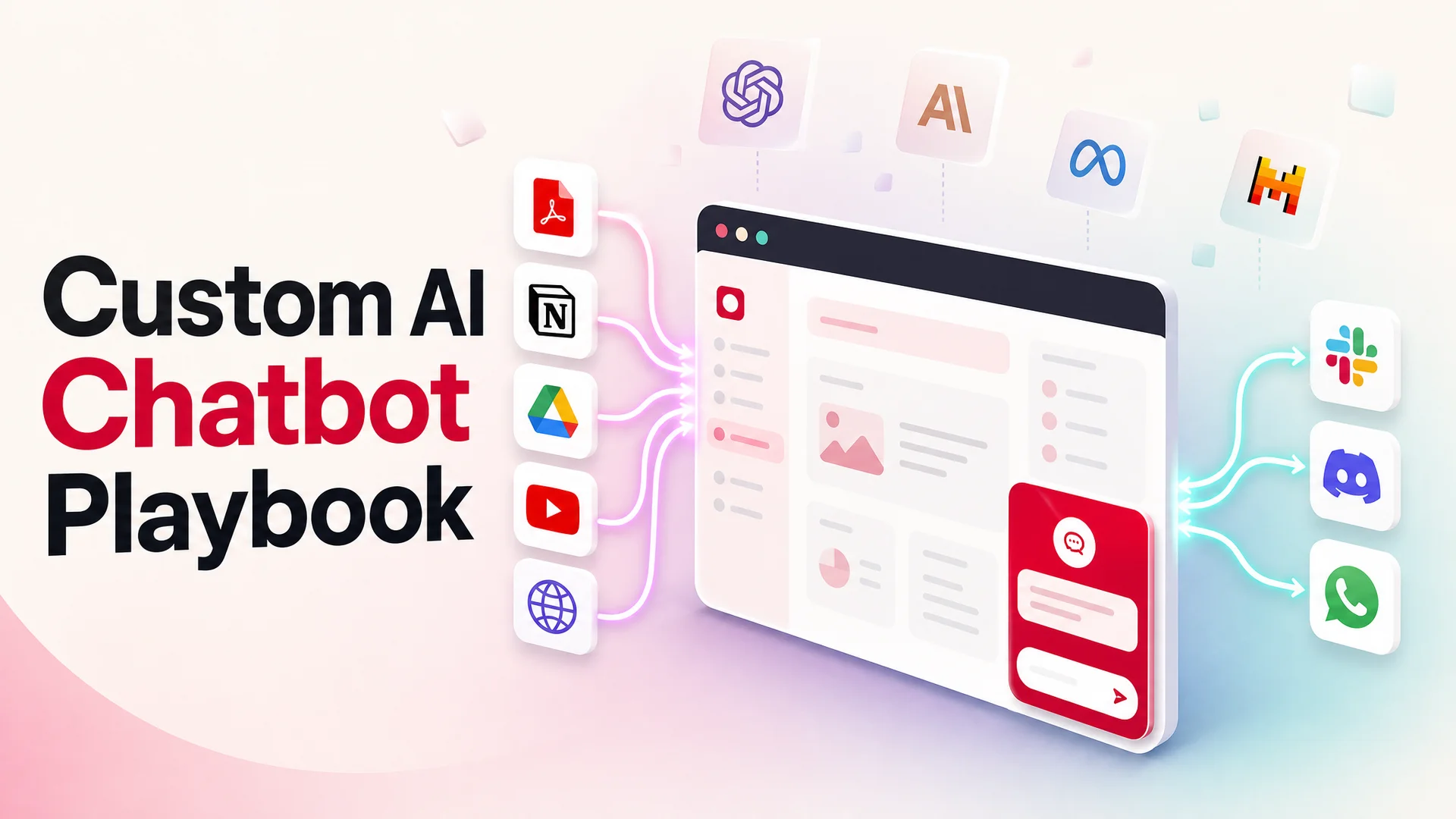
- Train cleanly on your existing knowledge - your docs, blog, help center, Notion workspace, Google Drive, and even YouTube tutorials - without forcing you to copy-paste content into a separate dashboard.
- Run on a current frontier model. The difference between an agent built on a 2023-era model and one built on Claude Opus 4.7 or GPT-5.5 is not "slightly better answers" - it is the difference between a deflected ticket and an angry customer.
- Take real actions. Booking a demo, looking up an order, processing a refund, escalating to a human with full context attached. With agentic models like Kimi K2.6 (300 sub-agents, 4,000 coordinated steps) and GLM-5.1 (eight-hour autonomous plan-execute-test loops), tool-use has finally crossed from demo to production-ready.
- Live where your customers actually are. WordPress is the front door, but customers also message you on WhatsApp, Slack, Discord, and email. The chatbot should be one agent across all of them, with shared memory.
- Be priced sanely. Open-weight models like DeepSeek V4 Flash ($0.14 / $0.28 per million tokens) and MiniMax M2 (around 8% of Claude Sonnet's price at twice the speed) have collapsed the unit economics of running a support agent. A vendor still charging you 2024 prices is keeping the margin.
Now the list.
1. Berrydesk
Berrydesk is an AI agent platform built specifically for customer support, with first-class WordPress integration. The pitch is straightforward: pick a model, train on your sources, brand the widget, add actions, and ship. Most teams get from sign-up to a live agent on their site inside an afternoon.
The model choice is the part most other tools on this list cannot match. Berrydesk lets you route traffic across GPT-5.5, GPT-5.5 Pro, Claude Opus 4.7, Claude Sonnet 4.6, Gemini 3.1 Ultra and Pro, DeepSeek V4, Kimi K2.6, GLM-5.1, Qwen3.6, MiniMax M2, and others - and you can set the routing per intent. Send routine "where is my order" traffic to DeepSeek V4 Flash for fractions of a cent per resolution. Reserve Claude Opus 4.7 (64.3% on SWE-bench Pro, currently the strongest reasoning model for nuanced support) for refund disputes, billing escalations, or any conversation where being wrong is expensive. Most teams cut their per-conversation cost by 60–80% versus a single-model setup without losing quality on the hard tickets.
Training is data-source-driven, not prompt-driven. Point Berrydesk at your live website, upload PDFs, sync a Notion workspace, connect Google Drive, paste a YouTube channel - the agent indexes all of it and stays in sync as the source updates. With Claude Sonnet 4.6's 1M-token context available at no surcharge and Gemini 3.1 Ultra's 2M-token window, "did the agent see the relevant doc" is mostly a solved problem now. RAG has become a tuning lever rather than a hard architectural requirement.
AI Actions are where the modern agent story actually pays off. Berrydesk agents can take bookings, run payment flows, look up orders against your backend, refund a transaction, escalate to a human with full conversation context, or kick off a workflow in your CRM - all from inside the chat. Because the underlying agentic models (Claude Opus 4.7, Kimi K2.6, GLM-5.1, Qwen3.6) are now reliable at multi-step tool use, these flows hold up under real traffic, not just scripted demos.
Where Berrydesk Stands Out
- Model freedom. Switch between nine model families without rebuilding the agent. Route by intent, by tier, by cost.
- Genuine no-code build. A WordPress site owner with no engineering team can ship a production agent in an afternoon. There are no scripts, no JSON config files, no LLMOps to learn.
- Multi-channel by default. The same agent runs on WordPress, WhatsApp, Slack, Discord, Instagram, Messenger, and email. One brain, every surface.
- Action-grade integrations. Stripe, Calendly, HubSpot, Salesforce, Shopify, Zapier - connect them once and the agent uses them like a teammate.
- Built for regulated work. With MIT-licensed open-weight options like GLM-5.1 and Qwen3.6-27B available, on-prem and air-gapped deployments are practical for healthcare, finance, and government.
Adding Berrydesk to WordPress
Install the Berrydesk plugin from the WordPress plugin directory, paste your agent ID into the settings panel, and save. The widget appears on every page. Or, if you would rather not use a plugin, drop the Berrydesk embed snippet into your theme's footer.php. Either path takes under five minutes.
Start with a free Berrydesk account →
2. Collect.chat
Collect.chat takes the opposite philosophy from Berrydesk. Instead of an LLM-driven agent, it is a rule-based conversational form-builder. You design a flow - "if the visitor clicks A, ask B; if they click C, send to email D" - and the bot follows it.
For specific narrow tasks, this is genuinely useful. Lead qualification questionnaires, booking intake, simple feedback surveys, and event RSVPs all work well as scripted flows. The interface is friendly, and the visual editor makes it easy for non-technical users to build something that looks polished. Setup time is roughly an hour for a moderate flow. Pricing starts around $29/month.
What's Good
- Visual flow builder. Drag-and-drop branching logic, no coding required.
- Predictable behavior. Because every response is scripted, you know exactly what the bot will say. For compliance-sensitive intake forms, this can be a feature, not a bug.
- Lightweight integrations. Zapier, Google Sheets, Mailchimp, and Google Analytics cover the basics for small teams.
What's Limiting
- Not actually AI. Collect.chat cannot answer a question it has not been explicitly programmed to handle. Every "what about…" question your customers might ask becomes a flow you have to build by hand. In a 2026 landscape where Claude Opus 4.7 and GPT-5.5 can answer almost anything off your docs, this feels increasingly like writing a website by hand in HTML.
- Free plan is a teaser. You will hit the wall fast and need to upgrade to evaluate it properly.
- No live chat fallback. When the bot's flow does not match the customer's question, the conversation dead-ends.
Pick this if you want a smarter contact form. Skip it if you want an agent.
3. BotPenguin
BotPenguin sits in the middle ground between scripted bots and AI agents. It offers a drag-and-drop flow builder for the rule-based parts plus an AI mode you can switch on for free-form questions. Pricing is friendly to small teams, and the WordPress plugin is straightforward.
The AI side has improved over the last year, and BotPenguin now supports several modern model backends. You can train on uploaded files, your website, or sources like Notion. Integrations cover the common players - Zapier, HubSpot, Zendesk - which lets you wire it into an existing support stack without too much friction.
What's Good
- Tiered pricing. Plans scale gently from free up through small-business tiers.
- Mixed-mode design. You can hard-code the parts that need to be deterministic (e.g., "always collect email before any conversation") and let the AI handle the rest.
- Reasonable integration set. Enough connectors to cover the common support and CRM tools.
What's Limiting
- AI feels bolted on. The platform's roots are clearly in scripted flows. Pushing the AI mode hard often means dropping into API setup, which defeats the no-code premise.
- Complexity creeps. As you add more flows, branches, and fallback logic, the builder gets crowded. Mid-sized teams sometimes outgrow the UX before they outgrow the price.
- Model selection is shallow. You cannot easily route between, say, DeepSeek V4 Flash for cheap traffic and Claude Opus 4.7 for hard escalations.
A solid pick if your existing stack is heavily flow-based and you want to layer some AI on top without ripping things up.
4. Botsonic
Botsonic positions itself as a clean, simple AI chatbot for non-technical users. The setup is genuinely fast - you can have a basic agent trained on your site content and embedded on WordPress in an evening. The visual customization is decent, and it covers the common integration targets.
For a small business with a single product line and a tight FAQ, Botsonic does the job. The widget looks reasonable out of the box, and the analytics give you enough signal to see what customers are asking.
What's Good
- Fast time-to-first-bot. Sign up, paste a URL, embed. Done.
- Clean UI. Less visual clutter than some competitors.
- Custom training data. Upload PDFs and links to give the bot your knowledge base.
What's Limiting
- Advanced features get fiddly. Once you go past the default setup - multi-step actions, custom logic, complex routing - the UX gets clunky.
- Add-on pricing. The base plan looks affordable until you start needing the things most support teams need (more conversations, more sources, branding removal). The bill climbs.
- WordPress plugin is paid-only. Free-tier users have to embed via JavaScript, which is fine, but worth knowing upfront.
- Limited model choice. You cannot route between cost-optimized open-weight models like DeepSeek V4 or MiniMax M2 and frontier models like Claude Opus 4.7 the way you can on Berrydesk.
A reasonable starter option for a single-product site that does not expect to scale dramatically.
5. Tidio
Tidio is the most full-featured option on this list, but "full-featured" comes with both a learning curve and a price tag. It bundles live chat, chatbot automation, ticketing, and a small CRM into one product, which can be useful if you are looking to consolidate tools and unhelpful if you just want a chatbot.
The dashboard is well-built, and the template library is large enough that most teams find a starting point. The AI side has been updated to use modern models, and Tidio's automation triggers are more sophisticated than the rule-based competitors above.
What's Good
- Live-chat-plus-bot in one product. Hand-off between AI and human agents is smooth, with shared visibility into the conversation.
- Strong template library. A wide selection of pre-built automation flows.
- Mature analytics. Reporting is more polished than most rule-based tools.
What's Limiting
- Higher entry price. Plans start around $29/month and climb fast once you add seats, conversations, and the AI add-ons.
- Bundling cuts both ways. If you don't need the live chat or CRM features, you are paying for them anyway.
- Limited language coverage compared to platforms designed for global support.
- Locked model stack. You take what Tidio gives you, with no real ability to route to cheaper open-weight options for routine traffic.
Pick this if you want one tool to replace three. Skip it if your goal is specifically a great AI agent.
How to Decide
If your need is a smart contact form: Collect.chat.
If you have an existing flow-based bot and want to layer on some AI: BotPenguin.
If you want a simple AI bot for a single-product site and you are not planning to scale much: Botsonic.
If you want live chat, ticketing, and a chatbot bundled together and you don't mind paying for the bundle: Tidio.
If you want a real AI agent - one that runs on the model that fits the job, trains on the sources you already use, takes actions instead of just answering questions, and lives on every channel your customers reach you on: Berrydesk.
The market for WordPress chatbots is no longer about who has the cleanest widget. It is about whether the thing behind the widget can actually deflect the ticket. In 2026, with frontier models like Claude Opus 4.7 and GPT-5.5 getting smarter and open-weight options like DeepSeek V4 and MiniMax M2 getting cheaper, the right architecture is "let me pick my model, train on my data, take real actions, and ship today."
That is what Berrydesk is for. Spin one up for free at berrydesk.com and have your WordPress site running a production-grade AI support agent before lunch.
 Berrydesk
Add a real AI support agent to your WordPress site
- Train on your docs, site, Notion, and Drive in minutes
- Pick GPT-5.5, Claude Opus 4.7, Gemini 3.1, DeepSeek V4, or Kimi K2.6
Set up in minutes

Chirag Asarpota is the founder of Strawberry Labs, the team behind Berrydesk - the AI agent platform that helps businesses deploy intelligent customer support, sales and operations agents across web, WhatsApp, Slack, Instagram, Discord and more. Chirag writes about agentic AI, frontier model selection, retrieval and 1M-token context strategy, AI Actions, and the engineering it takes to ship production-grade conversational AI that customers actually trust.