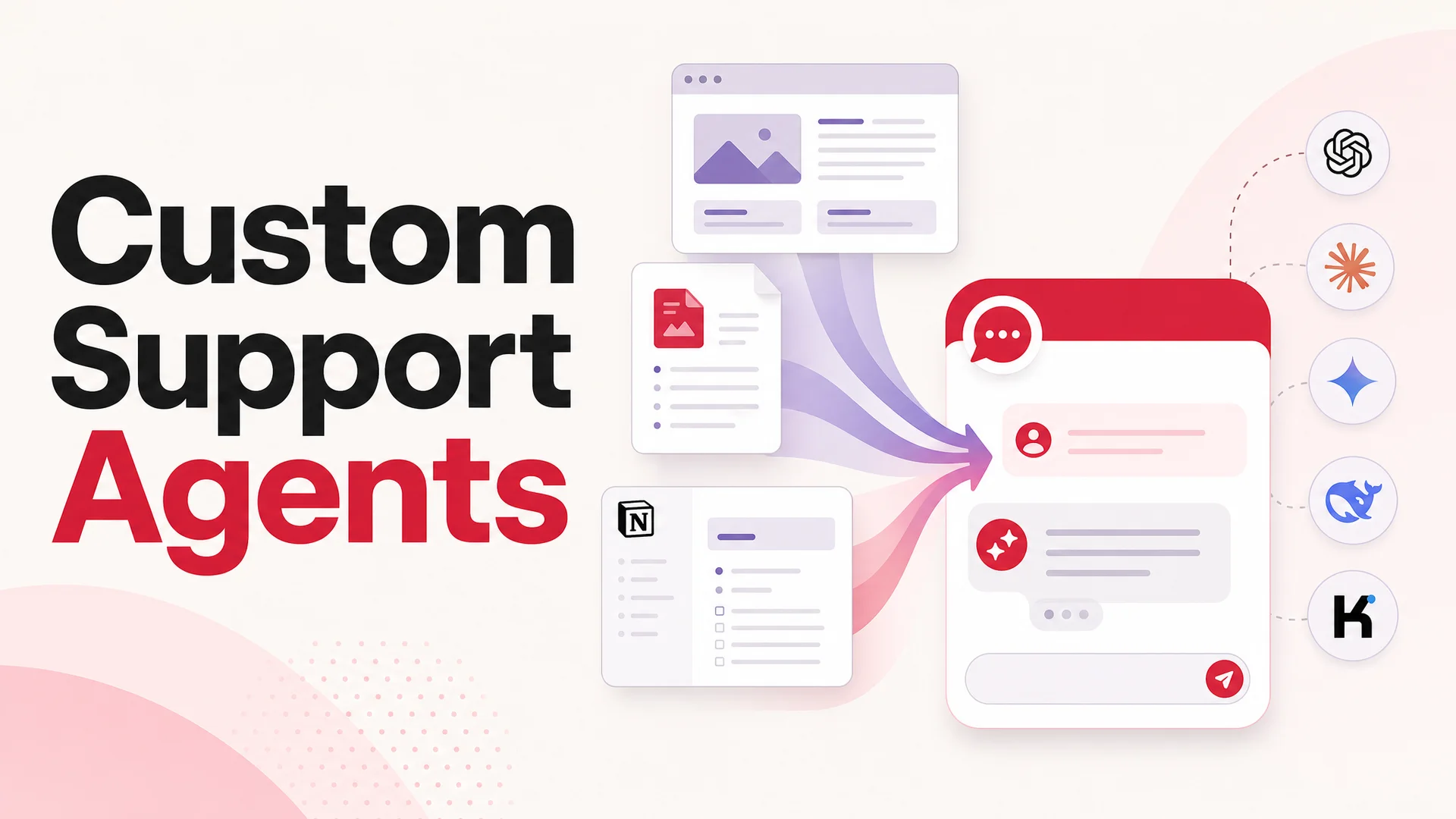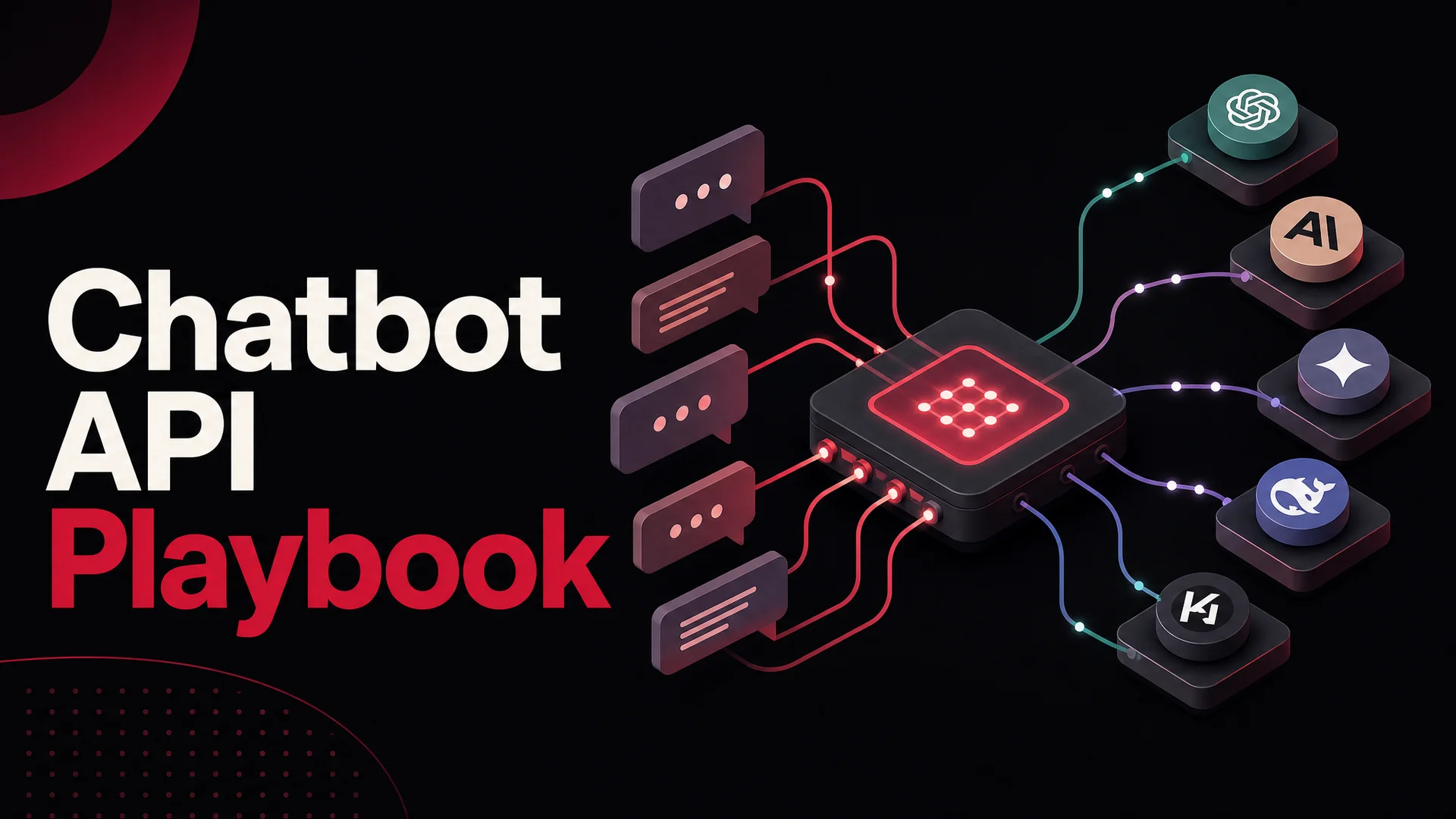
A chatbot API is the layer of plumbing that turns a frontier language model into a product feature you can actually ship. It is what stands between a raw model endpoint and the friendly support agent your customer sees when they hit the help button at 2 a.m. In 2026, this layer matters more than ever: there are now a dozen credible frontier models, costs have collapsed by an order of magnitude in some tiers, and agentic tool-use has finally crossed the line from demo to dependable. Picking the right API - and wiring it into your stack the right way - is the difference between an AI agent that quietly resolves tickets and one that quietly burns money.
This guide walks through what chatbot APIs are, what changed in 2026, the strongest options on the market, how to implement one without painting yourself into a corner, and where the category is heading next.
What a Chatbot API Actually Does
A chatbot API is a set of HTTP endpoints, authentication primitives, and SDKs that let you bolt conversational AI onto whatever software you already have. You send a list of messages, the API does the heavy work - model selection, retrieval over your knowledge base, context stitching, tool invocation, safety filters, streaming - and you get back a structured response that your application renders to a user.
The mental model is straightforward. The API is the brain stem: it knows how to think, how to remember, and how to reach out to other systems when needed. Your application is the body: it decides where the agent shows up, how it looks, what it is allowed to touch, and how it hands off to a human when the conversation outgrows the bot. Done well, the two halves are loosely coupled. You can swap models behind the API without rewriting your front end, and you can redesign the front end without retraining the model.
There are two kinds of chatbot APIs in practice, and the distinction matters. The first kind exposes a raw model - OpenAI, Anthropic, Google. You get tokens, function calling, maybe vision, and you build everything else: ingestion, retrieval, memory, evaluation, deployment connectors. The second kind exposes a product - Berrydesk, and others - where the API is wrapped around an opinionated agent runtime that already handles training data, vector search, conversation history, lead capture, tool use, channel adapters, and analytics. The first gives you maximum control and maximum work. The second gets you to a working support agent in an afternoon.
Why 2026 Is a Different Conversation
If you last evaluated chatbot APIs eighteen months ago, almost every assumption you walked away with is now stale. Three forces reshaped the landscape.
The closed frontier got sharper. OpenAI's GPT-5.5 and GPT-5.5 Pro introduced parallel reasoning that materially improves multi-step problem solving. Anthropic's Claude Opus 4.7 leads SWE-bench Pro at 64.3% and is the strongest tool-use model in production support today; Opus 4.6 and Sonnet 4.6 ship with a 1M-token context window at no extra charge. Google's Gemini 3.1 Ultra goes further with a 2M-token context and is natively multimodal across text, image, audio, and video, while Gemini 3.1 Pro tops GPQA Diamond at 94.3%.
The open-weight frontier caught up. DeepSeek V4 Flash, released in April 2026, is priced at $0.14 per million input tokens and $0.28 per million output - a small fraction of what equivalent quality cost a year ago - with a 1M-token context. Moonshot Kimi K2.6 ships agentic-first with 12-hour autonomous coding sessions and 58.6 on SWE-Bench Pro. Z.ai's GLM-5.1, released April 7 under an MIT license, scores 58.4 on SWE-Bench Pro, beating GPT-5.4 and Claude Opus 4.6 on that benchmark, and it was trained entirely on Huawei Ascend 910B chips. Alibaba's Qwen 3.6 family includes a 27B Apache-licensed dense model that beats far larger MoE rivals on agentic coding. MiniMax M2.7 lands at roughly 8% the price of Claude Sonnet at twice the speed. Xiaomi's MiMo-V2-Pro, with weights now open under MIT, brings reasoning-first agentic behavior with a 1M context.
Long context and tool use moved from "nice to have" to architectural primitives. With a 1M-to-2M-token window, an agent can hold an entire help center, a customer's full conversation history, and a binder of policy documents in working memory at once. Retrieval-augmented generation does not disappear, but it becomes a tuning lever rather than a hard requirement. And because models like Claude Opus 4.7, Kimi K2.6, GLM-5.1, Qwen3.6, and MiMo-V2-Pro are genuinely good at calling external tools, an AI agent can now book an appointment, issue a refund, look up an order, or run a payment flow without falling apart at the first edge case.
The practical upshot for support teams: a thoughtful Berrydesk deployment can route the bulk of routine traffic to DeepSeek V4 Flash, MiniMax M2, or GLM-5.1 at fractions of a cent per resolution, then escalate the gnarly tickets to Claude Opus 4.7, GPT-5.5 Pro, or Gemini 3.1 Ultra. That kind of routing was theoretical a year ago and table stakes today.
The Concrete Benefits
The reasons to put a chatbot API behind your support experience are not subtle, but they are worth naming clearly.
Always-on coverage. A support agent powered by a chatbot API does not sleep, miss a shift, or get backed up after a marketing push. For a software company with users in every time zone, that alone can shift the team from reactive firefighting to proactive improvement.
Real horizontal scaling. Whether you are processing fifty conversations a day or fifty thousand an hour after a product launch, a well-built API absorbs the spike. Your engineering team is not the bottleneck during a viral moment.
Cost economics that finally work. With open-weight models like DeepSeek V4 Flash and MiniMax M2 entering the picture, the marginal cost of a resolved ticket has dropped to a level where automating routine inquiries is not just cheaper than hiring - it is cheaper by orders of magnitude on the easy half of the distribution.
Deploy once, surface everywhere. A single API integration can power conversations on your website, inside your mobile app, in WhatsApp, on Slack, on Discord, on Messenger, on a Shopify storefront, and inside an internal tool. The agent's brain is in one place; its mouths are wherever your customers are.
Engineering control. Off-the-shelf chat widgets give you a few sliders and a color picker. An API gives you the conversation transcript, the tool calls, the latency profile, the model choice, and the ability to compose all of it with the rest of your product.
A real data exhaust. Every conversation produces structured data: which questions are coming up, where the agent gets stuck, where users drop off, which intents convert. That feedback loop is how you compound improvements over months instead of guessing.
Iteration without redeploys. Update the agent's knowledge base, system prompt, tools, or even the underlying model, and the change goes live without anyone redeploying your application. The intelligence layer evolves on its own clock.
The Strongest Chatbot APIs Right Now
Here are the options worth a serious look in 2026.
Berrydesk API
Berrydesk's API is built around a single idea: get a branded, production-grade support agent live in four steps, then expose every part of it to developers who want to push further. You pick a model - GPT-5.5, Claude Opus 4.7, Gemini 3.1 Ultra, DeepSeek V4, Kimi K2.6, GLM-5.1, Qwen, MiniMax, and more - train on docs, websites, Notion, Google Drive, and YouTube, brand the chat widget, and add AI Actions for things like booking and payments. The API exposes message endpoints, conversation history, lead data, agent management, webhooks, and channel deployment, so you can build whatever surface area your product needs on top.
Where it shines: multi-model routing without code changes, agentic AI Actions wired into real tools, ingestion across the source types support teams actually have, branded widget plus first-class deployment to Slack, Discord, and WhatsApp, and a no-code dashboard that your support leads can use without bothering an engineer.
OpenAI API
OpenAI gives you direct access to GPT-5.5 and GPT-5.5 Pro, with the parallel reasoning and Codex stack on top. The API is well-documented, broadly familiar to engineers, and well-suited if you want to build a conversational system from the studs up.
Where it shines: strong general reasoning, function calling, vision, broad ecosystem support. Best when you have a team that wants to own the whole agent stack and have a specific reason not to use a higher-level platform.
Anthropic API
Anthropic exposes the Claude family - Opus 4.7 for the hardest tasks and Sonnet 4.6 for the everyday majority - with a 1M-token context now standard. Claude is widely regarded as the most reliable tool-use model for production support, especially when you need it to follow nuanced policies without going off-script.
Where it shines: large context, strong instruction-following, careful behavior around edge cases. Good when answer quality and safety are non-negotiable.
Google Gemini API
Google's Gemini 3.1 Ultra brings a 2M-token context and native multimodality across text, image, audio, and video. Gemini 3.1 Pro is the leader on GPQA Diamond. For support teams that handle screenshots, voice notes, and product photos, the multimodal story is compelling.
Where it shines: very long context, native multimodality, deep integration with Google Cloud and Workspace.
Open-Weight Model APIs (DeepSeek, Moonshot, Z.ai, Alibaba, MiniMax, Xiaomi)
The open-weight providers either run their own hosted APIs or are available through inference partners. DeepSeek V4 Flash at $0.14 / $0.28 per million tokens is an obvious workhorse for high-volume tier-1 traffic. Kimi K2.6 and GLM-5.1 are the strongest agentic open-weight options. Qwen3.6's 27B dense and 35B-A3B variants give you a credible local-deploy story. MiniMax M2 / M2.7 hits a remarkable price-to-quality ratio. Xiaomi's MiMo-V2-Pro and MiMo-V2-Flash open up reasoning-heavy workloads under MIT.
Where they shine: cost, controllability, on-prem and air-gapped deploys for regulated industries, and the ability to fine-tune weights you actually own.
Microsoft Bot Framework
Still the right answer if you live in the Microsoft ecosystem and your AI agent's primary home is Teams or a Microsoft 365 surface.
Where it shines: deep Azure, Teams, and Office integration; a known quantity for enterprise IT.
Meta Messenger Platform API
Direct access to Messenger and Instagram audiences with rich message types and click-to-Messenger ad tie-ins. Useful when your support entry points are dominated by social.
Slack API
Excellent for internal AI agents - knowledge bases, IT help desks, on-call assistants, HR Q&A - that live where your team already works.
How to Implement One Without Regret
The implementation playbook is more or less the same regardless of provider, but the order matters. Skip a step and you end up rebuilding things later.
1. Define the use case sharply. Customer support, lead qualification, internal knowledge, post-purchase upsell, onboarding - each one shapes the API features you need, the data you ingest, the tools you wire up, and the metric you optimize against. Be honest: an agent built for "anything our users might ask" is an agent that does nothing well.
2. Choose the API. Score the candidates on model quality for your domain, pricing at your expected volume, ingestion quality, tool-use reliability, channel coverage, observability, and how much developer time it will save versus a raw-model build. If you are routing a mix of cheap-and-fast traffic plus hard escalations, prioritize APIs that let you swap models per request without changing your integration.
3. Provision credentials. Sign up, create a project, generate keys. Store them in your secret manager - never in source. Set up at least staging and production keys with separate quotas and rate limits.
4. Design conversation flows and policies. What is the greeting? How does the agent identify itself? What does it never do? When does it escalate? What information does it always confirm before acting? Write these as a system prompt and a small library of guardrails, not as scattered if-statements in code.
5. Build the integration. Wire the API into your front end and your back-of-house systems. Send the conversation history in, render streaming responses, handle errors, log everything. If the API supports webhooks, set them up early - you will want them for analytics.
6. Train and ground. Upload your help center, product docs, policy pages, and historical Q&A. If your API supports long context, decide which content you want in the prompt versus retrieved on demand. Test the agent against a list of fifty real customer questions before anyone outside the team sees it.
7. Wire up tools. Bookings, refunds, order lookups, account changes, payment flows - every action that turns the agent from a search engine into something useful. Scope each tool tightly and test the failure modes; tools that quietly fail are worse than tools that don't exist.
8. Test for the long tail. Adversarial prompts, ambiguous questions, multi-turn confusion, edge cases for each tool, latency under load, fallback paths when the model is rate-limited. Anything you do not test in staging will be tested by your customers in production.
9. Launch and instrument. Track resolution rate, escalation rate, average time to resolution, tool-call success rate, customer satisfaction, and cost per conversation. Hold a weekly review for the first month and make small changes constantly.
A Closer Look at the Berrydesk API
Berrydesk's API is opinionated in the places where being opinionated saves your team weeks of work, and flexible in the places where you actually need flexibility.
What You Get
Multi-model support. Choose from frontier closed models - GPT-5.5, GPT-5.5 Pro, Claude Opus 4.7, Sonnet 4.6, Gemini 3.1 Ultra and Pro - and frontier open-weight models - DeepSeek V4, Kimi K2.6, GLM-5.1, Qwen 3.6, MiniMax M2 / M2.7, MiMo. Switch between them at the request level, no code changes required.
Custom data training. Train your AI agent on documents, full websites, Notion, Google Drive, and YouTube. The agent answers from your actual content, not the public internet's hand-me-downs.
Streaming responses. Tokens stream as they are generated, so the perceived latency in your widget is closer to a typing indicator than a loading spinner.
Conversation management. Pull conversation history, replay sessions, build custom analytics on top, expose transcripts to your CRM.
Lead collection. Capture and retrieve leads through the API, with the agent qualifying them in-conversation before handing off.
AI Actions. Wire up bookings, payments, order lookups, refunds, and any other tool your agent should be able to invoke. Berrydesk handles the agentic loop so the model can plan, act, observe, and recover.
Webhooks. Real-time events for new conversations, lead captures, escalations, and tool invocations. Trigger downstream workflows in your stack the moment they happen.
Brand and behavior controls. Tone, style, escalation rules, allowed actions, refusal patterns - controllable through API parameters and a dashboard your support lead can drive.
Channel deployment. Push the same agent to a website widget, Slack, Discord, WhatsApp, and more, without re-implementing the conversation logic per surface.
Sending a Message
A request looks roughly like this:
POST /api/v1/chat HTTP/1.1
Host: api.berrydesk.com
Authorization: Bearer <your-secret-key>
Content-Type: application/json

{
  "agentId": "<your-agent-id>",
  "model": "claude-opus-4-7",
  "messages": [
    { "role": "assistant", "content": "Hi, how can I help today?" },
    { "role": "user", "content": "Where's my order?" }
  ],
  "stream": false,
  "temperature": 0
}
Set stream to true for token streaming, override model per request to route easy traffic to a cheap model and hard traffic to a frontier model, and tune temperature when you need more or less creativity.
Getting Started
- Sign up at https://berrydesk.com.
- Generate your API key from the dashboard.
- Create your agent through the dashboard or the API.
- Train it on your docs, websites, Notion, Drive, and YouTube content.
- Add AI Actions for bookings, payments, and lookups your agent should handle.
- Integrate through the API and deploy the widget or channel adapter.
- Monitor with the built-in analytics, or pull data through the API into your warehouse.
Pricing, Honestly
Pricing for chatbot APIs falls into a few patterns, and the right comparison depends on the layer you are pricing.
Token-based. Frontier model APIs (OpenAI, Anthropic, Google) charge per input and output token. Costs scale linearly with conversation length and response length. For sustained high-volume traffic, this can get expensive - though far less so when you blend in open-weight models for the bulk of requests.
Platform subscription. Higher-level chatbot APIs like Berrydesk price as monthly plans bundling a message quota, agent count, channels, and features. The math usually works out cheaper than a raw-model build once you account for engineering time.
Free tiers. Most providers offer a free tier sufficient for prototyping. Use it to validate the experience before committing.
Enterprise. Custom contracts with dedicated capacity, SLAs, audit logs, SSO, regional hosting, and on-prem options for regulated industries.
When you compare costs, do not just compare the per-token line item. Add the engineer-months you will spend building ingestion, evaluation, observability, channel adapters, and a tool-use runtime. That is usually where the real money lives.
What to Watch Out For
A few traps catch teams again and again when they are first wiring up a chatbot API.
Picking a model on benchmarks alone. The model that wins on a public benchmark is not always the one that handles your tone, your product vocabulary, and your refusal cases best. Test with your own data on a representative slice of real conversations.
Skipping the eval harness. If you cannot replay last week's hardest fifty conversations against a candidate model in five minutes, you cannot move fast. Build the eval set early.
Treating the system prompt as the whole policy. Tools, retrieval grounding, and channel-specific guardrails matter as much as the prompt. A great prompt with an under-scoped tool surface will still misbehave.
Letting the agent loose on actions before you trust them. Read-only tools first. Add write actions one at a time, with confirmation steps and tight scopes. Refunds and payments deserve a circuit breaker.
Forgetting cost routing. If you route every request to your most capable model, you will pay for it. Route the easy ones to DeepSeek V4 Flash or MiniMax M2 and reserve Claude Opus 4.7, GPT-5.5 Pro, or Gemini 3.1 Ultra for the conversations that need it.
Real-World Use Cases
Customer support. Resolve repeat questions instantly, hand off complex cases to a human with the full transcript and a draft reply.
E-commerce. Order tracking, returns, sizing questions, product recommendations, abandoned cart recovery - all conversational, all linked to your storefront's actual systems.
Lead qualification. Greet visitors, ask the right two or three questions, route hot leads to sales, push everyone to your CRM.
Internal knowledge. Slack-native AI agents that answer "what is our policy on X" without burning a manager's afternoon.
SaaS onboarding. Guide new accounts through setup, troubleshoot integration errors, surface the next best action.
Healthcare. Triage, scheduling, medication reminders, FAQ - with appropriate compliance and human-in-the-loop guardrails.
Financial services. Account inquiries, transaction lookups, product education, all behind the right authentication.
Where Chatbot APIs Are Heading
Real agentic capability. Booking, refunding, updating, and orchestrating multi-step workflows - not as demos, but as the default.
Cheaper, larger context. 1M-token windows are already standard at the frontier; expect them to widen and prices to keep falling as open-weight providers compete.
Deeper multimodality. Voice in, voice out, screenshots, short video - all in a single conversation, handled natively rather than bolted on.
Persistent memory. Agents that remember a customer's history across channels and sessions, used carefully and with consent.
Routing as a first-class feature. Picking the right model for each request will be as standard as picking the right database index. The platforms that do it well will quietly out-economize the ones that do not.
On-prem and air-gapped open-weight deploys. With MIT-licensed Chinese open weights like GLM-5.1, Qwen3.6-27B, and MiMo, regulated industries will increasingly run frontier-class agents inside their own perimeter.
Wrapping Up
Chatbot APIs are the part of your stack where business value gets compounded - every conversation handled, every action automated, every insight surfaced. The model layer has gotten dramatically more capable and dramatically cheaper in 2026. The platform layer has caught up, and the gap between "we want an AI support agent" and "we have one in production" is now measured in afternoons, not quarters.
If you are evaluating where to put your chips, Berrydesk gives you the multi-model flexibility, agentic AI Actions, ingestion breadth, and channel coverage to ship a real branded support agent without rebuilding the plumbing. Start at berrydesk.com - pick a model, train on your content, brand the widget, and turn on the channels your customers actually use.
 Berrydesk
Ship a branded AI support agent without writing the API plumbing
- Pick from GPT-5.5, Claude Opus 4.7, Gemini 3.1, DeepSeek V4, Kimi K2.6, GLM-5.1, Qwen, MiniMax, and more
- Train on docs, websites, Notion, Drive, and YouTube - deploy to web, Slack, Discord, and WhatsApp
Set up in minutes

Chirag Asarpota is the founder of Strawberry Labs, the team behind Berrydesk - the AI agent platform that helps businesses deploy intelligent customer support, sales and operations agents across web, WhatsApp, Slack, Instagram, Discord and more. Chirag writes about agentic AI, frontier model selection, retrieval and 1M-token context strategy, AI Actions, and the engineering it takes to ship production-grade conversational AI that customers actually trust.