Claude has settled into a particular niche in the frontier-model market. It is not always the cheapest option, and it is not always the fastest, but for a long list of tasks - careful reasoning, code generation, long-form writing, agentic tool use - it is the model engineering teams reach for first. Anthropic's investment in alignment research shows up in subtler ways too: Claude tends to follow instructions tightly, ask clarifying questions when prompts are underspecified, and refuse cleanly rather than confabulate.
As of May 2026, the Claude family is also the current leader on a benchmark that matters a lot for the kind of work developers actually pay for: complex software engineering. Claude Opus 4.7 holds the top spot on SWE-bench Pro at 64.3%, ahead of every other frontier closed model. Opus 4.6 and Sonnet 4.6, the two production workhorses most teams deploy, ship with a one-million-token context window at no surcharge - a quiet shift that has changed how people architect retrieval systems.
This guide is the practical version of "how do I actually use this." We will walk through getting an API key, sending your first request, working with the Messages endpoint, shaping responses with system prompts and stop sequences, and wiring up tool definitions so Claude can do things instead of just talk. The examples use Python and Claude Sonnet 4.6, but everything translates directly to TypeScript, Go, or any HTTP client, and the same patterns work for Opus 4.7 if you need the heavier model.
Why Claude, and Which Version
Before any code, it is worth being honest about model selection. Anthropic now offers two production tiers most teams care about: Claude Opus 4.7 at the top of the lineup, and Claude Sonnet 4.6 as the balanced default. Opus 4.6 still exists as a compatible older sibling for teams that haven't migrated.
Sonnet 4.6 is what the majority of applications should default to. It handles multi-turn conversation, summarization, classification, structured extraction, and most coding tasks at a fraction of Opus pricing, and it ships with the same 1M-token context window. For a customer support agent, a sales assistant, or a documentation Q&A bot, Sonnet is almost always the right pick.
Opus 4.7 earns its premium when the task is genuinely hard: refactoring a multi-file codebase, debugging a subtle race condition, drafting a regulatory response that has to be exactly right, or running an agent that chains dozens of tool calls without losing the plot. The 64.3% SWE-bench Pro score reflects that, and if your application has clear "this answer must be excellent" moments, route them to Opus.
A common pattern in 2026 is to mix the two. Run Sonnet 4.6 for the bulk of traffic, escalate to Opus 4.7 when a confidence check fails or the user asks for something explicitly complex, and benchmark both periodically as the underlying models get updated. The API surface is identical, so the only thing that changes between them is the model identifier in your request.
Connecting to the Anthropic API
Getting set up takes about five minutes if you already have a Python or Node environment. The flow is the same whether you are prototyping a weekend project or wiring Claude into a production system: create an account, grab a key, install the SDK, send a hello-world request.
Step 1: Create an Anthropic Account
Head to the Anthropic Console and sign up. You will need a working email and a payment method on file before the API will let you make calls - Anthropic does not offer a free tier the way some providers do, but the per-request costs are low enough that experimentation is cheap. Verify your email, complete the brief account questions, and you will land on the console dashboard.
If you are deploying for a company, set up an organization rather than a personal account from the start. That makes it easier to add teammates, manage usage limits, and rotate keys without disrupting production workloads later.
Step 2: Generate an API Key
Inside the console, navigate to API Keys and click Create Key. Give it a descriptive name - something like support-agent-staging or internal-rag-prototype - so you can audit which workloads are using which keys later. Anthropic supports multiple keys per organization, and the convention most teams settle on is one key per service, per environment.
Copy the key the moment it is created. The console only shows it once. Store it in a secrets manager, a .env file you are not committing to git, or whatever your infrastructure uses for credentials. Treat it like a database password: leaks lead to surprise bills.
Step 3: Install the SDK and Initialize the Client
For Python, install the official SDK with pip:
pip install anthropic
The Node ecosystem has an equivalent package - npm install @anthropic-ai/sdk - and the call signatures mirror each other closely. Once installed, instantiate the client with your key. The SDK will also pick up an ANTHROPIC_API_KEY environment variable automatically if you prefer not to pass it explicitly, which is the cleaner pattern for anything beyond a one-off script.
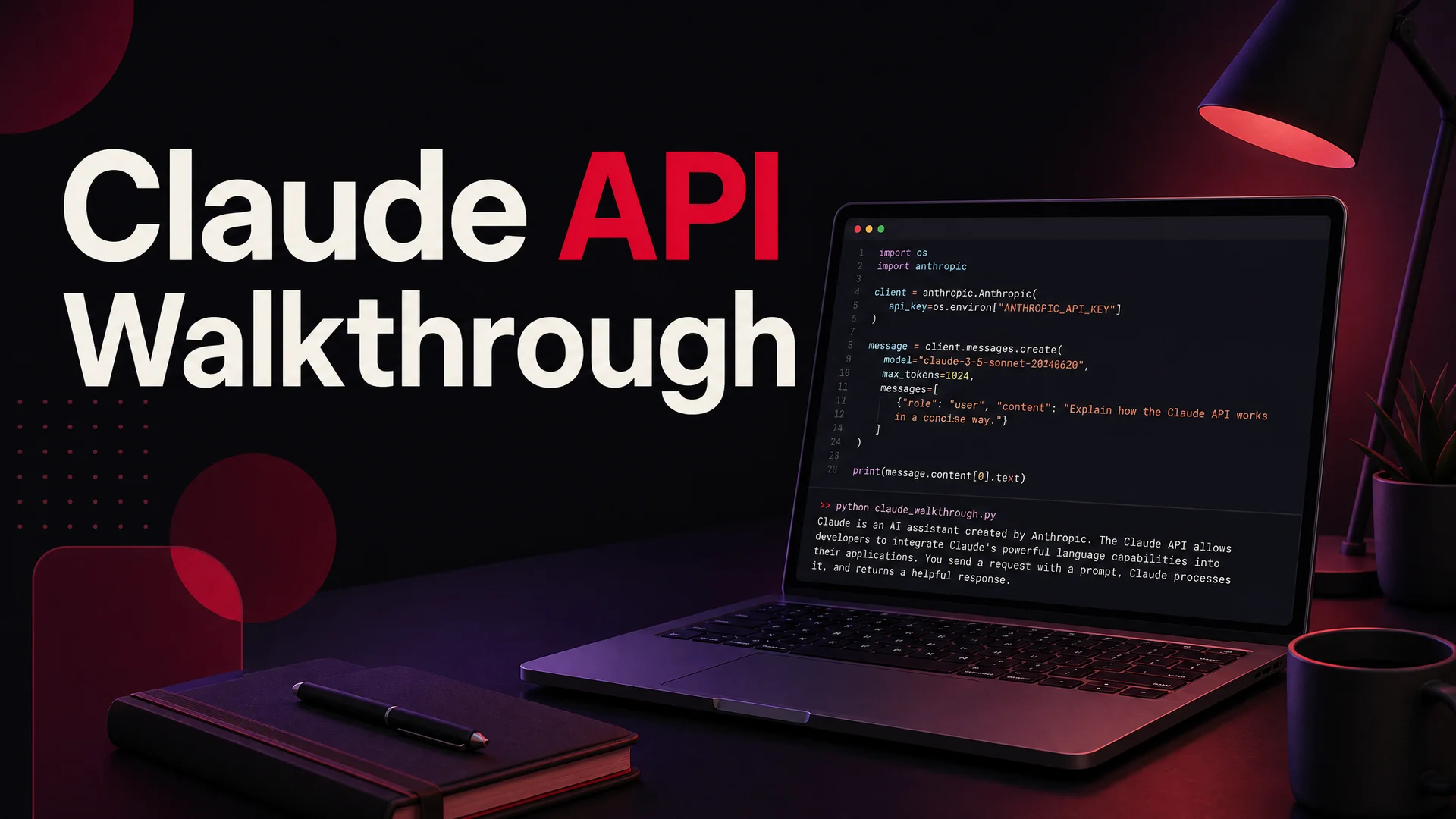
import anthropic

client = anthropic.Anthropic(api_key="your_api_key_here")
Step 4: Send Your First Message
A simple round-trip confirms that the key works and the network path is clean. The response object that comes back includes the model's reply, token counts, a stop reason, and a few other metadata fields that become useful once you start logging real traffic.
response = client.messages.create(
    model="claude-sonnet-4-6",
    max_tokens=1024,
    messages=[{"role": "user", "content": "Hello, Claude!"}]
)

print(response.content[0].text)
If the call returns text, you are connected. If it does not, the error message from the SDK is usually enough to diagnose - the most common issues are a malformed key, missing billing setup, or a typo in the model identifier.
Messages API vs. Legacy Text Completions
Anthropic exposes two ways to talk to Claude: the modern Messages API and the older Text Completions API. For any new project in 2026, use the Messages API. It is the only endpoint that supports tool use, vision input, the full 1M-token context window, system prompts, multi-turn conversations as first-class citizens, and the streaming behavior most production applications need.
Text Completions still exists for backward compatibility with code written against earlier Claude versions, but it lacks every feature on that list. If you are reading a tutorial that uses client.completions.create, mentally translate it to client.messages.create and move on.
One thing the API does not expose is Anthropic's Artifacts feature - the side-panel canvas you see in claude.ai for code, documents, and visualizations. Artifacts is a UI affordance, not a model capability, so if you want similar behavior in your own product you will need to build it yourself by parsing structured outputs from the model. It is not a hard project, but it is on you, not on the API.
Working With the Messages API
The core mental model is simple: you send Claude an array of messages alternating between user and assistant roles, and Claude appends an assistant turn. That is it. Every other feature is a parameter on top of that loop.
Required Parameters
Every request needs three things: the model, a max_tokens cap, and the message array. The cap is required even though it feels redundant - Anthropic uses it to allocate inference resources, and it serves as a safety rail against runaway generations.
A minimal multi-turn example:
response = client.messages.create(
    model="claude-sonnet-4-6",
    max_tokens=1024,
    messages=[
        {"role": "user", "content": "How are you today?"},
        {"role": "assistant", "content": "I'm doing well, thank you. How can I help?"},
        {"role": "user", "content": "Can you explain prompt caching in one paragraph?"},
    ],
)

print(response.content[0].text)
A few mechanics worth internalizing. The conversation history is stateless on the API side - Claude does not remember previous calls, so you are responsible for storing the message array and replaying it on each request. That is what gives you control over the context window, but it also means you have to think about pruning long conversations before they get expensive. Each message must alternate roles: two user messages in a row will be rejected, and the array must start with a user turn.
Optional Parameters That Actually Matter
Beyond the basics, a handful of optional parameters do most of the real work:
- temperature - Controls randomness.
0makes Claude almost deterministic, useful for classification and extraction. Around0.7is the right setting for conversational replies. Above1.0rarely helps and often hurts. - system - A separate instruction string that sets the model's persona, behavior, and constraints. We will dig into this below; it is the single highest-leverage knob in the API.
- stop_sequences - Up to four strings that, if Claude generates them, cause it to halt mid-response. Useful for structured outputs where you want to terminate at a delimiter.
- stream - Set to
Trueto receive the response as a stream of events rather than a single payload. Essential for interactive UIs where users see tokens appear as they are generated. - tools - Schema definitions for functions Claude can call. The single most important feature for agentic applications.
- top_p and top_k - Sampling controls that shape which tokens Claude considers. Most teams leave them alone; tune them only if you have a specific output-distribution problem.
The 1M-token context window on Sonnet 4.6 and Opus 4.6 changes how some of these parameters get used in practice. Before, max_tokens was a critical lever because contexts were tight. Today, you can hold an entire knowledge base in-context and let Claude reason across it without the orchestration gymnastics that retrieval pipelines used to require.
System Prompts: Your Highest-Leverage Tool
System prompts are how you tell Claude who it is and how it should behave. They sit outside the conversation history, do not get truncated when you trim old messages, and Claude treats them with more weight than any individual user turn. If you are not using a system prompt, you are leaving the most powerful steering mechanism on the table.
A polished customer support example:
response = client.messages.create(
    model="claude-sonnet-4-6",
    max_tokens=1024,
    system=(
        "You are a customer support agent for Acme Logistics. "
        "Always greet the customer by name if known. "
        "Provide step-by-step instructions when troubleshooting. "
        "If you cannot resolve the issue, escalate to a human and end with "
        "'A specialist will follow up within one business day.'"
    ),
    messages=[{"role": "user", "content": "How can I track my order #44821?"}],
    stop_sequences=["A specialist will follow up within one business day."],
    temperature=0.4,
)
A few things are happening here at once. The system prompt establishes a persona and a contract - Claude knows the brand, the tone, and the escalation behavior. The temperature of 0.4 keeps responses consistent across similar tickets, which matters in support where customers expect the same answer to the same question. The stop sequence cuts the response at the escalation phrase, giving downstream systems a deterministic signal to route the conversation to a human queue.
Good system prompts share a few traits in practice. They are specific about behavior (not "be helpful" but "respond in two sentences max, then ask a clarifying question"). They handle the edge cases explicitly ("if the user asks about pricing for an unsupported region, say…"). They avoid contradictions, which Claude will surface but cannot resolve on its own. And they are versioned alongside your code, because changing them changes the product behavior.
Stop Sequences: Bounding the Output
Stop sequences are the deterministic counterpart to max_tokens. Where the token limit is a fuzzy ceiling, a stop sequence triggers exactly when its target string appears, letting you carve responses into clean shapes.
response = client.messages.create(
    model="claude-sonnet-4-6",
    max_tokens=1024,
    system=(
        "You are a network troubleshooting assistant. "
        "Provide numbered steps. End every response with "
        "'If the problem persists, please contact support.'"
    ),
    messages=[{"role": "user", "content": "I can't connect to Wi-Fi. What should I do?"}],
    stop_sequences=["If the problem persists, please contact support."],
    temperature=0.5,
)
The classic use cases are structured outputs (stop at a closing JSON brace), conversational handoffs (stop at an escalation phrase), and chained agent steps (stop at a marker that signals the end of one sub-task before invoking the next). They are also a cheap defense against runaway generations: a stop sequence that catches "in conclusion" or "to summarize" can prevent Claude from drifting into wrap-up paragraphs you do not need.
Tool Use: Letting Claude Do Things
Tool use is where the API stops being a chatbot endpoint and starts being an agent runtime. You define a JSON schema for each function Claude can call, hand the schemas in with each request, and the model decides - based on the user's input - when to invoke a tool, what arguments to pass, and how to incorporate the result back into the conversation.
A booking example:
tools = [
    {
        "name": "check_appointments",
        "description": "Check available appointment slots for a service on a specific date.",
        "input_schema": {
            "type": "object",
            "properties": {
                "service": {
                    "type": "string",
                    "description": "Type of appointment, e.g. 'dentist' or 'haircut'.",
                },
                "date": {
                    "type": "string",
                    "description": "ISO date for the requested slot, e.g. '2026-05-15'.",
                },
            },
            "required": ["service", "date"],
        },
    }
]

response = client.messages.create(
    model="claude-sonnet-4-6",
    max_tokens=1024,
    tools=tools,
    messages=[
        {"role": "user", "content": "Book me a dentist appointment for May 15th."}
    ],
)
When Claude decides to call a tool, the response contains a tool_use block instead of a finished answer. Your code is responsible for executing the function, packaging the result, and replaying the conversation with the tool result appended as a tool_result message. Claude then either calls another tool, asks for clarification, or finishes the turn. That loop - call, execute, return, continue - is the core agent pattern.
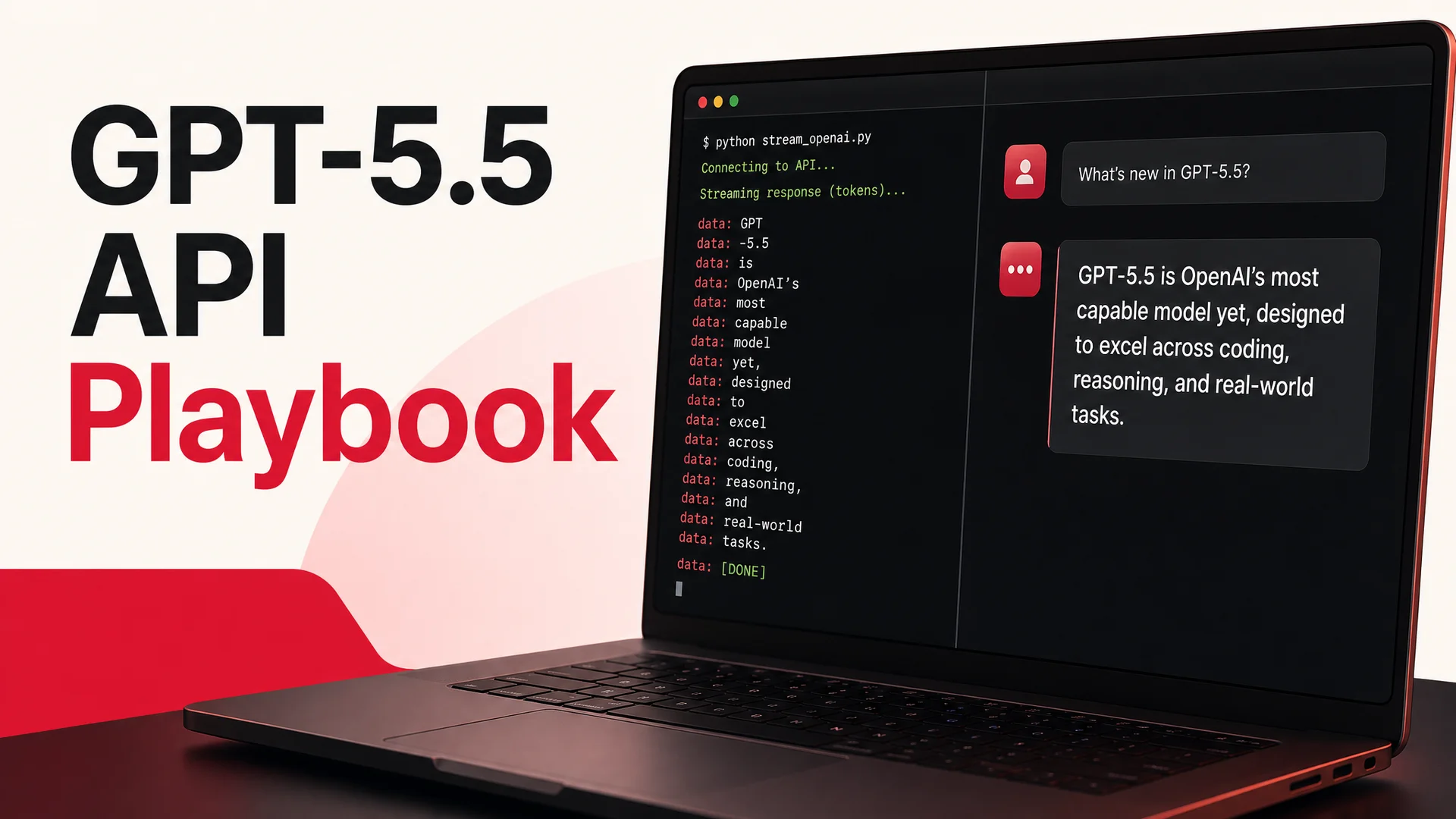
Claude Opus 4.7 in particular is reliable enough at tool use to run the full booking-and-payment flows that used to fall apart at the second hop. The same is true of agentic open-weight models like Moonshot's Kimi K2.6 and Z.ai's GLM-5.1 (58.4 on SWE-bench Pro), which now handle multi-step tool sequences that earlier generations would silently break. The practical implication: production-grade actions - refunds, order lookups, schedule changes - are no longer demoware. They are the default expectation.
Common Pitfalls
A handful of mistakes show up over and over when teams ship Claude-based applications.
Forgetting to budget the context window. Even with 1M tokens, conversations grow, attached documents accumulate, and tool results pile up. Track token usage from the response metadata and prune aggressively. A cheap classification call sandwiched into a long support thread can quietly cost twenty cents.
Treating system prompts like a place to dump every requirement. Long system prompts work, but they slow inference and dilute attention. If your system prompt is three pages long, refactor it: move stable knowledge into a retrieval system, keep behavioral rules in the prompt, and be ruthless about cutting redundancy.
Building your own retry and rate-limit logic from scratch. The SDK handles transient errors and respects rate-limit headers if you let it. Wrapping it in custom retry code usually makes things worse, not better.
Not streaming when humans are in the loop. A user staring at a "thinking…" spinner for eight seconds will leave; the same user watching tokens appear in real time will sit through twelve. Streaming is the difference, and it costs almost nothing to enable.
Hardcoding a single model. Make the model identifier a config value from day one. You will want to swap between Sonnet 4.6 and Opus 4.7 based on load, A/B test new versions when Anthropic ships them, and route specific request types to specific models. A MODEL = "claude-sonnet-4-6" constant scattered through your codebase is technical debt the day you write it.
Where Claude Fits in the Broader 2026 Model Mix
Claude is excellent, but it is not the only frontier model worth using. The 2026 landscape gives developers options that did not exist twelve months ago, and the smart play is usually a routed setup rather than a single-vendor commitment.
OpenAI's GPT-5.5 and GPT-5.5 Pro, with parallel reasoning, remain strong for a different mix of tasks. Google's Gemini 3.1 Ultra brings a 2M-token context window and native multimodality across text, image, audio, and video - useful when your input set includes screen recordings or long videos. On the open-weight side, DeepSeek V4 Flash at $0.14 per million input tokens collapses the cost of high-volume tasks like ticket triage, classification, and routing. MiniMax M2 advertises roughly 8% the price of Sonnet at twice the speed for some workloads. Alibaba's Qwen 3.6 family and Xiaomi's MiMo-V2-Pro extend the open-weight options further. Z.ai's GLM-5.1 is MIT-licensed and trained entirely on Chinese chips, which makes it a viable on-prem option for regulated industries.
The right architecture for most production systems is to default to one model - often Claude Sonnet 4.6 - for the bulk of traffic, escalate to Opus 4.7 or GPT-5.5 Pro for the genuinely hard requests, and route high-volume routine traffic to a cheaper open-weight model like DeepSeek V4 Flash. That tiered approach is usually 5–10x cheaper than running everything through a single frontier model, and the quality on the easy stuff is indistinguishable.
Skip the Plumbing: Berrydesk
If you are building Claude into a customer support workflow, you do not have to wire any of this yourself. Berrydesk gives you a hosted control plane on top of Claude - and on top of GPT-5.5, Gemini 3.1, DeepSeek V4, Kimi K2.6, GLM-5.1, Qwen, MiniMax, and others. You pick the model, train it on your docs, websites, Notion, Google Drive, or YouTube content, brand the chat widget, define AI Actions for bookings, refunds, and payments, and deploy to your website, Slack, Discord, WhatsApp, and beyond.
The four-step setup means you can have a Claude Opus 4.7-powered support agent live in production this afternoon, without touching the API, the SDK, or a single line of tool-use schema. You still keep the option to swap models as the landscape shifts - when a new Sonnet ships, or when you decide DeepSeek V4 is good enough for tier-one tickets at a tenth the cost, you change a setting rather than rewriting an integration.
Ready to skip the boilerplate and ship? Start building your Berrydesk agent for free.
 Berrydesk
Skip the boilerplate - ship a Claude-powered agent in minutes
- Pick Claude Opus 4.7 or Sonnet 4.6 with one click, no API plumbing required
- Train on your docs, brand the widget, and add AI Actions for real workflows
Set up in minutes

Chirag Asarpota is the founder of Strawberry Labs, the team behind Berrydesk - the AI agent platform that helps businesses deploy intelligent customer support, sales and operations agents across web, WhatsApp, Slack, Instagram, Discord and more. Chirag writes about agentic AI, frontier model selection, retrieval and 1M-token context strategy, AI Actions, and the engineering it takes to ship production-grade conversational AI that customers actually trust.